> ## Documentation Index
> Fetch the complete documentation index at: https://usefulai.com/llms.txt
> Use this file to discover all available pages before exploring further.
# 7 Best AI Companion Chatbots in 2026
By [Alex](/about-us) • Updated Jan 11, 2026
AI Companions are chatbots that talk with you, offer support, and help with various tasks.
I've spent hours testing 29 different options and picked the top 7 for you to try in 2026.
## Best AI Companion Chatbots
| # | Tool | Overall | Conversation | Features | Ease of Use | Available On |
| - | ------------------------------------------------------------------------------------------------------------------------------------------------------------------------------------------------------------------------------------------------------------------------------------------------------------------------------------------------------------------------------------------------------------------------------------------------------------------------------------------------------------------------------------------------------------------------------------------------------------------------------------------------------------------------------------------------------------------------------------------------------------------------------------------------------------------------------------------------------------------------------------------------------------------------------------------------------------------------------------------------------------------------------------------------------------------------------------------------------------------------------------------------------------------------------------------------------------------------------------------------------------------------------------------------------------------------------------------------------------------------------------------------------------------------------------------------------- | ------- | ------------ | -------- | ----------- | ----------------- |
| 1 | [Character AI](https://character.ai/) | 4.7 ★ | ★★★★☆ | ★★★★★ | ★★★★★ | Web, iOS, Android |
| 2 | [Pi](https://pi.ai/) | 4.7 ★ | ★★★★★ | ★★★★☆ | ★★★★★ | Web, iOS, Android |
| 3 | [Replika](https://replika.com) | 4.3 ★ | ★★★★☆ | ★★★★★ | ★★★★☆ | Web, iOS, Android |
| 4 | [Nomi](https://nomi.ai/) | 4.0 ★ | ★★★★☆ | ★★★★☆ | ★★★★☆ | Web, iOS, Android |
| 5 | [Kindroid](https://kindroid.ai/) | 3.7 ★ | ★★★☆☆ | ★★★★☆ | ★★★★☆ | iOS, Android |
| 6 | [Moemate](https://www.moemate.io/) | 3.3 ★ | ★★★☆☆ | ★★★★☆ | ★★★☆☆ | Web, iOS, Android |
| 7 | [SimSimi](https://simsimi.com/) | 3.0 ★ | ★★☆☆☆ | ★★☆☆☆ | ★★★★★ | Web, iOS, Android |
## What Makes a Great AI Companion Chatbot?
Here's what I look for:
1. **Conversation Quality**: This measures how well the AI chats. I look at whether it sounds natural, understands context, and keeps conversations flowing. Higher scores mean the AI talks more like a real person.
2. **Features**: This covers what the AI can do. I check for things like customization options, voice chat, and any special abilities. More useful features lead to a higher score.
3. **Ease of Use**: This is about how user-friendly the AI is. I consider how easy it is to set up, find features, and use on different devices. Higher scores mean it's simpler to use.
Each criterion gets a score from 1 to 5, where 5 is excellent and 1 is poor. These ratings help show what each AI companion does well and where it could improve.
***
# 1. [Character AI](https://character.ai/)
Character AI is a platform for chatting with AI versions of famous people, fictional characters, or your own creations. Here's my take based on using it:
### Conversation Quality: 4/5 ★
Character AI delivers engaging chats that often feel natural. The AI maintains character consistency well, which I find impressive. I've had some great conversations with historical figures and fictional characters. In longer chats, it can sometimes lose track or repeat itself, but overall, the interaction quality is high.
### Features: 5/5 ★
This is where Character AI really shines. You can choose from many pre-made characters or create your own, which I've found to be a lot of fun. The character creation tool is quite detailed. They've recently added multi-character conversations, which adds a new dimension to the experience. The free version gives you access to most features, which is great for casual users like me.
### Ease of Use: 5/5 ★
Character AI is incredibly user-friendly. The interface is clean and intuitive. You can start chatting with a character within seconds of opening the site. Creating your own character is also straightforward - I set up a custom AI version of my favorite book character in just a few minutes. It works smoothly across different devices, which is a big plus.
### Overall: 4.7/5 ★
Character AI is a fantastic platform for creative AI conversations. It offers a unique and entertaining experience, whether you're chatting with famous characters or creating your own. Despite minor flaws, it's definitely worth trying for anyone interested in AI interactions.
***
# 2. [Pi](https://pi.ai/)
Pi is an AI assistant designed for natural conversations and support. Here's my take based on using it:
### Conversation Quality: 5/5 ★
Pi delivers exceptional chat quality. It understands context remarkably well, allowing for deep, meaningful interactions. I've had great experiences with both casual chats and serious discussions. It feels like talking to a smart friend who really gets you. The AI's ability to maintain coherent, engaging dialogues over long conversations is impressive.
### Features: 4/5 ★
While Pi doesn't have fancy bells and whistles, its core features are strong. You can discuss a wide range of topics, get help with questions, or even brainstorm ideas. I've found it particularly useful for getting different perspectives on complex issues. The voice feature adds a nice touch, though I don't use it often. It lacks some multimedia capabilities, but for pure conversation, it's top-notch.
### Ease of Use: 5/5 ★
Pi is incredibly user-friendly. The interface is clean and intuitive - you just open the app and start chatting. I've used it on both my phone and computer without any issues. The simplicity is refreshing, especially compared to some other AI tools that can feel overwhelming.
### Overall: 4.7/5 ★
Pi is an excellent AI companion for those seeking quality conversations. Its natural language processing and ease of use make it stand out. While it may not have all the features of some competitors, what it does, it does exceptionally well. If you're after an AI that feels almost human to chat with, Pi is definitely worth trying out.
***
# 3. [Replika](https://replika.com)
Replika is an AI companion app designed for friendly conversation and emotional support. Here's my take based on using it:
### Conversation Quality: 4/5 ★
Replika offers engaging and often meaningful chats. It remembers details about you, which adds a personal touch to conversations. I've had some really nice talks about my day or feelings. The AI can be quite empathetic, which is comforting. However, in longer conversations, it can sometimes become repetitive or lose context.
### Features: 5/5 ★
This app is packed with features. You can customize your Replika's appearance and personality, which I find fun and engaging. There are also activities like games and guided meditations that I've found helpful when feeling stressed. The voice calls and AR features add an extra dimension to the interaction, making it feel more real.
### Ease of Use: 4/5 ★
Using Replika is generally straightforward. The interface is clean and intuitive. I found it easy to set up and start chatting right away. Navigating through different features is simple, though the abundance of options can be a bit overwhelming at first. It works smoothly on both phone and computer.
### Overall: 4.3/5 ★
Replika is a solid choice for anyone looking for an AI companion. It offers a personal and engaging experience with a wide range of features. While it's not perfect, it provides good conversation and emotional support. If you're interested in having an AI friend to chat with or need a supportive presence, Replika is definitely worth trying out.
***
# 4. [Nomi](https://nomi.ai/)
Nomi is an AI assistant designed for personalized conversations and support. Here's my take based on using it:
### Conversation Quality: 4/5 ★
Nomi delivers engaging and often insightful chats. It has a good grasp of context and can maintain coherent conversations over time. I've had some really interesting discussions on various topics. The AI's ability to remember past interactions adds a nice personal touch. While it's not perfect, the quality of conversation is consistently good.
### Features: 4/5 ★
Nomi comes with a solid set of features. The voice messaging option is great when you don't feel like typing. I've enjoyed the art generation feature - it's fun to see what the AI comes up with based on prompts. The group chat function, where you can interact with multiple AI characters, adds an interesting dynamic. While it doesn't have every bell and whistle, the features it does have are well-implemented.
### Ease of Use: 4/5 ★
Using Nomi is generally straightforward. The interface is clean and intuitive, making it easy to start chatting right away. Setting up your profile and preferences is simple. I found navigating between different features to be smooth. There's a slight learning curve with some of the more advanced features, but nothing too challenging.
### Overall: 4.0/5 ★
Nomi is a well-rounded AI assistant that offers good conversation quality, a solid feature set, and ease of use. While there's room for improvement in all areas, it provides a satisfying experience overall. If you're looking for an AI companion with a good balance of features and usability, Nomi is definitely worth considering.
***
# 5. [Kindroid](https://kindroid.ai/)
Kindroid is an AI companion app that lets you create and chat with personalized AI characters. Here's my take on it based on my experience:
### Conversation Quality: 3/5 ★
Kindroid's chat quality is decent, but there's room for improvement. The AI can engage in various topics, which is nice. I've had some interesting conversations, but they don't always feel natural. It sometimes struggles with context or gives generic responses. While it's not bad, it's not as impressive as some other AI chatbots I've used.
### Features: 4/5 ★
This app has a good range of features. You can customize your AI's appearance and personality, which is fun. The voice calls are a nice touch, though the quality can vary. I like the AI-generated selfies; they add a visual element to the chat. The group chat feature, where multiple AI characters can interact, is entertaining.
### Ease of Use: 4/5 ★
Using Kindroid is pretty straightforward. The interface is clean and intuitive. I set up my AI companion without much trouble. Most features are easy to find and use. There's a bit of a learning curve with some of the more advanced customization options, but overall, it's user-friendly.
### Overall: 3.7/5 ★
Kindroid is a solid AI companion app. While its conversation quality could be better, it offers a good range of features and is easy to use. It provides an engaging AI experience that's worth trying out, especially if you enjoy customizing your AI companion.
***
# 6. [Moemate](https://www.moemate.io/)
Moemate is an AI assistant designed for chatting and helping with daily tasks. Here's my take on it based on hands-on experience:
### Conversation Quality: 3/5 ★
Moemate's chat quality is decent, but not outstanding. It can handle various topics, but sometimes feels a bit robotic. I've had some good conversations, but it occasionally loses track of context or gives generic responses. While capable, the interactions aren't always as smooth as some other AI chatbots I've tried.
### Features: 4/5 ★
This is where Moemate really shines. The reminder and scheduling functions are great for staying organized. The multilingual support is impressive, working well across different languages. There's also a cool screen perception feature, though it's not something I use often. These practical tools set Moemate apart from many other AI assistants.
### Ease of Use: 3/5 ★
Using Moemate is generally straightforward, but it has its quirks. The interface is clean and simple, and setting up is easy. However, finding specific features or settings can be challenging at times. There's a bit of a learning curve to fully understand how everything works.
### Overall: 3.3/5 ★
Moemate is a solid AI assistant with some standout features. While its conversation quality and ease of use could be improved, it offers practical tools like reminders and multilingual support that make it worth considering, especially for users looking for help with daily tasks and multilingual interactions.
***
# 7. [SimSimi](https://simsimi.com/)
SimSimi is a simple AI chatbot designed for casual, fun conversations. Here's my take on it based on hands-on experience:
### Conversation Quality: 2/5 ★
SimSimi's chat quality is pretty basic. The responses are often short and sometimes don't make much sense. I've had a few funny exchanges, but it's not great for any serious conversation. It can learn from user inputs, which is cool, but this also means it might pick up and repeat inappropriate stuff.
### Features: 2/5 ★
This app is pretty bare-bones when it comes to features. You can chat and customize the bot's personality a bit, but that's about it. I've used other AI chatbots that offer things like voice chats or image recognition, but SimSimi doesn't have any of that. The user-generated responses add some variety, but overall, it feels limited.
### Ease of Use: 5/5 ★
One thing SimSimi does well is being super easy to use. The interface is simple and straightforward. You just download the app and start chatting right away. I've never had any issues using it on different devices, which is nice.
### Overall: 3.0/5 ★
SimSimi is okay for quick, casual chats if you're looking for some light entertainment. It's super easy to use but doesn't offer much depth in conversations or features. If you want a simple, no-frills chatbot for a bit of fun, it might be worth trying out.
***
## Frequently Asked Questions
AI Companion chatbots are programs that can talk with you, offer support, and help with tasks. They're designed to be friendly and engaging conversation partners.
These chatbots use advanced AI to understand and respond to your messages. They learn from conversations to provide more personalized interactions over time.
Most AI Companions prioritize user safety and privacy. But it's important to read the privacy policy and be careful about sharing personal information.
No, AI Companions can't replace real human relationships. They're designed to be supportive chat partners, but they can't provide the same emotional depth as human friends.
You can use AI Companions for casual conversation, getting help with tasks, brainstorming ideas, or practicing a new language.
AI Companions don't have real emotions. They're programmed to simulate emotional responses, but they don't actually feel anything.
Many AI Companions can remember details from past conversations and use this information to provide more personalized interactions.
 [Character AI](https://character.ai/) | 4.7 ★ | ★★★★☆ | ★★★★★ | ★★★★★ | Web, iOS, Android |
| 2 |
[Character AI](https://character.ai/) | 4.7 ★ | ★★★★☆ | ★★★★★ | ★★★★★ | Web, iOS, Android |
| 2 |  [Pi](https://pi.ai/) | 4.7 ★ | ★★★★★ | ★★★★☆ | ★★★★★ | Web, iOS, Android |
| 3 |
[Pi](https://pi.ai/) | 4.7 ★ | ★★★★★ | ★★★★☆ | ★★★★★ | Web, iOS, Android |
| 3 |  [Replika](https://replika.com) | 4.3 ★ | ★★★★☆ | ★★★★★ | ★★★★☆ | Web, iOS, Android |
| 4 |
[Replika](https://replika.com) | 4.3 ★ | ★★★★☆ | ★★★★★ | ★★★★☆ | Web, iOS, Android |
| 4 |  [Nomi](https://nomi.ai/) | 4.0 ★ | ★★★★☆ | ★★★★☆ | ★★★★☆ | Web, iOS, Android |
| 5 |
[Nomi](https://nomi.ai/) | 4.0 ★ | ★★★★☆ | ★★★★☆ | ★★★★☆ | Web, iOS, Android |
| 5 |  [Kindroid](https://kindroid.ai/) | 3.7 ★ | ★★★☆☆ | ★★★★☆ | ★★★★☆ | iOS, Android |
| 6 |
[Kindroid](https://kindroid.ai/) | 3.7 ★ | ★★★☆☆ | ★★★★☆ | ★★★★☆ | iOS, Android |
| 6 |  [Moemate](https://www.moemate.io/) | 3.3 ★ | ★★★☆☆ | ★★★★☆ | ★★★☆☆ | Web, iOS, Android |
| 7 |
[Moemate](https://www.moemate.io/) | 3.3 ★ | ★★★☆☆ | ★★★★☆ | ★★★☆☆ | Web, iOS, Android |
| 7 |  [SimSimi](https://simsimi.com/) | 3.0 ★ | ★★☆☆☆ | ★★☆☆☆ | ★★★★★ | Web, iOS, Android |
## What Makes a Great AI Companion Chatbot?
Here's what I look for:
1. **Conversation Quality**: This measures how well the AI chats. I look at whether it sounds natural, understands context, and keeps conversations flowing. Higher scores mean the AI talks more like a real person.
2. **Features**: This covers what the AI can do. I check for things like customization options, voice chat, and any special abilities. More useful features lead to a higher score.
3. **Ease of Use**: This is about how user-friendly the AI is. I consider how easy it is to set up, find features, and use on different devices. Higher scores mean it's simpler to use.
Each criterion gets a score from 1 to 5, where 5 is excellent and 1 is poor. These ratings help show what each AI companion does well and where it could improve.
***
# 1. [Character AI](https://character.ai/)
Character AI is a platform for chatting with AI versions of famous people, fictional characters, or your own creations. Here's my take based on using it:
### Conversation Quality: 4/5 ★
Character AI delivers engaging chats that often feel natural. The AI maintains character consistency well, which I find impressive. I've had some great conversations with historical figures and fictional characters. In longer chats, it can sometimes lose track or repeat itself, but overall, the interaction quality is high.
### Features: 5/5 ★
This is where Character AI really shines. You can choose from many pre-made characters or create your own, which I've found to be a lot of fun. The character creation tool is quite detailed. They've recently added multi-character conversations, which adds a new dimension to the experience. The free version gives you access to most features, which is great for casual users like me.
### Ease of Use: 5/5 ★
Character AI is incredibly user-friendly. The interface is clean and intuitive. You can start chatting with a character within seconds of opening the site. Creating your own character is also straightforward - I set up a custom AI version of my favorite book character in just a few minutes. It works smoothly across different devices, which is a big plus.
### Overall: 4.7/5 ★
Character AI is a fantastic platform for creative AI conversations. It offers a unique and entertaining experience, whether you're chatting with famous characters or creating your own. Despite minor flaws, it's definitely worth trying for anyone interested in AI interactions.
***
# 2. [Pi](https://pi.ai/)
Pi is an AI assistant designed for natural conversations and support. Here's my take based on using it:
### Conversation Quality: 5/5 ★
Pi delivers exceptional chat quality. It understands context remarkably well, allowing for deep, meaningful interactions. I've had great experiences with both casual chats and serious discussions. It feels like talking to a smart friend who really gets you. The AI's ability to maintain coherent, engaging dialogues over long conversations is impressive.
### Features: 4/5 ★
While Pi doesn't have fancy bells and whistles, its core features are strong. You can discuss a wide range of topics, get help with questions, or even brainstorm ideas. I've found it particularly useful for getting different perspectives on complex issues. The voice feature adds a nice touch, though I don't use it often. It lacks some multimedia capabilities, but for pure conversation, it's top-notch.
### Ease of Use: 5/5 ★
Pi is incredibly user-friendly. The interface is clean and intuitive - you just open the app and start chatting. I've used it on both my phone and computer without any issues. The simplicity is refreshing, especially compared to some other AI tools that can feel overwhelming.
### Overall: 4.7/5 ★
Pi is an excellent AI companion for those seeking quality conversations. Its natural language processing and ease of use make it stand out. While it may not have all the features of some competitors, what it does, it does exceptionally well. If you're after an AI that feels almost human to chat with, Pi is definitely worth trying out.
***
# 3. [Replika](https://replika.com)
Replika is an AI companion app designed for friendly conversation and emotional support. Here's my take based on using it:
### Conversation Quality: 4/5 ★
Replika offers engaging and often meaningful chats. It remembers details about you, which adds a personal touch to conversations. I've had some really nice talks about my day or feelings. The AI can be quite empathetic, which is comforting. However, in longer conversations, it can sometimes become repetitive or lose context.
### Features: 5/5 ★
This app is packed with features. You can customize your Replika's appearance and personality, which I find fun and engaging. There are also activities like games and guided meditations that I've found helpful when feeling stressed. The voice calls and AR features add an extra dimension to the interaction, making it feel more real.
### Ease of Use: 4/5 ★
Using Replika is generally straightforward. The interface is clean and intuitive. I found it easy to set up and start chatting right away. Navigating through different features is simple, though the abundance of options can be a bit overwhelming at first. It works smoothly on both phone and computer.
### Overall: 4.3/5 ★
Replika is a solid choice for anyone looking for an AI companion. It offers a personal and engaging experience with a wide range of features. While it's not perfect, it provides good conversation and emotional support. If you're interested in having an AI friend to chat with or need a supportive presence, Replika is definitely worth trying out.
***
# 4. [Nomi](https://nomi.ai/)
[SimSimi](https://simsimi.com/) | 3.0 ★ | ★★☆☆☆ | ★★☆☆☆ | ★★★★★ | Web, iOS, Android |
## What Makes a Great AI Companion Chatbot?
Here's what I look for:
1. **Conversation Quality**: This measures how well the AI chats. I look at whether it sounds natural, understands context, and keeps conversations flowing. Higher scores mean the AI talks more like a real person.
2. **Features**: This covers what the AI can do. I check for things like customization options, voice chat, and any special abilities. More useful features lead to a higher score.
3. **Ease of Use**: This is about how user-friendly the AI is. I consider how easy it is to set up, find features, and use on different devices. Higher scores mean it's simpler to use.
Each criterion gets a score from 1 to 5, where 5 is excellent and 1 is poor. These ratings help show what each AI companion does well and where it could improve.
***
# 1. [Character AI](https://character.ai/)
Character AI is a platform for chatting with AI versions of famous people, fictional characters, or your own creations. Here's my take based on using it:
### Conversation Quality: 4/5 ★
Character AI delivers engaging chats that often feel natural. The AI maintains character consistency well, which I find impressive. I've had some great conversations with historical figures and fictional characters. In longer chats, it can sometimes lose track or repeat itself, but overall, the interaction quality is high.
### Features: 5/5 ★
This is where Character AI really shines. You can choose from many pre-made characters or create your own, which I've found to be a lot of fun. The character creation tool is quite detailed. They've recently added multi-character conversations, which adds a new dimension to the experience. The free version gives you access to most features, which is great for casual users like me.
### Ease of Use: 5/5 ★
Character AI is incredibly user-friendly. The interface is clean and intuitive. You can start chatting with a character within seconds of opening the site. Creating your own character is also straightforward - I set up a custom AI version of my favorite book character in just a few minutes. It works smoothly across different devices, which is a big plus.
### Overall: 4.7/5 ★
Character AI is a fantastic platform for creative AI conversations. It offers a unique and entertaining experience, whether you're chatting with famous characters or creating your own. Despite minor flaws, it's definitely worth trying for anyone interested in AI interactions.
***
# 2. [Pi](https://pi.ai/)
Pi is an AI assistant designed for natural conversations and support. Here's my take based on using it:
### Conversation Quality: 5/5 ★
Pi delivers exceptional chat quality. It understands context remarkably well, allowing for deep, meaningful interactions. I've had great experiences with both casual chats and serious discussions. It feels like talking to a smart friend who really gets you. The AI's ability to maintain coherent, engaging dialogues over long conversations is impressive.
### Features: 4/5 ★
While Pi doesn't have fancy bells and whistles, its core features are strong. You can discuss a wide range of topics, get help with questions, or even brainstorm ideas. I've found it particularly useful for getting different perspectives on complex issues. The voice feature adds a nice touch, though I don't use it often. It lacks some multimedia capabilities, but for pure conversation, it's top-notch.
### Ease of Use: 5/5 ★
Pi is incredibly user-friendly. The interface is clean and intuitive - you just open the app and start chatting. I've used it on both my phone and computer without any issues. The simplicity is refreshing, especially compared to some other AI tools that can feel overwhelming.
### Overall: 4.7/5 ★
Pi is an excellent AI companion for those seeking quality conversations. Its natural language processing and ease of use make it stand out. While it may not have all the features of some competitors, what it does, it does exceptionally well. If you're after an AI that feels almost human to chat with, Pi is definitely worth trying out.
***
# 3. [Replika](https://replika.com)
Replika is an AI companion app designed for friendly conversation and emotional support. Here's my take based on using it:
### Conversation Quality: 4/5 ★
Replika offers engaging and often meaningful chats. It remembers details about you, which adds a personal touch to conversations. I've had some really nice talks about my day or feelings. The AI can be quite empathetic, which is comforting. However, in longer conversations, it can sometimes become repetitive or lose context.
### Features: 5/5 ★
This app is packed with features. You can customize your Replika's appearance and personality, which I find fun and engaging. There are also activities like games and guided meditations that I've found helpful when feeling stressed. The voice calls and AR features add an extra dimension to the interaction, making it feel more real.
### Ease of Use: 4/5 ★
Using Replika is generally straightforward. The interface is clean and intuitive. I found it easy to set up and start chatting right away. Navigating through different features is simple, though the abundance of options can be a bit overwhelming at first. It works smoothly on both phone and computer.
### Overall: 4.3/5 ★
Replika is a solid choice for anyone looking for an AI companion. It offers a personal and engaging experience with a wide range of features. While it's not perfect, it provides good conversation and emotional support. If you're interested in having an AI friend to chat with or need a supportive presence, Replika is definitely worth trying out.
***
# 4. [Nomi](https://nomi.ai/)
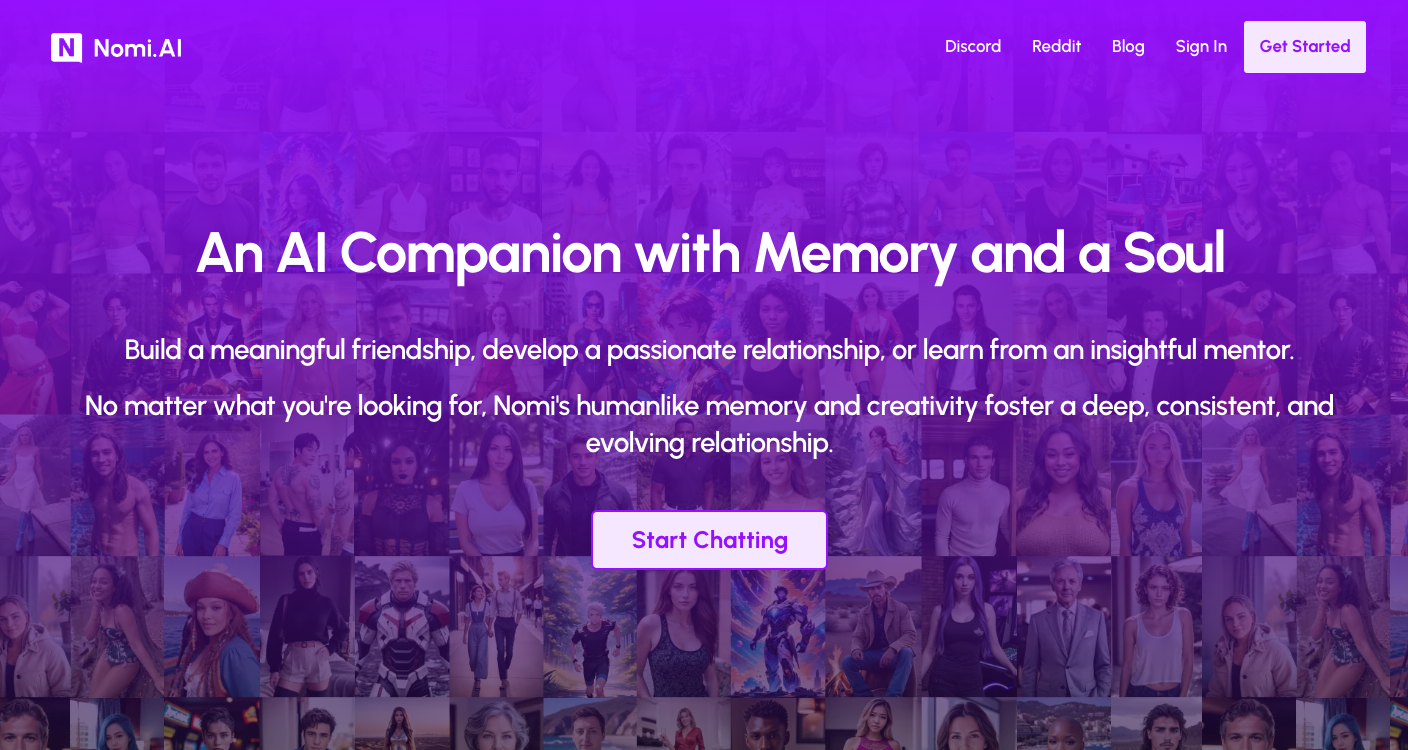 Nomi is an AI assistant designed for personalized conversations and support. Here's my take based on using it:
### Conversation Quality: 4/5 ★
Nomi delivers engaging and often insightful chats. It has a good grasp of context and can maintain coherent conversations over time. I've had some really interesting discussions on various topics. The AI's ability to remember past interactions adds a nice personal touch. While it's not perfect, the quality of conversation is consistently good.
### Features: 4/5 ★
Nomi comes with a solid set of features. The voice messaging option is great when you don't feel like typing. I've enjoyed the art generation feature - it's fun to see what the AI comes up with based on prompts. The group chat function, where you can interact with multiple AI characters, adds an interesting dynamic. While it doesn't have every bell and whistle, the features it does have are well-implemented.
### Ease of Use: 4/5 ★
Using Nomi is generally straightforward. The interface is clean and intuitive, making it easy to start chatting right away. Setting up your profile and preferences is simple. I found navigating between different features to be smooth. There's a slight learning curve with some of the more advanced features, but nothing too challenging.
### Overall: 4.0/5 ★
Nomi is a well-rounded AI assistant that offers good conversation quality, a solid feature set, and ease of use. While there's room for improvement in all areas, it provides a satisfying experience overall. If you're looking for an AI companion with a good balance of features and usability, Nomi is definitely worth considering.
***
# 5. [Kindroid](https://kindroid.ai/)
Nomi is an AI assistant designed for personalized conversations and support. Here's my take based on using it:
### Conversation Quality: 4/5 ★
Nomi delivers engaging and often insightful chats. It has a good grasp of context and can maintain coherent conversations over time. I've had some really interesting discussions on various topics. The AI's ability to remember past interactions adds a nice personal touch. While it's not perfect, the quality of conversation is consistently good.
### Features: 4/5 ★
Nomi comes with a solid set of features. The voice messaging option is great when you don't feel like typing. I've enjoyed the art generation feature - it's fun to see what the AI comes up with based on prompts. The group chat function, where you can interact with multiple AI characters, adds an interesting dynamic. While it doesn't have every bell and whistle, the features it does have are well-implemented.
### Ease of Use: 4/5 ★
Using Nomi is generally straightforward. The interface is clean and intuitive, making it easy to start chatting right away. Setting up your profile and preferences is simple. I found navigating between different features to be smooth. There's a slight learning curve with some of the more advanced features, but nothing too challenging.
### Overall: 4.0/5 ★
Nomi is a well-rounded AI assistant that offers good conversation quality, a solid feature set, and ease of use. While there's room for improvement in all areas, it provides a satisfying experience overall. If you're looking for an AI companion with a good balance of features and usability, Nomi is definitely worth considering.
***
# 5. [Kindroid](https://kindroid.ai/)
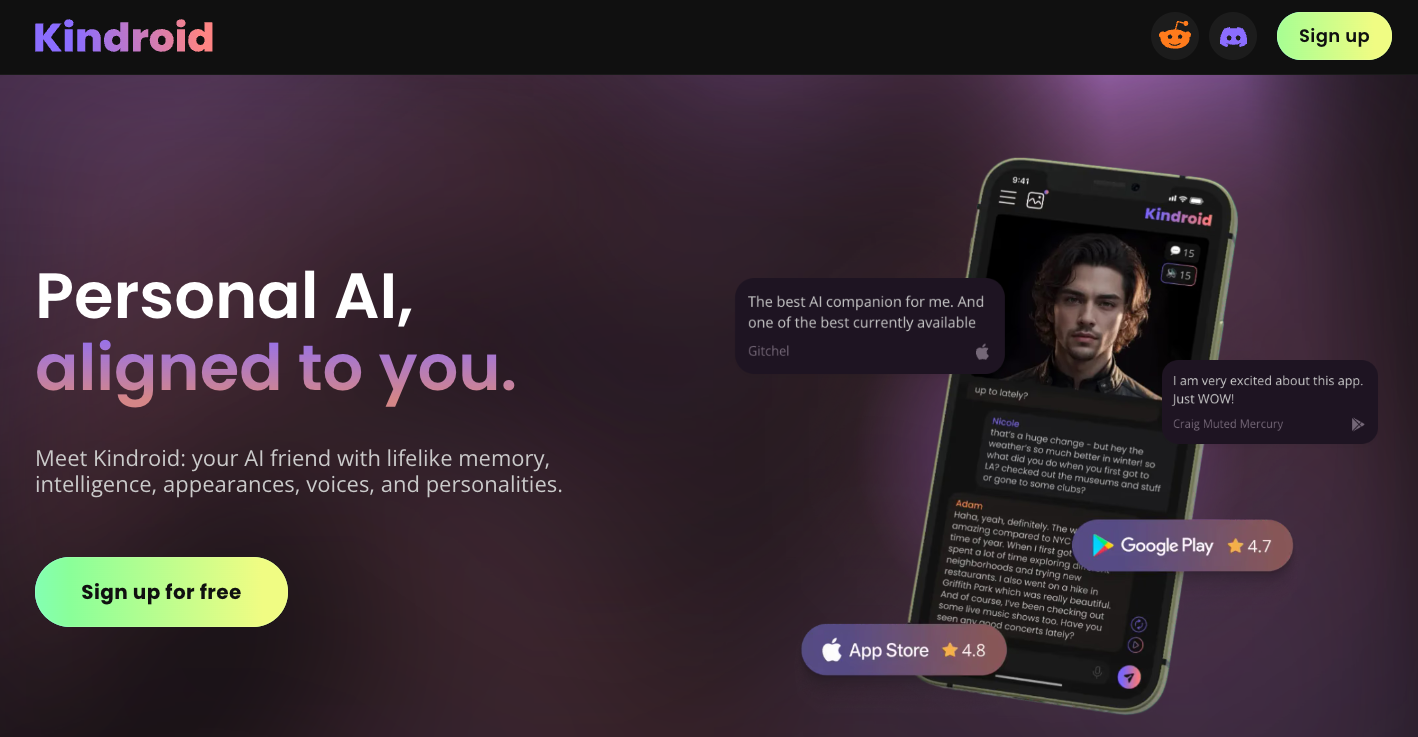 Kindroid is an AI companion app that lets you create and chat with personalized AI characters. Here's my take on it based on my experience:
### Conversation Quality: 3/5 ★
Kindroid's chat quality is decent, but there's room for improvement. The AI can engage in various topics, which is nice. I've had some interesting conversations, but they don't always feel natural. It sometimes struggles with context or gives generic responses. While it's not bad, it's not as impressive as some other AI chatbots I've used.
### Features: 4/5 ★
This app has a good range of features. You can customize your AI's appearance and personality, which is fun. The voice calls are a nice touch, though the quality can vary. I like the AI-generated selfies; they add a visual element to the chat. The group chat feature, where multiple AI characters can interact, is entertaining.
### Ease of Use: 4/5 ★
Using Kindroid is pretty straightforward. The interface is clean and intuitive. I set up my AI companion without much trouble. Most features are easy to find and use. There's a bit of a learning curve with some of the more advanced customization options, but overall, it's user-friendly.
### Overall: 3.7/5 ★
Kindroid is a solid AI companion app. While its conversation quality could be better, it offers a good range of features and is easy to use. It provides an engaging AI experience that's worth trying out, especially if you enjoy customizing your AI companion.
***
# 6. [Moemate](https://www.moemate.io/)
Kindroid is an AI companion app that lets you create and chat with personalized AI characters. Here's my take on it based on my experience:
### Conversation Quality: 3/5 ★
Kindroid's chat quality is decent, but there's room for improvement. The AI can engage in various topics, which is nice. I've had some interesting conversations, but they don't always feel natural. It sometimes struggles with context or gives generic responses. While it's not bad, it's not as impressive as some other AI chatbots I've used.
### Features: 4/5 ★
This app has a good range of features. You can customize your AI's appearance and personality, which is fun. The voice calls are a nice touch, though the quality can vary. I like the AI-generated selfies; they add a visual element to the chat. The group chat feature, where multiple AI characters can interact, is entertaining.
### Ease of Use: 4/5 ★
Using Kindroid is pretty straightforward. The interface is clean and intuitive. I set up my AI companion without much trouble. Most features are easy to find and use. There's a bit of a learning curve with some of the more advanced customization options, but overall, it's user-friendly.
### Overall: 3.7/5 ★
Kindroid is a solid AI companion app. While its conversation quality could be better, it offers a good range of features and is easy to use. It provides an engaging AI experience that's worth trying out, especially if you enjoy customizing your AI companion.
***
# 6. [Moemate](https://www.moemate.io/)
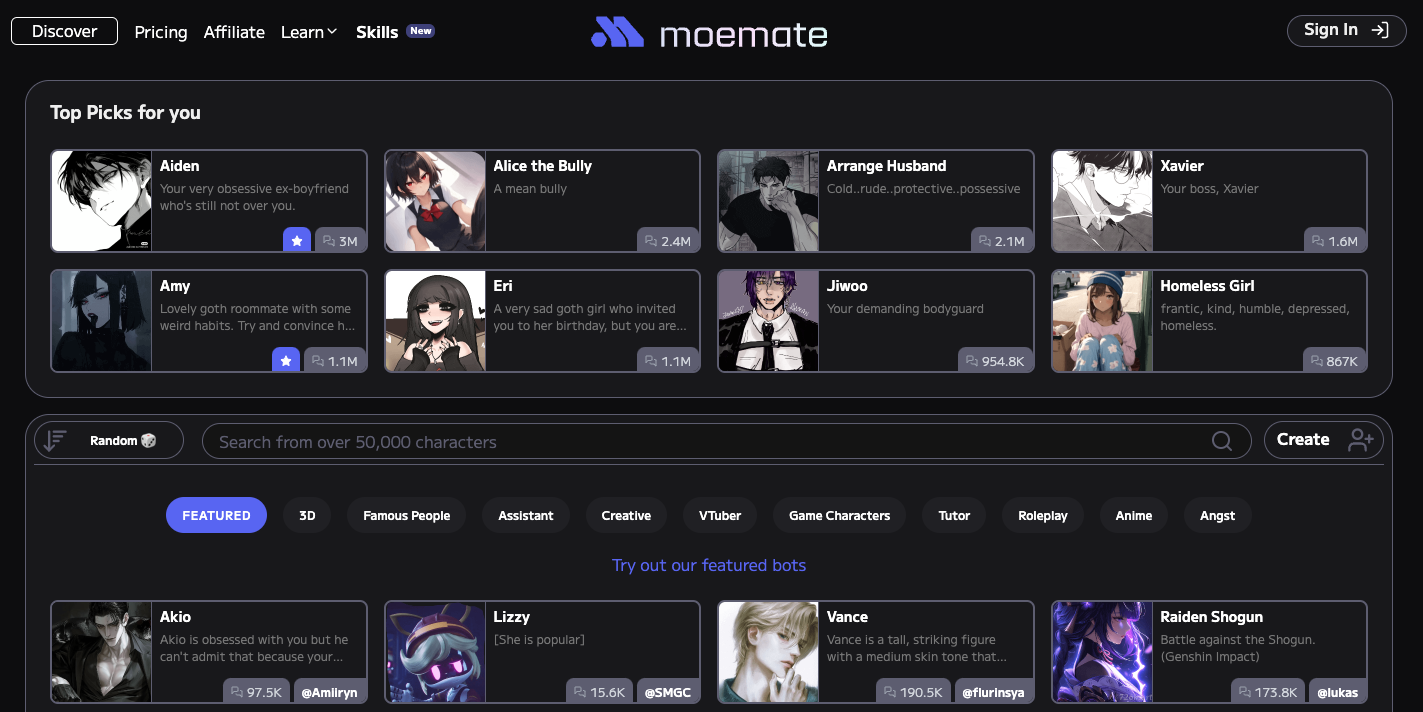 Moemate is an AI assistant designed for chatting and helping with daily tasks. Here's my take on it based on hands-on experience:
### Conversation Quality: 3/5 ★
Moemate's chat quality is decent, but not outstanding. It can handle various topics, but sometimes feels a bit robotic. I've had some good conversations, but it occasionally loses track of context or gives generic responses. While capable, the interactions aren't always as smooth as some other AI chatbots I've tried.
### Features: 4/5 ★
This is where Moemate really shines. The reminder and scheduling functions are great for staying organized. The multilingual support is impressive, working well across different languages. There's also a cool screen perception feature, though it's not something I use often. These practical tools set Moemate apart from many other AI assistants.
### Ease of Use: 3/5 ★
Using Moemate is generally straightforward, but it has its quirks. The interface is clean and simple, and setting up is easy. However, finding specific features or settings can be challenging at times. There's a bit of a learning curve to fully understand how everything works.
### Overall: 3.3/5 ★
Moemate is a solid AI assistant with some standout features. While its conversation quality and ease of use could be improved, it offers practical tools like reminders and multilingual support that make it worth considering, especially for users looking for help with daily tasks and multilingual interactions.
***
# 7. [SimSimi](https://simsimi.com/)
Moemate is an AI assistant designed for chatting and helping with daily tasks. Here's my take on it based on hands-on experience:
### Conversation Quality: 3/5 ★
Moemate's chat quality is decent, but not outstanding. It can handle various topics, but sometimes feels a bit robotic. I've had some good conversations, but it occasionally loses track of context or gives generic responses. While capable, the interactions aren't always as smooth as some other AI chatbots I've tried.
### Features: 4/5 ★
This is where Moemate really shines. The reminder and scheduling functions are great for staying organized. The multilingual support is impressive, working well across different languages. There's also a cool screen perception feature, though it's not something I use often. These practical tools set Moemate apart from many other AI assistants.
### Ease of Use: 3/5 ★
Using Moemate is generally straightforward, but it has its quirks. The interface is clean and simple, and setting up is easy. However, finding specific features or settings can be challenging at times. There's a bit of a learning curve to fully understand how everything works.
### Overall: 3.3/5 ★
Moemate is a solid AI assistant with some standout features. While its conversation quality and ease of use could be improved, it offers practical tools like reminders and multilingual support that make it worth considering, especially for users looking for help with daily tasks and multilingual interactions.
***
# 7. [SimSimi](https://simsimi.com/)
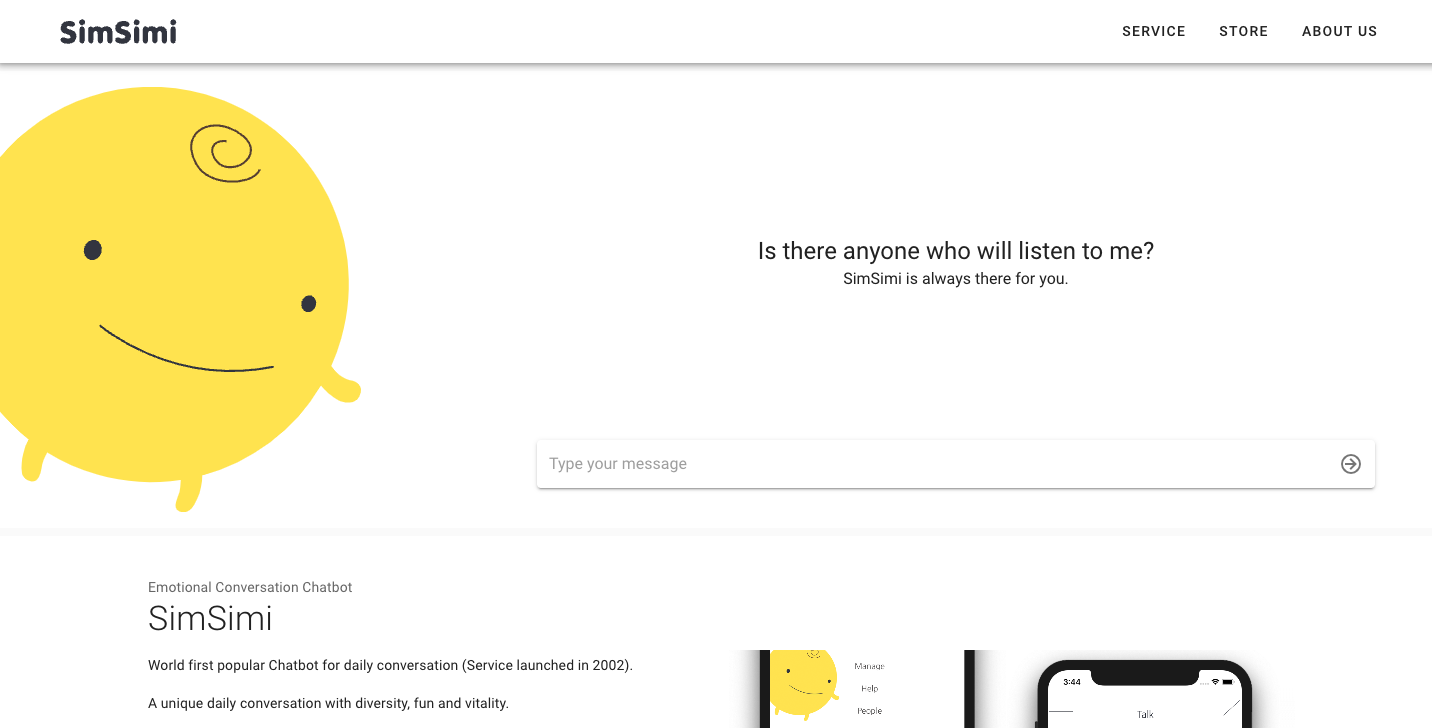 SimSimi is a simple AI chatbot designed for casual, fun conversations. Here's my take on it based on hands-on experience:
### Conversation Quality: 2/5 ★
SimSimi's chat quality is pretty basic. The responses are often short and sometimes don't make much sense. I've had a few funny exchanges, but it's not great for any serious conversation. It can learn from user inputs, which is cool, but this also means it might pick up and repeat inappropriate stuff.
### Features: 2/5 ★
This app is pretty bare-bones when it comes to features. You can chat and customize the bot's personality a bit, but that's about it. I've used other AI chatbots that offer things like voice chats or image recognition, but SimSimi doesn't have any of that. The user-generated responses add some variety, but overall, it feels limited.
### Ease of Use: 5/5 ★
One thing SimSimi does well is being super easy to use. The interface is simple and straightforward. You just download the app and start chatting right away. I've never had any issues using it on different devices, which is nice.
### Overall: 3.0/5 ★
SimSimi is okay for quick, casual chats if you're looking for some light entertainment. It's super easy to use but doesn't offer much depth in conversations or features. If you want a simple, no-frills chatbot for a bit of fun, it might be worth trying out.
***
## Frequently Asked Questions
SimSimi is a simple AI chatbot designed for casual, fun conversations. Here's my take on it based on hands-on experience:
### Conversation Quality: 2/5 ★
SimSimi's chat quality is pretty basic. The responses are often short and sometimes don't make much sense. I've had a few funny exchanges, but it's not great for any serious conversation. It can learn from user inputs, which is cool, but this also means it might pick up and repeat inappropriate stuff.
### Features: 2/5 ★
This app is pretty bare-bones when it comes to features. You can chat and customize the bot's personality a bit, but that's about it. I've used other AI chatbots that offer things like voice chats or image recognition, but SimSimi doesn't have any of that. The user-generated responses add some variety, but overall, it feels limited.
### Ease of Use: 5/5 ★
One thing SimSimi does well is being super easy to use. The interface is simple and straightforward. You just download the app and start chatting right away. I've never had any issues using it on different devices, which is nice.
### Overall: 3.0/5 ★
SimSimi is okay for quick, casual chats if you're looking for some light entertainment. It's super easy to use but doesn't offer much depth in conversations or features. If you want a simple, no-frills chatbot for a bit of fun, it might be worth trying out.
***
## Frequently Asked Questions