> ## Documentation Index
> Fetch the complete documentation index at: https://usefulai.com/llms.txt
> Use this file to discover all available pages before exploring further.
# 8 Best AI Voice Dictation Tools in June 2026
By [Alex](/about-us) · Updated Jun 2, 2026
AI voice dictation tools let you speak naturally and get polished, formatted text inserted directly into whatever app you're already working in - not just into a chat window. The meaningful trade-off is between cloud tools (easier, faster to feel smooth) and local ones (more privacy, more setup). We tested more than a dozen tools across desktop and mobile before landing on these eight picks.
## Best AI Voice Dictation Tools
| # | Tool | Best For | Platform |
| - | ------------------------------------------------------------------------------------------------------------------------------------------------------------------------------------------------------------------------------------------------------------------------------------------------------------------------------------------------------------------------------------------------------------------------------------------------------------------------------------------------------------------------------------------------------------------------------------------------------------------------------------------------------------------------------------------------------------------------------------------------------------------------------------------------------------------------------------------------------------------------------------------------------------------------------------------------------------------------------------------------------------------------------------------------------------------------------------------------------------------------------------------------------------------------------------------------------------------------------------------------------------------------------------------------------------------------------------------------------------------------------------------------------------------------------------------------------------------------------------------------------------------------------------------------------- | ------------------------------------------- | ----------------------------- |
| 1 | [Wispr Flow](https://wisprflow.ai) | Lowest-friction daily dictation | Mac, Windows, iPhone, Android |
| 2 | [Superwhisper](https://superwhisper.com) | Model control and power-user modes | Mac, Windows, iPhone, iPad |
| 3 | [Aqua Voice](https://aquavoice.com) | Technical vocabulary and jargon | Mac, Windows, iPhone |
| 4 | [Typeless](https://typeless.com) | Generous free tier for AI dictation | Mac, Windows, iPhone, Android |
| 5 | [Willow Voice](https://willowvoice.com) | App-aware tone and style matching | Mac, Windows, iPhone |
| 6 | [Handy](https://handy.computer) | Free open-source local dictation | Mac, Windows, Linux |
| 7 | [Voice In](https://dictanote.co/voicein/) | Chrome/Edge browser dictation | Chrome extension |
| 8 | [Dragon Professional](https://dragon.nuance.com/en-us/dragon-professional) | Windows professional commands and templates | Windows |
## Do You Need a Dedicated AI Dictation App?
Before you pay, test the free voice tools you already have.
* **Native dictation and voice typing** - Apple Dictation, Windows Voice Typing, Google Docs Voice Typing, Gboard, and the standard iOS/Android keyboard microphones are enough for quick replies, search, simple notes, and accessibility.
* **AI chatbot voice modes** - ChatGPT Voice, Gemini Live, Claude Voice, and Copilot Voice work well when the conversation with the AI assistant is the destination.
Upgrade when you need polished text in many apps, better cleanup, custom vocabulary, reusable style, long-form reliability, local control, or workflow commands.
***
## 1. [Wispr Flow](https://wisprflow.ai): Best for Lowest-friction daily dictation
Wispr Flow is the tool we'd hand to most people first. Press the shortcut, speak, get clean text where your cursor is - with no models to configure and no post-processing to tune. It works across Mac, Windows, iPhone, and Android from a single account, which already puts it ahead of most competitors. The main caution: it's cloud-first, and Android sessions cap at 5 minutes.
### What We Like
**It just works on day one.** You don't pick models, set up prompts, or debug paste methods. That low setup bar is genuinely rare - most tools make you work before they feel smooth. Matters most if you want dictation as a daily habit, not a project.
**Active product velocity.** Wispr shipped a Scratchpad beta (a floating voice writing surface), a language picker in the Flow Bar, and steady Android and iOS improvements - all between March and May 2026. When a tool is moving this fast, rough edges tend to get fixed while you're using it.
### What We Don't Like
**Cloud-first with no local path.** If your notes or messages can't leave your device, Wispr isn't the right default. There's no on-device processing option.
**Limited model control.** The polished output is the product, but if you want to swap models, set custom prompts per writing mode, or bring your own API key, Superwhisper handles that better.
### Pricing
| Plan | Price | What's Included |
| --------------- | ------------------- | ---------------------------------------------------------------------------------------------------------------- |
| Flow Basic | Free | 2,000 words/week (Mac/Windows), 1,000/week (iPhone), unlimited on Android promo; custom dictionary; Privacy Mode |
| Flow Pro | \$15/mo or \$144/yr | Unlimited words across all platforms; Command Mode; team collaboration; early access |
| Flow Enterprise | Custom | SOC 2 Type II, ISO 27001, HIPAA, Zero Data Retention, SSO/SAML, usage dashboards |
New accounts get a 14-day Pro trial. Student discount available (3 months free + 50% off Pro).
### Platform Availability
Mac, Windows, iPhone, Android
### Who It's For (and Who Should Skip It)
Wispr is the default for knowledge workers who dictate emails, Slack messages, long prompts, and notes across desktop and phone. Skip it if you need local processing or Linux - Superwhisper or Handy cover those better.
[**Try Wispr Flow**](https://wisprflow.ai)
***
## 2. [Superwhisper](https://superwhisper.com): Best for Model control and power-user modes
If you want to understand and shape how your dictation actually works, Superwhisper is the pick. You get local models, cloud models, custom modes per task (code, email, long-form), bring-your-own-key options, and the most visible changelog in the category. It asks more of you than Wispr does in week one, but gives you more in return.
### What We Like
**Modes that actually change behavior.** You can configure dictation to clean up code differently than email, and email differently than notes. That's not just a UI preference - it means you don't get the same one-size cleanup in every context. Matters if you switch between writing types throughout the day.
**The lifetime plan changes the math.** At \$249.99 once, Superwhisper is dramatically cheaper than cloud-first tools over 2-3 years if you dictate daily. Worth calculating before you default to monthly pricing.
**BYOK and coding-agent integrations.** The v2.14.0 release added GPT 5.5 on BYOK and direct coding-agent plugin installation. For developers who want dictation inside their actual workflow - not just text insertion - that's meaningfully different from simpler tools.
### What We Don't Like
**Steeper first-week learning curve.** There are enough settings, modes, and model options that the first session takes longer to feel right than Wispr. Not a dealbreaker for a power user, but worth knowing.
**No Android.** Superwhisper covers Mac, Windows, iPhone, and iPad - but Android isn't on the roadmap publicly. If Android is your primary phone, look at Wispr or Typeless.
### Pricing
| Plan | Price | What's Included |
| -------- | ----------------------- | --------------------------------------------------------------------------------------- |
| Free | Free | Basic dictation; limited cloud voice models |
| Pro | \$8.49/mo or \$84.99/yr | Unlimited cloud models, local models, custom modes, AI-powered modes, custom vocabulary |
| Lifetime | \$249.99 once | Full Pro feature set, one-time payment |
One Pro license covers Mac, Windows, iPhone, and iPad. App Store purchases may cost more due to platform fees.
### Platform Availability
Mac, Windows, iPhone, iPad
### Who It's For (and Who Should Skip It)
Best for developers, technical writers, privacy-conscious buyers, and anyone who wants to control how their dictation pipeline works. Skip it if you want the simplest possible day-one experience - Wispr Flow gets there faster.
[**Try Superwhisper**](https://superwhisper.com)
***
## 3. [Aqua Voice](https://aquavoice.com): Best for Technical vocabulary and jargon
Aqua Voice is built around one problem that general dictation tools handle poorly: technical language. API names, model names, product names, programming terms - the stuff that comes out garbled in other apps. If that's your daily friction, Aqua is worth testing before you settle.
### What We Like
**Technical vocabulary is the real differentiation.** Aqua uses its own Avalon model specifically tuned for jargon. Combined with up to 800 custom dictionary values on Pro, it builds a strong case if your dictation involves terms that most speech recognition gets wrong.
**Low latency in cloud mode.** Waiting for text breaks your train of thought during technical dictation. Aqua feels noticeably fast, which matters more than it sounds when you're jumping between code, documentation, and Slack.
### What We Don't Like
**No Android, no local mode.** Aqua is Mac, Windows, and iPhone - and it's cloud-only. Android users should look at Wispr or Typeless, and local-first users should go to Superwhisper or Handy.
**No working public changelog.** That's a transparency gap for a tool you'd be betting daily work on - and it makes Wispr and Superwhisper easier to trust for long-term decisions.
### Pricing
| Plan | Price | What's Included |
| ---------- | ------------------------------ | -------------------------------------------------------------------------------- |
| Starter | Free | 1,000 words; Aqua Engine; 5 custom dictionary values |
| Pro | \$8/mo (billed annually) | Unlimited words; Avalon model; 800 custom dictionary values; custom instructions |
| Team | \$12/mo/user (billed annually) | Pro plus centralized billing, team-wide settings, org Privacy Mode |
| Enterprise | Custom | SSO/SAML, SCIM, Zero Data Retention, volume discounts |
### Platform Availability
Mac, Windows, iPhone
### Who It's For (and Who Should Skip It)
The pick for developers, engineers, and technical writers whose biggest dictation problem is jargon accuracy. Skip it if you need Android or local processing - Wispr handles the first, Superwhisper the second.
[**Try Aqua Voice**](https://aquavoice.com)
***
## 4. [Typeless](https://typeless.com): Best for Generous free tier for AI dictation
Typeless gives you 8,000 words per week on the free plan - enough to test daily dictation properly before committing. That's the reason it's here. It's also one of two tools (along with Wispr) with real all-four platform coverage: Mac, Windows, iPhone, and Android.
### What We Like
**The free tier is actually useful.** 8,000 words per week lets you run a real trial - not a teaser that runs out in two days. That's the deciding factor for anyone who wants to prove dictation belongs in their workflow before paying.
**It handles messy speech well.** Typeless's core promise is turning rough spoken thoughts into cleaner text. If you ramble, restart sentences, or think out loud, that AI cleanup layer earns its keep more than it would for someone who already speaks in clean sentences.
### What We Don't Like
**The monthly plan is too expensive to consider.** At \$30/month, it's a steep jump from free. The annual plan at \$12/month is clearly the real upgrade path - but that commitment may feel premature if you're still testing.
**No public changelog.** Like Aqua, Typeless doesn't publish release notes. Harder to evaluate long-term product momentum compared to Wispr or Superwhisper.
### Pricing
| Plan | Price | What's Included |
| ---- | ------------------- | --------------------------------------------------------------------------- |
| Free | \$0 | 8,000 words/week; voice-to-polished-text; translation; personalized writing |
| Pro | \$30/mo or \$144/yr | Unlimited words; team management; early access to features |
### Platform Availability
Mac, Windows, iPhone, Android
### Who It's For (and Who Should Skip It)
Best for cost-sensitive buyers and anyone not yet sure if AI dictation will stick as a habit. The free tier is the real reason to start here. Skip it if you need local models or BYOK - Superwhisper is the better path.
[**Try Typeless**](https://typeless.com)
***
## 5. [Willow Voice](https://willowvoice.com): Best for App-aware tone and style matching
Willow's hook is not just "voice to text" - it's that the same spoken sentence should come out differently depending on whether you're texting a friend, messaging a colleague on Slack, or writing a formal email. If that style-matching problem is one you actually hit every day, Willow is the only tool in this list built around solving it.
### What We Like
**Style matching changes the output, not just the cleanup.** Willow applies different tones by app and context. That means texts come out casual, work Slack messages come out professional, and emails come out formal - without you rewriting each one. Matters most if your daily writing spans multiple registers.
**A serious privacy and team posture.** Private Mode, local transcript history, team controls, and enterprise options (SOC 2, HIPAA, Zero Data Retention) make Willow more credible for work use than lighter solo dictation tools.
### What We Don't Like
**Android isn't live yet.** The official help center lists Android as "Coming soon" across all plans. If Android is your primary phone, Willow doesn't work for you today - check back.
**Session limits are real constraints.** The free plan caps sessions at 5 minutes; Pro extends that to 8 minutes. Long-form dictation is not this tool's natural fit.
### Pricing
| Plan | Price | What's Included |
| -------------- | ------------------------------------------- | ----------------------------------------------------------------------------------------- |
| Free | Free | 2,000 words/week; instant dictation; personal dictionary; Privacy Mode; 5-minute sessions |
| Individual Pro | \$15/mo or \$144/yr | Unlimited words; full personalization; style memory; offline dictation; 8-minute sessions |
| Team | \$10/user/mo billed annually (min. 3 seats) | Individual Pro plus team dictionary, shortcuts, management dashboard |
| Enterprise | Custom | SOC 2 Type II, HIPAA, Zero Data Retention, SSO/SAML |
### Platform Availability
Mac, Windows, iPhone (Android coming soon)
### Who It's For (and Who Should Skip It)
Best for professionals who write across multiple tones throughout the day and want the tool to do that context-switching for them. Skip it if you need Android today or extended recording sessions - Wispr handles the first, and Superwhisper handles longer-form control.
[**Try Willow Voice**](https://willowvoice.com)
***
## 6. [Handy](https://handy.computer): Best for Free open-source local dictation
Handy does one thing most polished dictation apps won't: it runs entirely on your machine, costs nothing, and works on Linux. There's no subscription, no default cloud dependency, and the code is inspectable. The trade-off is that it takes more setup to get smooth - but for privacy-sensitive users or anyone who can't justify a monthly bill, it's the right starting point.
### What We Like
**No cost, no cloud, no catch.** Handy is free and open-source (optional donations). If you want offline desktop dictation without a subscription, this is the obvious first test.
**Linux support.** That alone puts it on the list. Nearly every other polished dictation app ignores Linux. For developers on Ubuntu, Arch, or anything else, Handy is the only serious option.
**Real open-source traction.** The v0.8.3 release in April 2026 included performance fixes, Linux Wayland improvements, Bedrock post-processing support, and multi-contributor work. This isn't a static GitHub repo - it's actively maintained.
### What We Don't Like
**Setup is hands-on.** Expect to handle permissions, model downloads, paste-method tweaks, and possibly Wayland quirks before it feels right. Worth it for the right user, but not a one-click install.
**Output quality depends on your setup.** Accuracy, speed, and punctuation vary based on your model choice, hardware, and post-processing configuration. You'll need to experiment before finding your working setup.
### Pricing
| Plan | Price | What's Included |
| ----------- | -------- | ------------------------------------------------------------------------------ |
| Open-source | Free | Offline speech-to-text; local models; Mac, Windows, Linux; extensible codebase |
| Donations | Optional | Supports ongoing development |
### Platform Availability
Mac, Windows, Linux
### Who It's For (and Who Should Skip It)
The pick for privacy-first users, Linux users, and anyone who wants local dictation without paying monthly. Skip it if you need iPhone, Android, a Chrome extension, or AI text cleanup - Wispr or Typeless handle those.
[**Try Handy**](https://handy.computer)
***
## 7. [Voice In](https://dictanote.co/voicein/): Best for Chrome/Edge browser dictation
Voice In is not a system-wide dictation app. It's a Chrome and Edge extension that lets you dictate into browser text fields - Gmail, Google Docs, CRMs, EHRs, support queues, Notion web, and thousands of other sites. That's a different product from Wispr or Superwhisper, and it's the right pick in specific situations.
### What We Like
**The extension format is the advantage.** On Chromebooks, in managed enterprise environments, or on machines where installing a desktop app is restricted, Voice In is the only practical option in this category.
**Custom commands add real utility.** You can set up voice commands to insert repeated phrases, fill standard fields, or navigate complex web apps by voice. Particularly useful in CRM or EHR workflows where you're typing the same things constantly.
**The price is low.** The free tier covers basic browser dictation across 10,000+ sites. The Plus plan runs \$4.99/month on annual billing (\$59.99/year) or \$149.99 for lifetime access - far cheaper than full AI dictation apps.
### What We Don't Like
**Browser-only.** Desktop apps, mobile apps, and system-wide insertion are all out of scope. If your dictation needs go beyond web text fields, Voice In isn't the answer.
**No AI text cleanup.** Voice In is dictation plus commands, not Wispr-style AI polishing. Expect raw transcription with speaker-controlled corrections rather than cleaned-up output.
### Pricing
| Plan | Price | What's Included |
| ------------- | ----------------------- | ------------------------------------------------------------- |
| Free | Free | Browser dictation; 10,000+ sites; 50+ languages |
| Plus | \$9.99/mo or \$59.99/yr | Advanced Mode; custom voice commands; premium browser support |
| Plus Lifetime | \$149.99 once | Lifetime premium access |
### Platform Availability
Chrome extension, Edge extension
### Who It's For (and Who Should Skip It)
Best for Chromebook users, browser-first workflows, and anyone who works all day in web apps like a CRM or EHR. Skip it for desktop app dictation, mobile, local-first workflows, or if you want AI-polished output - Wispr handles the first three well.
[**Try Voice In**](https://dictanote.co/voicein/)
***
## 8. [Dragon Professional](https://dragon.nuance.com/en-us/dragon-professional): Best for Windows professional commands and templates
Dragon isn't a modern AI dictation app - it's a professional Windows speech recognition system with deep custom vocabulary, macros, auto-text templates, and workflow commands built up over decades. It still makes sense in specific environments. Outside those environments, modern tools are better in almost every way.
### What We Like
**Commands and templates remain unmatched for Windows workflows.** Custom vocabulary, macros, auto-text, and repeatable documentation routines are Dragon's real differentiator. If you have an existing Dragon deployment or need documentation-heavy Windows workflows, nothing in this list replaces that.
**Managed enterprise deployment.** Dragon Professional v16 supports Nuance Management Center and volume licensing - a credible option for organizations with IT administration needs, compliance requirements, and legacy workflows.
### What We Don't Like
**Wrong default for modern AI writing.** If you want polished text in Slack, Gmail, Notion, Cursor, or browser prompts, start with Wispr, Superwhisper, Aqua, or Typeless. Dragon's cleanup model is built for documentation, not conversational app-wide dictation.
**Fragmented product story.** Dragon Professional is Windows-only and routes to contact sales. Dragon Anywhere is a separate mobile subscription (\$14.99/month or \$149.99/year after a 7-day trial) with a different product history. Don't assume they're interchangeable.
### Pricing
| Plan | Price | What's Included |
| ------------------------ | ------------------------------------------ | ------------------------------------------------------------------------------- |
| Dragon Professional v16 | Contact sales | Windows speech recognition; custom vocabulary; macros; Nuance Management Center |
| Dragon Anywhere (mobile) | Free trial, then \$14.99/mo or \$149.99/yr | iOS/Android mobile dictation; syncs customizations |
### Platform Availability
Dragon Professional: Windows. Dragon Anywhere: iPhone, iPad, Android.
### Who It's For (and Who Should Skip It)
Best for Windows professionals with documentation-heavy workflows, legal or clinical dictation, or existing Dragon deployments. Skip it for modern cross-app AI dictation - Wispr Flow handles that better and works on Mac, iPhone, and Android.
[**Buy Dragon Professional**](https://dragon.nuance.com/en-us/dragon-professional)
## Selection Guide
* If you want the easiest all-around dictation tool → [Wispr Flow](https://wisprflow.ai)
* If you want local models, custom modes, or BYOK → [Superwhisper](https://superwhisper.com)
* If technical vocabulary keeps breaking in other tools → [Aqua Voice](https://aquavoice.com)
* If you want a serious free trial before paying anything → [Typeless](https://typeless.com)
* If you want tone to change by app and writing context → [Willow Voice](https://willowvoice.com)
* If you want free offline dictation on Linux or desktop → [Handy](https://handy.computer)
* If you live in a browser and want voice for web text fields → [Voice In](https://dictanote.co/voicein/)
* If you need Windows professional commands and templates → [Dragon Professional](https://dragon.nuance.com/en-us/dragon-professional)
## How We Evaluated
We evaluated more than a dozen voice dictation tools and selected eight for this guide. We don't use affiliate links, accept sponsorships, or take any form of payment from tool makers. Our recommendations are based entirely on our testing and research.
### Selection Criteria
**Output quality and text cleanup.** We looked at whether spoken text - including messy, restarted, and jargon-heavy speech - came out usable without manual correction.
**Platform coverage and real-world behavior.** We verified platform claims against official download pages, system requirement docs, App Store listings, and GitHub repos - not just marketing copy.
**Pricing value and free-tier usefulness.** We checked whether free tiers are enough to make a real decision, and whether the paid upgrade math makes sense for daily users.
**Product transparency and velocity.** We checked official changelogs and release histories to separate actively maintained tools from stale ones.
### How We Tested
We tested each tool across multiple writing surfaces - email, Slack, Notion, browser forms, and code contexts where relevant. We paid attention to: whether text landed correctly in different apps; how the tool handled filler words, restarts, and technical terms; whether mobile behavior matched desktop quality; and how much setup was required before the tool felt useful. For local tools, we also evaluated model options and platform-specific friction.
## Tools We Left Out (and Why)
### Other Tools Worth Considering
* **[Spokenly](https://spokenly.app)** - Consider it for local/BYOK dictation on Mac, Windows, and iPhone; start with Superwhisper or Handy first.
* **[VoiceInk](https://www.voice-ink.com/)** - Consider it if you want simpler local Mac/Windows dictation with less setup than Handy.
* **[OpenWhispr](https://openwhispr.com)** - Consider it for open-source local dictation with an assistant-like workflow.
* **[Monologue](https://www.monologue.to)** - Consider it for Apple-focused dictation plus notes, especially if CLI/API/MCP support matters to your workflow.
* **[Google AI Edge Eloquent](https://ai.google.dev/edge/eloquent)** - Consider it for free offline Apple dictation from Google; it is still narrow and new.
* **[Rubil](https://rubil.com/)** - Consider it for Chrome-plus-Mac app-aware formatting; Voice In is the safer browser-first pick.
* **[VoiceTypr](https://voicetypr.com/), [Whispering](https://github.com/EpicenterHQ/epicenter/blob/main/apps/whispering/README.md), [Voquill](https://voquill.org/), [Wavetype](https://apps.apple.com/us/app/wavetype-ai-%EC%9D%8C%EC%84%B1%EB%85%B8%ED%8A%B8/id6753307863)** - Local/open-source experiments for tinkerers; start with Handy first.
### Adjacent Categories
* **Meeting transcription and AI note-takers ([Otter](https://otter.ai/), [Fireflies](https://fireflies.ai/), [Notta](https://www.notta.ai/), [Granola](https://www.granola.ai/), [Read AI](https://www.read.ai/), [Plaud](https://www.plaud.ai/))** - These capture and summarize meetings or recordings. Use them when your problem is getting notes out of a call, not inserting text into apps while you work.
* **Medical/legal AI scribes ([Dragon Medical One](https://www.microsoft.com/en-us/health-solutions/clinical-workflow/dragon-medical-one), [Heidi](https://www.heidihealth.com/en-us), [Abridge](https://www.abridge.com/), [Nabla](https://www.nabla.com/), [Nuance DAX](https://www.microsoft.com/en-us/health-solutions/clinical-workflow/dragon-copilot))** - Specialized documentation systems with EHR/legal workflows and compliance requirements. The right choice when dictated text needs to become structured clinical or legal records, not when you want to draft an email faster.
* **Voice control and accessibility systems ([Talon Voice](https://talonvoice.com), [Apple Voice Control](https://support.apple.com/guide/mac-help/use-voice-control-commands-mh40719/mac), [Windows Voice Access](https://support.microsoft.com/en-US/accessibility/windows/voice-access/use-voice-access-to-control-your-pc-author-text-with-your-voice))** - These help you control your computer by voice: navigate, click, type hands-free. Dictation is one piece of that job. Use this category if you need hands-free PC control, not just text insertion.
* **Audio/video transcription and speech-to-text APIs ([MacWhisper](https://macwhisper.net/), [Descript](https://www.descript.com/), [Sonix](https://sonix.ai/), [Deepgram](https://deepgram.com/), [AssemblyAI](https://www.assemblyai.com/), [ElevenLabs Scribe](https://elevenlabs.io/speech-to-text))** - Use these for recordings, meetings, podcasts, subtitles, or product speech features. They're the right choice when the input is a file, not your live voice.
## What You Need to Know Before Using AI Voice Dictation Tools
These tools are convenient, but voice data is sensitive in ways that aren't always obvious before you start using them.
### Your Voice Goes Somewhere
Most tools in this category are cloud-based by default - your audio or transcribed text travels to a server for processing. That's fine for many use cases, but it matters for confidential documents, client information, medical data, or anything your employer restricts from third-party services. Check the privacy policy before dictating anything sensitive. Tools like Wispr Flow, Willow Voice, and Aqua offer Privacy Mode or Zero Data Retention options at higher tiers - verify what those settings actually do before relying on them. If local processing is a hard requirement, Superwhisper (with local models) or Handy (fully offline) are your safest options.
### Recording Consent Laws Vary by Jurisdiction
If you're using voice dictation to capture conversations - your own words or anyone else's - consent laws apply and vary significantly by state and country. Single-party consent (only you need to know) is common in the US at the federal level, but many states require all-party consent. This is less of a concern when you're purely dictating your own writing, but becomes relevant if you're transcribing meetings, calls, or interviews through one of these tools. When in doubt, disclose.
### Data Retention and Training
Some tools use your audio or transcripts to train or improve their models by default. Others offer an opt-out or enforce no-retention at the enterprise tier only. If you're dictating proprietary content, client information, or anything under an NDA, check the data use policy - not just the marketing page, but the actual privacy policy and terms of service. Enterprise tiers for Wispr Flow, Willow, and Aqua include Zero Data Retention options, but those aren't on by default at lower tiers.
## Frequently Asked Questions
An AI voice dictation tool turns live speech into formatted text inside the app where you're writing. Dedicated tools add cleanup, punctuation, custom vocabulary, style rules, or local processing. That is different from chatbot voice, meeting transcription, and voice-control systems.
Not always. Use built-in dictation for quick text and chatbot voice when the AI assistant is the destination. Pay for a dedicated tool when you need cleaner output, custom vocabulary, app-wide insertion, reusable style, or local/model control.
It varies. Before relying on a tool, check whether your custom dictionary, transcript history, shortcuts, and style memory are exportable or deleted on closure. Local tools leave more on your device; cloud tools depend on account and retention policy.
Start with Handy or Superwhisper local modes. For cloud tools, verify Zero Data Retention, SOC 2/HIPAA claims, and whether your exact plan includes those protections before dictating restricted work content.
Dictation is live text entry into the app where you're working. Transcription tools process existing audio or video files. Choose MacWhisper, Descript, Sonix, Deepgram, or AssemblyAI for recordings, meetings, podcasts, subtitles, archives, or product speech features.
We update this guide as tools ship significant changes or new options earn a spot. If you're still undecided, Wispr Flow is the safest starting point for most people. Questions or suggestions? Let us know.
 [Wispr Flow](https://wisprflow.ai) | Lowest-friction daily dictation | Mac, Windows, iPhone, Android |
| 2 |
[Wispr Flow](https://wisprflow.ai) | Lowest-friction daily dictation | Mac, Windows, iPhone, Android |
| 2 |  [Superwhisper](https://superwhisper.com) | Model control and power-user modes | Mac, Windows, iPhone, iPad |
| 3 |
[Superwhisper](https://superwhisper.com) | Model control and power-user modes | Mac, Windows, iPhone, iPad |
| 3 |  [Aqua Voice](https://aquavoice.com) | Technical vocabulary and jargon | Mac, Windows, iPhone |
| 4 |
[Aqua Voice](https://aquavoice.com) | Technical vocabulary and jargon | Mac, Windows, iPhone |
| 4 |  [Typeless](https://typeless.com) | Generous free tier for AI dictation | Mac, Windows, iPhone, Android |
| 5 |
[Typeless](https://typeless.com) | Generous free tier for AI dictation | Mac, Windows, iPhone, Android |
| 5 |  [Willow Voice](https://willowvoice.com) | App-aware tone and style matching | Mac, Windows, iPhone |
| 6 |
[Willow Voice](https://willowvoice.com) | App-aware tone and style matching | Mac, Windows, iPhone |
| 6 |  [Handy](https://handy.computer) | Free open-source local dictation | Mac, Windows, Linux |
| 7 |
[Handy](https://handy.computer) | Free open-source local dictation | Mac, Windows, Linux |
| 7 |  [Voice In](https://dictanote.co/voicein/) | Chrome/Edge browser dictation | Chrome extension |
| 8 |
[Voice In](https://dictanote.co/voicein/) | Chrome/Edge browser dictation | Chrome extension |
| 8 |  [Dragon Professional](https://dragon.nuance.com/en-us/dragon-professional) | Windows professional commands and templates | Windows |
## Do You Need a Dedicated AI Dictation App?
Before you pay, test the free voice tools you already have.
* **Native dictation and voice typing** - Apple Dictation, Windows Voice Typing, Google Docs Voice Typing, Gboard, and the standard iOS/Android keyboard microphones are enough for quick replies, search, simple notes, and accessibility.
* **AI chatbot voice modes** - ChatGPT Voice, Gemini Live, Claude Voice, and Copilot Voice work well when the conversation with the AI assistant is the destination.
Upgrade when you need polished text in many apps, better cleanup, custom vocabulary, reusable style, long-form reliability, local control, or workflow commands.
***
## 1. [Wispr Flow](https://wisprflow.ai): Best for Lowest-friction daily dictation
Wispr Flow is the tool we'd hand to most people first. Press the shortcut, speak, get clean text where your cursor is - with no models to configure and no post-processing to tune. It works across Mac, Windows, iPhone, and Android from a single account, which already puts it ahead of most competitors. The main caution: it's cloud-first, and Android sessions cap at 5 minutes.
### What We Like
**It just works on day one.** You don't pick models, set up prompts, or debug paste methods. That low setup bar is genuinely rare - most tools make you work before they feel smooth. Matters most if you want dictation as a daily habit, not a project.
**Active product velocity.** Wispr shipped a Scratchpad beta (a floating voice writing surface), a language picker in the Flow Bar, and steady Android and iOS improvements - all between March and May 2026. When a tool is moving this fast, rough edges tend to get fixed while you're using it.
### What We Don't Like
**Cloud-first with no local path.** If your notes or messages can't leave your device, Wispr isn't the right default. There's no on-device processing option.
**Limited model control.** The polished output is the product, but if you want to swap models, set custom prompts per writing mode, or bring your own API key, Superwhisper handles that better.
### Pricing
| Plan | Price | What's Included |
| --------------- | ------------------- | ---------------------------------------------------------------------------------------------------------------- |
| Flow Basic | Free | 2,000 words/week (Mac/Windows), 1,000/week (iPhone), unlimited on Android promo; custom dictionary; Privacy Mode |
| Flow Pro | \$15/mo or \$144/yr | Unlimited words across all platforms; Command Mode; team collaboration; early access |
| Flow Enterprise | Custom | SOC 2 Type II, ISO 27001, HIPAA, Zero Data Retention, SSO/SAML, usage dashboards |
New accounts get a 14-day Pro trial. Student discount available (3 months free + 50% off Pro).
### Platform Availability
Mac, Windows, iPhone, Android
### Who It's For (and Who Should Skip It)
Wispr is the default for knowledge workers who dictate emails, Slack messages, long prompts, and notes across desktop and phone. Skip it if you need local processing or Linux - Superwhisper or Handy cover those better.
[**Try Wispr Flow**](https://wisprflow.ai)
***
## 2. [Superwhisper](https://superwhisper.com): Best for Model control and power-user modes
If you want to understand and shape how your dictation actually works, Superwhisper is the pick. You get local models, cloud models, custom modes per task (code, email, long-form), bring-your-own-key options, and the most visible changelog in the category. It asks more of you than Wispr does in week one, but gives you more in return.
### What We Like
**Modes that actually change behavior.** You can configure dictation to clean up code differently than email, and email differently than notes. That's not just a UI preference - it means you don't get the same one-size cleanup in every context. Matters if you switch between writing types throughout the day.
**The lifetime plan changes the math.** At \$249.99 once, Superwhisper is dramatically cheaper than cloud-first tools over 2-3 years if you dictate daily. Worth calculating before you default to monthly pricing.
**BYOK and coding-agent integrations.** The v2.14.0 release added GPT 5.5 on BYOK and direct coding-agent plugin installation. For developers who want dictation inside their actual workflow - not just text insertion - that's meaningfully different from simpler tools.
### What We Don't Like
**Steeper first-week learning curve.** There are enough settings, modes, and model options that the first session takes longer to feel right than Wispr. Not a dealbreaker for a power user, but worth knowing.
**No Android.** Superwhisper covers Mac, Windows, iPhone, and iPad - but Android isn't on the roadmap publicly. If Android is your primary phone, look at Wispr or Typeless.
### Pricing
| Plan | Price | What's Included |
| -------- | ----------------------- | --------------------------------------------------------------------------------------- |
| Free | Free | Basic dictation; limited cloud voice models |
| Pro | \$8.49/mo or \$84.99/yr | Unlimited cloud models, local models, custom modes, AI-powered modes, custom vocabulary |
| Lifetime | \$249.99 once | Full Pro feature set, one-time payment |
One Pro license covers Mac, Windows, iPhone, and iPad. App Store purchases may cost more due to platform fees.
### Platform Availability
Mac, Windows, iPhone, iPad
### Who It's For (and Who Should Skip It)
Best for developers, technical writers, privacy-conscious buyers, and anyone who wants to control how their dictation pipeline works. Skip it if you want the simplest possible day-one experience - Wispr Flow gets there faster.
[**Try Superwhisper**](https://superwhisper.com)
***
## 3. [Aqua Voice](https://aquavoice.com): Best for Technical vocabulary and jargon
Aqua Voice is built around one problem that general dictation tools handle poorly: technical language. API names, model names, product names, programming terms - the stuff that comes out garbled in other apps. If that's your daily friction, Aqua is worth testing before you settle.
### What We Like
**Technical vocabulary is the real differentiation.** Aqua uses its own Avalon model specifically tuned for jargon. Combined with up to 800 custom dictionary values on Pro, it builds a strong case if your dictation involves terms that most speech recognition gets wrong.
**Low latency in cloud mode.** Waiting for text breaks your train of thought during technical dictation. Aqua feels noticeably fast, which matters more than it sounds when you're jumping between code, documentation, and Slack.
### What We Don't Like
**No Android, no local mode.** Aqua is Mac, Windows, and iPhone - and it's cloud-only. Android users should look at Wispr or Typeless, and local-first users should go to Superwhisper or Handy.
**No working public changelog.** That's a transparency gap for a tool you'd be betting daily work on - and it makes Wispr and Superwhisper easier to trust for long-term decisions.
### Pricing
| Plan | Price | What's Included |
| ---------- | ------------------------------ | -------------------------------------------------------------------------------- |
| Starter | Free | 1,000 words; Aqua Engine; 5 custom dictionary values |
| Pro | \$8/mo (billed annually) | Unlimited words; Avalon model; 800 custom dictionary values; custom instructions |
| Team | \$12/mo/user (billed annually) | Pro plus centralized billing, team-wide settings, org Privacy Mode |
| Enterprise | Custom | SSO/SAML, SCIM, Zero Data Retention, volume discounts |
### Platform Availability
Mac, Windows, iPhone
### Who It's For (and Who Should Skip It)
The pick for developers, engineers, and technical writers whose biggest dictation problem is jargon accuracy. Skip it if you need Android or local processing - Wispr handles the first, Superwhisper the second.
[**Try Aqua Voice**](https://aquavoice.com)
***
## 4. [Typeless](https://typeless.com): Best for Generous free tier for AI dictation
Typeless gives you 8,000 words per week on the free plan - enough to test daily dictation properly before committing. That's the reason it's here. It's also one of two tools (along with Wispr) with real all-four platform coverage: Mac, Windows, iPhone, and Android.
### What We Like
**The free tier is actually useful.** 8,000 words per week lets you run a real trial - not a teaser that runs out in two days. That's the deciding factor for anyone who wants to prove dictation belongs in their workflow before paying.
**It handles messy speech well.** Typeless's core promise is turning rough spoken thoughts into cleaner text. If you ramble, restart sentences, or think out loud, that AI cleanup layer earns its keep more than it would for someone who already speaks in clean sentences.
### What We Don't Like
**The monthly plan is too expensive to consider.** At \$30/month, it's a steep jump from free. The annual plan at \$12/month is clearly the real upgrade path - but that commitment may feel premature if you're still testing.
**No public changelog.** Like Aqua, Typeless doesn't publish release notes. Harder to evaluate long-term product momentum compared to Wispr or Superwhisper.
### Pricing
| Plan | Price | What's Included |
| ---- | ------------------- | --------------------------------------------------------------------------- |
| Free | \$0 | 8,000 words/week; voice-to-polished-text; translation; personalized writing |
| Pro | \$30/mo or \$144/yr | Unlimited words; team management; early access to features |
### Platform Availability
Mac, Windows, iPhone, Android
### Who It's For (and Who Should Skip It)
Best for cost-sensitive buyers and anyone not yet sure if AI dictation will stick as a habit. The free tier is the real reason to start here. Skip it if you need local models or BYOK - Superwhisper is the better path.
[**Try Typeless**](https://typeless.com)
***
## 5. [Willow Voice](https://willowvoice.com): Best for App-aware tone and style matching
Willow's hook is not just "voice to text" - it's that the same spoken sentence should come out differently depending on whether you're texting a friend, messaging a colleague on Slack, or writing a formal email. If that style-matching problem is one you actually hit every day, Willow is the only tool in this list built around solving it.
### What We Like
**Style matching changes the output, not just the cleanup.** Willow applies different tones by app and context. That means texts come out casual, work Slack messages come out professional, and emails come out formal - without you rewriting each one. Matters most if your daily writing spans multiple registers.
**A serious privacy and team posture.** Private Mode, local transcript history, team controls, and enterprise options (SOC 2, HIPAA, Zero Data Retention) make Willow more credible for work use than lighter solo dictation tools.
### What We Don't Like
**Android isn't live yet.** The official help center lists Android as "Coming soon" across all plans. If Android is your primary phone, Willow doesn't work for you today - check back.
**Session limits are real constraints.** The free plan caps sessions at 5 minutes; Pro extends that to 8 minutes. Long-form dictation is not this tool's natural fit.
### Pricing
| Plan | Price | What's Included |
| -------------- | ------------------------------------------- | ----------------------------------------------------------------------------------------- |
| Free | Free | 2,000 words/week; instant dictation; personal dictionary; Privacy Mode; 5-minute sessions |
| Individual Pro | \$15/mo or \$144/yr | Unlimited words; full personalization; style memory; offline dictation; 8-minute sessions |
| Team | \$10/user/mo billed annually (min. 3 seats) | Individual Pro plus team dictionary, shortcuts, management dashboard |
| Enterprise | Custom | SOC 2 Type II, HIPAA, Zero Data Retention, SSO/SAML |
### Platform Availability
Mac, Windows, iPhone (Android coming soon)
### Who It's For (and Who Should Skip It)
Best for professionals who write across multiple tones throughout the day and want the tool to do that context-switching for them. Skip it if you need Android today or extended recording sessions - Wispr handles the first, and Superwhisper handles longer-form control.
[**Try Willow Voice**](https://willowvoice.com)
***
## 6. [Handy](https://handy.computer): Best for Free open-source local dictation
Handy does one thing most polished dictation apps won't: it runs entirely on your machine, costs nothing, and works on Linux. There's no subscription, no default cloud dependency, and the code is inspectable. The trade-off is that it takes more setup to get smooth - but for privacy-sensitive users or anyone who can't justify a monthly bill, it's the right starting point.
### What We Like
**No cost, no cloud, no catch.** Handy is free and open-source (optional donations). If you want offline desktop dictation without a subscription, this is the obvious first test.
**Linux support.** That alone puts it on the list. Nearly every other polished dictation app ignores Linux. For developers on Ubuntu, Arch, or anything else, Handy is the only serious option.
**Real open-source traction.** The v0.8.3 release in April 2026 included performance fixes, Linux Wayland improvements, Bedrock post-processing support, and multi-contributor work. This isn't a static GitHub repo - it's actively maintained.
### What We Don't Like
**Setup is hands-on.** Expect to handle permissions, model downloads, paste-method tweaks, and possibly Wayland quirks before it feels right. Worth it for the right user, but not a one-click install.
**Output quality depends on your setup.** Accuracy, speed, and punctuation vary based on your model choice, hardware, and post-processing configuration. You'll need to experiment before finding your working setup.
### Pricing
| Plan | Price | What's Included |
| ----------- | -------- | ------------------------------------------------------------------------------ |
| Open-source | Free | Offline speech-to-text; local models; Mac, Windows, Linux; extensible codebase |
| Donations | Optional | Supports ongoing development |
### Platform Availability
Mac, Windows, Linux
### Who It's For (and Who Should Skip It)
The pick for privacy-first users, Linux users, and anyone who wants local dictation without paying monthly. Skip it if you need iPhone, Android, a Chrome extension, or AI text cleanup - Wispr or Typeless handle those.
[**Try Handy**](https://handy.computer)
***
## 7. [Voice In](https://dictanote.co/voicein/): Best for Chrome/Edge browser dictation
[Dragon Professional](https://dragon.nuance.com/en-us/dragon-professional) | Windows professional commands and templates | Windows |
## Do You Need a Dedicated AI Dictation App?
Before you pay, test the free voice tools you already have.
* **Native dictation and voice typing** - Apple Dictation, Windows Voice Typing, Google Docs Voice Typing, Gboard, and the standard iOS/Android keyboard microphones are enough for quick replies, search, simple notes, and accessibility.
* **AI chatbot voice modes** - ChatGPT Voice, Gemini Live, Claude Voice, and Copilot Voice work well when the conversation with the AI assistant is the destination.
Upgrade when you need polished text in many apps, better cleanup, custom vocabulary, reusable style, long-form reliability, local control, or workflow commands.
***
## 1. [Wispr Flow](https://wisprflow.ai): Best for Lowest-friction daily dictation
Wispr Flow is the tool we'd hand to most people first. Press the shortcut, speak, get clean text where your cursor is - with no models to configure and no post-processing to tune. It works across Mac, Windows, iPhone, and Android from a single account, which already puts it ahead of most competitors. The main caution: it's cloud-first, and Android sessions cap at 5 minutes.
### What We Like
**It just works on day one.** You don't pick models, set up prompts, or debug paste methods. That low setup bar is genuinely rare - most tools make you work before they feel smooth. Matters most if you want dictation as a daily habit, not a project.
**Active product velocity.** Wispr shipped a Scratchpad beta (a floating voice writing surface), a language picker in the Flow Bar, and steady Android and iOS improvements - all between March and May 2026. When a tool is moving this fast, rough edges tend to get fixed while you're using it.
### What We Don't Like
**Cloud-first with no local path.** If your notes or messages can't leave your device, Wispr isn't the right default. There's no on-device processing option.
**Limited model control.** The polished output is the product, but if you want to swap models, set custom prompts per writing mode, or bring your own API key, Superwhisper handles that better.
### Pricing
| Plan | Price | What's Included |
| --------------- | ------------------- | ---------------------------------------------------------------------------------------------------------------- |
| Flow Basic | Free | 2,000 words/week (Mac/Windows), 1,000/week (iPhone), unlimited on Android promo; custom dictionary; Privacy Mode |
| Flow Pro | \$15/mo or \$144/yr | Unlimited words across all platforms; Command Mode; team collaboration; early access |
| Flow Enterprise | Custom | SOC 2 Type II, ISO 27001, HIPAA, Zero Data Retention, SSO/SAML, usage dashboards |
New accounts get a 14-day Pro trial. Student discount available (3 months free + 50% off Pro).
### Platform Availability
Mac, Windows, iPhone, Android
### Who It's For (and Who Should Skip It)
Wispr is the default for knowledge workers who dictate emails, Slack messages, long prompts, and notes across desktop and phone. Skip it if you need local processing or Linux - Superwhisper or Handy cover those better.
[**Try Wispr Flow**](https://wisprflow.ai)
***
## 2. [Superwhisper](https://superwhisper.com): Best for Model control and power-user modes
If you want to understand and shape how your dictation actually works, Superwhisper is the pick. You get local models, cloud models, custom modes per task (code, email, long-form), bring-your-own-key options, and the most visible changelog in the category. It asks more of you than Wispr does in week one, but gives you more in return.
### What We Like
**Modes that actually change behavior.** You can configure dictation to clean up code differently than email, and email differently than notes. That's not just a UI preference - it means you don't get the same one-size cleanup in every context. Matters if you switch between writing types throughout the day.
**The lifetime plan changes the math.** At \$249.99 once, Superwhisper is dramatically cheaper than cloud-first tools over 2-3 years if you dictate daily. Worth calculating before you default to monthly pricing.
**BYOK and coding-agent integrations.** The v2.14.0 release added GPT 5.5 on BYOK and direct coding-agent plugin installation. For developers who want dictation inside their actual workflow - not just text insertion - that's meaningfully different from simpler tools.
### What We Don't Like
**Steeper first-week learning curve.** There are enough settings, modes, and model options that the first session takes longer to feel right than Wispr. Not a dealbreaker for a power user, but worth knowing.
**No Android.** Superwhisper covers Mac, Windows, iPhone, and iPad - but Android isn't on the roadmap publicly. If Android is your primary phone, look at Wispr or Typeless.
### Pricing
| Plan | Price | What's Included |
| -------- | ----------------------- | --------------------------------------------------------------------------------------- |
| Free | Free | Basic dictation; limited cloud voice models |
| Pro | \$8.49/mo or \$84.99/yr | Unlimited cloud models, local models, custom modes, AI-powered modes, custom vocabulary |
| Lifetime | \$249.99 once | Full Pro feature set, one-time payment |
One Pro license covers Mac, Windows, iPhone, and iPad. App Store purchases may cost more due to platform fees.
### Platform Availability
Mac, Windows, iPhone, iPad
### Who It's For (and Who Should Skip It)
Best for developers, technical writers, privacy-conscious buyers, and anyone who wants to control how their dictation pipeline works. Skip it if you want the simplest possible day-one experience - Wispr Flow gets there faster.
[**Try Superwhisper**](https://superwhisper.com)
***
## 3. [Aqua Voice](https://aquavoice.com): Best for Technical vocabulary and jargon
Aqua Voice is built around one problem that general dictation tools handle poorly: technical language. API names, model names, product names, programming terms - the stuff that comes out garbled in other apps. If that's your daily friction, Aqua is worth testing before you settle.
### What We Like
**Technical vocabulary is the real differentiation.** Aqua uses its own Avalon model specifically tuned for jargon. Combined with up to 800 custom dictionary values on Pro, it builds a strong case if your dictation involves terms that most speech recognition gets wrong.
**Low latency in cloud mode.** Waiting for text breaks your train of thought during technical dictation. Aqua feels noticeably fast, which matters more than it sounds when you're jumping between code, documentation, and Slack.
### What We Don't Like
**No Android, no local mode.** Aqua is Mac, Windows, and iPhone - and it's cloud-only. Android users should look at Wispr or Typeless, and local-first users should go to Superwhisper or Handy.
**No working public changelog.** That's a transparency gap for a tool you'd be betting daily work on - and it makes Wispr and Superwhisper easier to trust for long-term decisions.
### Pricing
| Plan | Price | What's Included |
| ---------- | ------------------------------ | -------------------------------------------------------------------------------- |
| Starter | Free | 1,000 words; Aqua Engine; 5 custom dictionary values |
| Pro | \$8/mo (billed annually) | Unlimited words; Avalon model; 800 custom dictionary values; custom instructions |
| Team | \$12/mo/user (billed annually) | Pro plus centralized billing, team-wide settings, org Privacy Mode |
| Enterprise | Custom | SSO/SAML, SCIM, Zero Data Retention, volume discounts |
### Platform Availability
Mac, Windows, iPhone
### Who It's For (and Who Should Skip It)
The pick for developers, engineers, and technical writers whose biggest dictation problem is jargon accuracy. Skip it if you need Android or local processing - Wispr handles the first, Superwhisper the second.
[**Try Aqua Voice**](https://aquavoice.com)
***
## 4. [Typeless](https://typeless.com): Best for Generous free tier for AI dictation
Typeless gives you 8,000 words per week on the free plan - enough to test daily dictation properly before committing. That's the reason it's here. It's also one of two tools (along with Wispr) with real all-four platform coverage: Mac, Windows, iPhone, and Android.
### What We Like
**The free tier is actually useful.** 8,000 words per week lets you run a real trial - not a teaser that runs out in two days. That's the deciding factor for anyone who wants to prove dictation belongs in their workflow before paying.
**It handles messy speech well.** Typeless's core promise is turning rough spoken thoughts into cleaner text. If you ramble, restart sentences, or think out loud, that AI cleanup layer earns its keep more than it would for someone who already speaks in clean sentences.
### What We Don't Like
**The monthly plan is too expensive to consider.** At \$30/month, it's a steep jump from free. The annual plan at \$12/month is clearly the real upgrade path - but that commitment may feel premature if you're still testing.
**No public changelog.** Like Aqua, Typeless doesn't publish release notes. Harder to evaluate long-term product momentum compared to Wispr or Superwhisper.
### Pricing
| Plan | Price | What's Included |
| ---- | ------------------- | --------------------------------------------------------------------------- |
| Free | \$0 | 8,000 words/week; voice-to-polished-text; translation; personalized writing |
| Pro | \$30/mo or \$144/yr | Unlimited words; team management; early access to features |
### Platform Availability
Mac, Windows, iPhone, Android
### Who It's For (and Who Should Skip It)
Best for cost-sensitive buyers and anyone not yet sure if AI dictation will stick as a habit. The free tier is the real reason to start here. Skip it if you need local models or BYOK - Superwhisper is the better path.
[**Try Typeless**](https://typeless.com)
***
## 5. [Willow Voice](https://willowvoice.com): Best for App-aware tone and style matching
Willow's hook is not just "voice to text" - it's that the same spoken sentence should come out differently depending on whether you're texting a friend, messaging a colleague on Slack, or writing a formal email. If that style-matching problem is one you actually hit every day, Willow is the only tool in this list built around solving it.
### What We Like
**Style matching changes the output, not just the cleanup.** Willow applies different tones by app and context. That means texts come out casual, work Slack messages come out professional, and emails come out formal - without you rewriting each one. Matters most if your daily writing spans multiple registers.
**A serious privacy and team posture.** Private Mode, local transcript history, team controls, and enterprise options (SOC 2, HIPAA, Zero Data Retention) make Willow more credible for work use than lighter solo dictation tools.
### What We Don't Like
**Android isn't live yet.** The official help center lists Android as "Coming soon" across all plans. If Android is your primary phone, Willow doesn't work for you today - check back.
**Session limits are real constraints.** The free plan caps sessions at 5 minutes; Pro extends that to 8 minutes. Long-form dictation is not this tool's natural fit.
### Pricing
| Plan | Price | What's Included |
| -------------- | ------------------------------------------- | ----------------------------------------------------------------------------------------- |
| Free | Free | 2,000 words/week; instant dictation; personal dictionary; Privacy Mode; 5-minute sessions |
| Individual Pro | \$15/mo or \$144/yr | Unlimited words; full personalization; style memory; offline dictation; 8-minute sessions |
| Team | \$10/user/mo billed annually (min. 3 seats) | Individual Pro plus team dictionary, shortcuts, management dashboard |
| Enterprise | Custom | SOC 2 Type II, HIPAA, Zero Data Retention, SSO/SAML |
### Platform Availability
Mac, Windows, iPhone (Android coming soon)
### Who It's For (and Who Should Skip It)
Best for professionals who write across multiple tones throughout the day and want the tool to do that context-switching for them. Skip it if you need Android today or extended recording sessions - Wispr handles the first, and Superwhisper handles longer-form control.
[**Try Willow Voice**](https://willowvoice.com)
***
## 6. [Handy](https://handy.computer): Best for Free open-source local dictation
Handy does one thing most polished dictation apps won't: it runs entirely on your machine, costs nothing, and works on Linux. There's no subscription, no default cloud dependency, and the code is inspectable. The trade-off is that it takes more setup to get smooth - but for privacy-sensitive users or anyone who can't justify a monthly bill, it's the right starting point.
### What We Like
**No cost, no cloud, no catch.** Handy is free and open-source (optional donations). If you want offline desktop dictation without a subscription, this is the obvious first test.
**Linux support.** That alone puts it on the list. Nearly every other polished dictation app ignores Linux. For developers on Ubuntu, Arch, or anything else, Handy is the only serious option.
**Real open-source traction.** The v0.8.3 release in April 2026 included performance fixes, Linux Wayland improvements, Bedrock post-processing support, and multi-contributor work. This isn't a static GitHub repo - it's actively maintained.
### What We Don't Like
**Setup is hands-on.** Expect to handle permissions, model downloads, paste-method tweaks, and possibly Wayland quirks before it feels right. Worth it for the right user, but not a one-click install.
**Output quality depends on your setup.** Accuracy, speed, and punctuation vary based on your model choice, hardware, and post-processing configuration. You'll need to experiment before finding your working setup.
### Pricing
| Plan | Price | What's Included |
| ----------- | -------- | ------------------------------------------------------------------------------ |
| Open-source | Free | Offline speech-to-text; local models; Mac, Windows, Linux; extensible codebase |
| Donations | Optional | Supports ongoing development |
### Platform Availability
Mac, Windows, Linux
### Who It's For (and Who Should Skip It)
The pick for privacy-first users, Linux users, and anyone who wants local dictation without paying monthly. Skip it if you need iPhone, Android, a Chrome extension, or AI text cleanup - Wispr or Typeless handle those.
[**Try Handy**](https://handy.computer)
***
## 7. [Voice In](https://dictanote.co/voicein/): Best for Chrome/Edge browser dictation
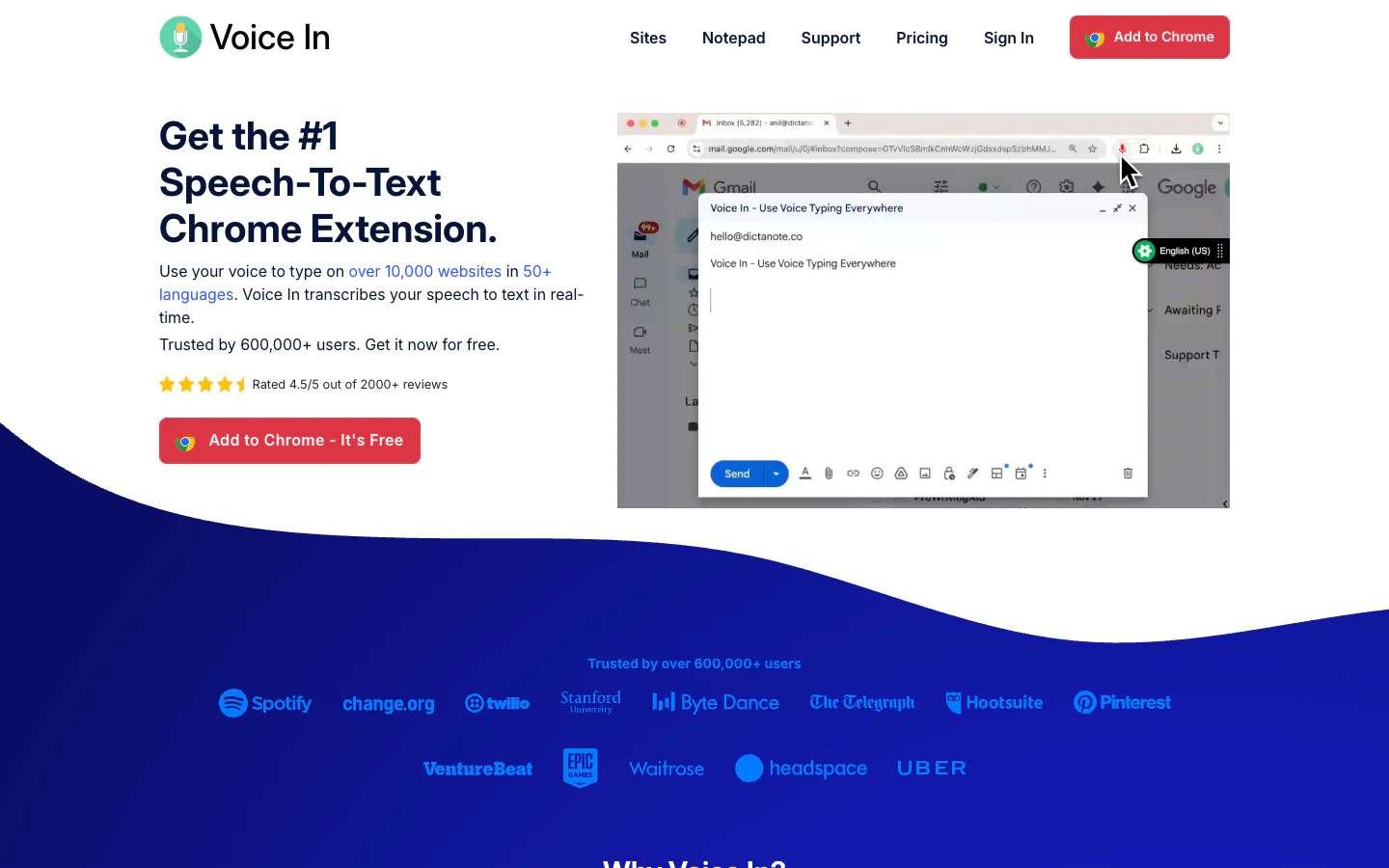 Voice In is not a system-wide dictation app. It's a Chrome and Edge extension that lets you dictate into browser text fields - Gmail, Google Docs, CRMs, EHRs, support queues, Notion web, and thousands of other sites. That's a different product from Wispr or Superwhisper, and it's the right pick in specific situations.
### What We Like
**The extension format is the advantage.** On Chromebooks, in managed enterprise environments, or on machines where installing a desktop app is restricted, Voice In is the only practical option in this category.
**Custom commands add real utility.** You can set up voice commands to insert repeated phrases, fill standard fields, or navigate complex web apps by voice. Particularly useful in CRM or EHR workflows where you're typing the same things constantly.
**The price is low.** The free tier covers basic browser dictation across 10,000+ sites. The Plus plan runs \$4.99/month on annual billing (\$59.99/year) or \$149.99 for lifetime access - far cheaper than full AI dictation apps.
### What We Don't Like
**Browser-only.** Desktop apps, mobile apps, and system-wide insertion are all out of scope. If your dictation needs go beyond web text fields, Voice In isn't the answer.
**No AI text cleanup.** Voice In is dictation plus commands, not Wispr-style AI polishing. Expect raw transcription with speaker-controlled corrections rather than cleaned-up output.
### Pricing
| Plan | Price | What's Included |
| ------------- | ----------------------- | ------------------------------------------------------------- |
| Free | Free | Browser dictation; 10,000+ sites; 50+ languages |
| Plus | \$9.99/mo or \$59.99/yr | Advanced Mode; custom voice commands; premium browser support |
| Plus Lifetime | \$149.99 once | Lifetime premium access |
### Platform Availability
Chrome extension, Edge extension
### Who It's For (and Who Should Skip It)
Best for Chromebook users, browser-first workflows, and anyone who works all day in web apps like a CRM or EHR. Skip it for desktop app dictation, mobile, local-first workflows, or if you want AI-polished output - Wispr handles the first three well.
[**Try Voice In**](https://dictanote.co/voicein/)
***
## 8. [Dragon Professional](https://dragon.nuance.com/en-us/dragon-professional): Best for Windows professional commands and templates
Voice In is not a system-wide dictation app. It's a Chrome and Edge extension that lets you dictate into browser text fields - Gmail, Google Docs, CRMs, EHRs, support queues, Notion web, and thousands of other sites. That's a different product from Wispr or Superwhisper, and it's the right pick in specific situations.
### What We Like
**The extension format is the advantage.** On Chromebooks, in managed enterprise environments, or on machines where installing a desktop app is restricted, Voice In is the only practical option in this category.
**Custom commands add real utility.** You can set up voice commands to insert repeated phrases, fill standard fields, or navigate complex web apps by voice. Particularly useful in CRM or EHR workflows where you're typing the same things constantly.
**The price is low.** The free tier covers basic browser dictation across 10,000+ sites. The Plus plan runs \$4.99/month on annual billing (\$59.99/year) or \$149.99 for lifetime access - far cheaper than full AI dictation apps.
### What We Don't Like
**Browser-only.** Desktop apps, mobile apps, and system-wide insertion are all out of scope. If your dictation needs go beyond web text fields, Voice In isn't the answer.
**No AI text cleanup.** Voice In is dictation plus commands, not Wispr-style AI polishing. Expect raw transcription with speaker-controlled corrections rather than cleaned-up output.
### Pricing
| Plan | Price | What's Included |
| ------------- | ----------------------- | ------------------------------------------------------------- |
| Free | Free | Browser dictation; 10,000+ sites; 50+ languages |
| Plus | \$9.99/mo or \$59.99/yr | Advanced Mode; custom voice commands; premium browser support |
| Plus Lifetime | \$149.99 once | Lifetime premium access |
### Platform Availability
Chrome extension, Edge extension
### Who It's For (and Who Should Skip It)
Best for Chromebook users, browser-first workflows, and anyone who works all day in web apps like a CRM or EHR. Skip it for desktop app dictation, mobile, local-first workflows, or if you want AI-polished output - Wispr handles the first three well.
[**Try Voice In**](https://dictanote.co/voicein/)
***
## 8. [Dragon Professional](https://dragon.nuance.com/en-us/dragon-professional): Best for Windows professional commands and templates
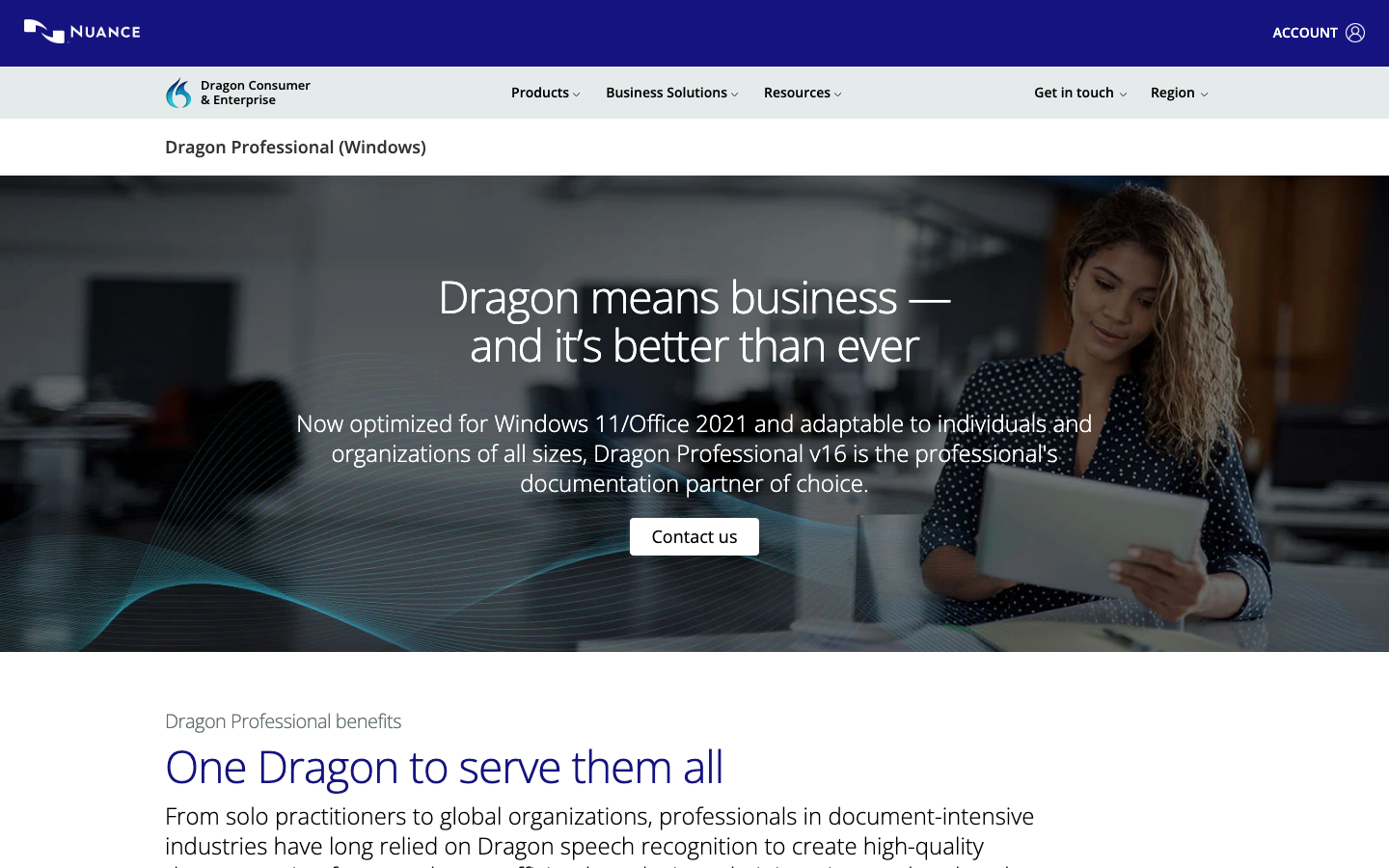 Dragon isn't a modern AI dictation app - it's a professional Windows speech recognition system with deep custom vocabulary, macros, auto-text templates, and workflow commands built up over decades. It still makes sense in specific environments. Outside those environments, modern tools are better in almost every way.
### What We Like
**Commands and templates remain unmatched for Windows workflows.** Custom vocabulary, macros, auto-text, and repeatable documentation routines are Dragon's real differentiator. If you have an existing Dragon deployment or need documentation-heavy Windows workflows, nothing in this list replaces that.
**Managed enterprise deployment.** Dragon Professional v16 supports Nuance Management Center and volume licensing - a credible option for organizations with IT administration needs, compliance requirements, and legacy workflows.
### What We Don't Like
**Wrong default for modern AI writing.** If you want polished text in Slack, Gmail, Notion, Cursor, or browser prompts, start with Wispr, Superwhisper, Aqua, or Typeless. Dragon's cleanup model is built for documentation, not conversational app-wide dictation.
**Fragmented product story.** Dragon Professional is Windows-only and routes to contact sales. Dragon Anywhere is a separate mobile subscription (\$14.99/month or \$149.99/year after a 7-day trial) with a different product history. Don't assume they're interchangeable.
### Pricing
| Plan | Price | What's Included |
| ------------------------ | ------------------------------------------ | ------------------------------------------------------------------------------- |
| Dragon Professional v16 | Contact sales | Windows speech recognition; custom vocabulary; macros; Nuance Management Center |
| Dragon Anywhere (mobile) | Free trial, then \$14.99/mo or \$149.99/yr | iOS/Android mobile dictation; syncs customizations |
### Platform Availability
Dragon Professional: Windows. Dragon Anywhere: iPhone, iPad, Android.
### Who It's For (and Who Should Skip It)
Best for Windows professionals with documentation-heavy workflows, legal or clinical dictation, or existing Dragon deployments. Skip it for modern cross-app AI dictation - Wispr Flow handles that better and works on Mac, iPhone, and Android.
[**Buy Dragon Professional**](https://dragon.nuance.com/en-us/dragon-professional)
## Selection Guide
* If you want the easiest all-around dictation tool → [Wispr Flow](https://wisprflow.ai)
* If you want local models, custom modes, or BYOK → [Superwhisper](https://superwhisper.com)
* If technical vocabulary keeps breaking in other tools → [Aqua Voice](https://aquavoice.com)
* If you want a serious free trial before paying anything → [Typeless](https://typeless.com)
* If you want tone to change by app and writing context → [Willow Voice](https://willowvoice.com)
* If you want free offline dictation on Linux or desktop → [Handy](https://handy.computer)
* If you live in a browser and want voice for web text fields → [Voice In](https://dictanote.co/voicein/)
* If you need Windows professional commands and templates → [Dragon Professional](https://dragon.nuance.com/en-us/dragon-professional)
## How We Evaluated
We evaluated more than a dozen voice dictation tools and selected eight for this guide. We don't use affiliate links, accept sponsorships, or take any form of payment from tool makers. Our recommendations are based entirely on our testing and research.
### Selection Criteria
**Output quality and text cleanup.** We looked at whether spoken text - including messy, restarted, and jargon-heavy speech - came out usable without manual correction.
**Platform coverage and real-world behavior.** We verified platform claims against official download pages, system requirement docs, App Store listings, and GitHub repos - not just marketing copy.
**Pricing value and free-tier usefulness.** We checked whether free tiers are enough to make a real decision, and whether the paid upgrade math makes sense for daily users.
**Product transparency and velocity.** We checked official changelogs and release histories to separate actively maintained tools from stale ones.
### How We Tested
We tested each tool across multiple writing surfaces - email, Slack, Notion, browser forms, and code contexts where relevant. We paid attention to: whether text landed correctly in different apps; how the tool handled filler words, restarts, and technical terms; whether mobile behavior matched desktop quality; and how much setup was required before the tool felt useful. For local tools, we also evaluated model options and platform-specific friction.
## Tools We Left Out (and Why)
### Other Tools Worth Considering
* **[Spokenly](https://spokenly.app)** - Consider it for local/BYOK dictation on Mac, Windows, and iPhone; start with Superwhisper or Handy first.
* **[VoiceInk](https://www.voice-ink.com/)** - Consider it if you want simpler local Mac/Windows dictation with less setup than Handy.
* **[OpenWhispr](https://openwhispr.com)** - Consider it for open-source local dictation with an assistant-like workflow.
* **[Monologue](https://www.monologue.to)** - Consider it for Apple-focused dictation plus notes, especially if CLI/API/MCP support matters to your workflow.
* **[Google AI Edge Eloquent](https://ai.google.dev/edge/eloquent)** - Consider it for free offline Apple dictation from Google; it is still narrow and new.
* **[Rubil](https://rubil.com/)** - Consider it for Chrome-plus-Mac app-aware formatting; Voice In is the safer browser-first pick.
* **[VoiceTypr](https://voicetypr.com/), [Whispering](https://github.com/EpicenterHQ/epicenter/blob/main/apps/whispering/README.md), [Voquill](https://voquill.org/), [Wavetype](https://apps.apple.com/us/app/wavetype-ai-%EC%9D%8C%EC%84%B1%EB%85%B8%ED%8A%B8/id6753307863)** - Local/open-source experiments for tinkerers; start with Handy first.
### Adjacent Categories
* **Meeting transcription and AI note-takers ([Otter](https://otter.ai/), [Fireflies](https://fireflies.ai/), [Notta](https://www.notta.ai/), [Granola](https://www.granola.ai/), [Read AI](https://www.read.ai/), [Plaud](https://www.plaud.ai/))** - These capture and summarize meetings or recordings. Use them when your problem is getting notes out of a call, not inserting text into apps while you work.
* **Medical/legal AI scribes ([Dragon Medical One](https://www.microsoft.com/en-us/health-solutions/clinical-workflow/dragon-medical-one), [Heidi](https://www.heidihealth.com/en-us), [Abridge](https://www.abridge.com/), [Nabla](https://www.nabla.com/), [Nuance DAX](https://www.microsoft.com/en-us/health-solutions/clinical-workflow/dragon-copilot))** - Specialized documentation systems with EHR/legal workflows and compliance requirements. The right choice when dictated text needs to become structured clinical or legal records, not when you want to draft an email faster.
* **Voice control and accessibility systems ([Talon Voice](https://talonvoice.com), [Apple Voice Control](https://support.apple.com/guide/mac-help/use-voice-control-commands-mh40719/mac), [Windows Voice Access](https://support.microsoft.com/en-US/accessibility/windows/voice-access/use-voice-access-to-control-your-pc-author-text-with-your-voice))** - These help you control your computer by voice: navigate, click, type hands-free. Dictation is one piece of that job. Use this category if you need hands-free PC control, not just text insertion.
* **Audio/video transcription and speech-to-text APIs ([MacWhisper](https://macwhisper.net/), [Descript](https://www.descript.com/), [Sonix](https://sonix.ai/), [Deepgram](https://deepgram.com/), [AssemblyAI](https://www.assemblyai.com/), [ElevenLabs Scribe](https://elevenlabs.io/speech-to-text))** - Use these for recordings, meetings, podcasts, subtitles, or product speech features. They're the right choice when the input is a file, not your live voice.
## What You Need to Know Before Using AI Voice Dictation Tools
These tools are convenient, but voice data is sensitive in ways that aren't always obvious before you start using them.
### Your Voice Goes Somewhere
Most tools in this category are cloud-based by default - your audio or transcribed text travels to a server for processing. That's fine for many use cases, but it matters for confidential documents, client information, medical data, or anything your employer restricts from third-party services. Check the privacy policy before dictating anything sensitive. Tools like Wispr Flow, Willow Voice, and Aqua offer Privacy Mode or Zero Data Retention options at higher tiers - verify what those settings actually do before relying on them. If local processing is a hard requirement, Superwhisper (with local models) or Handy (fully offline) are your safest options.
### Recording Consent Laws Vary by Jurisdiction
If you're using voice dictation to capture conversations - your own words or anyone else's - consent laws apply and vary significantly by state and country. Single-party consent (only you need to know) is common in the US at the federal level, but many states require all-party consent. This is less of a concern when you're purely dictating your own writing, but becomes relevant if you're transcribing meetings, calls, or interviews through one of these tools. When in doubt, disclose.
### Data Retention and Training
Some tools use your audio or transcripts to train or improve their models by default. Others offer an opt-out or enforce no-retention at the enterprise tier only. If you're dictating proprietary content, client information, or anything under an NDA, check the data use policy - not just the marketing page, but the actual privacy policy and terms of service. Enterprise tiers for Wispr Flow, Willow, and Aqua include Zero Data Retention options, but those aren't on by default at lower tiers.
## Frequently Asked Questions
Dragon isn't a modern AI dictation app - it's a professional Windows speech recognition system with deep custom vocabulary, macros, auto-text templates, and workflow commands built up over decades. It still makes sense in specific environments. Outside those environments, modern tools are better in almost every way.
### What We Like
**Commands and templates remain unmatched for Windows workflows.** Custom vocabulary, macros, auto-text, and repeatable documentation routines are Dragon's real differentiator. If you have an existing Dragon deployment or need documentation-heavy Windows workflows, nothing in this list replaces that.
**Managed enterprise deployment.** Dragon Professional v16 supports Nuance Management Center and volume licensing - a credible option for organizations with IT administration needs, compliance requirements, and legacy workflows.
### What We Don't Like
**Wrong default for modern AI writing.** If you want polished text in Slack, Gmail, Notion, Cursor, or browser prompts, start with Wispr, Superwhisper, Aqua, or Typeless. Dragon's cleanup model is built for documentation, not conversational app-wide dictation.
**Fragmented product story.** Dragon Professional is Windows-only and routes to contact sales. Dragon Anywhere is a separate mobile subscription (\$14.99/month or \$149.99/year after a 7-day trial) with a different product history. Don't assume they're interchangeable.
### Pricing
| Plan | Price | What's Included |
| ------------------------ | ------------------------------------------ | ------------------------------------------------------------------------------- |
| Dragon Professional v16 | Contact sales | Windows speech recognition; custom vocabulary; macros; Nuance Management Center |
| Dragon Anywhere (mobile) | Free trial, then \$14.99/mo or \$149.99/yr | iOS/Android mobile dictation; syncs customizations |
### Platform Availability
Dragon Professional: Windows. Dragon Anywhere: iPhone, iPad, Android.
### Who It's For (and Who Should Skip It)
Best for Windows professionals with documentation-heavy workflows, legal or clinical dictation, or existing Dragon deployments. Skip it for modern cross-app AI dictation - Wispr Flow handles that better and works on Mac, iPhone, and Android.
[**Buy Dragon Professional**](https://dragon.nuance.com/en-us/dragon-professional)
## Selection Guide
* If you want the easiest all-around dictation tool → [Wispr Flow](https://wisprflow.ai)
* If you want local models, custom modes, or BYOK → [Superwhisper](https://superwhisper.com)
* If technical vocabulary keeps breaking in other tools → [Aqua Voice](https://aquavoice.com)
* If you want a serious free trial before paying anything → [Typeless](https://typeless.com)
* If you want tone to change by app and writing context → [Willow Voice](https://willowvoice.com)
* If you want free offline dictation on Linux or desktop → [Handy](https://handy.computer)
* If you live in a browser and want voice for web text fields → [Voice In](https://dictanote.co/voicein/)
* If you need Windows professional commands and templates → [Dragon Professional](https://dragon.nuance.com/en-us/dragon-professional)
## How We Evaluated
We evaluated more than a dozen voice dictation tools and selected eight for this guide. We don't use affiliate links, accept sponsorships, or take any form of payment from tool makers. Our recommendations are based entirely on our testing and research.
### Selection Criteria
**Output quality and text cleanup.** We looked at whether spoken text - including messy, restarted, and jargon-heavy speech - came out usable without manual correction.
**Platform coverage and real-world behavior.** We verified platform claims against official download pages, system requirement docs, App Store listings, and GitHub repos - not just marketing copy.
**Pricing value and free-tier usefulness.** We checked whether free tiers are enough to make a real decision, and whether the paid upgrade math makes sense for daily users.
**Product transparency and velocity.** We checked official changelogs and release histories to separate actively maintained tools from stale ones.
### How We Tested
We tested each tool across multiple writing surfaces - email, Slack, Notion, browser forms, and code contexts where relevant. We paid attention to: whether text landed correctly in different apps; how the tool handled filler words, restarts, and technical terms; whether mobile behavior matched desktop quality; and how much setup was required before the tool felt useful. For local tools, we also evaluated model options and platform-specific friction.
## Tools We Left Out (and Why)
### Other Tools Worth Considering
* **[Spokenly](https://spokenly.app)** - Consider it for local/BYOK dictation on Mac, Windows, and iPhone; start with Superwhisper or Handy first.
* **[VoiceInk](https://www.voice-ink.com/)** - Consider it if you want simpler local Mac/Windows dictation with less setup than Handy.
* **[OpenWhispr](https://openwhispr.com)** - Consider it for open-source local dictation with an assistant-like workflow.
* **[Monologue](https://www.monologue.to)** - Consider it for Apple-focused dictation plus notes, especially if CLI/API/MCP support matters to your workflow.
* **[Google AI Edge Eloquent](https://ai.google.dev/edge/eloquent)** - Consider it for free offline Apple dictation from Google; it is still narrow and new.
* **[Rubil](https://rubil.com/)** - Consider it for Chrome-plus-Mac app-aware formatting; Voice In is the safer browser-first pick.
* **[VoiceTypr](https://voicetypr.com/), [Whispering](https://github.com/EpicenterHQ/epicenter/blob/main/apps/whispering/README.md), [Voquill](https://voquill.org/), [Wavetype](https://apps.apple.com/us/app/wavetype-ai-%EC%9D%8C%EC%84%B1%EB%85%B8%ED%8A%B8/id6753307863)** - Local/open-source experiments for tinkerers; start with Handy first.
### Adjacent Categories
* **Meeting transcription and AI note-takers ([Otter](https://otter.ai/), [Fireflies](https://fireflies.ai/), [Notta](https://www.notta.ai/), [Granola](https://www.granola.ai/), [Read AI](https://www.read.ai/), [Plaud](https://www.plaud.ai/))** - These capture and summarize meetings or recordings. Use them when your problem is getting notes out of a call, not inserting text into apps while you work.
* **Medical/legal AI scribes ([Dragon Medical One](https://www.microsoft.com/en-us/health-solutions/clinical-workflow/dragon-medical-one), [Heidi](https://www.heidihealth.com/en-us), [Abridge](https://www.abridge.com/), [Nabla](https://www.nabla.com/), [Nuance DAX](https://www.microsoft.com/en-us/health-solutions/clinical-workflow/dragon-copilot))** - Specialized documentation systems with EHR/legal workflows and compliance requirements. The right choice when dictated text needs to become structured clinical or legal records, not when you want to draft an email faster.
* **Voice control and accessibility systems ([Talon Voice](https://talonvoice.com), [Apple Voice Control](https://support.apple.com/guide/mac-help/use-voice-control-commands-mh40719/mac), [Windows Voice Access](https://support.microsoft.com/en-US/accessibility/windows/voice-access/use-voice-access-to-control-your-pc-author-text-with-your-voice))** - These help you control your computer by voice: navigate, click, type hands-free. Dictation is one piece of that job. Use this category if you need hands-free PC control, not just text insertion.
* **Audio/video transcription and speech-to-text APIs ([MacWhisper](https://macwhisper.net/), [Descript](https://www.descript.com/), [Sonix](https://sonix.ai/), [Deepgram](https://deepgram.com/), [AssemblyAI](https://www.assemblyai.com/), [ElevenLabs Scribe](https://elevenlabs.io/speech-to-text))** - Use these for recordings, meetings, podcasts, subtitles, or product speech features. They're the right choice when the input is a file, not your live voice.
## What You Need to Know Before Using AI Voice Dictation Tools
These tools are convenient, but voice data is sensitive in ways that aren't always obvious before you start using them.
### Your Voice Goes Somewhere
Most tools in this category are cloud-based by default - your audio or transcribed text travels to a server for processing. That's fine for many use cases, but it matters for confidential documents, client information, medical data, or anything your employer restricts from third-party services. Check the privacy policy before dictating anything sensitive. Tools like Wispr Flow, Willow Voice, and Aqua offer Privacy Mode or Zero Data Retention options at higher tiers - verify what those settings actually do before relying on them. If local processing is a hard requirement, Superwhisper (with local models) or Handy (fully offline) are your safest options.
### Recording Consent Laws Vary by Jurisdiction
If you're using voice dictation to capture conversations - your own words or anyone else's - consent laws apply and vary significantly by state and country. Single-party consent (only you need to know) is common in the US at the federal level, but many states require all-party consent. This is less of a concern when you're purely dictating your own writing, but becomes relevant if you're transcribing meetings, calls, or interviews through one of these tools. When in doubt, disclose.
### Data Retention and Training
Some tools use your audio or transcripts to train or improve their models by default. Others offer an opt-out or enforce no-retention at the enterprise tier only. If you're dictating proprietary content, client information, or anything under an NDA, check the data use policy - not just the marketing page, but the actual privacy policy and terms of service. Enterprise tiers for Wispr Flow, Willow, and Aqua include Zero Data Retention options, but those aren't on by default at lower tiers.
## Frequently Asked Questions