> ## Documentation Index
> Fetch the complete documentation index at: https://usefulai.com/llms.txt
> Use this file to discover all available pages before exploring further.
# 8 Best AI Image Generators in 2026
By [Alex](/about-us) • Updated Jan 2, 2026
AI Image Generators take your text inputs and generate stunning visuals such as art and realistic pictures with ease.
I've spent hours testing 16 different options on the market and this article lists the top 8 you should check out.
## Best AI Image Generation Tools
| # | Tool | Overall | Quality | Control | Ease of Use | Free Option |
| - | ----------------------------------------------------------------------------------------------------------------------------------------------------------------------------------------------------------------------------------------------------------------------------------------------------------------------------------------------------------------------------------------------------------------------------------------------------------------------------------------------------------------------------------------------------------------------------------------------------------------------------------------------------------------------------------------------------------------------------------------------------------------------------------------------------------------------------------------------------------------------------------------------------------------------------------------------------------------------------------------------------------------------------------------------------------------------------------------------------------------------------------------------------------------------------------------------------------------------------------------------------------------------------------------------------------------------------------------------------------------------------------------------------------------------------------------------------------------------------------------------------------------------------------------------------- | ------- | ------- | ------- | ----------- | ----------- |
| 1 | [DALL·E 3](https://openai.com/index/dall-e-3/) | 4.3 ★ | ★★★★★ | ★★★☆☆ | ★★★★★ | Free Plan |
| 2 | [Stable Diffusion](https://stablediffusionweb.com/) | 4.3 ★ | ★★★★☆ | ★★★★★ | ★★★★☆ | Free Plan |
| 3 | [Midjourney](https://www.midjourney.com/) | 4.0 ★ | ★★★★★ | ★★★★★ | ★★☆☆☆ | n/a |
| 4 | [Runway](https://runwayml.com/) | 4.0 ★ | ★★★★☆ | ★★★★☆ | ★★★★☆ | Free Plan |
| 5 | [Playground AI](https://playground.com/) | 4.0 ★ | ★★★★☆ | ★★★☆☆ | ★★★★★ | Free Plan |
| 6 | [Artbreeder](https://www.artbreeder.com/) | 3.7 ★ | ★★★☆☆ | ★★★★☆ | ★★★★☆ | Free Plan |
| 7 | [NightCafe](https://nightcafe.studio/) | 3.3 ★ | ★★★☆☆ | ★★★☆☆ | ★★★★☆ | Free Plan |
| 8 | [Craiyon](https://www.craiyon.com/) | 3.0 ★ | ★★☆☆☆ | ★★☆☆☆ | ★★★★★ | Free Plan |
## What Makes a Great AI Image Generator?
Here's how I evaluated the AI image generators:
1. **Output Quality:** This measures how good the images look. I focused on detail, creativity, and overall visual appeal.
2. **Control:** This looks at how much you can customize the images. I checked for options to tweak settings and make adjustments.
3. **Ease of Use:** This assesses how simple it is to use the tool. I considered how user-friendly the interface is and how easy it is to get started.
***
## 1. [DALL·E 3](https://openai.com/index/dall-e-3/)
DALL·E 3 is an AI image generator from OpenAI that creates images from text prompts. It's known for its high-quality outputs and ease of use, especially when integrated with ChatGPT.
### **Output Quality: 5/5** ★
The images DALL·E 3 produces are top-notch. They're detailed, creative, and match the prompts very well. Whether you're asking for something simple or complex, the results are usually impressive and visually striking.
### **Control: 3/5** ★
While DALL·E 3 gives you some control over the images, it's not as customizable as some other tools. You can refine your prompts and make tweaks, but there are limits to how much you can adjust specific elements within the image.
### **Ease of Use: 5/5** ★
Using DALL·E 3 is straightforward, especially through ChatGPT. You just describe what you want, and it generates the image. It's very user-friendly, even for beginners. Plus, you can ask ChatGPT to help refine your prompts, which makes the whole process even smoother.
### Overall: 4.3/5 ★
DALL·E 3 is a fantastic tool if you're looking for high-quality images with minimal effort. It's easy to use and produces great results, though it doesn't offer as much control as some might need for very specific adjustments.
***
## 2. [Stable Diffusion](https://stablediffusionweb.com/)
Stable Diffusion is an AI tool that generates images from text prompts. It's known for its high quality and flexibility, making it a favorite among tech-savvy users.
### **Output Quality: 4/5** ★
Stable Diffusion produces high-quality images that are detailed and visually appealing. It's great for creating both artistic and realistic images. However, sometimes the results may need a bit of tweaking to get them just right.
### **Control: 5/5** ★
This tool shines when it comes to control. You can adjust many parameters to fine-tune your images exactly how you want them. It's perfect for users who like to have a lot of customization options.
### **Ease of Use: 4/5** ★
While Stable Diffusion is powerful, it's also fairly easy to use, especially with user-friendly interfaces like DreamStudio. It might take a bit of time to learn all the features, but once you do, it's smooth sailing.
### Overall: 4.3/5 ★
Stable Diffusion is an excellent choice if you want high-quality images and lots of control over the final output. It's fairly easy to use, especially with the right interface, making it a versatile tool for both beginners and advanced users.
***
## 3. [Midjourney](https://www.midjourney.com/)
Midjourney is an AI image generator accessible through Discord. It's known for producing stunning, high-quality images and offers a lot of control for users who want to fine-tune their creations.
### **Output Quality: 5/5** ★
The images from Midjourney are top-tier, often looking like professional artwork. They're detailed, vibrant, and can handle a wide range of styles and subjects beautifully.
### **Control: 5/5** ★
Midjourney gives you a ton of control over your images. You can adjust settings like aspect ratio, style strength, and even use specific models for different effects. This level of customization is great for users who know exactly what they want.
### **Ease of Use: 2/5** ★
Using Midjourney can be tricky at first. It operates through Discord, which means you need to get comfortable with command-based inputs. While powerful, it's not the most intuitive for new users, and there's a bit of a learning curve.
### Overall: 4.0/5 ★
Midjourney is fantastic if you're looking for high-quality, customizable images and don't mind spending some time learning the ropes. It's perfect for users who want detailed control over their image generation process, even if it means navigating a more complex interface.
***
## 4. [Runway](https://runwayml.com/)
Runway is an AI tool that helps you create images and videos from text prompts. It's packed with features for both beginners and advanced users.
### **Output Quality: 4/5** ★
Runway generates high-quality images and videos that are quite impressive. The results are usually detailed and visually appealing, though sometimes they might need a bit of tweaking to get just right.
### **Control: 4/5** ★
Runway offers a lot of control over your creations. You can adjust settings like style, resolution, and even train your own models. This makes it great for users who want to customize their outputs.
### **Ease of Use: 4/5** ★
While Runway is powerful, it's also fairly easy to use. The interface is user-friendly, but there's a lot to explore, which might take some time to get used to. However, once you get the hang of it, it's smooth sailing.
### Overall: 4.0/5 ★
Runway is a fantastic tool if you want high-quality images and videos with a good amount of control. It's user-friendly but offers advanced features for those who need them, making it a versatile choice for a wide range of users.
***
## 5. [Playground AI](https://playground.com/)
Playground AI is an easy-to-use tool for generating images from text prompts. It's designed to be accessible and fun for all users.
### **Output Quality: 4/5** ★
Playground AI produces good quality images that are visually appealing. While they may not always match the top-tier generators, the results are still impressive and satisfying for most casual uses.
### **Control: 3/5** ★
It offers a decent amount of control over your images, such as adjusting styles and settings. However, it doesn't have as many advanced features as some other tools, which might limit very specific customizations.
### **Ease of Use: 5/5** ★
Playground AI is super user-friendly. The interface is simple and intuitive, making it easy for anyone to start generating images quickly. It's perfect for beginners and those who want to create images without a steep learning curve.
### Overall: 4.0/5 ★
Playground AI is great if you're looking for a straightforward, fun tool to generate good-quality images. It's very easy to use and offers enough control for most casual users, making it a fantastic choice for quick and enjoyable image creation.
***
## 6. [Artbreeder](https://www.artbreeder.com/)
Artbreeder is an AI tool that lets you create and blend images using existing ones. It's great for generating unique and creative visuals.
### **Output Quality: 3/5** ★
The images from Artbreeder are unique and interesting, but they might not always have the high polish of other top-tier generators. They are still visually captivating and great for artistic projects.
### **Control: 4/5** ★
Artbreeder offers a lot of control over your images. You can blend different images, adjust various traits, and even explore different styles. This makes it very versatile for creative experimentation.
### **Ease of Use: 4/5** ★
The interface is intuitive and easy to navigate. It's user-friendly, making it accessible for both beginners and experienced users. You can start creating and experimenting without much of a learning curve.
### Overall: 3.7/5 ★
Artbreeder is perfect if you want to create unique, creative images with a lot of customization options. It's easy to use and offers plenty of control, making it a fun and versatile tool for all kinds of artistic projects.
***
## 7. [NightCafe](https://nightcafe.studio/)
NightCafe is an AI tool that generates images from text prompts. It's designed to be accessible and fun for users of all skill levels.
### **Output Quality: 3/5** ★
NightCafe produces decent images that are nice but might lack the polish and detail of more advanced generators. They're good for casual use and creative projects.
### **Control: 3/5** ★
It offers basic customization options like style and resolution adjustments. While it's not as advanced as some other tools, it provides enough control for most casual users.
### **Ease of Use: 4/5** ★
NightCafe is easy to use with a straightforward interface. It's user-friendly, making it a good choice for beginners who want to start generating images quickly and without hassle.
### Overall: 3.7/5 ★
NightCafe is a solid choice if you're looking for an easy-to-use tool to create decent images. It offers basic control and is perfect for casual users who want to have fun generating art without a steep learning curve.
***
## 8. [Craiyon](https://www.craiyon.com/)
Craiyon, formerly known as DALL·E mini, is a free AI tool that generates images from text prompts. It's designed for casual use and quick experimentation.
### **Output Quality: 2/5** ★
Craiyon's images are often fun and creative but can have noticeable flaws and lack the polish of higher-end generators. They're great for quick, casual projects but not for professional-quality results.
### **Control: 2/5** ★
It offers limited control over the images. You can input text prompts, but there aren't many options to fine-tune or customize the output beyond that.
### **Ease of Use: 5/5** ★
Craiyon is extremely user-friendly. The interface is simple and straightforward, making it easy for anyone to use without any prior experience. It's perfect for quick and easy image generation.
### Overall: 3.0/5 ★
Craiyon is a fun and easy-to-use tool for generating images from text prompts. While it doesn't offer the highest quality or extensive control, it's perfect for casual users who want to create images quickly and effortlessly.
***
## Frequently Asked Questions
While AI image generators are becoming more advanced, they will not replace traditional artists. Instead, AI can serve as a supplemental tool that artists can use to explore new creative territory and enhance their work.
AI image generators use artificial neural networks, trained on vast amounts of image data, to recognize patterns and generate images based on user input. These tools employ deep learning techniques and advanced algorithms to create images that closely resemble the input or description provided by the user.
This depends on the specific AI image generator and its terms of use. Some tools allow users to use the generated images for commercial purposes, while others may have restrictions. It is essential to review the terms and conditions of each AI image generator before using the images commercially.
No, AI image generators are designed to be user-friendly and accessible to users with varying levels of design experience. These tools enable anyone to create unique images and art pieces with minimal effort.
## Conclusion
AI image generators have revolutionized the creative industry, offering artists and designers powerful tools to generate unique images easily.
The 8 best AI image generators cater to different needs and preferences.
By understanding their key features and capabilities, you can choose the best AI image generator that suits your requirements and unleash your creativity.
 [DALL·E 3](https://openai.com/index/dall-e-3/) | 4.3 ★ | ★★★★★ | ★★★☆☆ | ★★★★★ | Free Plan |
| 2 |
[DALL·E 3](https://openai.com/index/dall-e-3/) | 4.3 ★ | ★★★★★ | ★★★☆☆ | ★★★★★ | Free Plan |
| 2 |  [Stable Diffusion](https://stablediffusionweb.com/) | 4.3 ★ | ★★★★☆ | ★★★★★ | ★★★★☆ | Free Plan |
| 3 |
[Stable Diffusion](https://stablediffusionweb.com/) | 4.3 ★ | ★★★★☆ | ★★★★★ | ★★★★☆ | Free Plan |
| 3 |  [Midjourney](https://www.midjourney.com/) | 4.0 ★ | ★★★★★ | ★★★★★ | ★★☆☆☆ | n/a |
| 4 |
[Midjourney](https://www.midjourney.com/) | 4.0 ★ | ★★★★★ | ★★★★★ | ★★☆☆☆ | n/a |
| 4 |  [Runway](https://runwayml.com/) | 4.0 ★ | ★★★★☆ | ★★★★☆ | ★★★★☆ | Free Plan |
| 5 |
[Runway](https://runwayml.com/) | 4.0 ★ | ★★★★☆ | ★★★★☆ | ★★★★☆ | Free Plan |
| 5 |  [Playground AI](https://playground.com/) | 4.0 ★ | ★★★★☆ | ★★★☆☆ | ★★★★★ | Free Plan |
| 6 |
[Playground AI](https://playground.com/) | 4.0 ★ | ★★★★☆ | ★★★☆☆ | ★★★★★ | Free Plan |
| 6 |  [Artbreeder](https://www.artbreeder.com/) | 3.7 ★ | ★★★☆☆ | ★★★★☆ | ★★★★☆ | Free Plan |
| 7 |
[Artbreeder](https://www.artbreeder.com/) | 3.7 ★ | ★★★☆☆ | ★★★★☆ | ★★★★☆ | Free Plan |
| 7 |  [NightCafe](https://nightcafe.studio/) | 3.3 ★ | ★★★☆☆ | ★★★☆☆ | ★★★★☆ | Free Plan |
| 8 |
[NightCafe](https://nightcafe.studio/) | 3.3 ★ | ★★★☆☆ | ★★★☆☆ | ★★★★☆ | Free Plan |
| 8 |  [Craiyon](https://www.craiyon.com/) | 3.0 ★ | ★★☆☆☆ | ★★☆☆☆ | ★★★★★ | Free Plan |
## What Makes a Great AI Image Generator?
Here's how I evaluated the AI image generators:
1. **Output Quality:** This measures how good the images look. I focused on detail, creativity, and overall visual appeal.
2. **Control:** This looks at how much you can customize the images. I checked for options to tweak settings and make adjustments.
3. **Ease of Use:** This assesses how simple it is to use the tool. I considered how user-friendly the interface is and how easy it is to get started.
***
## 1. [DALL·E 3](https://openai.com/index/dall-e-3/)
DALL·E 3 is an AI image generator from OpenAI that creates images from text prompts. It's known for its high-quality outputs and ease of use, especially when integrated with ChatGPT.
### **Output Quality: 5/5** ★
The images DALL·E 3 produces are top-notch. They're detailed, creative, and match the prompts very well. Whether you're asking for something simple or complex, the results are usually impressive and visually striking.
### **Control: 3/5** ★
While DALL·E 3 gives you some control over the images, it's not as customizable as some other tools. You can refine your prompts and make tweaks, but there are limits to how much you can adjust specific elements within the image.
### **Ease of Use: 5/5** ★
Using DALL·E 3 is straightforward, especially through ChatGPT. You just describe what you want, and it generates the image. It's very user-friendly, even for beginners. Plus, you can ask ChatGPT to help refine your prompts, which makes the whole process even smoother.
### Overall: 4.3/5 ★
DALL·E 3 is a fantastic tool if you're looking for high-quality images with minimal effort. It's easy to use and produces great results, though it doesn't offer as much control as some might need for very specific adjustments.
***
## 2. [Stable Diffusion](https://stablediffusionweb.com/)
Stable Diffusion is an AI tool that generates images from text prompts. It's known for its high quality and flexibility, making it a favorite among tech-savvy users.
### **Output Quality: 4/5** ★
Stable Diffusion produces high-quality images that are detailed and visually appealing. It's great for creating both artistic and realistic images. However, sometimes the results may need a bit of tweaking to get them just right.
### **Control: 5/5** ★
This tool shines when it comes to control. You can adjust many parameters to fine-tune your images exactly how you want them. It's perfect for users who like to have a lot of customization options.
### **Ease of Use: 4/5** ★
While Stable Diffusion is powerful, it's also fairly easy to use, especially with user-friendly interfaces like DreamStudio. It might take a bit of time to learn all the features, but once you do, it's smooth sailing.
### Overall: 4.3/5 ★
Stable Diffusion is an excellent choice if you want high-quality images and lots of control over the final output. It's fairly easy to use, especially with the right interface, making it a versatile tool for both beginners and advanced users.
***
## 3. [Midjourney](https://www.midjourney.com/)
Midjourney is an AI image generator accessible through Discord. It's known for producing stunning, high-quality images and offers a lot of control for users who want to fine-tune their creations.
### **Output Quality: 5/5** ★
The images from Midjourney are top-tier, often looking like professional artwork. They're detailed, vibrant, and can handle a wide range of styles and subjects beautifully.
### **Control: 5/5** ★
Midjourney gives you a ton of control over your images. You can adjust settings like aspect ratio, style strength, and even use specific models for different effects. This level of customization is great for users who know exactly what they want.
### **Ease of Use: 2/5** ★
Using Midjourney can be tricky at first. It operates through Discord, which means you need to get comfortable with command-based inputs. While powerful, it's not the most intuitive for new users, and there's a bit of a learning curve.
### Overall: 4.0/5 ★
Midjourney is fantastic if you're looking for high-quality, customizable images and don't mind spending some time learning the ropes. It's perfect for users who want detailed control over their image generation process, even if it means navigating a more complex interface.
***
## 4. [Runway](https://runwayml.com/)
[Craiyon](https://www.craiyon.com/) | 3.0 ★ | ★★☆☆☆ | ★★☆☆☆ | ★★★★★ | Free Plan |
## What Makes a Great AI Image Generator?
Here's how I evaluated the AI image generators:
1. **Output Quality:** This measures how good the images look. I focused on detail, creativity, and overall visual appeal.
2. **Control:** This looks at how much you can customize the images. I checked for options to tweak settings and make adjustments.
3. **Ease of Use:** This assesses how simple it is to use the tool. I considered how user-friendly the interface is and how easy it is to get started.
***
## 1. [DALL·E 3](https://openai.com/index/dall-e-3/)
DALL·E 3 is an AI image generator from OpenAI that creates images from text prompts. It's known for its high-quality outputs and ease of use, especially when integrated with ChatGPT.
### **Output Quality: 5/5** ★
The images DALL·E 3 produces are top-notch. They're detailed, creative, and match the prompts very well. Whether you're asking for something simple or complex, the results are usually impressive and visually striking.
### **Control: 3/5** ★
While DALL·E 3 gives you some control over the images, it's not as customizable as some other tools. You can refine your prompts and make tweaks, but there are limits to how much you can adjust specific elements within the image.
### **Ease of Use: 5/5** ★
Using DALL·E 3 is straightforward, especially through ChatGPT. You just describe what you want, and it generates the image. It's very user-friendly, even for beginners. Plus, you can ask ChatGPT to help refine your prompts, which makes the whole process even smoother.
### Overall: 4.3/5 ★
DALL·E 3 is a fantastic tool if you're looking for high-quality images with minimal effort. It's easy to use and produces great results, though it doesn't offer as much control as some might need for very specific adjustments.
***
## 2. [Stable Diffusion](https://stablediffusionweb.com/)
Stable Diffusion is an AI tool that generates images from text prompts. It's known for its high quality and flexibility, making it a favorite among tech-savvy users.
### **Output Quality: 4/5** ★
Stable Diffusion produces high-quality images that are detailed and visually appealing. It's great for creating both artistic and realistic images. However, sometimes the results may need a bit of tweaking to get them just right.
### **Control: 5/5** ★
This tool shines when it comes to control. You can adjust many parameters to fine-tune your images exactly how you want them. It's perfect for users who like to have a lot of customization options.
### **Ease of Use: 4/5** ★
While Stable Diffusion is powerful, it's also fairly easy to use, especially with user-friendly interfaces like DreamStudio. It might take a bit of time to learn all the features, but once you do, it's smooth sailing.
### Overall: 4.3/5 ★
Stable Diffusion is an excellent choice if you want high-quality images and lots of control over the final output. It's fairly easy to use, especially with the right interface, making it a versatile tool for both beginners and advanced users.
***
## 3. [Midjourney](https://www.midjourney.com/)
Midjourney is an AI image generator accessible through Discord. It's known for producing stunning, high-quality images and offers a lot of control for users who want to fine-tune their creations.
### **Output Quality: 5/5** ★
The images from Midjourney are top-tier, often looking like professional artwork. They're detailed, vibrant, and can handle a wide range of styles and subjects beautifully.
### **Control: 5/5** ★
Midjourney gives you a ton of control over your images. You can adjust settings like aspect ratio, style strength, and even use specific models for different effects. This level of customization is great for users who know exactly what they want.
### **Ease of Use: 2/5** ★
Using Midjourney can be tricky at first. It operates through Discord, which means you need to get comfortable with command-based inputs. While powerful, it's not the most intuitive for new users, and there's a bit of a learning curve.
### Overall: 4.0/5 ★
Midjourney is fantastic if you're looking for high-quality, customizable images and don't mind spending some time learning the ropes. It's perfect for users who want detailed control over their image generation process, even if it means navigating a more complex interface.
***
## 4. [Runway](https://runwayml.com/)
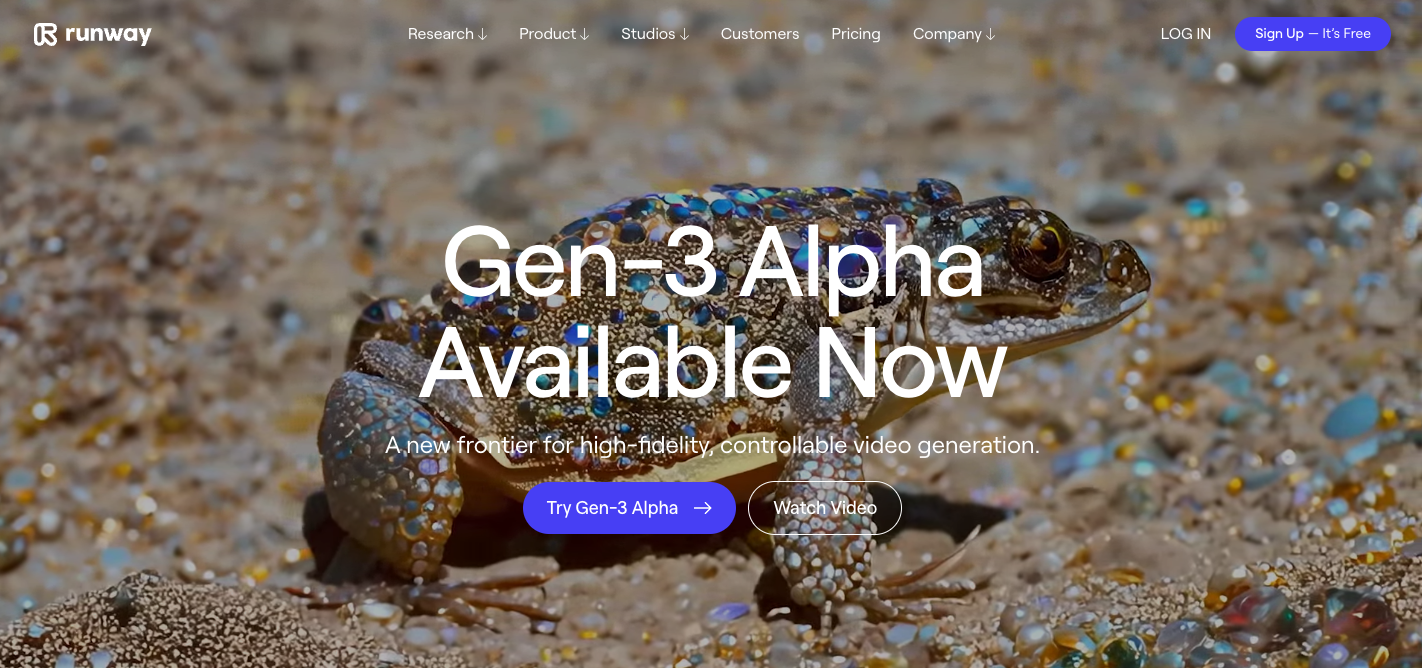 Runway is an AI tool that helps you create images and videos from text prompts. It's packed with features for both beginners and advanced users.
### **Output Quality: 4/5** ★
Runway generates high-quality images and videos that are quite impressive. The results are usually detailed and visually appealing, though sometimes they might need a bit of tweaking to get just right.
### **Control: 4/5** ★
Runway offers a lot of control over your creations. You can adjust settings like style, resolution, and even train your own models. This makes it great for users who want to customize their outputs.
### **Ease of Use: 4/5** ★
While Runway is powerful, it's also fairly easy to use. The interface is user-friendly, but there's a lot to explore, which might take some time to get used to. However, once you get the hang of it, it's smooth sailing.
### Overall: 4.0/5 ★
Runway is a fantastic tool if you want high-quality images and videos with a good amount of control. It's user-friendly but offers advanced features for those who need them, making it a versatile choice for a wide range of users.
***
## 5. [Playground AI](https://playground.com/)
Runway is an AI tool that helps you create images and videos from text prompts. It's packed with features for both beginners and advanced users.
### **Output Quality: 4/5** ★
Runway generates high-quality images and videos that are quite impressive. The results are usually detailed and visually appealing, though sometimes they might need a bit of tweaking to get just right.
### **Control: 4/5** ★
Runway offers a lot of control over your creations. You can adjust settings like style, resolution, and even train your own models. This makes it great for users who want to customize their outputs.
### **Ease of Use: 4/5** ★
While Runway is powerful, it's also fairly easy to use. The interface is user-friendly, but there's a lot to explore, which might take some time to get used to. However, once you get the hang of it, it's smooth sailing.
### Overall: 4.0/5 ★
Runway is a fantastic tool if you want high-quality images and videos with a good amount of control. It's user-friendly but offers advanced features for those who need them, making it a versatile choice for a wide range of users.
***
## 5. [Playground AI](https://playground.com/)
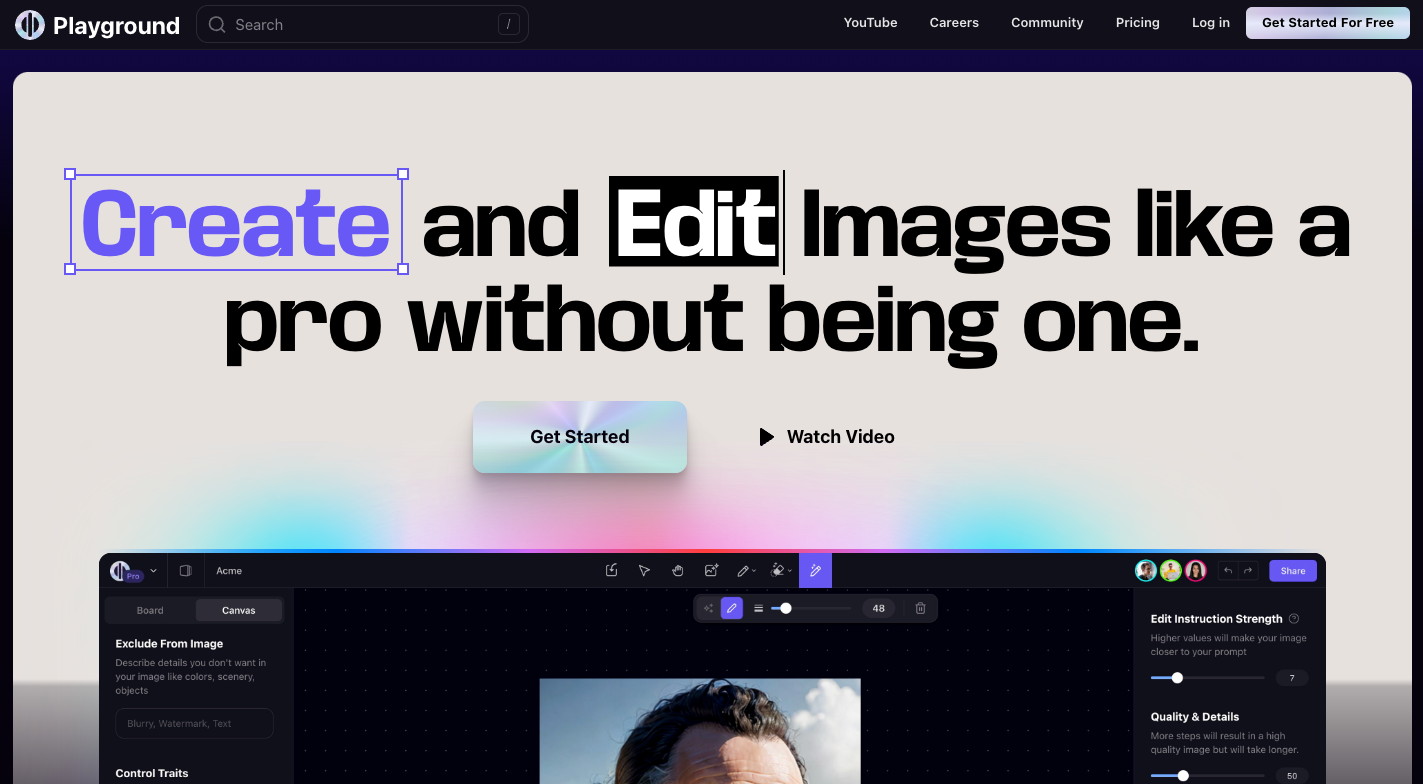 Playground AI is an easy-to-use tool for generating images from text prompts. It's designed to be accessible and fun for all users.
### **Output Quality: 4/5** ★
Playground AI produces good quality images that are visually appealing. While they may not always match the top-tier generators, the results are still impressive and satisfying for most casual uses.
### **Control: 3/5** ★
It offers a decent amount of control over your images, such as adjusting styles and settings. However, it doesn't have as many advanced features as some other tools, which might limit very specific customizations.
### **Ease of Use: 5/5** ★
Playground AI is super user-friendly. The interface is simple and intuitive, making it easy for anyone to start generating images quickly. It's perfect for beginners and those who want to create images without a steep learning curve.
### Overall: 4.0/5 ★
Playground AI is great if you're looking for a straightforward, fun tool to generate good-quality images. It's very easy to use and offers enough control for most casual users, making it a fantastic choice for quick and enjoyable image creation.
***
## 6. [Artbreeder](https://www.artbreeder.com/)
Playground AI is an easy-to-use tool for generating images from text prompts. It's designed to be accessible and fun for all users.
### **Output Quality: 4/5** ★
Playground AI produces good quality images that are visually appealing. While they may not always match the top-tier generators, the results are still impressive and satisfying for most casual uses.
### **Control: 3/5** ★
It offers a decent amount of control over your images, such as adjusting styles and settings. However, it doesn't have as many advanced features as some other tools, which might limit very specific customizations.
### **Ease of Use: 5/5** ★
Playground AI is super user-friendly. The interface is simple and intuitive, making it easy for anyone to start generating images quickly. It's perfect for beginners and those who want to create images without a steep learning curve.
### Overall: 4.0/5 ★
Playground AI is great if you're looking for a straightforward, fun tool to generate good-quality images. It's very easy to use and offers enough control for most casual users, making it a fantastic choice for quick and enjoyable image creation.
***
## 6. [Artbreeder](https://www.artbreeder.com/)
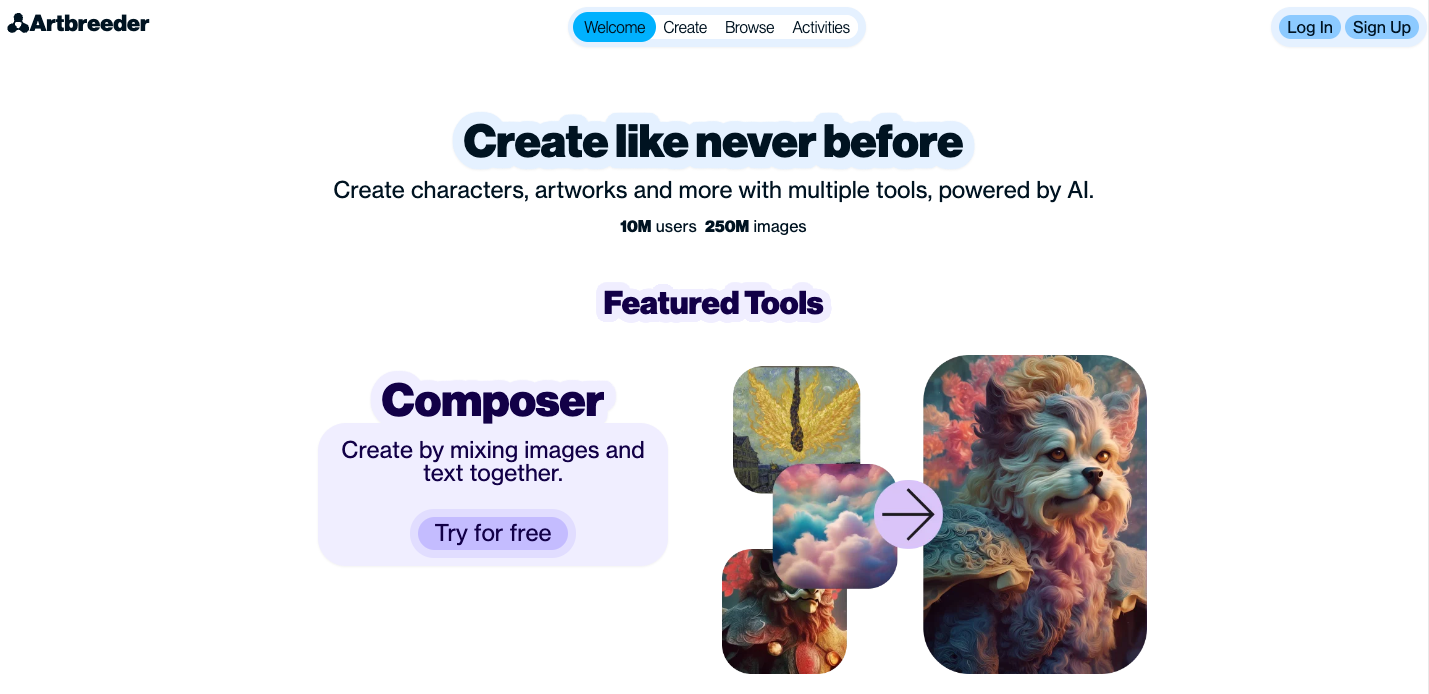 Artbreeder is an AI tool that lets you create and blend images using existing ones. It's great for generating unique and creative visuals.
### **Output Quality: 3/5** ★
The images from Artbreeder are unique and interesting, but they might not always have the high polish of other top-tier generators. They are still visually captivating and great for artistic projects.
### **Control: 4/5** ★
Artbreeder offers a lot of control over your images. You can blend different images, adjust various traits, and even explore different styles. This makes it very versatile for creative experimentation.
### **Ease of Use: 4/5** ★
The interface is intuitive and easy to navigate. It's user-friendly, making it accessible for both beginners and experienced users. You can start creating and experimenting without much of a learning curve.
### Overall: 3.7/5 ★
Artbreeder is perfect if you want to create unique, creative images with a lot of customization options. It's easy to use and offers plenty of control, making it a fun and versatile tool for all kinds of artistic projects.
***
## 7. [NightCafe](https://nightcafe.studio/)
Artbreeder is an AI tool that lets you create and blend images using existing ones. It's great for generating unique and creative visuals.
### **Output Quality: 3/5** ★
The images from Artbreeder are unique and interesting, but they might not always have the high polish of other top-tier generators. They are still visually captivating and great for artistic projects.
### **Control: 4/5** ★
Artbreeder offers a lot of control over your images. You can blend different images, adjust various traits, and even explore different styles. This makes it very versatile for creative experimentation.
### **Ease of Use: 4/5** ★
The interface is intuitive and easy to navigate. It's user-friendly, making it accessible for both beginners and experienced users. You can start creating and experimenting without much of a learning curve.
### Overall: 3.7/5 ★
Artbreeder is perfect if you want to create unique, creative images with a lot of customization options. It's easy to use and offers plenty of control, making it a fun and versatile tool for all kinds of artistic projects.
***
## 7. [NightCafe](https://nightcafe.studio/)
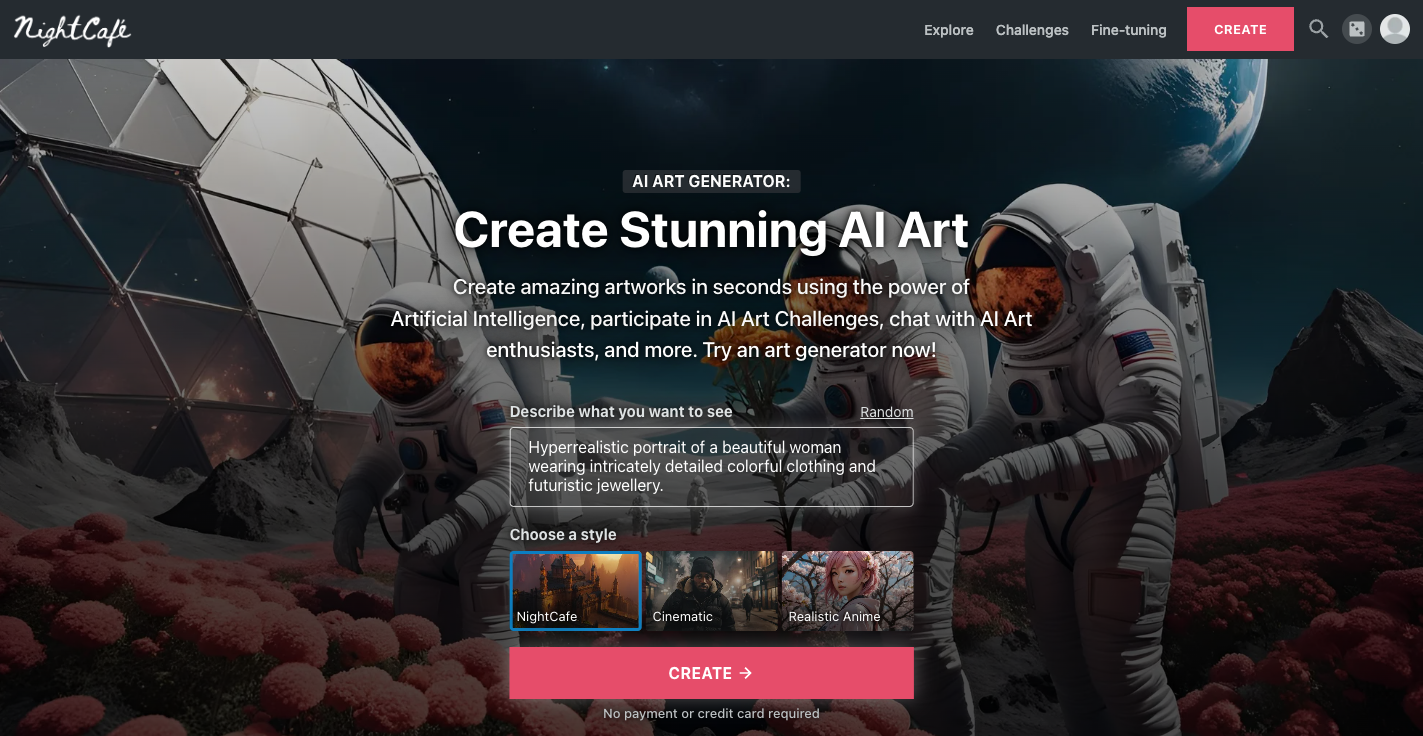 NightCafe is an AI tool that generates images from text prompts. It's designed to be accessible and fun for users of all skill levels.
### **Output Quality: 3/5** ★
NightCafe produces decent images that are nice but might lack the polish and detail of more advanced generators. They're good for casual use and creative projects.
### **Control: 3/5** ★
It offers basic customization options like style and resolution adjustments. While it's not as advanced as some other tools, it provides enough control for most casual users.
### **Ease of Use: 4/5** ★
NightCafe is easy to use with a straightforward interface. It's user-friendly, making it a good choice for beginners who want to start generating images quickly and without hassle.
### Overall: 3.7/5 ★
NightCafe is a solid choice if you're looking for an easy-to-use tool to create decent images. It offers basic control and is perfect for casual users who want to have fun generating art without a steep learning curve.
***
## 8. [Craiyon](https://www.craiyon.com/)
NightCafe is an AI tool that generates images from text prompts. It's designed to be accessible and fun for users of all skill levels.
### **Output Quality: 3/5** ★
NightCafe produces decent images that are nice but might lack the polish and detail of more advanced generators. They're good for casual use and creative projects.
### **Control: 3/5** ★
It offers basic customization options like style and resolution adjustments. While it's not as advanced as some other tools, it provides enough control for most casual users.
### **Ease of Use: 4/5** ★
NightCafe is easy to use with a straightforward interface. It's user-friendly, making it a good choice for beginners who want to start generating images quickly and without hassle.
### Overall: 3.7/5 ★
NightCafe is a solid choice if you're looking for an easy-to-use tool to create decent images. It offers basic control and is perfect for casual users who want to have fun generating art without a steep learning curve.
***
## 8. [Craiyon](https://www.craiyon.com/)
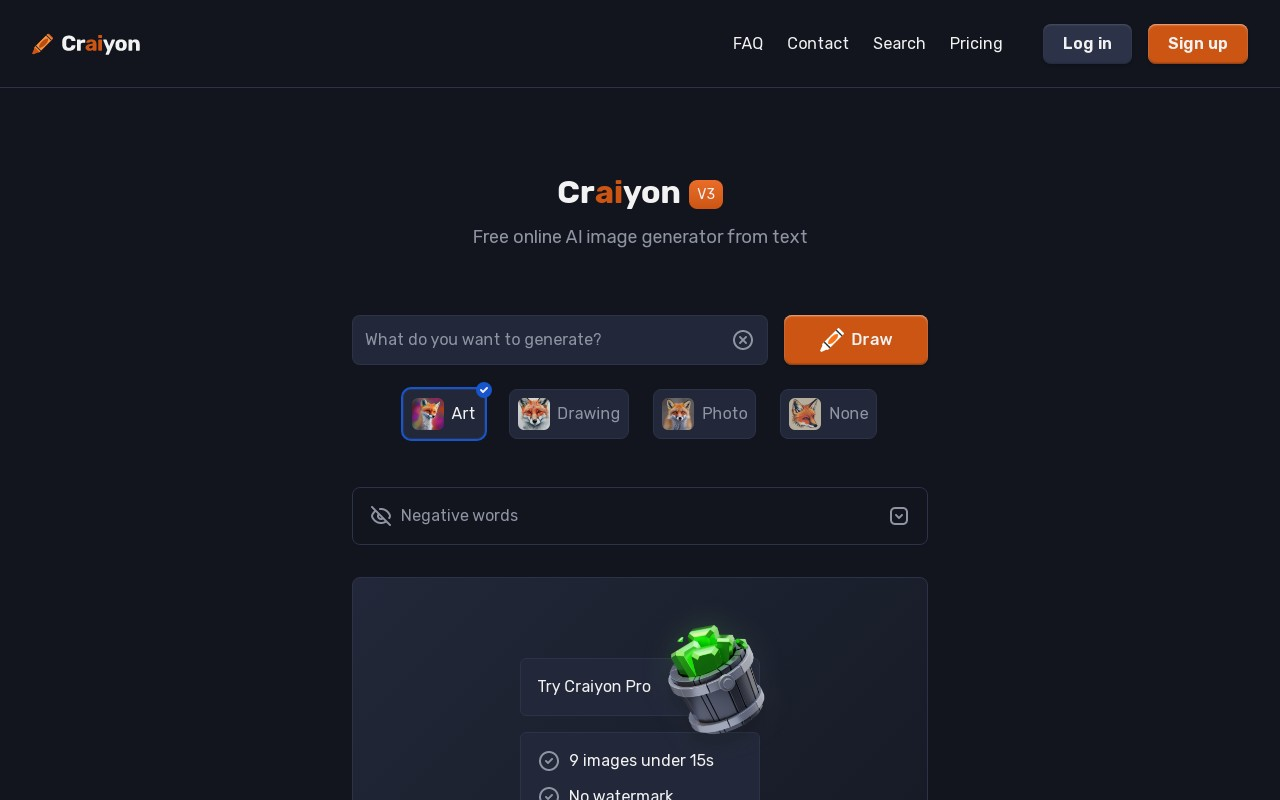 Craiyon, formerly known as DALL·E mini, is a free AI tool that generates images from text prompts. It's designed for casual use and quick experimentation.
### **Output Quality: 2/5** ★
Craiyon's images are often fun and creative but can have noticeable flaws and lack the polish of higher-end generators. They're great for quick, casual projects but not for professional-quality results.
### **Control: 2/5** ★
It offers limited control over the images. You can input text prompts, but there aren't many options to fine-tune or customize the output beyond that.
### **Ease of Use: 5/5** ★
Craiyon is extremely user-friendly. The interface is simple and straightforward, making it easy for anyone to use without any prior experience. It's perfect for quick and easy image generation.
### Overall: 3.0/5 ★
Craiyon is a fun and easy-to-use tool for generating images from text prompts. While it doesn't offer the highest quality or extensive control, it's perfect for casual users who want to create images quickly and effortlessly.
***
## Frequently Asked Questions
Craiyon, formerly known as DALL·E mini, is a free AI tool that generates images from text prompts. It's designed for casual use and quick experimentation.
### **Output Quality: 2/5** ★
Craiyon's images are often fun and creative but can have noticeable flaws and lack the polish of higher-end generators. They're great for quick, casual projects but not for professional-quality results.
### **Control: 2/5** ★
It offers limited control over the images. You can input text prompts, but there aren't many options to fine-tune or customize the output beyond that.
### **Ease of Use: 5/5** ★
Craiyon is extremely user-friendly. The interface is simple and straightforward, making it easy for anyone to use without any prior experience. It's perfect for quick and easy image generation.
### Overall: 3.0/5 ★
Craiyon is a fun and easy-to-use tool for generating images from text prompts. While it doesn't offer the highest quality or extensive control, it's perfect for casual users who want to create images quickly and effortlessly.
***
## Frequently Asked Questions