> ## Documentation Index
> Fetch the complete documentation index at: https://usefulai.com/llms.txt
> Use this file to discover all available pages before exploring further.

# Best AI Logo Generators in 2026

export const tools = [
  { rank: 1, name: "Looka", url: "https://looka.com/logo-maker/", icon: "/images/icons/looka.com.png", domain: "looka.com", bestFor: "Best for a polished launch package" },
  { rank: 2, name: "Design.com", url: "https://www.design.com/ai-logo-generator", icon: "/images/icons/design.com.png", domain: "design.com", bestFor: "Best for all-in-one brand toolkit" },
  { rank: 3, name: "Canva AI Logo Generator", url: "https://www.canva.com/ai-logo-generator/", icon: "/images/icons/canva.com.png", domain: "canva.com", bestFor: "Best for a logo plus Canva collateral" },
  { rank: 4, name: "Kittl", url: "https://www.kittl.com/tools/ai-logo-generator", icon: "/images/icons/kittl.com.png", domain: "kittl.com", bestFor: "Best for editable concepts and typography" },
  { rank: 5, name: "LogoAI", url: "https://www.logoai.com/logo-maker", icon: "/images/icons/logoai.com.png", domain: "logoai.com", bestFor: "Best for focused logo packages" },
  { rank: 6, name: "Logo Diffusion", url: "https://logodiffusion.com", icon: "/images/icons/logodiffusion.com.png", domain: "logodiffusion.com", bestFor: "Best for original prompt-driven concepts" },
  { rank: 7, name: "VistaPrint AI Logomaker", url: "https://www.vistaprint.com/logomaker", icon: "/images/icons/vistaprint.com.png", domain: "vistaprint.com", bestFor: "Best for free print-ready files" },
];

export const BestForChip = ({ children }) => (
  <span className="inline-flex min-w-0 max-w-full items-center rounded bg-emerald-50 px-1.5 py-[2px] dark:bg-emerald-500/10">
    <span className="truncate text-xs font-medium leading-4 text-emerald-700 dark:text-emerald-400">{children}</span>
  </span>
);

export const Fav = ({ domain }) => (
  <img src={"https://www.google.com/s2/favicons?domain=" + domain + "&sz=64"} alt="" noZoom className="relative -top-px mr-1 inline h-4 w-4 rounded-sm" />
);

export const H3 = ({ children }) => (
  <h3 className="mb-3 mt-8 text-lg font-semibold text-zinc-950 dark:text-white">{children}</h3>
);

export const EntryHead = ({ tool }) => (
  <div className="not-prose mt-2 flex items-center gap-3">
    <img src={tool.icon} alt={tool.name + " logo"} noZoom className="h-12 w-12 shrink-0 rounded-lg object-cover" />
    <div className="min-w-0 flex-1">
      <h2 className="m-0 mt-[3px] whitespace-nowrap text-xl font-semibold leading-none tracking-normal text-zinc-950 dark:text-white">{tool.rank}. {tool.name}</h2>
      <div className="mt-0"><BestForChip>{tool.bestFor}</BestForChip></div>
    </div>
  </div>
);

export const ProsCons = ({ pros, cons }) => (
  <div className="not-prose mt-7 grid max-w-2xl gap-6 sm:grid-cols-2">
    <div>
      <h3 className="m-0 text-base font-semibold text-zinc-950 dark:text-white">Strengths</h3>
      <ul className="m-0 mt-2 flex list-none flex-col gap-1.5 p-0 text-sm leading-[22px] text-zinc-700 dark:text-zinc-300">
        {pros.map((p) => (
          <li key={p} className="flex items-center gap-2.5"><span className="flex shrink-0 items-center"><Icon icon="check" size={14} color="#047857" /></span>{p}</li>
        ))}
      </ul>
    </div>
    <div>
      <h3 className="m-0 text-base font-semibold text-zinc-950 dark:text-white">Weaknesses</h3>
      <ul className="m-0 mt-2 flex list-none flex-col gap-1.5 p-0 text-sm leading-[22px] text-zinc-700 dark:text-zinc-300">
        {cons.map((c) => (
          <li key={c} className="flex items-center gap-2.5"><span className="flex shrink-0 items-center"><Icon icon="xmark" size={14} color="#be123c" /></span>{c}</li>
        ))}
      </ul>
    </div>
  </div>
);

export const Pricing = ({ items }) => (
  <div className="not-prose mt-6 flex flex-wrap items-center gap-x-2.5 gap-y-1 text-sm text-zinc-500 dark:text-zinc-400">
    <span className="shrink-0 font-semibold text-zinc-950 dark:text-white">Pricing:</span>
    {items.map(([plan, price, info], i) => (
      <span key={plan} className="flex items-center gap-x-2.5">
        {i > 0 && <span aria-hidden="true" className="text-zinc-300 dark:text-zinc-600">&#183;</span>}
        <span className="inline-flex items-center gap-1">{plan} <span className="font-medium text-zinc-950 dark:text-white">{price}</span>{info && <Tooltip tip={info}><span className="relative top-[1.25px] inline-flex cursor-pointer text-zinc-500 transition-opacity hover:opacity-70 dark:text-zinc-400"><Icon icon="circle-info" size={12} color="currentColor" /></span></Tooltip>}</span>
      </span>
    ))}
  </div>
);

export const platIcon = { Web: "globe", Mac: "apple", Windows: "windows", Linux: "linux", iPhone: "mobile", iPad: "tablet", Android: "android", Chrome: "puzzle-piece", Edge: "puzzle-piece", SDK: "code", API: "code", CLI: "terminal" };

export const Platforms = ({ items }) => (
  <div className="not-prose mt-3 flex flex-wrap items-center gap-x-2.5 gap-y-1.5 text-sm">
    <span className="shrink-0 font-semibold text-zinc-950 dark:text-white">Platforms:</span>
    {items.map((p) => (
      <span key={p} className="inline-flex items-center gap-1.5 rounded border border-zinc-200 px-2 py-1 text-xs font-medium leading-4 text-zinc-700 dark:border-white/15 dark:text-zinc-300"><Icon icon={platIcon[p] || "circle"} size={12} color="currentColor" /> {p}</span>
    ))}
  </div>
);

export const Visit = ({ tool }) => (
  <div className="not-prose mb-2 mt-6 flex justify-center">
    <a href={tool.url} target="_blank" rel="noreferrer" className="inline-flex items-center gap-1.5 rounded-full bg-zinc-900 px-4 py-2 text-sm font-medium text-white no-underline dark:bg-white dark:text-zinc-900">Visit {tool.name} <Icon icon="arrow-up-right" size={12} color="currentColor" /></a>
  </div>
);

export const AltLine = ({ domain, url, name, children }) => (
  <li className="flex items-baseline gap-2.5 text-sm leading-[22px] text-zinc-700 dark:text-zinc-300"><span aria-hidden="true" className="relative -top-0.5 inline-block h-1.5 w-1.5 shrink-0 rounded-full bg-zinc-300 dark:bg-zinc-600" /><span><Fav domain={domain} /><a href={url} target="_blank" rel="noreferrer" className="font-medium text-zinc-950 underline underline-offset-2 dark:text-white">{name}</a>: {children}</span></li>
);

<div className="not-prose -mt-5 mb-8 flex flex-wrap items-center gap-x-2 text-sm text-zinc-800 dark:text-zinc-200" style={{ paddingLeft: "2px" }}>
  <span className="inline-flex items-center gap-1.5"><Icon icon="clock-rotate-left" size={10} color="currentColor" /> Updated <time dateTime="2026-06-01">June 1, 2026</time></span>
</div>

AI logo generators promise a finished mark and a starter brand kit without hiring a designer. The harder call is which one fits the next thing you need: a polished launch package, editable vectors, original concepts, or free print-ready files. We tested seven.

## Best AI Logo Generators

<div className="not-prose my-5 overflow-x-auto rounded-xl border border-zinc-200 bg-white dark:border-white/10 dark:bg-white/[0.03]">
  <div className="table w-full text-sm">
    <div className="table-header-group bg-zinc-50/60 dark:bg-white/[0.02]">
      <div className="table-row">
        <span className="table-cell px-4 py-2.5 text-left text-[13px] font-medium leading-5 text-zinc-500 dark:text-zinc-400">#</span>
        <span className="table-cell px-4 py-2.5 text-left text-[13px] font-medium leading-5 text-zinc-500 dark:text-zinc-400">Tool</span>
        <span className="table-cell px-4 py-2.5 text-left text-[13px] font-medium leading-5 text-zinc-500 dark:text-zinc-400">Best for</span>
      </div>
    </div>

    <div className="table-row-group">
      {tools.map((t) => (
                  <a key={t.name} href={t.url} target="_blank" rel="noreferrer" className="table-row no-underline transition-colors hover:bg-zinc-50/60 dark:hover:bg-white/[0.02]">
                    <span className="table-cell w-8 border-t border-zinc-100 px-4 py-3 align-middle text-[13px] tabular-nums dark:border-white/5"><span className="sr-only">Rank </span><span className="uai-ink-muted">{t.rank}</span></span>
                    <span className="table-cell border-t border-zinc-100 px-4 py-3 align-middle dark:border-white/5">
                      <span className="flex min-w-0 items-center gap-2.5"><img src={t.icon} alt="" noZoom className="h-5 w-5 shrink-0 rounded object-cover" /><span className="truncate text-sm font-semibold leading-5 text-zinc-950 dark:text-white">{t.name}</span></span>
                    </span>
                    <span className="table-cell border-t border-zinc-100 px-4 py-3 align-middle text-[13px] leading-5 text-zinc-950 dark:border-white/5 dark:text-white"><span className="sr-only">Best for: </span>{t.bestFor.replace("Best for ", "").replace(/^./, (c) => c.toUpperCase())}</span>
                  </a>
                ))}
    </div>
  </div>
</div>

***

<EntryHead tool={tools[0]} />

Looka is the safest pick if you want a polished logo plus the assets to launch around it: business cards, social posts, email signatures, invoices, brand guidelines. The flow walks you through name, industry, style, color, and symbol so you finish instead of staring at a blank canvas. Don't expect bleeding-edge originality - expect a competent, finished brand kit.

<Frame>
  <iframe src="https://www.youtube.com/embed/Ivh7pnGdik4?start=280" title="Looka AI logo generator review segment" frameBorder="0" className="w-full aspect-video rounded-xl" allow="accelerometer; autoplay; clipboard-write; encrypted-media; gyroscope; picture-in-picture; web-share" allowFullScreen />
</Frame>

<ProsCons pros={["Brand Kit does the after-logo work - it turns your mark into 300+ branded templates (cards, social posts, invoices, brand guidelines), which is what you actually need on day one.", "Guided flow gets you to a finish - name, industry, style, and color prompts replace blank-page panic; less control, but a usable mark faster.", "Post-purchase edits cut handoff anxiety - re-open a purchased logo to fix spacing, swap a color, or re-export from the same account."]} cons={["Originality is a known weakness - outputs lean template-shaped and reuse the same icon library across Looka brands; Logo Diffusion or Kittl if you'd notice."]} />

<Pricing items={[["Free design", "$0", "Generate and preview logos; pay only to download"], ["Basic", "$20", "One low-resolution PNG; one-time"], ["Premium", "$65", "SVG, EPS, PNG, PDF; color variations; unlimited edits; one-time"], ["Brand Kit", "$96/yr", "Logo + 300+ branded templates, social, cards, guidelines"], ["Brand Kit Web", "$129/yr", "Brand Kit + AI-generated website"]]} />

<Platforms items={["Web"]} />

Pick Looka if you need a presentable logo plus launch-day collateral quickly. Skip it if you want original prompt-driven generation (start with Logo Diffusion) or typography-heavy merch work (Kittl gives you more to actually edit).

<Visit tool={tools[0]} />

***

<EntryHead tool={tools[1]} />

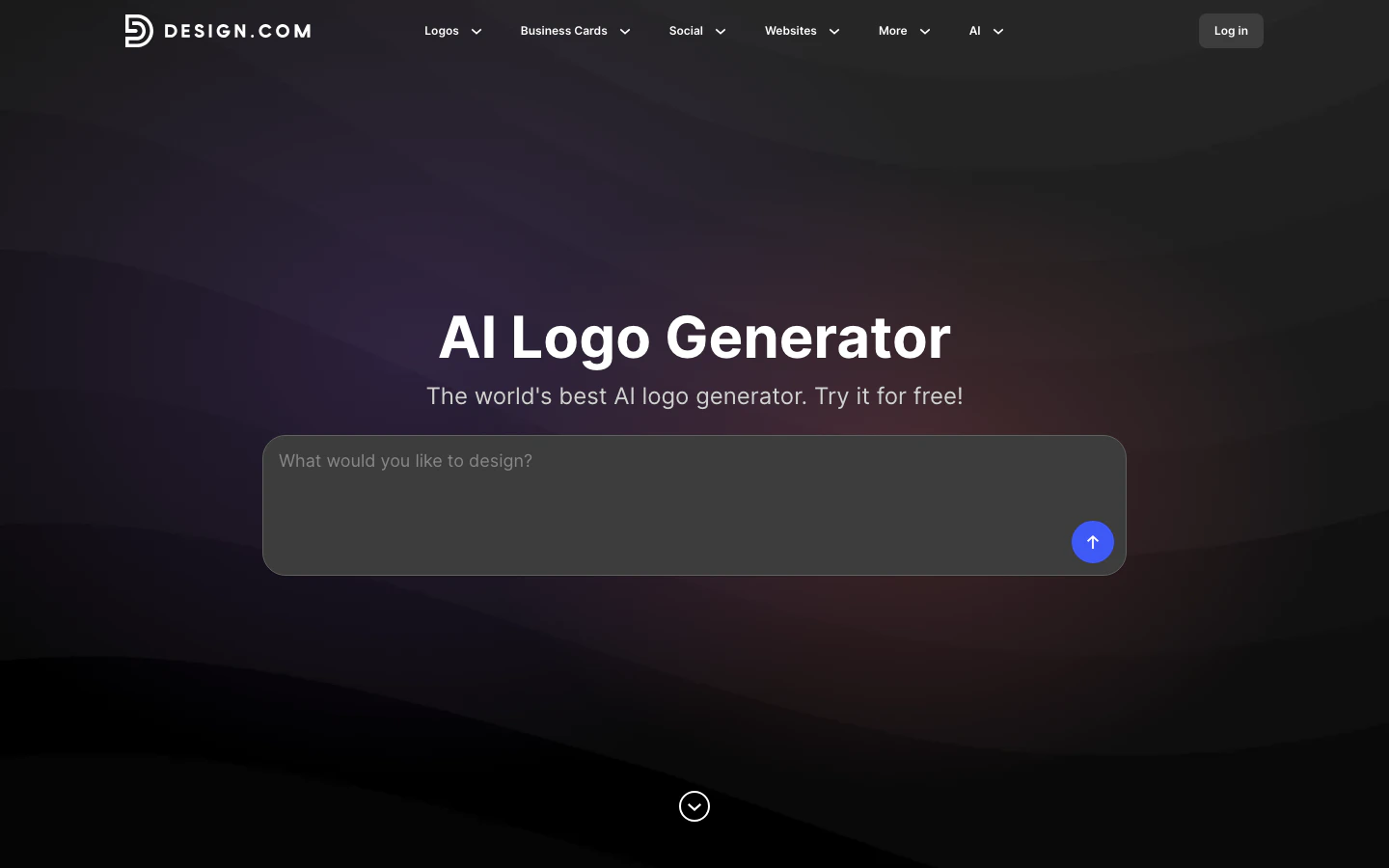
Design.com bundles the whole small-business branding job - logo, website, business cards, social posts, email signature, print - into one browser workflow with 50+ design tools attached. You're not picking a logo specialist here; you're picking a single dashboard that keeps the rest of the launch coherent. The logo workflow itself feels more template-led than prompt-driven.

<Frame>
  <img src="https://mintcdn.com/usefulai/q2n7n89hpgavhPPW/images/tools/ai-logo-generators/design-com.png?fit=max&auto=format&n=q2n7n89hpgavhPPW&q=85&s=d22a6e2edf96152992e6d406a730730c" alt="Design.com AI logo generator interface" width="1440" height="900" data-path="images/tools/ai-logo-generators/design-com.png" />
</Frame>

<ProsCons pros={["One dashboard covers the whole launch - logo, website, cards, social posts, email signatures, and print in one workflow.", "Exports are straightforward - vector files, transparent PNGs, and matching assets export without the usual paywall maze."]} cons={['The "AI" is lighter than the marketing implies - it is a fast template-and-customization flow, not natural-language logo generation.']} />

<Pricing items={[["Free", "$0", "AI logos, vector downloads, no hard usage cap"], ["Starter", "$3/mo", "50+ design tools, large template library ($9/mo monthly)"], ["Value", "$4/mo", "Starter + website builder ($14/mo monthly)"], ["Premium", "$5/mo", "Value + link-in-bio, digital business card ($19/mo monthly)"], ["Exclusive license", "Custom", "Pulls a logo icon from the public library"]]} />

<Platforms items={["Web"]} />

Use Design.com if you want one dashboard for logo, site, cards, and social. Skip it if you need prompt-driven exploration (Logo Diffusion) or vector-level editing control (Kittl) - the AI control here is shallower than the marketing suggests.

<Visit tool={tools[1]} />

***

<EntryHead tool={tools[2]} />

If you already run social posts, decks, or flyers in Canva, the AI logo generator drops a mark straight into the ecosystem you're using anyway. Dream Lab takes prompts and reference uploads, then hands you to the editor. The workflow is the product, not the logo.

<Frame>
  <iframe src="https://www.youtube.com/embed/XaNLc7LEevk" title="Canva Dream Lab tutorial" frameBorder="0" className="w-full aspect-video rounded-xl" allow="accelerometer; autoplay; clipboard-write; encrypted-media; gyroscope; picture-in-picture; web-share" allowFullScreen />
</Frame>

<ProsCons pros={["The logo has somewhere to live immediately - generated marks slot into Canva's social templates, presentations, and print layouts with no re-import.", "Strongest cross-device coverage in the roundup - Mac, Windows, iPhone, Android, and web sync the same files."]} cons={["Not a logo specialist - outputs lean generic and need cleanup before they read as a real mark; Logo Diffusion or Kittl for original vector work."]} />

<Pricing items={[["Canva Free", "$0", "20 Dream Lab prompts/mo, 1 brand kit, 5 GB"], ["Canva Pro", "$120/yr", "500 AI uses/mo, 5 brand kits, 100 GB ($15/mo monthly)"], ["Canva Business", "$170/yr", "100 brand kits, approvals, 500 GB (per seat; $17/mo monthly)"], ["Canva Enterprise", "Custom", "Brand controls, higher limits, priority support"], ["AI Pass add-on", "Custom", "Up to 40x Pro AI / 20x Business AI"]]} />

<Platforms items={["Web", "Mac", "Windows", "iPhone", "Android"]} />

Pick Canva if you already work in it and need the logo to feed ongoing content. Skip it if originality matters more to you than ecosystem (Logo Diffusion) or if you want free print-ready files (VistaPrint does that better).

<Visit tool={tools[2]} />

***

<EntryHead tool={tools[3]} />

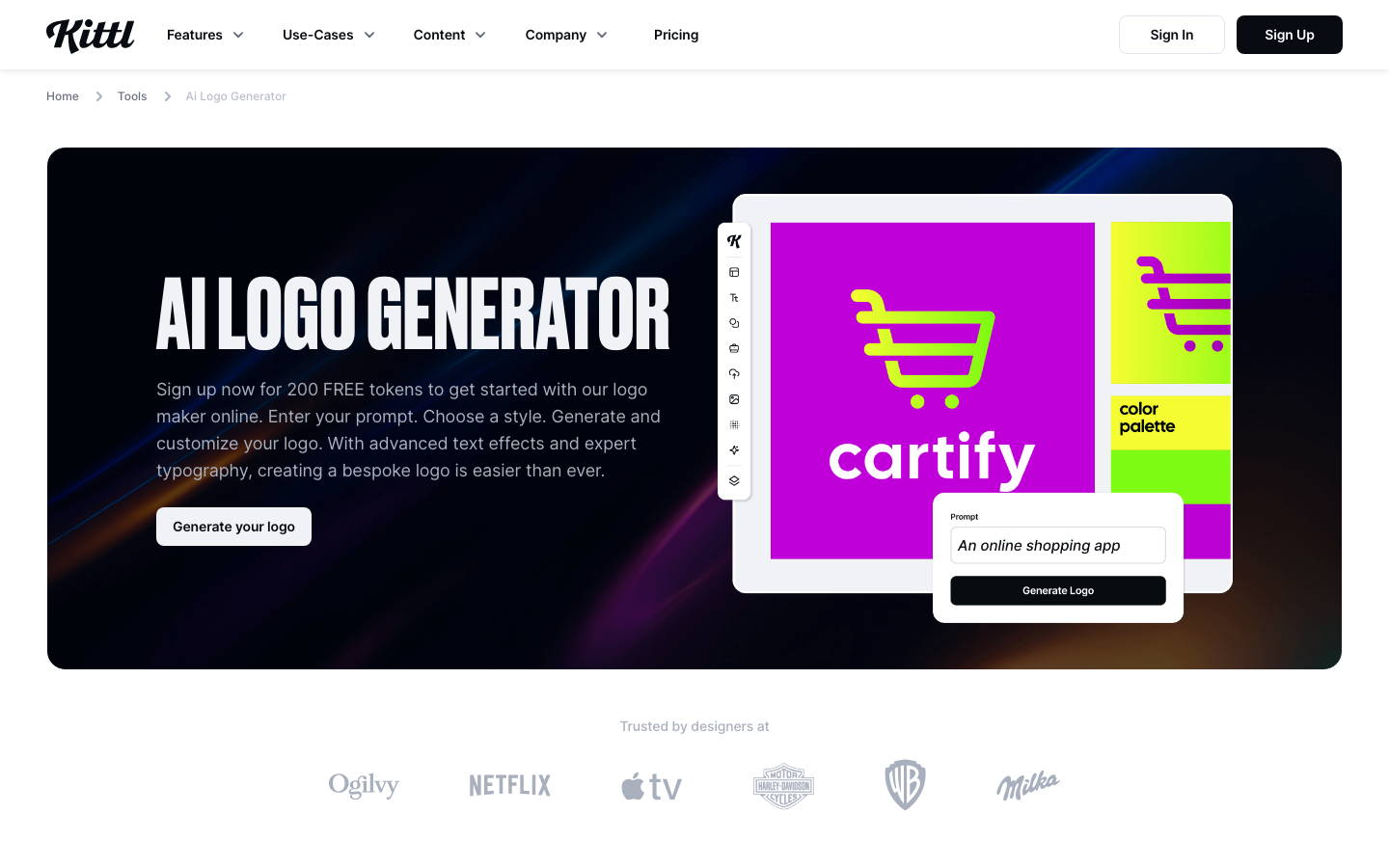
Kittl is what AI logo generation looks like when you don't want a final file - you want a working canvas. Generate a starting point with a prompt, then keep editing inside a real design editor with typography, layers, mockups, vector export, and CMYK for print. Closer to a junior designer's workspace than a questionnaire flow.

<Frame>
  <img src="https://mintcdn.com/usefulai/q2n7n89hpgavhPPW/images/tools/ai-logo-generators/kittl.png?fit=max&auto=format&n=q2n7n89hpgavhPPW&q=85&s=8e32f5ac53086d879c7d9a353f7adf72" alt="Kittl AI logo generator page" width="1440" height="900" data-path="images/tools/ai-logo-generators/kittl.png" />
</Frame>

<ProsCons pros={["AI plus a real canvas - take a generated concept and keep going with effects, typography, vector cleanup, and layers.", "Vectorization closes the gap to production - marks come out editable, not flattened, so they survive resizing, color changes, and print handoff.", "Typography and merch work get serious treatment - wordmarks, badges, apparel, and packaging benefit from text effects, mockups, and CMYK export."]} cons={["Steeper learning curve than guided tools - it's a design workspace, so for a logo plus cards in 20 minutes, Looka or VistaPrint is faster."]} />

<Pricing items={[["Free", "$0", "5 projects, 200 one-time AI tokens, non-commercial"], ["Pro", "$12/mo", "2,000 tokens/mo, unlimited projects, vector export, commercial license ($15/mo monthly)"], ["Expert", "$26/mo", "6,000 tokens/mo, priority AI, POD presets, 100 GB ($35/mo monthly)"], ["Max", "$48/mo", "12,000 tokens/mo, extended license, 1 TB ($65/mo monthly)"]]} />

<Platforms items={["Web"]} />

Pick Kittl if you want to keep editing the design instead of picking a finished logo - especially for wordmarks, badges, apparel, or anything you'll print. Skip it for one-click brand kits; Looka, Design.com, or VistaPrint get you there with much less effort.

<Visit tool={tools[3]} />

***

<EntryHead tool={tools[4]} />

LogoAI sits between the brand suites and the design editors: logo-first, one-time purchase, simple paid packages. Design for free, then pay $29 to $99 for the file tier you actually need. The Brand tier adds mockups, cards, animations, and presentation assets without dragging you into a subscription. Honest about what it is - a fast MVP launch tool, not a custom identity service.

<Frame>
  <img src="https://mintcdn.com/usefulai/q2n7n89hpgavhPPW/images/tools/ai-logo-generators/logoai.png?fit=max&auto=format&n=q2n7n89hpgavhPPW&q=85&s=55beb657ff433cf5783b2e3c61a07dc6" alt="LogoAI logo maker interface" width="1440" height="900" data-path="images/tools/ai-logo-generators/logoai.png" />
</Frame>

<ProsCons pros={["One-time pricing is refreshingly simple - pay $59 for vectors or $99 for the brand kit and own the download forever, no subscription.", "Brand center extends a single mark into mockups, cards, and presentation assets - making the $99 Brand tier competitive with subscription suites.", "Logo API is a niche but real differentiator - the only highlighted tool with an official white-label API for embedding a logo maker."]} cons={["Outputs trend generic and shallowly editable - quick and clean, but fine control is limited; Logo Diffusion if you'll notice the sameness.", "Skip the $29 Basic tier - it's 800x600 web-only with no vectors or transparency, so budget for $59 Pro if the logo will print or scale."]} />

<Pricing items={[["Free design", "$0", "Generate and edit; pay only to download"], ["Basic", "$29", "800x600 files for basic web/social; one-time"], ["Pro", "$59", "High-res, transparent PNG, vector; one-time"], ["Brand", "$99", "Pro + mockups, cards, animations, presentation assets; one-time"], ["Designer fix", "$40", "Human designer revision, up to 3 rounds; add-on"]]} />

<Platforms items={["Web", "API"]} />

Use LogoAI if you're launching an MVP and want a one-time payment plus a downloadable brand kit. Skip it if you need live collaboration, distinctive symbolism (Logo Diffusion), or full editor control (Kittl).

<Visit tool={tools[4]} />

***

<EntryHead tool={tools[5]} />

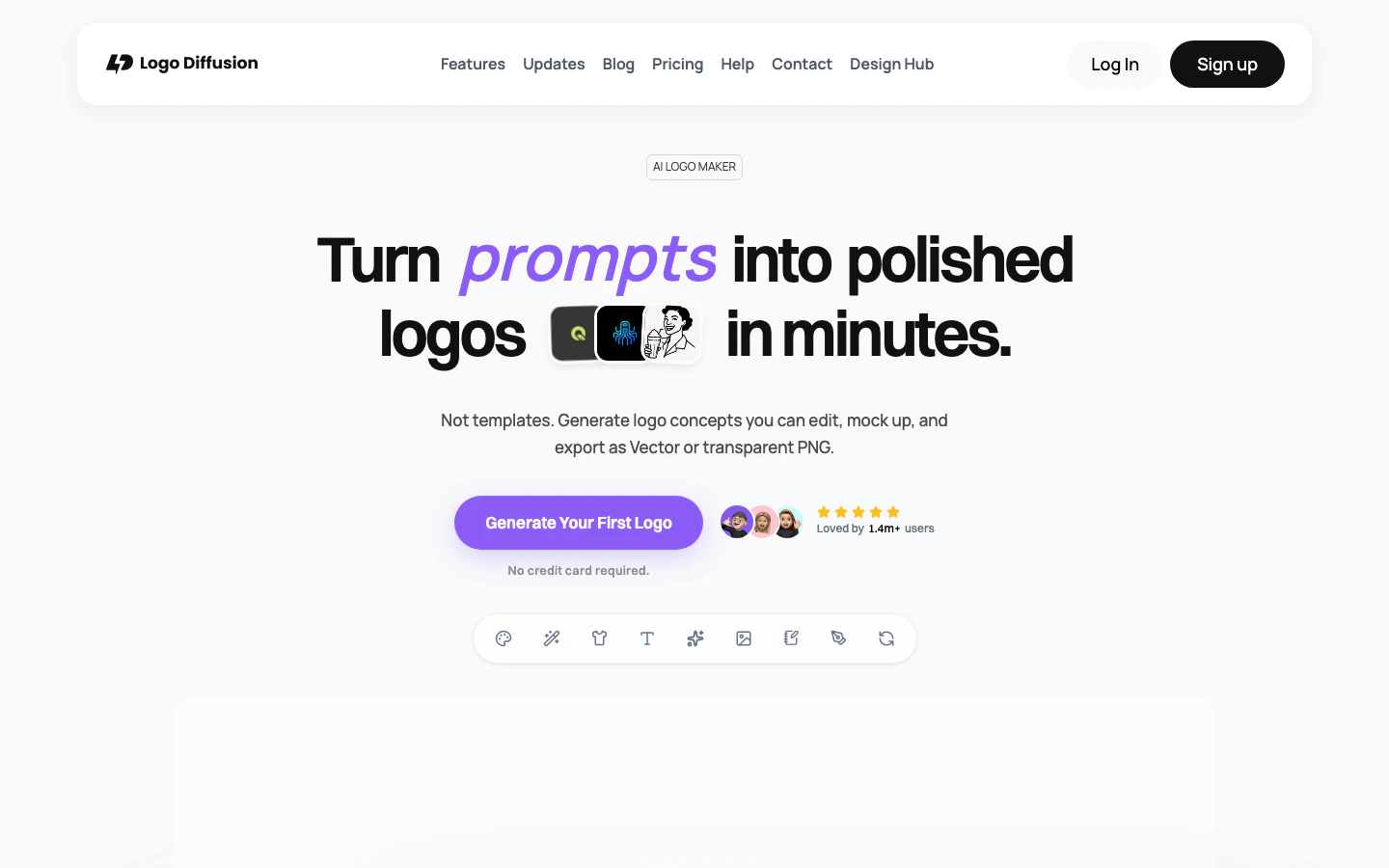
Logo Diffusion is the prompt-native pick: text, sketch, or image in, dozens of distinct directions out. It feels closer to driving a creative tool than browsing a template library. The vectorizer, Magic Editor, and style transfer round out a real production pipeline, so what you generate isn't just a pretty image you can't actually use as a logo.

<Frame>
  <img src="https://mintcdn.com/usefulai/q2n7n89hpgavhPPW/images/tools/ai-logo-generators/logo-diffusion.png?fit=max&auto=format&n=q2n7n89hpgavhPPW&q=85&s=c9ca4dd0be4292a932f48fc590ad40db" alt="Logo Diffusion AI logo maker homepage" width="1440" height="900" data-path="images/tools/ai-logo-generators/logo-diffusion.png" />
</Frame>

<ProsCons pros={["Closest thing to actually directing the design - text-, sketch-, and image-to-logo run through real generative models, so prompts shape the concept.", "The production toolchain matches the generator - vectorizer, Magic Editor, upscaler, and background removal turn output into a usable asset."]} cons={["Not a brand-kit assembler - no automatic websites, cards, or social templates, so pair with Looka or VistaPrint for collateral."]} />

<Pricing items={[["Free", "$0", "20 credits/mo (~10 designs), non-commercial"], ["Basic", "$24/mo", "1,000 credits, commercial license, vector exports"], ["Pro", "$49/mo", "2,500 credits, 3 concurrent jobs, higher tool limits"], ["Elite", "$99/mo", "6,000 credits, 4 concurrent jobs, highest limits"], ["Enterprise", "Custom", "Custom models, dedicated GPU, tailored workflows"]]} />

<Platforms items={["Web"]} />

Pick Logo Diffusion if you care about an original mark and want prompt, sketch, or image inputs over template selection. Skip it if you also need cards, websites, and social assets packaged for you - Looka or VistaPrint will do that.

<Visit tool={tools[5]} />

***

<EntryHead tool={tools[6]} />

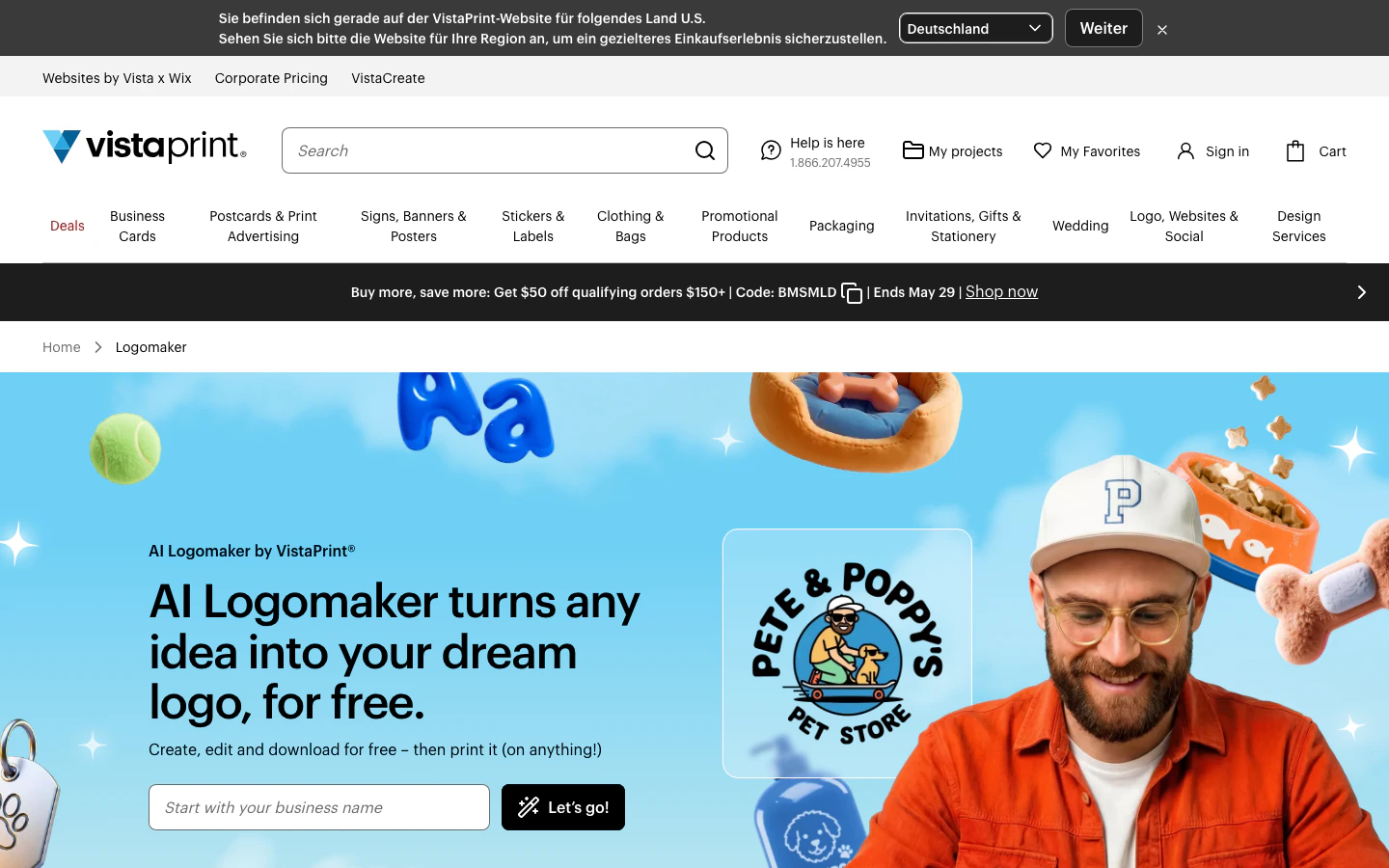
VistaPrint's AI Logomaker offers what most "free" logo makers don't: actually free, watermark-free SVG, PDF, and transparent PNG files at 4000x4000. Walk the guided prompt flow, refine icons and fonts, then hand the file to VistaPrint's print catalog or download and leave.

<Frame>
  <img src="https://mintcdn.com/usefulai/q2n7n89hpgavhPPW/images/tools/ai-logo-generators/vistaprint-ai-logomaker.png?fit=max&auto=format&n=q2n7n89hpgavhPPW&q=85&s=e2d1f1f568a67b3da2658cffec6b29ba" alt="VistaPrint AI Logomaker page" width="1440" height="900" data-path="images/tools/ai-logo-generators/vistaprint-ai-logomaker.png" />
</Frame>

<ProsCons pros={["The free file package is the rare honest one - SVG, PDF, and transparent PNG with no watermarks or quality paywall.", "Print handoff is built in, not bolted on - the logo flows into VistaPrint's Brand Kit and onto cards, signs, packaging, and apparel.", "Prompt refinements keep beginners in control - refine icons, layouts, fonts, and colors while keeping the original idea intact."]} cons={["Creative control is shallow - no sketch, image, or vector-level direction; Logo Diffusion or Kittl to steer the concept itself."]} />

<Pricing items={[["AI Logomaker", "$0", "4 free generations, 60 more after sign-in; SVG, PDF, transparent PNG at 4000x4000"]]} />

<Platforms items={["Web"]} />

Use VistaPrint if you'll need printed cards, signs, or packaging soon. Skip it for deep creative control (Logo Diffusion, Kittl) or a richer non-print brand kit (Looka).

<Visit tool={tools[6]} />

***

## Selection Guide

<div className="not-prose my-4 flex flex-col gap-1.5 text-sm text-zinc-700 dark:text-zinc-300">
  <span className="flex items-baseline gap-2.5"><span aria-hidden="true" className="relative -top-0.5 inline-block h-1.5 w-1.5 shrink-0 rounded-full bg-zinc-300 dark:bg-zinc-600" /><span>If you need a polished logo plus launch assets → <Fav domain="looka.com" /><a href="https://looka.com/logo-maker/" className="font-medium text-zinc-950 underline underline-offset-2 dark:text-white">Looka</a></span></span>
  <span className="flex items-baseline gap-2.5"><span aria-hidden="true" className="relative -top-0.5 inline-block h-1.5 w-1.5 shrink-0 rounded-full bg-zinc-300 dark:bg-zinc-600" /><span>If you want one dashboard for logo, site, and social → <Fav domain="design.com" /><a href="https://www.design.com/ai-logo-generator" className="font-medium text-zinc-950 underline underline-offset-2 dark:text-white">Design.com</a></span></span>
  <span className="flex items-baseline gap-2.5"><span aria-hidden="true" className="relative -top-0.5 inline-block h-1.5 w-1.5 shrink-0 rounded-full bg-zinc-300 dark:bg-zinc-600" /><span>If you already live in Canva for marketing → <Fav domain="canva.com" /><a href="https://www.canva.com/ai-logo-generator/" className="font-medium text-zinc-950 underline underline-offset-2 dark:text-white">Canva</a></span></span>
  <span className="flex items-baseline gap-2.5"><span aria-hidden="true" className="relative -top-0.5 inline-block h-1.5 w-1.5 shrink-0 rounded-full bg-zinc-300 dark:bg-zinc-600" /><span>If you want to keep editing the design yourself → <Fav domain="kittl.com" /><a href="https://www.kittl.com/tools/ai-logo-generator" className="font-medium text-zinc-950 underline underline-offset-2 dark:text-white">Kittl</a></span></span>
  <span className="flex items-baseline gap-2.5"><span aria-hidden="true" className="relative -top-0.5 inline-block h-1.5 w-1.5 shrink-0 rounded-full bg-zinc-300 dark:bg-zinc-600" /><span>If you want a fast one-time MVP package → <Fav domain="logoai.com" /><a href="https://www.logoai.com/logo-maker" className="font-medium text-zinc-950 underline underline-offset-2 dark:text-white">LogoAI</a></span></span>
  <span className="flex items-baseline gap-2.5"><span aria-hidden="true" className="relative -top-0.5 inline-block h-1.5 w-1.5 shrink-0 rounded-full bg-zinc-300 dark:bg-zinc-600" /><span>If you care about originality and prompt control → <Fav domain="logodiffusion.com" /><a href="https://logodiffusion.com" className="font-medium text-zinc-950 underline underline-offset-2 dark:text-white">Logo Diffusion</a></span></span>
  <span className="flex items-baseline gap-2.5"><span aria-hidden="true" className="relative -top-0.5 inline-block h-1.5 w-1.5 shrink-0 rounded-full bg-zinc-300 dark:bg-zinc-600" /><span>If you want free print-ready files → <Fav domain="vistaprint.com" /><a href="https://www.vistaprint.com/logomaker" className="font-medium text-zinc-950 underline underline-offset-2 dark:text-white">VistaPrint AI Logomaker</a></span></span>
</div>

***

## How We Evaluated

We evaluated 17 AI logo generators and selected seven for this guide. We don't use affiliate links, accept sponsorships, or take any form of payment from tool makers. Recommendations are based on direct testing, paid file purchases where the workflow required it, and what actually happened when we generated, exported, and used the logos.

<H3>Selection Criteria</H3>

* **Output quality.** How distinctive, usable, and production-ready the generated marks feel before cleanup.
* **Workflow control.** Whether the tool lets you steer the concept or just pick from polished options.
* **File and license value.** What you actually get for what you pay, including vector, transparency, and commercial-use rights.
* **Brand ecosystem.** Whether the logo connects to the rest of the launch - cards, social, print, websites - or stops at the download.

<H3>How We Tested</H3>

We ran the same five prompts through each tool (a coffee shop, a fitness app, a consulting firm, a maker brand, and an apparel line), exported at the highest available tier, and walked the upgrade path each tool funnels you into. We tracked prompt adherence, originality across our prompt set, vector quality, plan gating, and how each tool behaved when we asked for a small post-purchase change.

***

## What You Need to Know Before Using AI Logo Tools

AI logo generators are fast and cheap, but a few practical issues can turn a \$20 download into an expensive lesson. Three categories matter most before you commit.

<H3>Commercial Usage Rights</H3>

Not every free tier is a commercial-use tier. Logo Diffusion's free plan is non-commercial despite some confusing on-page wording. Canva's terms depend on your plan and how the generated image is used. Looka and LogoAI cover ownership of the logo as a whole, not the individual icon, after purchase. Read the licensing page for the specific plan you're on before publishing the logo anywhere that matters.

<H3>Copyright Protection and Trademark Limits</H3>

AI-generated logos can't necessarily be copyrighted in the U.S. - the Copyright Office has held that purely AI-generated images lack the human authorship required for protection. Similar limits apply in several other jurisdictions. VistaPrint flags this directly on its product page. If you'll defend the brand legally, treat the AI mark as a starting point, get substantive modification from a human designer, and run a trademark search before scaling.

<H3>Icon Library Overlap</H3>

The same generative models and template libraries feed multiple tools, so an icon that looks distinctive on your first launch may show up on someone else's. If a unique mark matters more than speed, generate across multiple tools, run reverse image search on the final candidate, or pay Design.com (or a similar buyout option) to pull your icon from the shared library.

***

## Alternatives to Consider

<H3>Other Tools Worth Considering</H3>

<ul className="not-prose m-0 my-4 flex list-none flex-col gap-2 p-0">
  <AltLine domain="wix.com" url="https://www.wix.com/logo/maker" name="Wix Logo Maker">choose it if logo, site, and marketing already live in Wix.</AltLine>
  <AltLine domain="tailorbrands.com" url="https://www.tailorbrands.com/logo-maker" name="Tailor Brands">choose it for a logo bundled with LLC formation and startup services.</AltLine>
  <AltLine domain="brandcrowd.com" url="https://www.brandcrowd.com/logo-maker" name="BrandCrowd">choose it for template variety and quick customization over originality.</AltLine>
  <AltLine domain="designevo.com" url="https://www.designevo.com" name="DesignEvo">choose it for budget logos and quick placeholders.</AltLine>
  <AltLine domain="brandmark.io" url="https://brandmark.io" name="Brandmark">choose it for minimalist logo-first exploration.</AltLine>
  <AltLine domain="adobe.com" url="https://www.adobe.com/express/create/logo" name="Adobe Express Logo Maker">choose it if you'll refine the logo in Creative Cloud.</AltLine>
  <AltLine domain="turbologo.com" url="https://turbologo.com" name="Turbologo">choose it for a simple paid logo plus business templates.</AltLine>
  <AltLine domain="logo.com" url="https://logo.com" name="LOGO.com">choose it for subscription brand assets with domain and website bundling.</AltLine>
  <AltLine domain="recraft.ai" url="https://www.recraft.ai/generate/logos" name="Recraft">choose it for serious AI vector generation beyond logo workflows.</AltLine>
</ul>

<H3>Adjacent Categories</H3>

<ul className="not-prose m-0 my-4 flex list-none flex-col gap-2 p-0">
  <li className="flex items-baseline gap-2.5 text-sm leading-[22px] text-zinc-700 dark:text-zinc-300"><span aria-hidden="true" className="relative -top-0.5 inline-block h-1.5 w-1.5 shrink-0 rounded-full bg-zinc-300 dark:bg-zinc-600" /><span><span className="font-semibold">General AI image generators</span> (<Fav domain="ideogram.ai" /><a href="https://ideogram.ai" target="_blank" rel="noreferrer" className="font-medium text-zinc-950 underline underline-offset-2 dark:text-white">Ideogram</a>, <Fav domain="midjourney.com" /><a href="https://www.midjourney.com" target="_blank" rel="noreferrer" className="font-medium text-zinc-950 underline underline-offset-2 dark:text-white">Midjourney</a>, <Fav domain="chatgpt.com" /><a href="https://chatgpt.com" target="_blank" rel="noreferrer" className="font-medium text-zinc-950 underline underline-offset-2 dark:text-white">ChatGPT</a>, <Fav domain="adobe.com" /><a href="https://firefly.adobe.com" target="_blank" rel="noreferrer" className="font-medium text-zinc-950 underline underline-offset-2 dark:text-white">Adobe Firefly</a>). They can produce logo-like images but lack vector-clean exports and brand-kit workflows. Choose them for moodboarding, mascots, or wordmark experiments before vector cleanup elsewhere.</span></li>
  <li className="flex items-baseline gap-2.5 text-sm leading-[22px] text-zinc-700 dark:text-zinc-300"><span aria-hidden="true" className="relative -top-0.5 inline-block h-1.5 w-1.5 shrink-0 rounded-full bg-zinc-300 dark:bg-zinc-600" /><span><span className="font-semibold">Vector editors and cleanup tools</span> (<Fav domain="adobe.com" /><a href="https://www.adobe.com/products/illustrator.html" target="_blank" rel="noreferrer" className="font-medium text-zinc-950 underline underline-offset-2 dark:text-white">Adobe Illustrator</a>, <Fav domain="figma.com" /><a href="https://www.figma.com" target="_blank" rel="noreferrer" className="font-medium text-zinc-950 underline underline-offset-2 dark:text-white">Figma</a>, <Fav domain="serif.com" /><a href="https://affinity.serif.com/designer/" target="_blank" rel="noreferrer" className="font-medium text-zinc-950 underline underline-offset-2 dark:text-white">Affinity Designer</a>, <Fav domain="vectorizer.ai" /><a href="https://vectorizer.ai" target="_blank" rel="noreferrer" className="font-medium text-zinc-950 underline underline-offset-2 dark:text-white">Vectorizer.ai</a>). Production tools, not generators. Choose them when you already have a concept and need clean paths, spacing, typography, and final files for designer handoff.</span></li>
  <li className="flex items-baseline gap-2.5 text-sm leading-[22px] text-zinc-700 dark:text-zinc-300"><span aria-hidden="true" className="relative -top-0.5 inline-block h-1.5 w-1.5 shrink-0 rounded-full bg-zinc-300 dark:bg-zinc-600" /><span><span className="font-semibold">Human logo design services</span> (<Fav domain="99designs.com" /><a href="https://99designs.com" target="_blank" rel="noreferrer" className="font-medium text-zinc-950 underline underline-offset-2 dark:text-white">99designs</a>, <Fav domain="fiverr.com" /><a href="https://www.fiverr.com" target="_blank" rel="noreferrer" className="font-medium text-zinc-950 underline underline-offset-2 dark:text-white">Fiverr</a>, <Fav domain="designcrowd.com" /><a href="https://www.designcrowd.com" target="_blank" rel="noreferrer" className="font-medium text-zinc-950 underline underline-offset-2 dark:text-white">DesignCrowd</a>). Service marketplaces, not self-serve AI. Choose them for trademark-critical brands, regulated industries, or work where originality matters more than speed.</span></li>
</ul>

## Frequently Asked Questions

<AccordionGroup>
  <Accordion title="What are AI logo generators?">
    AI logo generators turn a short prompt - business name, industry, style, or sometimes a sketch - into multiple logo concepts within minutes. Some bundle brand kits and templates; others stay logo-only.
  </Accordion>

  <Accordion title="Can I trademark an AI-generated logo?">
    You can apply, but a mark that's purely AI-generated may face copyright limits in the U.S. and elsewhere. The standard workaround is to treat the AI output as a starting point, get a human designer to make substantive changes, and run a trademark search before filing.
  </Accordion>

  <Accordion title="What happens to my logo files if I cancel?">
    Depends on the model. Looka and LogoAI one-time purchases keep your downloads forever. Looka's Brand Kit lets you keep using the logo after cancellation but loses subscription-only assets. Canva and Logo Diffusion subscriptions revoke premium asset access; export your files before the renewal date.
  </Accordion>

  <Accordion title="Can I switch between tools mid-project?">
    Yes, but expect file cleanup. Export the highest-resolution vector (SVG or EPS), then re-import into Illustrator or Figma to standardize spacing, color, and typography. Don't "edit" a finalized PNG inside another generator.
  </Accordion>

  <Accordion title="Do I need a designer if I use an AI logo generator?">
    Not for an MVP, side project, or local launch. You probably do for a brand that will sell at scale, defend in court, or live for a decade. AI gets you to a presentable mark fast; a designer gets you to a defensible identity.
  </Accordion>

  <Accordion title="How is an AI logo generator different from a general AI image generator?">
    Logo generators export vector files, ship with brand kits, and handle commercial-use licensing. General image generators - Midjourney, DALL-E - produce flat images and rarely commit to logo-specific licensing. Use a general image tool for ideation; use a logo tool for the final asset and rights.
  </Accordion>
</AccordionGroup>

<div className="not-prose mt-10 rounded-lg bg-zinc-50/60 px-4 py-3 text-[13px] leading-5 text-zinc-600 dark:bg-white/[0.02] dark:text-zinc-300">We update this guide regularly as new tools launch and existing ones evolve. If you're still unsure, start with <a href="https://looka.com/logo-maker/" target="_blank" rel="noreferrer" className="font-medium text-zinc-950 underline underline-offset-2 dark:text-white">Looka</a> - polished, finished, and easy to extend into a real brand kit. Questions or suggestions? Let us know.</div>