> ## Documentation Index
> Fetch the complete documentation index at: https://usefulai.com/llms.txt
> Use this file to discover all available pages before exploring further.
# 7 Best Local LLM Tools in June 2026
By [Alex](/about-us) · Updated Jun 1, 2026
Local LLM tools let you run open-weight models on your own hardware - no API keys, no per-token billing, no data leaving the machine. The category is not one thing anymore: runtimes, desktop apps, shared web UIs, and document workspaces solve different jobs. We tested more than 15 options and selected seven picks that cover the main local AI workflows.
## Best Local LLM Tools
| # | Tool | Best For | Platform |
| - | ------------------------------------------------------------------------------------------------------------------------------------------------------------------------------------------------------------------------------------------------------------------------------------------------------------------------------------------------------------------------------------------------------------------------------------------------------------------------------------------------------------------------------------------------------------------------------------------------------------------------------------------------------------------------------------------------------------------------------------------------------------------------------------------------------------------------------------------------------------------------------------------------------------------------------------------------------------------------------------------------------------------------------------------------------------------------------------------------------------------------------------------------------------------------------------------------------------------------------------------------------------------------------------------------------------------------------------------------------------------------------------------------------------------------------------------------------------------------------------ | -------------------------------- | ------------------------------------- |
| 1 | [Ollama](https://ollama.com/) | Default local backend and API | Mac, Windows, Linux, Docker, API |
| 2 | [LM Studio](https://lmstudio.ai/) | All-in-one desktop app | Mac, Windows, Linux, API |
| 3 | [Jan](https://www.jan.ai/) | Open-source desktop assistant | Mac, Windows, Linux, API |
| 4 | [Open WebUI](https://openwebui.com/) | Self-hosted shared web UI | Web, Mac, Windows, Linux, Docker |
| 5 | [llama.cpp](https://github.com/ggml-org/llama.cpp) | Low-level runtime control | Mac, Windows, Linux, Docker, API |
| 6 | [AnythingLLM](https://anythingllm.com/) | Local document and RAG workspace | Mac, Windows, Linux, Docker, Web, API |
| 7 | [TextGen](https://github.com/oobabooga/textgen) | Power-user local workbench | Mac, Windows, Linux, Docker, API |
***
## 1. [Ollama](https://ollama.com/): Best for default local backend and API
Ollama is what most local LLM tutorials and apps assume you have running in the background. Pull a model, run it, and point any OpenAI-compatible client at the local API. It is not a polished chat app or a document workspace, but it is the shortest path from zero to a working local model that other tools can use. Treat it as the backend, not the whole product.
### What We Like
**Fastest path to a usable local API.** Run `ollama pull` and `ollama serve`, then point Open WebUI, AnythingLLM, a coding agent, or your own script at localhost. That is why local AI guides default to it.
**Reusable model configurations.** Modelfiles let you bake a system prompt, parameters, and a base model into a named variant. That matters when you want the same local model to behave the same way across scripts, teammates, or repeated tests.
**Clear local-vs-cloud boundary.** Cloud tiers exist but they do not gate local use. Local hardware inference stays free and unlimited. If you want to disable cloud entirely, `OLLAMA_NO_CLOUD=1` does it.
### What We Don't Like
**Not a complete workspace.** Ollama runs models; it does not give you a polished chat UI, document workspace, or team portal. Pair it with Open WebUI for a shared interface or AnythingLLM if your real workflow is files.
**Agent tools need another layer.** Ollama can power local agent workflows, but MCP and tool use usually depend on a client, bridge, or separate UI. If you expect local agents to work from the runtime alone, setup friction arrives fast.
### Platform Availability
Mac, Windows, Linux, Docker, API
### Who It's For (and Who Should Skip It)
Best if you are wiring local models into other apps, scripts, or APIs, or running a home lab. Skip for a polished GUI - LM Studio handles that. Skip if your real workflow is documents - AnythingLLM packages that better.
***
## 2. [LM Studio](https://lmstudio.ai/): Best for all-in-one desktop app
LM Studio is the easiest way to see, download, chat with, and serve local models without touching a terminal. Browse the catalog in-app, watch your VRAM as inference runs, then flip on an OpenAI-compatible server when other clients need to connect. Most of the first-month friction goes away.
### What We Like
**Best desktop model browsing.** Search, download, compare model sizes, and watch hardware use from one app. If you have never picked a model file before, this removes the first hurdle: figuring out what actually fits your GPU before downloading 12GB of weights.
**Flips from GUI to local server.** Start in the chat window, then turn on an OpenAI- or Anthropic-compatible API for any local client. You skip the CLI runtime step entirely.
**Strong Apple Silicon path.** MLX updates and MTP speculative decoding sit behind GUI toggles. On M-series Macs, this is the fastest way to feel a speed difference.
### What We Don't Like
**Heavier than a minimal server.** If all you need is a small always-on local model service, LM Studio's full desktop app feels like overhead. Ollama or llama.cpp's `llama-server` are leaner for background-service use.
**Advanced runtime details are abstracted.** Friendly defaults hide enough of the runtime that you will hit limits when tuning unfamiliar models, unusual backends, or odd context behavior. For that work, llama.cpp or TextGen give you more direct knobs.
### Platform Availability
Mac, Windows, Linux, API
### Who It's For (and Who Should Skip It)
Best if you want a friendly desktop app with a local API on tap, especially on a Mac. Skip if you need a minimal always-on server - Ollama or llama.cpp are leaner. Skip if open source is a hard requirement - try Jan.
***
## 3. [Jan](https://www.jan.ai/): Best for open-source desktop assistant
Jan is what LM Studio would look like if you started from open-source-first principles and wanted a desktop assistant rather than a model browser. The app handles local chat, hands its models off to a CLI and OpenAI-compatible server, and is pushing toward local agent launches for coding and tool workflows. The product shape is current; some agent and router pieces are still maturing.
### What We Like
**Open-source desktop assistant.** Apache 2.0, no account, familiar chat shape. Useful when you want LM Studio's feel in a tool you can inspect or fork.
**Desktop models carry into the CLI.** Models from the GUI are available to Jan's CLI and OpenAI-compatible local server. That removes duplicate setup when you move from chatting to wiring a local model into another app.
**Local agent launch is built in.** Jan is pushing beyond desktop chat into local model launch for coding and agent clients. Useful if you want Claude Code or OpenClaw-style flows pointed at local hardware without hand-wiring every variable.
### What We Don't Like
**Router controls are still settling.** Jan's CLI accepts some inference flags but ignores others, pushing tuning back through GUI presets. If you want exact flag-level control today, llama.cpp or TextGen will be less frustrating.
**Thinner recipe library.** Third-party setup and troubleshooting writeups are less plentiful than for Ollama or LM Studio. When something fails in a non-obvious way, you are more often on your own.
### Platform Availability
Mac, Windows, Linux, API
### Who It's For (and Who Should Skip It)
Best if you want LM Studio's experience but need open source, full local control, or a CLI/API alongside the chat window. Skip if you need a team portal - Open WebUI fits that. Skip for the most battle-tested setup recipes - start with Ollama.
***
## 4. [Open WebUI](https://openwebui.com/): Best for self-hosted shared web UI
Open WebUI gives you the ChatGPT-style browser experience over local backends like Ollama, llama.cpp, or any OpenAI-compatible provider - without putting your prompts through a third party. You run it, usually with Docker, point it at your runtime, and end up with a multi-user web app with RBAC, SSO, and admin controls. It is a UI and platform layer, not a model runtime, so you still need something underneath it.
### What We Like
**Strongest shared browser UI for local AI.** Open WebUI is what makes a single Ollama or LM Studio install feel like a team product. Multiple users, conversations, a model picker, and enough polish for non-technical teammates.
**Real admin controls.** RBAC, groups, SSO/OIDC/LDAP, SCIM, API keys, and analytics make this the only pick here that fits an actual org chart and a security review.
**Backend-agnostic.** It sits over Ollama, OpenAI-compatible providers, and multiple model sources at once, including a mix of local and cloud. You can swap or add runtimes without changing the portal everyone already learned.
### What We Don't Like
**Still need a backend underneath.** Open WebUI does not run models itself; pair it with Ollama, llama.cpp, LM Studio, or an OpenAI-compatible endpoint. If you want a single thing to install and chat with, LM Studio or Jan are simpler.
**Ops burden grows with it.** Docker, upgrades, security patches, database migrations, and auth become your problem. Recent releases include SSRF protection and database-migration cautions, which is exactly the kind of work you are signing up for.
### Platform Availability
Web (self-hosted), Mac, Windows, Linux, Docker, Kubernetes
### Who It's For (and Who Should Skip It)
Best if you need a shared browser portal over local AI with real admin controls - team, lab, classroom, or home server. Skip if you are solo and want one app to install and chat - try LM Studio. Skip for document workflows - AnythingLLM is more direct.
***
## 5. [llama.cpp](https://github.com/ggml-org/llama.cpp): Best for low-level runtime control
llama.cpp is the engine most other tools wrap, exposed for you to drive directly. C/C++ inference, GGUF support, and a long list of hardware backends (Metal, CUDA, HIP, Vulkan, SYCL, OpenVINO, WebGPU), plus `llama-server` for an OpenAI-compatible local API. It is not a chat app and not friendly if you are new to local models. Reach for it when a wrapper starts hiding the knob you actually need to turn.
### What We Like
**Most direct runtime control.** Flags, files, server behavior, context settings, backends, and quantization choices are all yours, with no abstraction layer rounding off the decisions. This is the reason to switch once a wrapper starts getting in your way.
**Best unusual-hardware path.** AMD/Vulkan, older machines, and experimental setups are where direct build choices pay off. Off the CUDA happy path, llama.cpp wins over polished wrappers.
**Small scriptable server.** `llama-server` gives developers a local API without a full desktop app. That is useful when you want a minimal service behind Open WebUI, a notebook, a model router, or your own app.
### What We Don't Like
**Requires runtime literacy.** Model files, flags, quantization, context, ports, backends, sometimes build steps. If `make` or `cmake` are not familiar, start with Ollama or LM Studio.
**No polished workspace.** No model browser, no rich chat app, no document workspace, no users, no admin controls. You will bolt on a separate front end, usually Open WebUI, if you want anything beyond a curl-able API.
### Platform Availability
Mac, Windows, Linux, Docker, API
### Who It's For (and Who Should Skip It)
Best if you are tuning quantization, picking backends, or running unusual hardware. Skip if you want a chat UI out of the box - try LM Studio. Skip if you want documents indexed and queried - AnythingLLM saves a lot of wiring.
***
## 6. [AnythingLLM](https://anythingllm.com/): Best for local document and RAG workspace
AnythingLLM is the direct answer to "I want local AI over my own files." It packages workspaces, ingestion, embeddings, citations, and provider choice around a chat window - the real product is the document workflow, not the model. It connects to a runtime (Ollama, LM Studio, an OpenAI-compatible provider, or its bundled option); you still pick the model.
### What We Like
**Best packaged document workspace.** Uploads, workspaces, embeddings, citations, and chat are wired together in one product. That is stronger than gluing a runtime, a vector DB, and a UI together yourself when your real job is knowledge work, not infrastructure.
**Clear desktop vs Docker split.** Desktop is single-user, no account, fully local. Docker and hosted modes add multi-user, browser access, and admin. Pick the right one upfront.
**Broad ingestion and provider support.** Many file types, several embedding backends, multiple vector DBs, and most major LLM providers. Swap layers without rebuilding.
### What We Don't Like
**Messy files still need prep.** Uploading `.docx`, spreadsheets, broad folders, or scanned PDFs is not the same as reliable retrieval. You will often convert documents, structure folders, tune chunking, or write scripts for tabular questions. Local RAG over real-world files is real work.
### Platform Availability
Mac, Windows, Linux, Docker, Web (via Docker/cloud), API
### Who It's For (and Who Should Skip It)
Best if your real workflow is documents or citations - solo or shared. Skip for a raw runtime - Ollama or llama.cpp. Skip for a generic team chat portal - Open WebUI is more direct.
***
## 7. [TextGen](https://github.com/oobabooga/textgen): Best for power-user local workbench
TextGen, formerly oobabooga/text-generation-webui, is the local AI workbench you reach for after outgrowing LM Studio. Portable desktop builds, OpenAI- and Anthropic-compatible APIs, MCP tool calls, multiple backends including ik\_llama.cpp and ExLlama variants, web search, and PDF extraction all live in one place. It is busier and noisier than LM Studio, which is the point if you want a local lab rather than a calm app.
### What We Like
**Broad power-user workbench.** Chat, multiple backends, tools, files, vision, APIs, and local workflow helpers sit in one app. The right pick if you want to compare backends, swap quantizations, or run a local coding agent without bolting three apps together.
**Portable desktop packaging.** Builds unzip and run as a native Electron window with all data kept inside the extracted folder. Useful for portability or running off an external drive.
**Strong local API and tool story.** OpenAI- and Anthropic-compatible endpoints, MCP server support, inline tool-call confirmation, and Python tool hooks make TextGen one of the more serious options for local agent and tool-loop experimentation.
### What We Don't Like
**Too much if you just want to chat.** The backends, training surfaces, MCP options, and tool flags that make TextGen useful are exactly what get in your way when all you want is to chat. Start with LM Studio or Jan instead.
### Platform Availability
Mac, Windows, Linux, Docker, API
### Who It's For (and Who Should Skip It)
Best if you want more control than LM Studio gives - swapping backends, running local agents with tool loops, or comparing quantizations. Skip if you are new to local models - LM Studio or Jan are calmer entry points. Skip if AGPL-3.0 is a problem for your commercial use case.
***
## Selection Guide
* If you need a local model API for other tools, choose [Ollama](https://ollama.com/)
* If you want a polished desktop app to explore models, choose [LM Studio](https://lmstudio.ai/)
* If you want an open-source desktop assistant, choose [Jan](https://www.jan.ai/)
* If a team needs a shared browser portal, choose [Open WebUI](https://openwebui.com/)
* If you are tuning quantization, backends, or unusual hardware, choose [llama.cpp](https://github.com/ggml-org/llama.cpp)
* If your workflow is private documents and citations, choose [AnythingLLM](https://anythingllm.com/)
* If you want a power-user local lab with MCP and tools, choose [TextGen](https://github.com/oobabooga/textgen)
## How We Evaluated
We evaluated more than 15 local LLM tools and selected seven for this guide. We do not use affiliate links, accept sponsorships, or take payment from tool makers. Pricing, platform support, licenses, and recent product changes were checked against official sources before inclusion.
### Selection Criteria
* **Hands-on usability:** How fast you get from install to a useful answer on local hardware.
* **Runtime and serving fit:** Whether the tool actually covers the job you came for (runtime, desktop, UI, RAG, workbench) without overpromising.
* **Privacy posture:** How clearly the tool keeps prompts and files on the local machine, and whether cloud paths are optional and visible.
* **Current compatibility:** Whether the tool keeps up with new model formats, local APIs, document handling, and agent workflows.
### How We Tested
We compared each tool across model setup, first useful chat, API and server behavior, hardware support, and where relevant, document ingestion and tool/agent calls. We focused on friction patterns we saw repeatedly - install pain on Windows or AMD, retrieval breaking on `.docx` and spreadsheets, and agent loops that work on cloud models but stall locally - rather than isolated one-off failures.
## Alternatives to Consider
### Other Tools Worth Considering
* **[GPT4All](https://www.nomic.ai/gpt4all)** - simple private desktop chat with LocalDocs and light hardware needs
* **[Msty Studio](https://msty.ai/)** - polished workspace blending local and online models
* **[llamafile](https://www.mozilla.ai/open-tools/llamafile)** - single-file portable executable bundling model and runtime together
* **[KoboldCpp](https://koboldcpp.com/)** - standalone GGUF runner popular in roleplay/storytelling stacks
* **[LocalAI](https://localai.io/)** - self-hosted OpenAI-compatible API for text, image, audio, embeddings
* **[Docker Model Runner](https://docs.docker.com/ai/model-runner/)** - Docker-native local model workflow inside Docker Desktop
* **[PrivateGPT](https://github.com/zylon-ai/private-gpt)** - private document chat project, narrower than AnythingLLM
### Adjacent Categories
* **Production inference servers ([vLLM](https://docs.vllm.ai/en/latest/), [SGLang](https://www.sglang.io/), [TensorRT-LLM](https://github.com/NVIDIA/TensorRT-LLM)):** Throughput, batching, and dedicated GPU serving - not personal local chat. Choose these when you are serving many people from real GPU infrastructure.
* **Local coding assistants and agents ([Continue](https://www.continue.dev/), [Cline](https://cline.bot/), [Aider](https://aider.chat/), [OpenCode](https://opencode.ai/)):** These consume a local model endpoint rather than run the model themselves. Choose these if your real job is repo Q\&A, editing files, or running terminal agents on top of a local backend.
* **Mobile and framework runtimes ([MLX-LM](https://github.com/ml-explore/mlx-lm), [MLC LLM](https://llm.mlc.ai/), [WebLLM](https://webllm.mlc.ai/), [PocketPal AI](https://github.com/a-ghorbani/pocketpal-ai)):** Platform-specific stacks for Apple Silicon, phones, browsers, or embedded targets. Choose these if you are optimizing for a specific device class.
## What You Need to Know Before Using Local LLM Tools
Local LLMs solve some privacy and cost problems and create new ones. A few things are worth checking before you commit a workflow to local hardware.
### Model License vs. Tool License
Each of these tools sits on a model you separately download. The tool license (MIT, Apache 2.0, AGPL-3.0) governs the app; the model license (Llama community, Gemma terms, Qwen license, custom non-commercial) governs the weights. Commercial use, redistribution, and hosted services need both checked. If your company has a license review process, run it once - before standardizing on a model family - rather than per-project.
### Data That Leaves the Machine Even When You Don't Mean It To
Local does not automatically mean offline. Cloud-tier features, provider API keys you wire in, web search and web fetch plugins, document ingestion that pings a remote embedder, and update checks can all send data outward. Before you assume a workflow is private, audit which features are on, set `OLLAMA_NO_CLOUD=1` or its equivalent, and test with the network detached if confidentiality matters.
### Self-Hosted Web UI Security
Anything that exposes a chat UI over the network has the security profile of a small web app - your problem, not the model's. If you run Open WebUI or AnythingLLM Docker for other users, treat auth, HTTPS, upgrades, backups, and provider keys as part of the deployment. The model is local; the attack surface is not.
## Frequently Asked Questions
A runtime like Ollama or llama.cpp loads weights and serves inference through a CLI and local API. An app like LM Studio or Jan wraps a runtime with a chat UI. Document workspaces and shared web UIs sit on top of either.
Modern laptops handle 4B-8B models at 4-bit quantization. 12B-30B models comfortably need a recent GPU with 12-24GB of VRAM. 70B+ wants workstation hardware or aggressive quantization. If you are unsure, start with an 8B model in LM Studio - it shows live VRAM use.
The tool license is usually permissive (MIT, Apache 2.0). The exception is TextGen, which is AGPL-3.0 and needs review before commercial redistribution or hosted-service use. The model license is separate and varies: Llama's community license has acceptable-use rules, Gemma has its own terms, several Qwen and DeepSeek variants are Apache 2.0. Check both before shipping.
Sometimes, but rarely on the first try. Local coding agents depend on the tool harness, the model's tool-calling reliability, the prompt format, and the hardware. A 30B-class coding model on a strong GPU handles many edits; a 7B model rarely can. Test on real tasks before switching from cloud.
Yes, and it is common. Ollama as the backend, Open WebUI in front, AnythingLLM pointed at Ollama for documents - a normal stack. Watch for port conflicts (11434, 1234, 7860, 8080) and shared model-file directories.
For desktop apps (LM Studio, Jan, AnythingLLM Desktop, TextGen), chats sit in the app's local data folder - usually preserved across upgrades, removed on full uninstall. Ollama and llama.cpp do not store chats; whatever client you used does. Back up the data folder before reinstalling, and check whether the app has an export option first.
We update this guide as new tools launch and existing ones change shape. If you are still unsure, Ollama is the safest starting point - install it, then point Open WebUI or AnythingLLM at it later if you need more. Questions or suggestions? Let us know.
 [Ollama](https://ollama.com/) | Default local backend and API | Mac, Windows, Linux, Docker, API |
| 2 |
[Ollama](https://ollama.com/) | Default local backend and API | Mac, Windows, Linux, Docker, API |
| 2 |  [LM Studio](https://lmstudio.ai/) | All-in-one desktop app | Mac, Windows, Linux, API |
| 3 |
[LM Studio](https://lmstudio.ai/) | All-in-one desktop app | Mac, Windows, Linux, API |
| 3 |  [Jan](https://www.jan.ai/) | Open-source desktop assistant | Mac, Windows, Linux, API |
| 4 |
[Jan](https://www.jan.ai/) | Open-source desktop assistant | Mac, Windows, Linux, API |
| 4 |  [Open WebUI](https://openwebui.com/) | Self-hosted shared web UI | Web, Mac, Windows, Linux, Docker |
| 5 |
[Open WebUI](https://openwebui.com/) | Self-hosted shared web UI | Web, Mac, Windows, Linux, Docker |
| 5 |  [llama.cpp](https://github.com/ggml-org/llama.cpp) | Low-level runtime control | Mac, Windows, Linux, Docker, API |
| 6 |
[llama.cpp](https://github.com/ggml-org/llama.cpp) | Low-level runtime control | Mac, Windows, Linux, Docker, API |
| 6 |  [AnythingLLM](https://anythingllm.com/) | Local document and RAG workspace | Mac, Windows, Linux, Docker, Web, API |
| 7 |
[AnythingLLM](https://anythingllm.com/) | Local document and RAG workspace | Mac, Windows, Linux, Docker, Web, API |
| 7 | 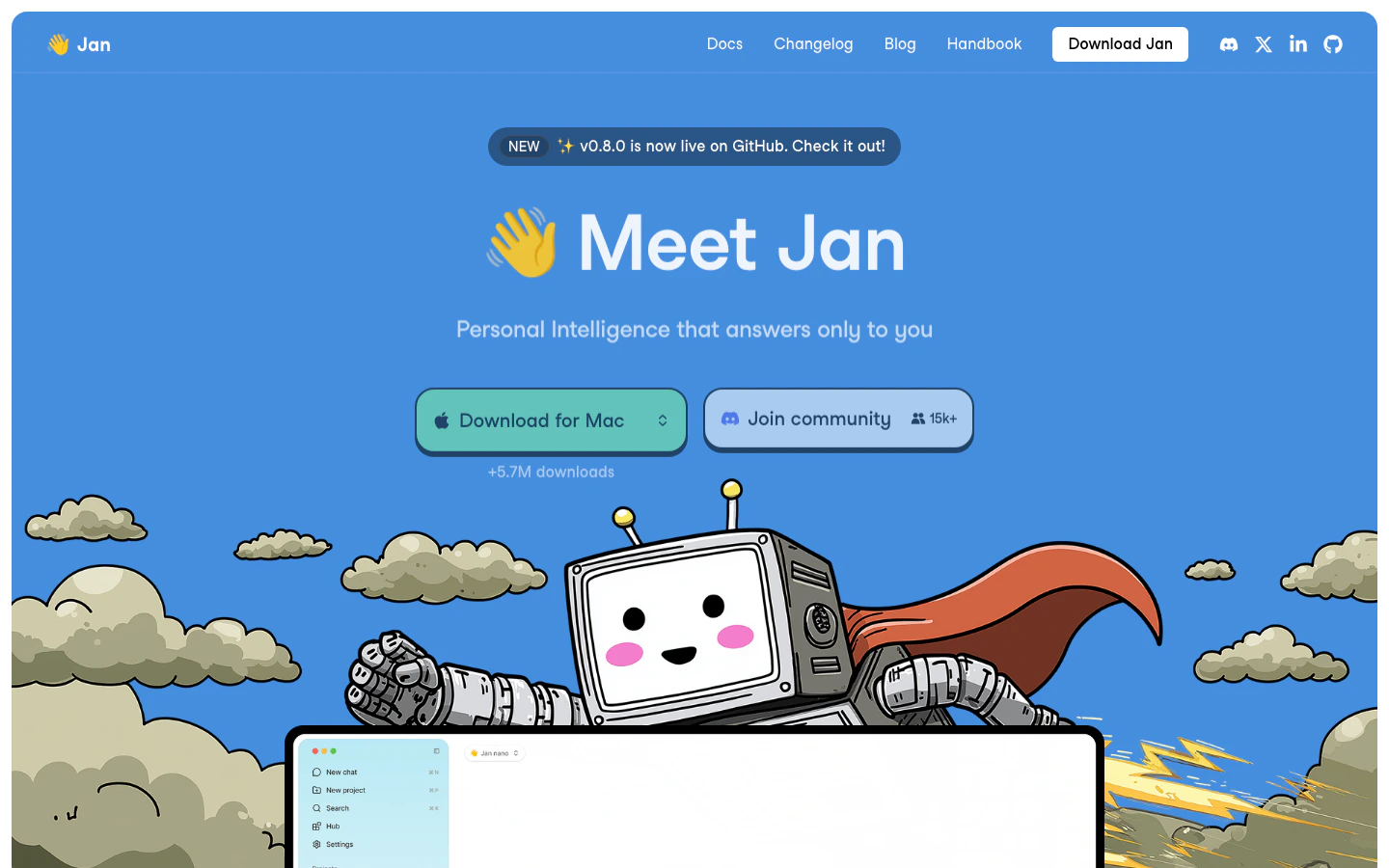 Jan is what LM Studio would look like if you started from open-source-first principles and wanted a desktop assistant rather than a model browser. The app handles local chat, hands its models off to a CLI and OpenAI-compatible server, and is pushing toward local agent launches for coding and tool workflows. The product shape is current; some agent and router pieces are still maturing.
### What We Like
**Open-source desktop assistant.** Apache 2.0, no account, familiar chat shape. Useful when you want LM Studio's feel in a tool you can inspect or fork.
**Desktop models carry into the CLI.** Models from the GUI are available to Jan's CLI and OpenAI-compatible local server. That removes duplicate setup when you move from chatting to wiring a local model into another app.
**Local agent launch is built in.** Jan is pushing beyond desktop chat into local model launch for coding and agent clients. Useful if you want Claude Code or OpenClaw-style flows pointed at local hardware without hand-wiring every variable.
### What We Don't Like
**Router controls are still settling.** Jan's CLI accepts some inference flags but ignores others, pushing tuning back through GUI presets. If you want exact flag-level control today, llama.cpp or TextGen will be less frustrating.
**Thinner recipe library.** Third-party setup and troubleshooting writeups are less plentiful than for Ollama or LM Studio. When something fails in a non-obvious way, you are more often on your own.
### Platform Availability
Mac, Windows, Linux, API
### Who It's For (and Who Should Skip It)
Best if you want LM Studio's experience but need open source, full local control, or a CLI/API alongside the chat window. Skip if you need a team portal - Open WebUI fits that. Skip for the most battle-tested setup recipes - start with Ollama.
***
## 4. [Open WebUI](https://openwebui.com/): Best for self-hosted shared web UI
Open WebUI gives you the ChatGPT-style browser experience over local backends like Ollama, llama.cpp, or any OpenAI-compatible provider - without putting your prompts through a third party. You run it, usually with Docker, point it at your runtime, and end up with a multi-user web app with RBAC, SSO, and admin controls. It is a UI and platform layer, not a model runtime, so you still need something underneath it.
### What We Like
**Strongest shared browser UI for local AI.** Open WebUI is what makes a single Ollama or LM Studio install feel like a team product. Multiple users, conversations, a model picker, and enough polish for non-technical teammates.
**Real admin controls.** RBAC, groups, SSO/OIDC/LDAP, SCIM, API keys, and analytics make this the only pick here that fits an actual org chart and a security review.
**Backend-agnostic.** It sits over Ollama, OpenAI-compatible providers, and multiple model sources at once, including a mix of local and cloud. You can swap or add runtimes without changing the portal everyone already learned.
### What We Don't Like
**Still need a backend underneath.** Open WebUI does not run models itself; pair it with Ollama, llama.cpp, LM Studio, or an OpenAI-compatible endpoint. If you want a single thing to install and chat with, LM Studio or Jan are simpler.
**Ops burden grows with it.** Docker, upgrades, security patches, database migrations, and auth become your problem. Recent releases include SSRF protection and database-migration cautions, which is exactly the kind of work you are signing up for.
### Platform Availability
Web (self-hosted), Mac, Windows, Linux, Docker, Kubernetes
### Who It's For (and Who Should Skip It)
Best if you need a shared browser portal over local AI with real admin controls - team, lab, classroom, or home server. Skip if you are solo and want one app to install and chat - try LM Studio. Skip for document workflows - AnythingLLM is more direct.
***
## 5. [llama.cpp](https://github.com/ggml-org/llama.cpp): Best for low-level runtime control
llama.cpp is the engine most other tools wrap, exposed for you to drive directly. C/C++ inference, GGUF support, and a long list of hardware backends (Metal, CUDA, HIP, Vulkan, SYCL, OpenVINO, WebGPU), plus `llama-server` for an OpenAI-compatible local API. It is not a chat app and not friendly if you are new to local models. Reach for it when a wrapper starts hiding the knob you actually need to turn.
### What We Like
**Most direct runtime control.** Flags, files, server behavior, context settings, backends, and quantization choices are all yours, with no abstraction layer rounding off the decisions. This is the reason to switch once a wrapper starts getting in your way.
**Best unusual-hardware path.** AMD/Vulkan, older machines, and experimental setups are where direct build choices pay off. Off the CUDA happy path, llama.cpp wins over polished wrappers.
**Small scriptable server.** `llama-server` gives developers a local API without a full desktop app. That is useful when you want a minimal service behind Open WebUI, a notebook, a model router, or your own app.
### What We Don't Like
**Requires runtime literacy.** Model files, flags, quantization, context, ports, backends, sometimes build steps. If `make` or `cmake` are not familiar, start with Ollama or LM Studio.
**No polished workspace.** No model browser, no rich chat app, no document workspace, no users, no admin controls. You will bolt on a separate front end, usually Open WebUI, if you want anything beyond a curl-able API.
### Platform Availability
Mac, Windows, Linux, Docker, API
### Who It's For (and Who Should Skip It)
Best if you are tuning quantization, picking backends, or running unusual hardware. Skip if you want a chat UI out of the box - try LM Studio. Skip if you want documents indexed and queried - AnythingLLM saves a lot of wiring.
***
## 6. [AnythingLLM](https://anythingllm.com/): Best for local document and RAG workspace
AnythingLLM is the direct answer to "I want local AI over my own files." It packages workspaces, ingestion, embeddings, citations, and provider choice around a chat window - the real product is the document workflow, not the model. It connects to a runtime (Ollama, LM Studio, an OpenAI-compatible provider, or its bundled option); you still pick the model.
### What We Like
**Best packaged document workspace.** Uploads, workspaces, embeddings, citations, and chat are wired together in one product. That is stronger than gluing a runtime, a vector DB, and a UI together yourself when your real job is knowledge work, not infrastructure.
**Clear desktop vs Docker split.** Desktop is single-user, no account, fully local. Docker and hosted modes add multi-user, browser access, and admin. Pick the right one upfront.
**Broad ingestion and provider support.** Many file types, several embedding backends, multiple vector DBs, and most major LLM providers. Swap layers without rebuilding.
### What We Don't Like
**Messy files still need prep.** Uploading `.docx`, spreadsheets, broad folders, or scanned PDFs is not the same as reliable retrieval. You will often convert documents, structure folders, tune chunking, or write scripts for tabular questions. Local RAG over real-world files is real work.
### Platform Availability
Mac, Windows, Linux, Docker, Web (via Docker/cloud), API
### Who It's For (and Who Should Skip It)
Best if your real workflow is documents or citations - solo or shared. Skip for a raw runtime - Ollama or llama.cpp. Skip for a generic team chat portal - Open WebUI is more direct.
***
## 7. [TextGen](https://github.com/oobabooga/textgen): Best for power-user local workbench
Jan is what LM Studio would look like if you started from open-source-first principles and wanted a desktop assistant rather than a model browser. The app handles local chat, hands its models off to a CLI and OpenAI-compatible server, and is pushing toward local agent launches for coding and tool workflows. The product shape is current; some agent and router pieces are still maturing.
### What We Like
**Open-source desktop assistant.** Apache 2.0, no account, familiar chat shape. Useful when you want LM Studio's feel in a tool you can inspect or fork.
**Desktop models carry into the CLI.** Models from the GUI are available to Jan's CLI and OpenAI-compatible local server. That removes duplicate setup when you move from chatting to wiring a local model into another app.
**Local agent launch is built in.** Jan is pushing beyond desktop chat into local model launch for coding and agent clients. Useful if you want Claude Code or OpenClaw-style flows pointed at local hardware without hand-wiring every variable.
### What We Don't Like
**Router controls are still settling.** Jan's CLI accepts some inference flags but ignores others, pushing tuning back through GUI presets. If you want exact flag-level control today, llama.cpp or TextGen will be less frustrating.
**Thinner recipe library.** Third-party setup and troubleshooting writeups are less plentiful than for Ollama or LM Studio. When something fails in a non-obvious way, you are more often on your own.
### Platform Availability
Mac, Windows, Linux, API
### Who It's For (and Who Should Skip It)
Best if you want LM Studio's experience but need open source, full local control, or a CLI/API alongside the chat window. Skip if you need a team portal - Open WebUI fits that. Skip for the most battle-tested setup recipes - start with Ollama.
***
## 4. [Open WebUI](https://openwebui.com/): Best for self-hosted shared web UI
Open WebUI gives you the ChatGPT-style browser experience over local backends like Ollama, llama.cpp, or any OpenAI-compatible provider - without putting your prompts through a third party. You run it, usually with Docker, point it at your runtime, and end up with a multi-user web app with RBAC, SSO, and admin controls. It is a UI and platform layer, not a model runtime, so you still need something underneath it.
### What We Like
**Strongest shared browser UI for local AI.** Open WebUI is what makes a single Ollama or LM Studio install feel like a team product. Multiple users, conversations, a model picker, and enough polish for non-technical teammates.
**Real admin controls.** RBAC, groups, SSO/OIDC/LDAP, SCIM, API keys, and analytics make this the only pick here that fits an actual org chart and a security review.
**Backend-agnostic.** It sits over Ollama, OpenAI-compatible providers, and multiple model sources at once, including a mix of local and cloud. You can swap or add runtimes without changing the portal everyone already learned.
### What We Don't Like
**Still need a backend underneath.** Open WebUI does not run models itself; pair it with Ollama, llama.cpp, LM Studio, or an OpenAI-compatible endpoint. If you want a single thing to install and chat with, LM Studio or Jan are simpler.
**Ops burden grows with it.** Docker, upgrades, security patches, database migrations, and auth become your problem. Recent releases include SSRF protection and database-migration cautions, which is exactly the kind of work you are signing up for.
### Platform Availability
Web (self-hosted), Mac, Windows, Linux, Docker, Kubernetes
### Who It's For (and Who Should Skip It)
Best if you need a shared browser portal over local AI with real admin controls - team, lab, classroom, or home server. Skip if you are solo and want one app to install and chat - try LM Studio. Skip for document workflows - AnythingLLM is more direct.
***
## 5. [llama.cpp](https://github.com/ggml-org/llama.cpp): Best for low-level runtime control
llama.cpp is the engine most other tools wrap, exposed for you to drive directly. C/C++ inference, GGUF support, and a long list of hardware backends (Metal, CUDA, HIP, Vulkan, SYCL, OpenVINO, WebGPU), plus `llama-server` for an OpenAI-compatible local API. It is not a chat app and not friendly if you are new to local models. Reach for it when a wrapper starts hiding the knob you actually need to turn.
### What We Like
**Most direct runtime control.** Flags, files, server behavior, context settings, backends, and quantization choices are all yours, with no abstraction layer rounding off the decisions. This is the reason to switch once a wrapper starts getting in your way.
**Best unusual-hardware path.** AMD/Vulkan, older machines, and experimental setups are where direct build choices pay off. Off the CUDA happy path, llama.cpp wins over polished wrappers.
**Small scriptable server.** `llama-server` gives developers a local API without a full desktop app. That is useful when you want a minimal service behind Open WebUI, a notebook, a model router, or your own app.
### What We Don't Like
**Requires runtime literacy.** Model files, flags, quantization, context, ports, backends, sometimes build steps. If `make` or `cmake` are not familiar, start with Ollama or LM Studio.
**No polished workspace.** No model browser, no rich chat app, no document workspace, no users, no admin controls. You will bolt on a separate front end, usually Open WebUI, if you want anything beyond a curl-able API.
### Platform Availability
Mac, Windows, Linux, Docker, API
### Who It's For (and Who Should Skip It)
Best if you are tuning quantization, picking backends, or running unusual hardware. Skip if you want a chat UI out of the box - try LM Studio. Skip if you want documents indexed and queried - AnythingLLM saves a lot of wiring.
***
## 6. [AnythingLLM](https://anythingllm.com/): Best for local document and RAG workspace
AnythingLLM is the direct answer to "I want local AI over my own files." It packages workspaces, ingestion, embeddings, citations, and provider choice around a chat window - the real product is the document workflow, not the model. It connects to a runtime (Ollama, LM Studio, an OpenAI-compatible provider, or its bundled option); you still pick the model.
### What We Like
**Best packaged document workspace.** Uploads, workspaces, embeddings, citations, and chat are wired together in one product. That is stronger than gluing a runtime, a vector DB, and a UI together yourself when your real job is knowledge work, not infrastructure.
**Clear desktop vs Docker split.** Desktop is single-user, no account, fully local. Docker and hosted modes add multi-user, browser access, and admin. Pick the right one upfront.
**Broad ingestion and provider support.** Many file types, several embedding backends, multiple vector DBs, and most major LLM providers. Swap layers without rebuilding.
### What We Don't Like
**Messy files still need prep.** Uploading `.docx`, spreadsheets, broad folders, or scanned PDFs is not the same as reliable retrieval. You will often convert documents, structure folders, tune chunking, or write scripts for tabular questions. Local RAG over real-world files is real work.
### Platform Availability
Mac, Windows, Linux, Docker, Web (via Docker/cloud), API
### Who It's For (and Who Should Skip It)
Best if your real workflow is documents or citations - solo or shared. Skip for a raw runtime - Ollama or llama.cpp. Skip for a generic team chat portal - Open WebUI is more direct.
***
## 7. [TextGen](https://github.com/oobabooga/textgen): Best for power-user local workbench
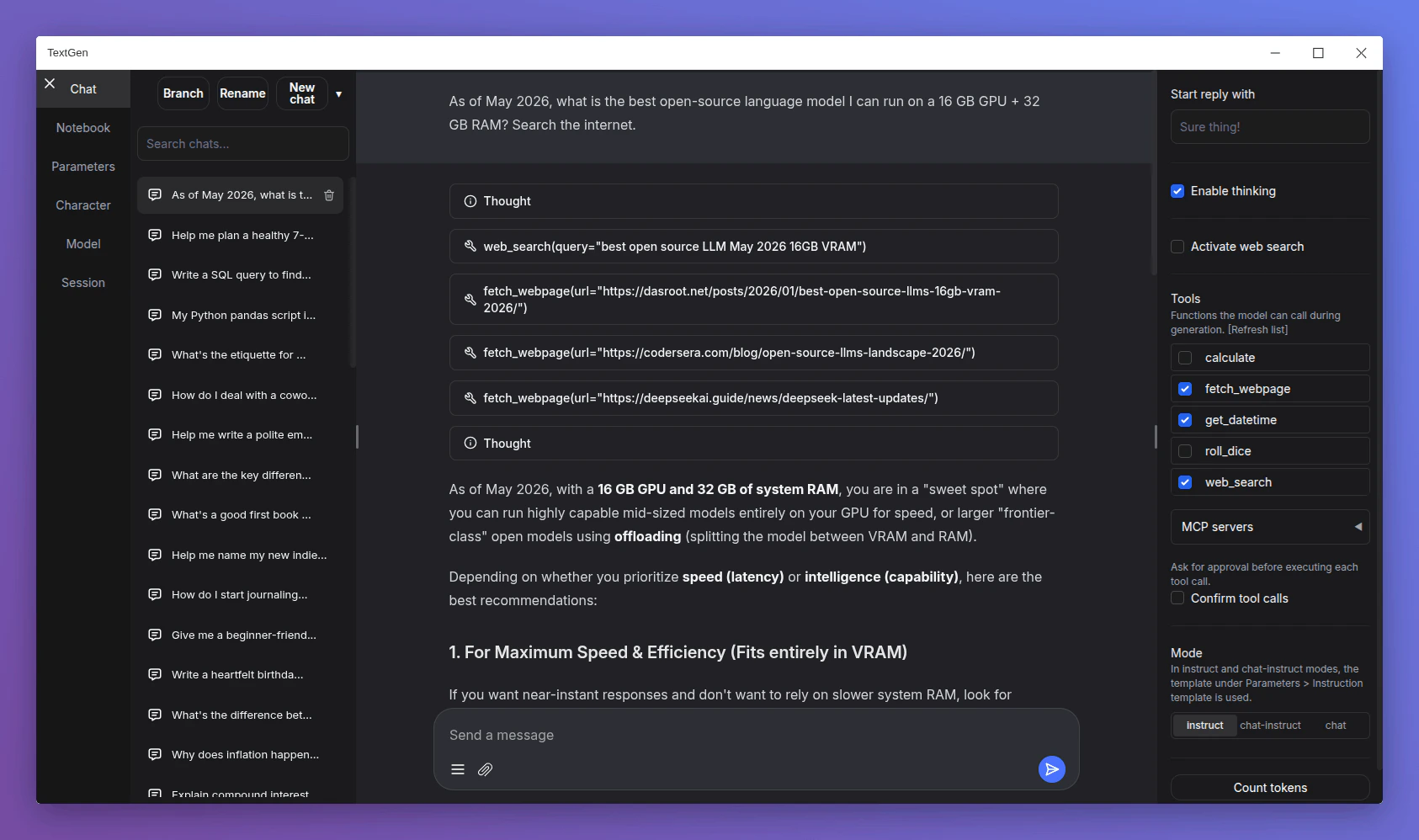 TextGen, formerly oobabooga/text-generation-webui, is the local AI workbench you reach for after outgrowing LM Studio. Portable desktop builds, OpenAI- and Anthropic-compatible APIs, MCP tool calls, multiple backends including ik\_llama.cpp and ExLlama variants, web search, and PDF extraction all live in one place. It is busier and noisier than LM Studio, which is the point if you want a local lab rather than a calm app.
### What We Like
**Broad power-user workbench.** Chat, multiple backends, tools, files, vision, APIs, and local workflow helpers sit in one app. The right pick if you want to compare backends, swap quantizations, or run a local coding agent without bolting three apps together.
**Portable desktop packaging.** Builds unzip and run as a native Electron window with all data kept inside the extracted folder. Useful for portability or running off an external drive.
**Strong local API and tool story.** OpenAI- and Anthropic-compatible endpoints, MCP server support, inline tool-call confirmation, and Python tool hooks make TextGen one of the more serious options for local agent and tool-loop experimentation.
### What We Don't Like
**Too much if you just want to chat.** The backends, training surfaces, MCP options, and tool flags that make TextGen useful are exactly what get in your way when all you want is to chat. Start with LM Studio or Jan instead.
### Platform Availability
Mac, Windows, Linux, Docker, API
### Who It's For (and Who Should Skip It)
Best if you want more control than LM Studio gives - swapping backends, running local agents with tool loops, or comparing quantizations. Skip if you are new to local models - LM Studio or Jan are calmer entry points. Skip if AGPL-3.0 is a problem for your commercial use case.
***
## Selection Guide
* If you need a local model API for other tools, choose [Ollama](https://ollama.com/)
* If you want a polished desktop app to explore models, choose [LM Studio](https://lmstudio.ai/)
* If you want an open-source desktop assistant, choose [Jan](https://www.jan.ai/)
* If a team needs a shared browser portal, choose [Open WebUI](https://openwebui.com/)
* If you are tuning quantization, backends, or unusual hardware, choose [llama.cpp](https://github.com/ggml-org/llama.cpp)
* If your workflow is private documents and citations, choose [AnythingLLM](https://anythingllm.com/)
* If you want a power-user local lab with MCP and tools, choose [TextGen](https://github.com/oobabooga/textgen)
## How We Evaluated
We evaluated more than 15 local LLM tools and selected seven for this guide. We do not use affiliate links, accept sponsorships, or take payment from tool makers. Pricing, platform support, licenses, and recent product changes were checked against official sources before inclusion.
### Selection Criteria
* **Hands-on usability:** How fast you get from install to a useful answer on local hardware.
* **Runtime and serving fit:** Whether the tool actually covers the job you came for (runtime, desktop, UI, RAG, workbench) without overpromising.
* **Privacy posture:** How clearly the tool keeps prompts and files on the local machine, and whether cloud paths are optional and visible.
* **Current compatibility:** Whether the tool keeps up with new model formats, local APIs, document handling, and agent workflows.
### How We Tested
We compared each tool across model setup, first useful chat, API and server behavior, hardware support, and where relevant, document ingestion and tool/agent calls. We focused on friction patterns we saw repeatedly - install pain on Windows or AMD, retrieval breaking on `.docx` and spreadsheets, and agent loops that work on cloud models but stall locally - rather than isolated one-off failures.
## Alternatives to Consider
### Other Tools Worth Considering
* **[GPT4All](https://www.nomic.ai/gpt4all)** - simple private desktop chat with LocalDocs and light hardware needs
* **[Msty Studio](https://msty.ai/)** - polished workspace blending local and online models
* **[llamafile](https://www.mozilla.ai/open-tools/llamafile)** - single-file portable executable bundling model and runtime together
* **[KoboldCpp](https://koboldcpp.com/)** - standalone GGUF runner popular in roleplay/storytelling stacks
* **[LocalAI](https://localai.io/)** - self-hosted OpenAI-compatible API for text, image, audio, embeddings
* **[Docker Model Runner](https://docs.docker.com/ai/model-runner/)** - Docker-native local model workflow inside Docker Desktop
* **[PrivateGPT](https://github.com/zylon-ai/private-gpt)** - private document chat project, narrower than AnythingLLM
### Adjacent Categories
* **Production inference servers ([vLLM](https://docs.vllm.ai/en/latest/), [SGLang](https://www.sglang.io/), [TensorRT-LLM](https://github.com/NVIDIA/TensorRT-LLM)):** Throughput, batching, and dedicated GPU serving - not personal local chat. Choose these when you are serving many people from real GPU infrastructure.
* **Local coding assistants and agents ([Continue](https://www.continue.dev/), [Cline](https://cline.bot/), [Aider](https://aider.chat/), [OpenCode](https://opencode.ai/)):** These consume a local model endpoint rather than run the model themselves. Choose these if your real job is repo Q\&A, editing files, or running terminal agents on top of a local backend.
* **Mobile and framework runtimes ([MLX-LM](https://github.com/ml-explore/mlx-lm), [MLC LLM](https://llm.mlc.ai/), [WebLLM](https://webllm.mlc.ai/), [PocketPal AI](https://github.com/a-ghorbani/pocketpal-ai)):** Platform-specific stacks for Apple Silicon, phones, browsers, or embedded targets. Choose these if you are optimizing for a specific device class.
## What You Need to Know Before Using Local LLM Tools
Local LLMs solve some privacy and cost problems and create new ones. A few things are worth checking before you commit a workflow to local hardware.
### Model License vs. Tool License
Each of these tools sits on a model you separately download. The tool license (MIT, Apache 2.0, AGPL-3.0) governs the app; the model license (Llama community, Gemma terms, Qwen license, custom non-commercial) governs the weights. Commercial use, redistribution, and hosted services need both checked. If your company has a license review process, run it once - before standardizing on a model family - rather than per-project.
### Data That Leaves the Machine Even When You Don't Mean It To
Local does not automatically mean offline. Cloud-tier features, provider API keys you wire in, web search and web fetch plugins, document ingestion that pings a remote embedder, and update checks can all send data outward. Before you assume a workflow is private, audit which features are on, set `OLLAMA_NO_CLOUD=1` or its equivalent, and test with the network detached if confidentiality matters.
### Self-Hosted Web UI Security
Anything that exposes a chat UI over the network has the security profile of a small web app - your problem, not the model's. If you run Open WebUI or AnythingLLM Docker for other users, treat auth, HTTPS, upgrades, backups, and provider keys as part of the deployment. The model is local; the attack surface is not.
## Frequently Asked Questions
TextGen, formerly oobabooga/text-generation-webui, is the local AI workbench you reach for after outgrowing LM Studio. Portable desktop builds, OpenAI- and Anthropic-compatible APIs, MCP tool calls, multiple backends including ik\_llama.cpp and ExLlama variants, web search, and PDF extraction all live in one place. It is busier and noisier than LM Studio, which is the point if you want a local lab rather than a calm app.
### What We Like
**Broad power-user workbench.** Chat, multiple backends, tools, files, vision, APIs, and local workflow helpers sit in one app. The right pick if you want to compare backends, swap quantizations, or run a local coding agent without bolting three apps together.
**Portable desktop packaging.** Builds unzip and run as a native Electron window with all data kept inside the extracted folder. Useful for portability or running off an external drive.
**Strong local API and tool story.** OpenAI- and Anthropic-compatible endpoints, MCP server support, inline tool-call confirmation, and Python tool hooks make TextGen one of the more serious options for local agent and tool-loop experimentation.
### What We Don't Like
**Too much if you just want to chat.** The backends, training surfaces, MCP options, and tool flags that make TextGen useful are exactly what get in your way when all you want is to chat. Start with LM Studio or Jan instead.
### Platform Availability
Mac, Windows, Linux, Docker, API
### Who It's For (and Who Should Skip It)
Best if you want more control than LM Studio gives - swapping backends, running local agents with tool loops, or comparing quantizations. Skip if you are new to local models - LM Studio or Jan are calmer entry points. Skip if AGPL-3.0 is a problem for your commercial use case.
***
## Selection Guide
* If you need a local model API for other tools, choose [Ollama](https://ollama.com/)
* If you want a polished desktop app to explore models, choose [LM Studio](https://lmstudio.ai/)
* If you want an open-source desktop assistant, choose [Jan](https://www.jan.ai/)
* If a team needs a shared browser portal, choose [Open WebUI](https://openwebui.com/)
* If you are tuning quantization, backends, or unusual hardware, choose [llama.cpp](https://github.com/ggml-org/llama.cpp)
* If your workflow is private documents and citations, choose [AnythingLLM](https://anythingllm.com/)
* If you want a power-user local lab with MCP and tools, choose [TextGen](https://github.com/oobabooga/textgen)
## How We Evaluated
We evaluated more than 15 local LLM tools and selected seven for this guide. We do not use affiliate links, accept sponsorships, or take payment from tool makers. Pricing, platform support, licenses, and recent product changes were checked against official sources before inclusion.
### Selection Criteria
* **Hands-on usability:** How fast you get from install to a useful answer on local hardware.
* **Runtime and serving fit:** Whether the tool actually covers the job you came for (runtime, desktop, UI, RAG, workbench) without overpromising.
* **Privacy posture:** How clearly the tool keeps prompts and files on the local machine, and whether cloud paths are optional and visible.
* **Current compatibility:** Whether the tool keeps up with new model formats, local APIs, document handling, and agent workflows.
### How We Tested
We compared each tool across model setup, first useful chat, API and server behavior, hardware support, and where relevant, document ingestion and tool/agent calls. We focused on friction patterns we saw repeatedly - install pain on Windows or AMD, retrieval breaking on `.docx` and spreadsheets, and agent loops that work on cloud models but stall locally - rather than isolated one-off failures.
## Alternatives to Consider
### Other Tools Worth Considering
* **[GPT4All](https://www.nomic.ai/gpt4all)** - simple private desktop chat with LocalDocs and light hardware needs
* **[Msty Studio](https://msty.ai/)** - polished workspace blending local and online models
* **[llamafile](https://www.mozilla.ai/open-tools/llamafile)** - single-file portable executable bundling model and runtime together
* **[KoboldCpp](https://koboldcpp.com/)** - standalone GGUF runner popular in roleplay/storytelling stacks
* **[LocalAI](https://localai.io/)** - self-hosted OpenAI-compatible API for text, image, audio, embeddings
* **[Docker Model Runner](https://docs.docker.com/ai/model-runner/)** - Docker-native local model workflow inside Docker Desktop
* **[PrivateGPT](https://github.com/zylon-ai/private-gpt)** - private document chat project, narrower than AnythingLLM
### Adjacent Categories
* **Production inference servers ([vLLM](https://docs.vllm.ai/en/latest/), [SGLang](https://www.sglang.io/), [TensorRT-LLM](https://github.com/NVIDIA/TensorRT-LLM)):** Throughput, batching, and dedicated GPU serving - not personal local chat. Choose these when you are serving many people from real GPU infrastructure.
* **Local coding assistants and agents ([Continue](https://www.continue.dev/), [Cline](https://cline.bot/), [Aider](https://aider.chat/), [OpenCode](https://opencode.ai/)):** These consume a local model endpoint rather than run the model themselves. Choose these if your real job is repo Q\&A, editing files, or running terminal agents on top of a local backend.
* **Mobile and framework runtimes ([MLX-LM](https://github.com/ml-explore/mlx-lm), [MLC LLM](https://llm.mlc.ai/), [WebLLM](https://webllm.mlc.ai/), [PocketPal AI](https://github.com/a-ghorbani/pocketpal-ai)):** Platform-specific stacks for Apple Silicon, phones, browsers, or embedded targets. Choose these if you are optimizing for a specific device class.
## What You Need to Know Before Using Local LLM Tools
Local LLMs solve some privacy and cost problems and create new ones. A few things are worth checking before you commit a workflow to local hardware.
### Model License vs. Tool License
Each of these tools sits on a model you separately download. The tool license (MIT, Apache 2.0, AGPL-3.0) governs the app; the model license (Llama community, Gemma terms, Qwen license, custom non-commercial) governs the weights. Commercial use, redistribution, and hosted services need both checked. If your company has a license review process, run it once - before standardizing on a model family - rather than per-project.
### Data That Leaves the Machine Even When You Don't Mean It To
Local does not automatically mean offline. Cloud-tier features, provider API keys you wire in, web search and web fetch plugins, document ingestion that pings a remote embedder, and update checks can all send data outward. Before you assume a workflow is private, audit which features are on, set `OLLAMA_NO_CLOUD=1` or its equivalent, and test with the network detached if confidentiality matters.
### Self-Hosted Web UI Security
Anything that exposes a chat UI over the network has the security profile of a small web app - your problem, not the model's. If you run Open WebUI or AnythingLLM Docker for other users, treat auth, HTTPS, upgrades, backups, and provider keys as part of the deployment. The model is local; the attack surface is not.
## Frequently Asked Questions