We evaluated more than 20 AI chatbots, comparing ChatGPT, Gemini, Claude, and more on output quality, workflow fit, pricing, and trust.
Updated June 1, 2026
AI chatbots promise one general-purpose assistant for writing, research, coding, and everyday questions. The catch: the best one depends on your workflow, since ChatGPT, Gemini, and Claude each lose to a specialist for specific jobs. We evaluated more than 20 options and selected seven leading picks.
ChatGPT is still the chatbot that does the most things well without making you choose. You can write, generate images, work with files, run research, build with Codex, and connect apps like Notion or Linear without leaving one tab. If you don’t have a specialized workflow yet, it’s the easiest place to start, and the one with the most tutorials and team familiarity behind it.
Platforms Pricing: FreeIndividual $8–$100+/mo Teams $20/user/mo
It still covers the most ground in one product - drafting, files, images, research, spreadsheets, Codex, and connectors all in one place.
It’s the easiest chatbot to standardize on - more tutorials, prompt examples, and team familiarity than any alternative, so adoption friction is lower.
It’s not locked to Google or Microsoft - a good pick if you don’t want your assistant tied to a productivity suite you may leave later.
It can feel generic once you know your workflow - Claude is more thoughtful for serious writing, Gemini sharper for research and visuals; ChatGPT wins on breadth, not lanes.
Choose ChatGPT if you want one capable assistant for general work and don’t yet have a specialized lane. Skip it if your day runs through Microsoft 365 (Copilot), Google apps (Gemini), or serious writing and coding (Claude).
Gemini is the chatbot to choose if you already live inside Google. It pulls context from Gmail, Drive, Docs, Chrome, Search, and YouTube in ways no other assistant can match, and its image and video work consistently outperforms ChatGPT and Claude.
Google context is the real differentiator - Gmail, Drive, Docs, Chrome, Search, YouTube, and NotebookLM feed Gemini in ways no other assistant matches.
Image and video work is the reason to test it - if editing, generation, or multimodal input matters, Gemini’s advantage is most visible here.
Claude still wins on serious writing and coding - if long documents or code is your daily work, test Claude before committing; the gap is real.
Choose Gemini if you live inside Google, care about image and video work, or want research that pulls from your Drive. Skip it if you want Claude’s writing depth - ChatGPT is the safer neutral pick outside Google’s ecosystem.
Claude is the chatbot that feels like a careful collaborator rather than a generic answer machine. You notice it most when drafting long documents, editing critical writing, working through complex code, or shaping arguments where nuance matters. The trade-off is real: usage limits can interrupt heavy sessions, and there’s no native image or video generation. For serious knowledge work, the quality gap is still worth working around.
Platforms Pricing: FreeIndividual $17–$100+/mo
It’s the strongest serious writing partner - prose, synthesis, critique, and nuanced reasoning feel less templated than in any default assistant.
The product is built for actual work, not just chat - Claude Code, Cowork, artifacts, computer use, and Excel/PowerPoint add-ins help when chat overlaps with building.
It has the strongest trust posture in the top tier - careful refusals and privacy posture make it easiest to justify for higher-stakes work.
Usage limits can interrupt real work - long writing or coding sprints hit Pro’s limits faster than you’d expect.
No native image or video generation - Claude analyzes images but doesn’t generate them, so Gemini, ChatGPT, or Grok fit that workflow better.
Choose Claude if writing, coding, long documents, or careful knowledge work matter more than maximum media features. Skip it if you need frequent heavy sessions on a budget plan or want native image generation - Gemini and ChatGPT handle media better.
DeepSeek is the credible free challenger to the big three. The consumer app is free with no ads or in-app purchases, the underlying models hold up surprisingly well for everyday questions, and the API economics make it interesting for developers running high-volume workloads. The real caveat isn’t quality - it’s trust. Privacy, censorship, and regulatory questions mean DeepSeek shouldn’t handle sensitive work.
Platforms Pricing: Free
The free app is actually free - no ads, no in-app purchases, capable models; easy to test before paying for the top three.
The API economics are the real story - usage-based pricing that can be dramatically cheaper than frontier-provider APIs, especially with cache hits.
It’s not safe for sensitive work - privacy, censorship, and geopolitical trust questions are real; skip it for confidential, legal, medical, or regulated workflows.
The consumer app isn’t as polished as the top three - memory, connectors, office workflows, and desktop agents all lag ChatGPT, Gemini, and Claude.
Choose DeepSeek if you want a free chatbot to experiment with or a low-cost API. Skip it for confidential, regulated, or sensitive work - ChatGPT and Claude are safer.
Copilot is the right pick when your day already runs through Microsoft. It shows up inside Word, Excel, PowerPoint, Outlook, Teams, Edge, and Windows with the kind of context-aware help no general chatbot can match. Treat it as Microsoft ecosystem AI, not a neutral standalone assistant. Outside that ecosystem, ChatGPT, Gemini, or Claude will feel sharper, and the plan structure is harder to explain than it should be.
Platforms Pricing: FreeConsumer $99.99–$199.99/yr
It’s the best fit for Microsoft work - Copilot shows up inside Word, Excel, PowerPoint, Outlook, Teams, Edge, and Windows, cutting switching.
The enterprise governance story is real - admin controls, agent governance, model diversity, and M365 integrations matter for team rollouts.
It’s underwhelming as a neutral chatbot - outside Microsoft workflows, ChatGPT, Gemini, and Claude all feel sharper.
The pricing and product map confuses everyone - consumer, M365, business, enterprise Agent 365, Edge, and Windows make it easy to misunderstand what you’re getting.
Choose Copilot if you live in Microsoft 365 or manage Microsoft users. Skip it for everything else - ChatGPT, Gemini, or Claude are better neutral assistants.
Grok is the chatbot wired into the live conversation on X. It has direct access to current posts, trends, and public discussion in a way no other assistant matches, plus a distinctive personality that’s more willing to argue, joke, or push back. That makes it useful if your work touches creator culture, trend cycles, or live commentary. Skip it if you need conservative content posture or live in office documents all day.
Platforms Pricing: Individual $40/mo
No other chatbot has this live social context - direct X integration flows current posts, trends, and conversation into responses.
The personality is part of the product - more willing to argue and skip safety-first hedging, which reads less corporate for brainstorming or social copy.
Trust and brand association cut both ways - the X tie and looser content posture are part of the appeal but also the reason to skip if you’re cautious.
Choose Grok if you want AI tied to X, live trends, and a looser style. Skip it for office document work or cautious data policies - Claude or Copilot fit better.
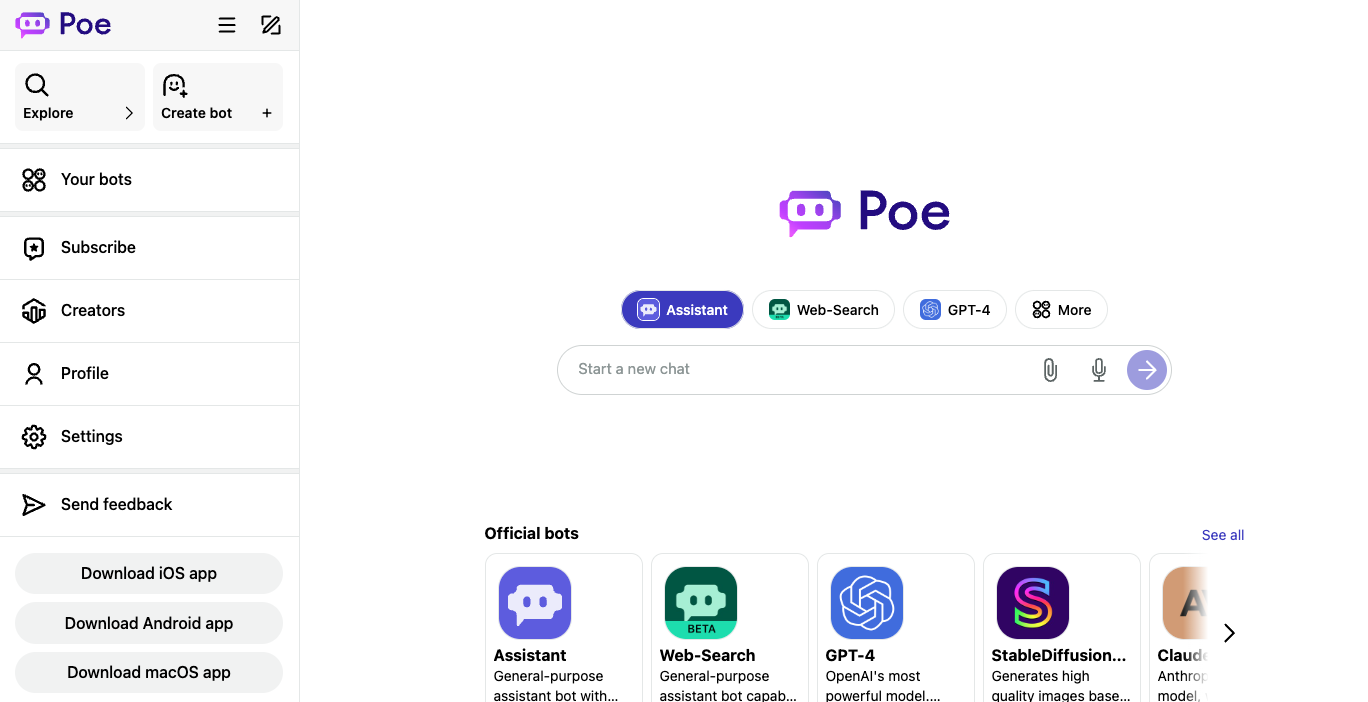
Poe lets you talk to ChatGPT, Claude, Gemini, Grok, Llama, and hundreds of community bots from a single account. That’s the appeal: try many models without juggling API keys or stacking subscriptions. The catch is that Poe is a layer over other providers, so quality, context length, and per-message cost vary by which bot you pick - and the points system takes getting used to if you’re coming from flat-rate chat plans.
Many models, one consumer app - compare GPT, Claude, Gemini, Grok, and community bots without API keys or stacked subscriptions.
The bot ecosystem goes beyond text chat - user-created bots, group chats up to 200 people, and multimodal Script Bots give range a single-provider app can’t.
The points system creates cost uncertainty - bots consume points at very different rates and heavy frontier use burns plans fast, so budget against usage.
Choose Poe if you want to compare frontier models without committing to one provider, or you’re not sure which you’ll prefer long-term. Skip it if you want one consistent assistant with predictable limits - ChatGPT or Claude work better.
If you want a strong default for everyday work → ChatGPTIf you live in Google apps and care about visuals → GeminiIf you write, code, or work with long documents → ClaudeIf you want a free or low-cost option → DeepSeekIf your work runs through Microsoft 365 → CopilotIf you cover X, social, or live trends → GrokIf you want to compare many models in one app → Poe
We evaluated more than 20 AI chatbots and selected 7 for this guide. We don’t use affiliate links, accept sponsorships, or take payment from tool makers. Recommendations are based entirely on our own evaluation and comparisons across writing, research, coding, image generation, and everyday questions, plus weeks of normal use as our daily drivers.
We ran each chatbot against a consistent set of prompts covering long-form writing, technical research, code generation, image creation, and structured analysis. We paid attention to whether output matched the prompt, whether claimed features actually worked, and where friction kept showing up. We also tracked which tools we kept coming back to after the formal comparison ended - that’s usually the most honest signal.
A few practical considerations matter more than tool choice. These are the security, legal, and privacy issues most likely to bite you in the first month.
Most major chatbots use your conversations to improve their models unless you turn that off, and the controls live in different places (settings, plan tier, or admin console). For sensitive business, legal, or medical content, check each tool’s data retention and training opt-out before pasting anything you wouldn’t want in a future model. Enterprise plans usually offer stronger guarantees than consumer tiers.
Not all chatbots offer the same data residency, content moderation, or regulatory posture. Microsoft and Google offer the strongest enterprise governance. Grok’s content posture is looser by design. Match the provider to your regulatory and trust requirements, not just to model quality.
Every chatbot in this guide still makes confident factual errors. The rate varies, but no model is reliable enough to trust without checking for legal contracts, medical advice, financial decisions, or anything where a wrong answer carries real cost. Tools with citations (Gemini Deep Research, Perplexity, ChatGPT Research) make verification easier but don’t eliminate the problem.
Customer-support AI chatbots (Intercom Fin, Zendesk AI, Chatbase): These deploy on websites or help centers to deflect support tickets. Choose this category when you need an AI agent on a business site, not a personal assistant.
Coding agents and AI IDEs (Cursor, Claude Code, GitHub Copilot): Their primary value is coding inside repos, IDEs, and pull-request workflows. Choose when you’re really there for code work - writing, editing, or reviewing - not everyday chat.
AI companion and roleplay chatbots (Character.AI, Replika, Kindroid): These optimize for personality, companionship, and roleplay rather than productivity. Choose when you want fictional characters or emotional companionship over a work assistant.
What's an AI chatbot, and how is it different from AI search?
AI chatbots are general-purpose assistants that handle writing, coding, research, file work, and conversation. AI search tools like Perplexity prioritize cited answers to specific web queries. The line blurs - ChatGPT and Gemini both search now - but chatbots are built for open-ended sessions, while search tools optimize for retrieval.
Can I use these chatbots if my company has a strict data policy?
Usually yes, but check the enterprise tier. ChatGPT Business, Claude Team/Enterprise, Microsoft 365 Copilot, and Gemini for Workspace all offer no-training-on-data guarantees, admin controls, and audit logs. Personal accounts and free tiers typically do not. Many companies block consumer chatbot domains entirely - confirm with your IT or security team first.
What happens to my chats and files if I cancel a subscription?
Most providers keep your account and history accessible on the free tier after a paid plan ends, but subscription features (longer context, projects, connectors) get disabled. Always export before canceling if your work history matters - Claude and ChatGPT both make this easy.
Can I switch between plans without losing my data?
Yes, on every chatbot in this guide. Upgrades and downgrades within the same provider keep your chats, projects, and memory intact. Switching providers doesn’t transfer history automatically, though Gemini and Claude added memory-import tools recently.
Do these chatbots work with my existing tools like Notion, Slack, or Gmail?
Most top-tier chatbots offer connectors now. ChatGPT integrates with Notion, Linear, Dropbox, and Box. Claude connects to Slack, Google Workspace, and Microsoft 365. Gemini works natively across Google apps. Connector availability often depends on your plan and admin settings, so confirm before assuming a workflow will work.
Should I pay for one chatbot or use a multi-model tool like Poe?
If you have a clear workflow, paying one provider is usually simpler. If you’re still figuring out which model fits your work, or you want occasional access to several frontier models without stacking subscriptions, Poe or TypingMind makes sense. If you use any single model heavily, you’ll usually end up subscribing direct.
We update this guide regularly as new tools launch and existing ones evolve. If you’re still unsure, ChatGPT is the safest starting point for most users. Questions or suggestions? Let us know.
Was this page helpful?
⌘I
{"docsConfig":{"theme":"luma","$schema":"https://mintlify.com/docs.json","name":"Useful AI","description":"Useful AI helps people find, compare, and learn practical AI tools, models, courses, guides, and resources.","colors":{"primary":"#000000","light":"#ffffff","dark":"#000000"},"logo":{"light":"https://mintcdn.com/usefulai/TukEV5gATx8azBBm/logo-icon.svg?fit=max\u0026auto=format\u0026n=TukEV5gATx8azBBm\u0026q=85\u0026s=57400ad8c532e03bb1fd7345ebfd8537","dark":"https://mintcdn.com/usefulai/TukEV5gATx8azBBm/logo-icon-dark.svg?fit=max\u0026auto=format\u0026n=TukEV5gATx8azBBm\u0026q=85\u0026s=cadf9ff8793b68f2f5ff9d8eb48d0564"},"favicon":"https://mintcdn.com/usefulai/LMn8K2dt36OSmQDE/favicon.svg?fit=max\u0026auto=format\u0026n=LMn8K2dt36OSmQDE\u0026q=85\u0026s=af301d243bd81ba4ec1dbc871f6981cd","appearance":{"default":"light"},"background":{"color":{"dark":"#090c10"}},"footer":{"socials":{"linkedin":"https://www.linkedin.com/company/usefulai"},"links":[{"header":"Company","items":[{"label":"About Us","href":"/about-us"},{"label":"Privacy","href":"/privacy"},{"label":"Terms","href":"/terms"}]}]},"search":{"prompt":"Search AI tools, models, courses, and guides"},"seo":{"indexing":"all"},"integrations":{"clarity":{"projectId":"lsiokxfop1"},"ga4":{"measurementId":"G-R0NFT3CXD9"}},"styling":{"latex":true},"navigation":{"global":{},"pages":[]}},"deployment":{"deploymentMetadataValue":{"subdomain":"usefulai","hasAudioNarration":false,"actualSubdomain":"usefulai","customDomains":["usefulai.com"],"gitSource":{"type":"github","owner":"usefulaios","repo":"usefulai","deployBranch":"main","contentDirectory":"mintlify/live","isPrivate":true,"mountPath":"","label":""},"chroma":{"liveDeploymentHistoryId":"6a9b592deaf13c8167f1bc47","collectionId":"e298dabe-1386-4aa7-bd9c-b5a4fe999b97","schemaVersion":"v3","latestBuiltDeploymentHistoryId":"6a9b592deaf13c8167f1bc47"},"feedback":{"agentFeedback":true,"thumbs":true},"entitlements":{},"buildId":"6a9b592deaf13c8167f1bc47","clientVersion":"0.0.4021","searchFilterCounts":[{"language":"default","tag":"Tools","count":74},{"language":"default","tag":"More Tools","count":43},{"language":"default","tag":"Use Cases","count":25},{"language":"default","tag":"Models","count":18},{"language":"default","tag":"By Tool","count":17},{"language":"default","tag":"Feeds","count":17},{"language":"default","tag":"Courses","count":16},{"language":"default","tag":"Plugins","count":14},{"language":"default","tag":"By Category","count":14},{"language":"default","tag":"Guides","count":12}]},"assistantConfig":{"enableAskAiButton":false,"enableStarterQuestions":false,"enableAskAiSearchBar":true},"basePath":"","hasChatPermissions":false,"hasWebMcpPermissions":false,"toggles":[{"name":"kill-isr","enabled":true,"variant":{"name":"disabled","enabled":false,"feature_enabled":true},"impressionData":false},{"name":"agent-mintlify-slack","enabled":true,"variant":{"name":"disabled","enabled":false,"feature_enabled":true},"impressionData":false},{"name":"agent-integrations-settings","enabled":true,"variant":{"name":"disabled","enabled":false,"feature_enabled":true},"impressionData":false},{"name":"automations-pr-grouping","enabled":true,"variant":{"name":"disabled","enabled":false,"feature_enabled":true},"impressionData":false},{"name":"custom-prefix","enabled":true,"variant":{"name":"disabled","enabled":false,"feature_enabled":true},"impressionData":false},{"name":"analytics-v7","enabled":true,"variant":{"name":"disabled","enabled":false,"feature_enabled":true},"impressionData":false},{"name":"user-flows-analytics","enabled":true,"variant":{"name":"disabled","enabled":false,"feature_enabled":true},"impressionData":false},{"name":"no-publish-flow","enabled":true,"variant":{"name":"disabled","enabled":false,"feature_enabled":true},"impressionData":false},{"name":"workos-onboarding","enabled":true,"variant":{"name":"disabled","enabled":false,"feature_enabled":true},"impressionData":false},{"name":"llms-txt-v2","enabled":true,"variant":{"name":"disabled","enabled":false,"feature_enabled":true},"impressionData":false},{"name":"snapshot-serving-live","enabled":true,"variant":{"name":"disabled","enabled":false,"feature_enabled":true},"impressionData":false},{"name":"stripTemperatureMiddleware","enabled":true,"variant":{"name":"disabled","enabled":false,"feature_enabled":true},"impressionData":false},{"name":"per-site-search-delta","enabled":true,"variant":{"name":"disabled","enabled":false,"feature_enabled":true},"impressionData":false},{"name":"support-platform-pylon-zendesk","enabled":true,"variant":{"name":"disabled","enabled":false,"feature_enabled":true},"impressionData":false},{"name":"snapshot-serving","enabled":true,"variant":{"name":"disabled","enabled":false,"feature_enabled":true},"impressionData":false},{"name":"instant-rollback","enabled":true,"variant":{"name":"disabled","enabled":false,"feature_enabled":true},"impressionData":false},{"name":"granular-notifications-server","enabled":true,"variant":{"name":"disabled","enabled":false,"feature_enabled":true},"impressionData":false},{"name":"granular-notifications","enabled":true,"variant":{"name":"disabled","enabled":false,"feature_enabled":true},"impressionData":false},{"name":"editor-private-page-search","enabled":true,"variant":{"name":"disabled","enabled":false,"feature_enabled":true},"impressionData":false},{"name":"automations-fable","enabled":true,"variant":{"name":"disabled","enabled":false,"feature_enabled":true},"impressionData":false},{"name":"fixed-ai-action-pricing","enabled":true,"variant":{"name":"disabled","enabled":false,"feature_enabled":true},"impressionData":false},{"name":"automation-resolve-merge-conflict","enabled":true,"variant":{"name":"disabled","enabled":false,"feature_enabled":true},"impressionData":false},{"name":"scoped-publishing","enabled":true,"variant":{"name":"disabled","enabled":false,"feature_enabled":true},"impressionData":false},{"name":"mintql","enabled":true,"variant":{"name":"disabled","enabled":false,"feature_enabled":true},"impressionData":false},{"name":"page-level-analytics","enabled":true,"variant":{"name":"disabled","enabled":false,"feature_enabled":true},"impressionData":false},{"name":"editor-version-history-v2","enabled":true,"variant":{"name":"disabled","enabled":false,"feature_enabled":true},"impressionData":false},{"name":"billing-page-v2","enabled":true,"variant":{"name":"disabled","enabled":false,"feature_enabled":true},"impressionData":false},{"name":"workspace-projects","enabled":true,"variant":{"name":"disabled","enabled":false,"feature_enabled":true},"impressionData":false},{"name":"assistant-v5","enabled":true,"variant":{"name":"disabled","enabled":false,"feature_enabled":true},"impressionData":false},{"name":"byok-sep-25","enabled":true,"variant":{"name":"disabled","enabled":false,"feature_enabled":true},"impressionData":false},{"name":"fork-pr-previews","enabled":true,"variant":{"name":"disabled","enabled":false,"feature_enabled":true},"impressionData":false},{"name":"revalidation-jwt","enabled":true,"variant":{"name":"disabled","enabled":false,"feature_enabled":true},"impressionData":false},{"name":"vite-origin","enabled":true,"variant":{"name":"disabled","enabled":false,"feature_enabled":true},"impressionData":false},{"name":"billing-updated-9-15","enabled":true,"variant":{"name":"disabled","enabled":false,"feature_enabled":true},"impressionData":false},{"name":"workos-sso-scim","enabled":true,"variant":{"name":"disabled","enabled":false,"feature_enabled":true},"impressionData":false},{"name":"hobby-abuse-scan","enabled":true,"variant":{"name":"disabled","enabled":false,"feature_enabled":true},"impressionData":false},{"name":"dashboard-inbox","enabled":true,"variant":{"name":"disabled","enabled":false,"feature_enabled":true},"impressionData":false},{"name":"workos-signup","enabled":true,"variant":{"name":"disabled","enabled":false,"feature_enabled":true},"impressionData":false},{"name":"workos-enabled","enabled":true,"variant":{"name":"disabled","enabled":false,"feature_enabled":true},"impressionData":false}],"googleFontsInlined":false},"customCss":[{"filePath":"style.css","href":"/_mintlify/custom/usefulai/c71ee03586990199/style.css"}],"page":{"pagePath":"tools/ai-chatbots","slug":"/tools/ai-chatbots","pageMetadata":{"title":"Best AI Chatbots in 2026","description":"We evaluated more than 20 AI chatbots, comparing ChatGPT, Gemini, Claude, and more on output quality, workflow fit, pricing, and trust.","sidebarTitle":"Chatbots","og:title":"Best AI Chatbots in 2026","og:description":"We evaluated more than 20 AI chatbots, comparing ChatGPT, Gemini, Claude, and more on output quality, workflow fit, pricing, and trust.","mode":"wide","hideFooterPagination":true,"href":"/tools/ai-chatbots"},"description":{"compiledSource":"\"use strict\";\nconst {jsx: _jsx} = arguments[0];\nconst {useMDXComponents: _provideComponents} = arguments[0];\nfunction _createMdxContent(props) {\n const _components = {\n p: \"p\",\n ..._provideComponents(),\n ...props.components\n };\n return _jsx(_components.p, {\n children: \"We evaluated more than 20 AI chatbots, comparing ChatGPT, Gemini, Claude, and more on output quality, workflow fit, pricing, and trust.\"\n });\n}\nfunction MDXContent(props = {}) {\n const {wrapper: MDXLayout} = {\n ..._provideComponents(),\n ...props.components\n };\n return MDXLayout ? _jsx(MDXLayout, {\n ...props,\n children: _jsx(_createMdxContent, {\n ...props\n })\n }) : _createMdxContent(props);\n}\nreturn {\n default: MDXContent\n};\n","frontmatter":{},"scope":{}},"pageType":"default","mdx":{"mdxSource":{"compiledSource":"\"use strict\";const{Fragment:_Fragment,jsx:_jsx,jsxs:_jsxs}=arguments[0];const{useMDXComponents:_provideComponents}=arguments[0];function _createMdxContent(props){const _components={a:`a`,hr:`hr`,li:`li`,p:`p`,strong:`strong`,tbody:`tbody`,td:`td`,th:`th`,thead:`thead`,tr:`tr`,ul:`ul`,..._provideComponents(),...props.components},{Accordion,AccordionGroup,Frame,Heading,Icon,OptimizedImage,Table,Tooltip}=_components;if(!Accordion)_missingMdxReference(`Accordion`,true);if(!AccordionGroup)_missingMdxReference(`AccordionGroup`,true);if(!Frame)_missingMdxReference(`Frame`,true);if(!Heading)_missingMdxReference(`Heading`,true);if(!Icon)_missingMdxReference(`Icon`,true);if(!OptimizedImage)_missingMdxReference(`OptimizedImage`,true);if(!Table)_missingMdxReference(`Table`,true);if(!Tooltip)_missingMdxReference(`Tooltip`,true);return _jsxs(_Fragment,{children:[_jsx(`div`,{className:`uai-updated-row`,children:`Updated June 1, 2026`}),`\n`,_jsx(_components.p,{children:`AI chatbots promise one general-purpose assistant for writing, research, coding, and everyday questions. The catch: the best one depends on your workflow, since ChatGPT, Gemini, and Claude each lose to a specialist for specific jobs. We evaluated more than 20 options and selected seven leading picks.`}),`\n`,_jsx(Heading,{level:`2`,id:`best-ai-chatbots`,children:`Best AI Chatbots`}),`\n`,_jsx(`div`,{className:`uai-overview-table uai-overview-table--ranked`,children:_jsxs(Table,{children:[_jsx(_components.thead,{children:_jsxs(_components.tr,{children:[_jsx(_components.th,{style:{textAlign:`right`},children:`#`}),_jsx(_components.th,{children:`Tool`}),_jsx(_components.th,{children:`Best for`}),_jsx(_components.th,{children:`Type`})]})}),_jsxs(_components.tbody,{children:[_jsxs(_components.tr,{children:[_jsx(_components.td,{\"data-numeric\":`true`,style:{textAlign:`right`},children:`1`}),_jsx(_components.td,{children:_jsxs(`a`,{href:`https://chatgpt.com/`,target:`_blank`,rel:`noreferrer`,children:[_jsx(`img`,{src:`/images/icons/48/chatgpt.com.png`,alt:``,noZoom:true}),`ChatGPT`]})}),_jsx(_components.td,{children:`Best chatbot overall`}),_jsx(_components.td,{children:_jsx(`span`,{className:`uai-badge uai-badge--sky`,children:`Generalist`})})]}),_jsxs(_components.tr,{children:[_jsx(_components.td,{\"data-numeric\":`true`,style:{textAlign:`right`},children:`2`}),_jsx(_components.td,{children:_jsxs(`a`,{href:`https://gemini.google/`,target:`_blank`,rel:`noreferrer`,children:[_jsx(`img`,{src:`/images/icons/48/gemini.google.png`,alt:``,noZoom:true}),`Google Gemini`]})}),_jsx(_components.td,{children:`Multimodal work`}),_jsx(_components.td,{children:_jsx(`span`,{className:`uai-badge uai-badge--violet`,children:`Ecosystem`})})]}),_jsxs(_components.tr,{children:[_jsx(_components.td,{\"data-numeric\":`true`,style:{textAlign:`right`},children:`3`}),_jsx(_components.td,{children:_jsxs(`a`,{href:`https://claude.com/`,target:`_blank`,rel:`noreferrer`,children:[_jsx(`img`,{src:`/images/icons/48/claude.com.png`,alt:``,noZoom:true}),`Claude`]})}),_jsx(_components.td,{children:`Writing and coding`}),_jsx(_components.td,{children:_jsx(`span`,{className:`uai-badge uai-badge--sky`,children:`Generalist`})})]}),_jsxs(_components.tr,{children:[_jsx(_components.td,{\"data-numeric\":`true`,style:{textAlign:`right`},children:`4`}),_jsx(_components.td,{children:_jsxs(`a`,{href:`https://chat.deepseek.com/`,target:`_blank`,rel:`noreferrer`,children:[_jsx(`img`,{src:`/images/icons/48/deepseek.com.png`,alt:``,noZoom:true}),`DeepSeek`]})}),_jsx(_components.td,{children:`Best low-cost challenger`}),_jsx(_components.td,{children:_jsx(`span`,{className:`uai-badge uai-badge--amber`,children:`Budget`})})]}),_jsxs(_components.tr,{children:[_jsx(_components.td,{\"data-numeric\":`true`,style:{textAlign:`right`},children:`5`}),_jsx(_components.td,{children:_jsxs(`a`,{href:`https://www.microsoft.com/en-us/microsoft-copilot/`,target:`_blank`,rel:`noreferrer`,children:[_jsx(`img`,{src:`/images/icons/48/copilot.microsoft.com.png`,alt:``,noZoom:true}),`Microsoft Copilot`]})}),_jsx(_components.td,{children:`Microsoft 365 users`}),_jsx(_components.td,{children:_jsx(`span`,{className:`uai-badge uai-badge--violet`,children:`Ecosystem`})})]}),_jsxs(_components.tr,{children:[_jsx(_components.td,{\"data-numeric\":`true`,style:{textAlign:`right`},children:`6`}),_jsx(_components.td,{children:_jsxs(`a`,{href:`https://x.ai/grok`,target:`_blank`,rel:`noreferrer`,children:[_jsx(`img`,{src:`/images/icons/48/x.ai.png`,alt:``,noZoom:true}),`Grok`]})}),_jsx(_components.td,{children:`X and live trends`}),_jsx(_components.td,{children:_jsx(`span`,{className:`uai-badge uai-badge--violet`,children:`Ecosystem`})})]}),_jsxs(_components.tr,{children:[_jsx(_components.td,{\"data-numeric\":`true`,style:{textAlign:`right`},children:`7`}),_jsx(_components.td,{children:_jsxs(`a`,{href:`https://poe.com/`,target:`_blank`,rel:`noreferrer`,children:[_jsx(`img`,{src:`/images/icons/48/poe.com.png`,alt:``,noZoom:true}),`Poe`]})}),_jsx(_components.td,{children:`Best multi-model chatbot`}),_jsx(_components.td,{children:_jsx(`span`,{className:`uai-badge uai-badge--zinc`,children:`Aggregator`})})]})]})]})}),`\n`,_jsxs(`label`,{className:`uai-overview-more`,children:[_jsx(`input`,{type:`checkbox`,className:`uai-overview-toggle`}),_jsxs(`span`,{className:`uai-overview-more-open`,children:[_jsx(`span`,{className:`uai-overview-more-count`,children:`Show more`}),_jsx(Icon,{icon:`chevron-down`,size:13})]}),_jsxs(`span`,{className:`uai-overview-more-close`,children:[_jsx(`span`,{children:`Show less`}),_jsx(Icon,{icon:`chevron-up`,size:13})]})]}),`\n`,_jsx(_components.hr,{}),`\n`,_jsxs(`div`,{className:`uai-itemcard`,role:`article`,children:[_jsxs(`div`,{className:`uai-itemcard-head`,children:[_jsx(`span`,{className:`uai-itemcard-icon`,children:_jsx(`img`,{src:`https://mintcdn.com/usefulai/O2NMryn9hetXwNok/images/icons/144/chatgpt.com.png?fit=max\u0026auto=format\u0026n=O2NMryn9hetXwNok\u0026q=85\u0026s=e0a751ba045f5479c30b9099b6fb2c07`,alt:``,noZoom:true,loading:`lazy`,\"data-og-width\":`144`,width:`144`,\"data-og-height\":`144`,height:`144`,\"data-path\":`images/icons/144/chatgpt.com.png`,\"data-optimize\":`true`,\"data-opv\":`3`,srcset:`https://mintcdn.com/usefulai/O2NMryn9hetXwNok/images/icons/144/chatgpt.com.png?w=280\u0026fit=max\u0026auto=format\u0026n=O2NMryn9hetXwNok\u0026q=85\u0026s=4e140a3b68222df84548fb1926f77c0d 280w, https://mintcdn.com/usefulai/O2NMryn9hetXwNok/images/icons/144/chatgpt.com.png?w=560\u0026fit=max\u0026auto=format\u0026n=O2NMryn9hetXwNok\u0026q=85\u0026s=9eee64901bff294fbf5095622d7d37ae 560w, https://mintcdn.com/usefulai/O2NMryn9hetXwNok/images/icons/144/chatgpt.com.png?w=840\u0026fit=max\u0026auto=format\u0026n=O2NMryn9hetXwNok\u0026q=85\u0026s=9ef30c86976e4b9062201b7183902c48 840w, https://mintcdn.com/usefulai/O2NMryn9hetXwNok/images/icons/144/chatgpt.com.png?w=1100\u0026fit=max\u0026auto=format\u0026n=O2NMryn9hetXwNok\u0026q=85\u0026s=bdea5403165061ee32d9b63ef4506cf7 1100w, https://mintcdn.com/usefulai/O2NMryn9hetXwNok/images/icons/144/chatgpt.com.png?w=1650\u0026fit=max\u0026auto=format\u0026n=O2NMryn9hetXwNok\u0026q=85\u0026s=45b15bef0ae18504ad175157ccbc2a13 1650w, https://mintcdn.com/usefulai/O2NMryn9hetXwNok/images/icons/144/chatgpt.com.png?w=2500\u0026fit=max\u0026auto=format\u0026n=O2NMryn9hetXwNok\u0026q=85\u0026s=59af57b820b9f7945ab1fe445ad8caf7 2500w`})}),_jsxs(`div`,{className:`uai-itemcard-identity`,children:[_jsx(`div`,{className:`uai-itemcard-row uai-itemcard-row--title`,children:_jsx(Heading,{level:`2`,id:`chatgpt`,children:_jsx(_components.a,{href:`https://chatgpt.com/`,children:`ChatGPT`})})}),_jsx(`div`,{className:`uai-itemcard-row`,children:_jsx(`span`,{className:`uai-itemcard-note uai-itemcard-note--green`,children:`Best chatbot overall`})})]}),_jsx(`div`,{className:`uai-itemcard-end`,children:_jsx(`a`,{href:`https://chatgpt.com/`,target:`_blank`,rel:`noreferrer`,\"aria-label\":`Visit ChatGPT`,className:`uai-itemcard-cta mint-no-underline`,children:`Visit ChatGPT`})})]}),_jsxs(`div`,{className:`uai-itemcard-body`,children:[_jsx(`div`,{className:`uai-itemcard-summary`,children:_jsx(_components.p,{children:`ChatGPT is still the chatbot that does the most things well without making you choose. You can write, generate images, work with files, run research, build with Codex, and connect apps like Notion or Linear without leaving one tab. If you don’t have a specialized workflow yet, it’s the easiest place to start, and the one with the most tutorials and team familiarity behind it.`})}),_jsxs(`div`,{className:`uai-itemcard-facts`,\"aria-label\":`ChatGPT facts`,children:[_jsxs(`span`,{children:[`Platforms `,_jsxs(`span`,{className:`uai-itemcard-platforms`,\"aria-label\":`Web, Mac, Windows, iPhone, Android, Chrome extension, API`,children:[_jsx(`span`,{title:`Web`,className:`uai-itemcard-pficon uai-itemcard-pficon--globe`}),_jsx(`span`,{title:`Mac`,className:`uai-itemcard-pficon uai-itemcard-pficon--apple`}),_jsx(`span`,{title:`Windows`,className:`uai-itemcard-pficon uai-itemcard-pficon--windows`}),_jsx(`span`,{title:`iPhone`,className:`uai-itemcard-pficon uai-itemcard-pficon--mobile`}),_jsx(`span`,{title:`Android`,className:`uai-itemcard-pficon uai-itemcard-pficon--android`}),_jsx(`span`,{title:`Chrome extension`,className:`uai-itemcard-pficon uai-itemcard-pficon--circle`}),_jsx(`span`,{title:`API`,className:`uai-itemcard-pficon uai-itemcard-pficon--code`})]})]}),_jsxs(`span`,{children:[`Pricing: `,_jsx(`strong`,{children:`Free`}),` `,_jsx(Tooltip,{tip:`Free: $0 — GPT-5.5 Instant, limited messages, basic image generation`,children:_jsxs(`span`,{className:`uai-itemcard-fact-icon`,children:[_jsx(Icon,{icon:`circle-info`,size:12,color:`currentColor`}),_jsx(`span`,{className:`mint-sr-only`,children:`Free pricing details`})]})})]}),_jsxs(`span`,{children:[_jsx(`strong`,{children:`Individual`}),` $8–$100+/mo `,_jsx(Tooltip,{tip:`Go: $8/mo — More messages, longer memory; may include ads; Plus: $20/mo — GPT-5.5 Thinking, projects, custom GPTs, Codex access; Pro: $100+/mo — GPT-5.5 Pro, maximum usage, unlimited image creation`,children:_jsxs(`span`,{className:`uai-itemcard-fact-icon`,children:[_jsx(Icon,{icon:`circle-info`,size:12,color:`currentColor`}),_jsx(`span`,{className:`mint-sr-only`,children:`Individual pricing details`})]})})]}),_jsxs(`span`,{children:[_jsx(`strong`,{children:`Teams`}),` $20/user/mo `,_jsx(Tooltip,{tip:`Business: $20/user/mo — 60+ connectors, admin controls (2+ users); annual, $25/user/mo monthly; Enterprise: Custom — Enterprise security, data residency, SLAs`,children:_jsxs(`span`,{className:`uai-itemcard-fact-icon`,children:[_jsx(Icon,{icon:`circle-info`,size:12,color:`currentColor`}),_jsx(`span`,{className:`mint-sr-only`,children:`Teams pricing details`})]})})]})]}),_jsxs(`div`,{className:`uai-itemcard-details-group`,children:[_jsxs(`div`,{className:`uai-itemcard-details`,children:[_jsx(`input`,{type:`checkbox`,id:`ai-chatbots-chatgpt-strengths`,className:`uai-itemcard-details-toggle`}),_jsxs(`label`,{htmlFor:`ai-chatbots-chatgpt-strengths`,children:[_jsx(`span`,{children:`Strengths`}),_jsx(`span`,{className:`uai-itemcard-details-chevron`})]}),_jsx(`div`,{className:`uai-itemcard-details-body`,children:_jsxs(`ul`,{children:[_jsx(`li`,{children:`It still covers the most ground in one product - drafting, files, images, research, spreadsheets, Codex, and connectors all in one place.`}),_jsx(`li`,{children:`It’s the easiest chatbot to standardize on - more tutorials, prompt examples, and team familiarity than any alternative, so adoption friction is lower.`}),_jsx(`li`,{children:`It’s not locked to Google or Microsoft - a good pick if you don’t want your assistant tied to a productivity suite you may leave later.`})]})})]}),_jsxs(`div`,{className:`uai-itemcard-details`,children:[_jsx(`input`,{type:`checkbox`,id:`ai-chatbots-chatgpt-weaknesses`,className:`uai-itemcard-details-toggle`}),_jsxs(`label`,{htmlFor:`ai-chatbots-chatgpt-weaknesses`,children:[_jsx(`span`,{children:`Weaknesses`}),_jsx(`span`,{className:`uai-itemcard-details-chevron`})]}),_jsx(`div`,{className:`uai-itemcard-details-body`,children:_jsx(`ul`,{children:_jsx(`li`,{children:`It can feel generic once you know your workflow - Claude is more thoughtful for serious writing, Gemini sharper for research and visuals; ChatGPT wins on breadth, not lanes.`})})})]}),_jsxs(`div`,{className:`uai-itemcard-details`,children:[_jsx(`input`,{type:`checkbox`,id:`ai-chatbots-chatgpt-who-it-s-for`,className:`uai-itemcard-details-toggle`}),_jsxs(`label`,{htmlFor:`ai-chatbots-chatgpt-who-it-s-for`,children:[_jsx(`span`,{children:`Who it’s for`}),_jsx(`span`,{className:`uai-itemcard-details-chevron`})]}),_jsx(`div`,{className:`uai-itemcard-details-body`,children:_jsx(_components.p,{children:`Choose ChatGPT if you want one capable assistant for general work and don’t yet have a specialized lane. Skip it if your day runs through Microsoft 365 (Copilot), Google apps (Gemini), or serious writing and coding (Claude).`})})]})]})]})]}),`\n`,_jsxs(`div`,{className:`uai-itemcard`,role:`article`,children:[_jsxs(`div`,{className:`uai-itemcard-head`,children:[_jsx(`span`,{className:`uai-itemcard-icon`,children:_jsx(`img`,{src:`https://mintcdn.com/usefulai/Ez-pJDkPpztLE7Cr/images/icons/144/gemini.google.png?fit=max\u0026auto=format\u0026n=Ez-pJDkPpztLE7Cr\u0026q=85\u0026s=32dd0201f39161fcf71d8d26f7de1caa`,alt:``,noZoom:true,loading:`lazy`,\"data-og-width\":`144`,width:`144`,\"data-og-height\":`144`,height:`144`,\"data-path\":`images/icons/144/gemini.google.png`,\"data-optimize\":`true`,\"data-opv\":`3`,srcset:`https://mintcdn.com/usefulai/Ez-pJDkPpztLE7Cr/images/icons/144/gemini.google.png?w=280\u0026fit=max\u0026auto=format\u0026n=Ez-pJDkPpztLE7Cr\u0026q=85\u0026s=57c4c5357a9303cd4848a39afd4946d9 280w, https://mintcdn.com/usefulai/Ez-pJDkPpztLE7Cr/images/icons/144/gemini.google.png?w=560\u0026fit=max\u0026auto=format\u0026n=Ez-pJDkPpztLE7Cr\u0026q=85\u0026s=999901bb60ac8566b90cbf5b09c71518 560w, https://mintcdn.com/usefulai/Ez-pJDkPpztLE7Cr/images/icons/144/gemini.google.png?w=840\u0026fit=max\u0026auto=format\u0026n=Ez-pJDkPpztLE7Cr\u0026q=85\u0026s=f1b72d5779faac51dea1c816c7ea3f6e 840w, https://mintcdn.com/usefulai/Ez-pJDkPpztLE7Cr/images/icons/144/gemini.google.png?w=1100\u0026fit=max\u0026auto=format\u0026n=Ez-pJDkPpztLE7Cr\u0026q=85\u0026s=443ea3f3da043aaa2622242c9d0f6fc8 1100w, https://mintcdn.com/usefulai/Ez-pJDkPpztLE7Cr/images/icons/144/gemini.google.png?w=1650\u0026fit=max\u0026auto=format\u0026n=Ez-pJDkPpztLE7Cr\u0026q=85\u0026s=a9fbf13466dfe82b81c43c5c29b20657 1650w, https://mintcdn.com/usefulai/Ez-pJDkPpztLE7Cr/images/icons/144/gemini.google.png?w=2500\u0026fit=max\u0026auto=format\u0026n=Ez-pJDkPpztLE7Cr\u0026q=85\u0026s=072f5a041aee73cbdabe9ea7652b4c01 2500w`})}),_jsxs(`div`,{className:`uai-itemcard-identity`,children:[_jsx(`div`,{className:`uai-itemcard-row uai-itemcard-row--title`,children:_jsx(Heading,{level:`2`,id:`google-gemini`,children:_jsx(_components.a,{href:`https://gemini.google/`,children:`Google Gemini`})})}),_jsx(`div`,{className:`uai-itemcard-row`,children:_jsx(`span`,{className:`uai-itemcard-note uai-itemcard-note--green`,children:`Best for multimodal work`})})]}),_jsx(`div`,{className:`uai-itemcard-end`,children:_jsx(`a`,{href:`https://gemini.google/`,target:`_blank`,rel:`noreferrer`,\"aria-label\":`Visit Google Gemini`,className:`uai-itemcard-cta mint-no-underline`,children:`Visit Google Gemini`})})]}),_jsxs(`div`,{className:`uai-itemcard-body`,children:[_jsx(`div`,{className:`uai-itemcard-summary`,children:_jsx(_components.p,{children:`Gemini is the chatbot to choose if you already live inside Google. It pulls context from Gmail, Drive, Docs, Chrome, Search, and YouTube in ways no other assistant can match, and its image and video work consistently outperforms ChatGPT and Claude.`})}),_jsxs(`div`,{className:`uai-itemcard-facts`,\"aria-label\":`Google Gemini facts`,children:[_jsxs(`span`,{children:[`Platforms `,_jsxs(`span`,{className:`uai-itemcard-platforms`,\"aria-label\":`Web, Mac, iPhone, Android, API`,children:[_jsx(`span`,{title:`Web`,className:`uai-itemcard-pficon uai-itemcard-pficon--globe`}),_jsx(`span`,{title:`Mac`,className:`uai-itemcard-pficon uai-itemcard-pficon--apple`}),_jsx(`span`,{title:`iPhone`,className:`uai-itemcard-pficon uai-itemcard-pficon--mobile`}),_jsx(`span`,{title:`Android`,className:`uai-itemcard-pficon uai-itemcard-pficon--android`}),_jsx(`span`,{title:`API`,className:`uai-itemcard-pficon uai-itemcard-pficon--code`})]})]}),_jsxs(`span`,{children:[`Pricing: `,_jsx(`strong`,{children:`Free`}),` `,_jsx(Tooltip,{tip:`Free: $0 — Gemini 3 Flash, limited 3.1 Pro, Deep Research, 15 GB storage`,children:_jsxs(`span`,{className:`uai-itemcard-fact-icon`,children:[_jsx(Icon,{icon:`circle-info`,size:12,color:`currentColor`}),_jsx(`span`,{className:`mint-sr-only`,children:`Free pricing details`})]})})]}),_jsxs(`span`,{children:[_jsx(`strong`,{children:`Individual`}),` $7.99–$249.99/mo `,_jsx(Tooltip,{tip:`Google AI Plus: $7.99/mo — More 3.1 Pro, Nano Banana Pro, Gemini in Gmail/Vids, 200 GB; Google AI Pro: $19.99/mo — Higher 3.1 Pro limits, Deep Search, 5 TB storage; Google AI Ultra: $249.99/mo — Veo 3.1, Deep Think, Gemini Agent, 30 TB storage`,children:_jsxs(`span`,{className:`uai-itemcard-fact-icon`,children:[_jsx(Icon,{icon:`circle-info`,size:12,color:`currentColor`}),_jsx(`span`,{className:`mint-sr-only`,children:`Individual pricing details`})]})})]})]}),_jsxs(`div`,{className:`uai-itemcard-details-group`,children:[_jsxs(`div`,{className:`uai-itemcard-details`,children:[_jsx(`input`,{type:`checkbox`,id:`ai-chatbots-google-gemini-strengths`,className:`uai-itemcard-details-toggle`}),_jsxs(`label`,{htmlFor:`ai-chatbots-google-gemini-strengths`,children:[_jsx(`span`,{children:`Strengths`}),_jsx(`span`,{className:`uai-itemcard-details-chevron`})]}),_jsx(`div`,{className:`uai-itemcard-details-body`,children:_jsxs(`ul`,{children:[_jsx(`li`,{children:`Google context is the real differentiator - Gmail, Drive, Docs, Chrome, Search, YouTube, and NotebookLM feed Gemini in ways no other assistant matches.`}),_jsx(`li`,{children:`Image and video work is the reason to test it - if editing, generation, or multimodal input matters, Gemini’s advantage is most visible here.`})]})})]}),_jsxs(`div`,{className:`uai-itemcard-details`,children:[_jsx(`input`,{type:`checkbox`,id:`ai-chatbots-google-gemini-weaknesses`,className:`uai-itemcard-details-toggle`}),_jsxs(`label`,{htmlFor:`ai-chatbots-google-gemini-weaknesses`,children:[_jsx(`span`,{children:`Weaknesses`}),_jsx(`span`,{className:`uai-itemcard-details-chevron`})]}),_jsx(`div`,{className:`uai-itemcard-details-body`,children:_jsx(`ul`,{children:_jsx(`li`,{children:`Claude still wins on serious writing and coding - if long documents or code is your daily work, test Claude before committing; the gap is real.`})})})]}),_jsxs(`div`,{className:`uai-itemcard-details`,children:[_jsx(`input`,{type:`checkbox`,id:`ai-chatbots-google-gemini-who-it-s-for`,className:`uai-itemcard-details-toggle`}),_jsxs(`label`,{htmlFor:`ai-chatbots-google-gemini-who-it-s-for`,children:[_jsx(`span`,{children:`Who it’s for`}),_jsx(`span`,{className:`uai-itemcard-details-chevron`})]}),_jsx(`div`,{className:`uai-itemcard-details-body`,children:_jsx(_components.p,{children:`Choose Gemini if you live inside Google, care about image and video work, or want research that pulls from your Drive. Skip it if you want Claude’s writing depth - ChatGPT is the safer neutral pick outside Google’s ecosystem.`})})]})]})]})]}),`\n`,_jsxs(`div`,{className:`uai-itemcard`,role:`article`,children:[_jsxs(`div`,{className:`uai-itemcard-head`,children:[_jsx(`span`,{className:`uai-itemcard-icon`,children:_jsx(`img`,{src:`https://mintcdn.com/usefulai/O2NMryn9hetXwNok/images/icons/144/claude.com.png?fit=max\u0026auto=format\u0026n=O2NMryn9hetXwNok\u0026q=85\u0026s=307b7c445fc0756c41c2f3baa5a44b74`,alt:``,noZoom:true,loading:`lazy`,\"data-og-width\":`144`,width:`144`,\"data-og-height\":`144`,height:`144`,\"data-path\":`images/icons/144/claude.com.png`,\"data-optimize\":`true`,\"data-opv\":`3`,srcset:`https://mintcdn.com/usefulai/O2NMryn9hetXwNok/images/icons/144/claude.com.png?w=280\u0026fit=max\u0026auto=format\u0026n=O2NMryn9hetXwNok\u0026q=85\u0026s=80c01eece357d7ecd8096580d56e3147 280w, https://mintcdn.com/usefulai/O2NMryn9hetXwNok/images/icons/144/claude.com.png?w=560\u0026fit=max\u0026auto=format\u0026n=O2NMryn9hetXwNok\u0026q=85\u0026s=908c4fb094540fab266d576c3304bb8f 560w, https://mintcdn.com/usefulai/O2NMryn9hetXwNok/images/icons/144/claude.com.png?w=840\u0026fit=max\u0026auto=format\u0026n=O2NMryn9hetXwNok\u0026q=85\u0026s=c97587609d153742b8b05239ed1770c0 840w, https://mintcdn.com/usefulai/O2NMryn9hetXwNok/images/icons/144/claude.com.png?w=1100\u0026fit=max\u0026auto=format\u0026n=O2NMryn9hetXwNok\u0026q=85\u0026s=d5b4bf9e4318afe4423399bc1b756dbc 1100w, https://mintcdn.com/usefulai/O2NMryn9hetXwNok/images/icons/144/claude.com.png?w=1650\u0026fit=max\u0026auto=format\u0026n=O2NMryn9hetXwNok\u0026q=85\u0026s=3421318b834113f6d9c10cec01f4021b 1650w, https://mintcdn.com/usefulai/O2NMryn9hetXwNok/images/icons/144/claude.com.png?w=2500\u0026fit=max\u0026auto=format\u0026n=O2NMryn9hetXwNok\u0026q=85\u0026s=6da39d2d9f3625dd0235c1ff76d34fd2 2500w`})}),_jsxs(`div`,{className:`uai-itemcard-identity`,children:[_jsx(`div`,{className:`uai-itemcard-row uai-itemcard-row--title`,children:_jsx(Heading,{level:`2`,id:`claude`,children:_jsx(_components.a,{href:`https://claude.com/`,children:`Claude`})})}),_jsx(`div`,{className:`uai-itemcard-row`,children:_jsx(`span`,{className:`uai-itemcard-note uai-itemcard-note--green`,children:`Best for writing and coding`})})]}),_jsx(`div`,{className:`uai-itemcard-end`,children:_jsx(`a`,{href:`https://claude.com/`,target:`_blank`,rel:`noreferrer`,\"aria-label\":`Visit Claude`,className:`uai-itemcard-cta mint-no-underline`,children:`Visit Claude`})})]}),_jsxs(`div`,{className:`uai-itemcard-body`,children:[_jsx(`div`,{className:`uai-itemcard-summary`,children:_jsx(_components.p,{children:`Claude is the chatbot that feels like a careful collaborator rather than a generic answer machine. You notice it most when drafting long documents, editing critical writing, working through complex code, or shaping arguments where nuance matters. The trade-off is real: usage limits can interrupt heavy sessions, and there’s no native image or video generation. For serious knowledge work, the quality gap is still worth working around.`})}),_jsxs(`div`,{className:`uai-itemcard-facts`,\"aria-label\":`Claude facts`,children:[_jsxs(`span`,{children:[`Platforms `,_jsxs(`span`,{className:`uai-itemcard-platforms`,\"aria-label\":`Web, Mac, Windows, iPhone, Android, Chrome extension, API`,children:[_jsx(`span`,{title:`Web`,className:`uai-itemcard-pficon uai-itemcard-pficon--globe`}),_jsx(`span`,{title:`Mac`,className:`uai-itemcard-pficon uai-itemcard-pficon--apple`}),_jsx(`span`,{title:`Windows`,className:`uai-itemcard-pficon uai-itemcard-pficon--windows`}),_jsx(`span`,{title:`iPhone`,className:`uai-itemcard-pficon uai-itemcard-pficon--mobile`}),_jsx(`span`,{title:`Android`,className:`uai-itemcard-pficon uai-itemcard-pficon--android`}),_jsx(`span`,{title:`Chrome extension`,className:`uai-itemcard-pficon uai-itemcard-pficon--circle`}),_jsx(`span`,{title:`API`,className:`uai-itemcard-pficon uai-itemcard-pficon--code`})]})]}),_jsxs(`span`,{children:[`Pricing: `,_jsx(`strong`,{children:`Free`}),` `,_jsx(Tooltip,{tip:`Free: $0 — Web, mobile, desktop, web search, memory, connectors`,children:_jsxs(`span`,{className:`uai-itemcard-fact-icon`,children:[_jsx(Icon,{icon:`circle-info`,size:12,color:`currentColor`}),_jsx(`span`,{className:`mint-sr-only`,children:`Free pricing details`})]})})]}),_jsxs(`span`,{children:[_jsx(`strong`,{children:`Individual`}),` $17–$100+/mo `,_jsx(Tooltip,{tip:`Pro: $17/mo — Claude Code, Cowork, projects, Research, more models (annual; $20/mo monthly); Max: $100+/mo — 5x or 20x Pro usage, higher output limits, priority access; Team / Enterprise: Custom — Admin controls, HIPAA-ready, audit logs, SCIM`,children:_jsxs(`span`,{className:`uai-itemcard-fact-icon`,children:[_jsx(Icon,{icon:`circle-info`,size:12,color:`currentColor`}),_jsx(`span`,{className:`mint-sr-only`,children:`Individual pricing details`})]})})]})]}),_jsxs(`div`,{className:`uai-itemcard-details-group`,children:[_jsxs(`div`,{className:`uai-itemcard-details`,children:[_jsx(`input`,{type:`checkbox`,id:`ai-chatbots-claude-strengths`,className:`uai-itemcard-details-toggle`}),_jsxs(`label`,{htmlFor:`ai-chatbots-claude-strengths`,children:[_jsx(`span`,{children:`Strengths`}),_jsx(`span`,{className:`uai-itemcard-details-chevron`})]}),_jsx(`div`,{className:`uai-itemcard-details-body`,children:_jsxs(`ul`,{children:[_jsx(`li`,{children:`It’s the strongest serious writing partner - prose, synthesis, critique, and nuanced reasoning feel less templated than in any default assistant.`}),_jsx(`li`,{children:`The product is built for actual work, not just chat - Claude Code, Cowork, artifacts, computer use, and Excel/PowerPoint add-ins help when chat overlaps with building.`}),_jsx(`li`,{children:`It has the strongest trust posture in the top tier - careful refusals and privacy posture make it easiest to justify for higher-stakes work.`})]})})]}),_jsxs(`div`,{className:`uai-itemcard-details`,children:[_jsx(`input`,{type:`checkbox`,id:`ai-chatbots-claude-weaknesses`,className:`uai-itemcard-details-toggle`}),_jsxs(`label`,{htmlFor:`ai-chatbots-claude-weaknesses`,children:[_jsx(`span`,{children:`Weaknesses`}),_jsx(`span`,{className:`uai-itemcard-details-chevron`})]}),_jsx(`div`,{className:`uai-itemcard-details-body`,children:_jsxs(`ul`,{children:[_jsx(`li`,{children:`Usage limits can interrupt real work - long writing or coding sprints hit Pro’s limits faster than you’d expect.`}),_jsx(`li`,{children:`No native image or video generation - Claude analyzes images but doesn’t generate them, so Gemini, ChatGPT, or Grok fit that workflow better.`})]})})]}),_jsxs(`div`,{className:`uai-itemcard-details`,children:[_jsx(`input`,{type:`checkbox`,id:`ai-chatbots-claude-who-it-s-for`,className:`uai-itemcard-details-toggle`}),_jsxs(`label`,{htmlFor:`ai-chatbots-claude-who-it-s-for`,children:[_jsx(`span`,{children:`Who it’s for`}),_jsx(`span`,{className:`uai-itemcard-details-chevron`})]}),_jsx(`div`,{className:`uai-itemcard-details-body`,children:_jsx(_components.p,{children:`Choose Claude if writing, coding, long documents, or careful knowledge work matter more than maximum media features. Skip it if you need frequent heavy sessions on a budget plan or want native image generation - Gemini and ChatGPT handle media better.`})})]})]})]})]}),`\n`,_jsxs(`div`,{className:`uai-itemcard`,role:`article`,children:[_jsxs(`div`,{className:`uai-itemcard-head`,children:[_jsx(`span`,{className:`uai-itemcard-icon`,children:_jsx(`img`,{src:`https://mintcdn.com/usefulai/Ez-pJDkPpztLE7Cr/images/icons/144/deepseek.com.png?fit=max\u0026auto=format\u0026n=Ez-pJDkPpztLE7Cr\u0026q=85\u0026s=f47aa3b25f028302bb1e83f032950b2d`,alt:``,noZoom:true,loading:`lazy`,\"data-og-width\":`144`,width:`144`,\"data-og-height\":`144`,height:`144`,\"data-path\":`images/icons/144/deepseek.com.png`,\"data-optimize\":`true`,\"data-opv\":`3`,srcset:`https://mintcdn.com/usefulai/Ez-pJDkPpztLE7Cr/images/icons/144/deepseek.com.png?w=280\u0026fit=max\u0026auto=format\u0026n=Ez-pJDkPpztLE7Cr\u0026q=85\u0026s=23f376acd890ae1fe5c0a3826dbb4260 280w, https://mintcdn.com/usefulai/Ez-pJDkPpztLE7Cr/images/icons/144/deepseek.com.png?w=560\u0026fit=max\u0026auto=format\u0026n=Ez-pJDkPpztLE7Cr\u0026q=85\u0026s=2ac6eabacb19ed36d878d9495af94bdc 560w, https://mintcdn.com/usefulai/Ez-pJDkPpztLE7Cr/images/icons/144/deepseek.com.png?w=840\u0026fit=max\u0026auto=format\u0026n=Ez-pJDkPpztLE7Cr\u0026q=85\u0026s=798309b06a67204274b1216c60d386e9 840w, https://mintcdn.com/usefulai/Ez-pJDkPpztLE7Cr/images/icons/144/deepseek.com.png?w=1100\u0026fit=max\u0026auto=format\u0026n=Ez-pJDkPpztLE7Cr\u0026q=85\u0026s=cb7b78df30ac81e3a507d18034198d6c 1100w, https://mintcdn.com/usefulai/Ez-pJDkPpztLE7Cr/images/icons/144/deepseek.com.png?w=1650\u0026fit=max\u0026auto=format\u0026n=Ez-pJDkPpztLE7Cr\u0026q=85\u0026s=fcc88a2b79d1927ac305dc547d5614bf 1650w, https://mintcdn.com/usefulai/Ez-pJDkPpztLE7Cr/images/icons/144/deepseek.com.png?w=2500\u0026fit=max\u0026auto=format\u0026n=Ez-pJDkPpztLE7Cr\u0026q=85\u0026s=bdc2feac30e3036c8cec18176526472a 2500w`})}),_jsxs(`div`,{className:`uai-itemcard-identity`,children:[_jsx(`div`,{className:`uai-itemcard-row uai-itemcard-row--title`,children:_jsx(Heading,{level:`2`,id:`deepseek`,children:_jsx(_components.a,{href:`https://chat.deepseek.com/`,children:`DeepSeek`})})}),_jsx(`div`,{className:`uai-itemcard-row`,children:_jsx(`span`,{className:`uai-itemcard-note uai-itemcard-note--green`,children:`Best low-cost challenger`})})]}),_jsx(`div`,{className:`uai-itemcard-end`,children:_jsx(`a`,{href:`https://chat.deepseek.com/`,target:`_blank`,rel:`noreferrer`,\"aria-label\":`Visit DeepSeek`,className:`uai-itemcard-cta mint-no-underline`,children:`Visit DeepSeek`})})]}),_jsxs(`div`,{className:`uai-itemcard-body`,children:[_jsx(`div`,{className:`uai-itemcard-summary`,children:_jsx(_components.p,{children:`DeepSeek is the credible free challenger to the big three. The consumer app is free with no ads or in-app purchases, the underlying models hold up surprisingly well for everyday questions, and the API economics make it interesting for developers running high-volume workloads. The real caveat isn’t quality - it’s trust. Privacy, censorship, and regulatory questions mean DeepSeek shouldn’t handle sensitive work.`})}),_jsxs(`div`,{className:`uai-itemcard-facts`,\"aria-label\":`DeepSeek facts`,children:[_jsxs(`span`,{children:[`Platforms `,_jsxs(`span`,{className:`uai-itemcard-platforms`,\"aria-label\":`Web, iPhone, Android, API`,children:[_jsx(`span`,{title:`Web`,className:`uai-itemcard-pficon uai-itemcard-pficon--globe`}),_jsx(`span`,{title:`iPhone`,className:`uai-itemcard-pficon uai-itemcard-pficon--mobile`}),_jsx(`span`,{title:`Android`,className:`uai-itemcard-pficon uai-itemcard-pficon--android`}),_jsx(`span`,{title:`API`,className:`uai-itemcard-pficon uai-itemcard-pficon--code`})]})]}),_jsxs(`span`,{children:[`Pricing: `,_jsx(`strong`,{children:`Free`}),` `,_jsx(Tooltip,{tip:`App: Free — No ads, no IAP, chat sync, web search, Deep-Think, file upload`,children:_jsxs(`span`,{className:`uai-itemcard-fact-icon`,children:[_jsx(Icon,{icon:`circle-info`,size:12,color:`currentColor`}),_jsx(`span`,{className:`mint-sr-only`,children:`Free pricing details`})]})})]})]}),_jsxs(`div`,{className:`uai-itemcard-details-group`,children:[_jsxs(`div`,{className:`uai-itemcard-details`,children:[_jsx(`input`,{type:`checkbox`,id:`ai-chatbots-deepseek-strengths`,className:`uai-itemcard-details-toggle`}),_jsxs(`label`,{htmlFor:`ai-chatbots-deepseek-strengths`,children:[_jsx(`span`,{children:`Strengths`}),_jsx(`span`,{className:`uai-itemcard-details-chevron`})]}),_jsx(`div`,{className:`uai-itemcard-details-body`,children:_jsxs(`ul`,{children:[_jsx(`li`,{children:`The free app is actually free - no ads, no in-app purchases, capable models; easy to test before paying for the top three.`}),_jsx(`li`,{children:`The API economics are the real story - usage-based pricing that can be dramatically cheaper than frontier-provider APIs, especially with cache hits.`})]})})]}),_jsxs(`div`,{className:`uai-itemcard-details`,children:[_jsx(`input`,{type:`checkbox`,id:`ai-chatbots-deepseek-weaknesses`,className:`uai-itemcard-details-toggle`}),_jsxs(`label`,{htmlFor:`ai-chatbots-deepseek-weaknesses`,children:[_jsx(`span`,{children:`Weaknesses`}),_jsx(`span`,{className:`uai-itemcard-details-chevron`})]}),_jsx(`div`,{className:`uai-itemcard-details-body`,children:_jsxs(`ul`,{children:[_jsx(`li`,{children:`It’s not safe for sensitive work - privacy, censorship, and geopolitical trust questions are real; skip it for confidential, legal, medical, or regulated workflows.`}),_jsx(`li`,{children:`The consumer app isn’t as polished as the top three - memory, connectors, office workflows, and desktop agents all lag ChatGPT, Gemini, and Claude.`})]})})]}),_jsxs(`div`,{className:`uai-itemcard-details`,children:[_jsx(`input`,{type:`checkbox`,id:`ai-chatbots-deepseek-who-it-s-for`,className:`uai-itemcard-details-toggle`}),_jsxs(`label`,{htmlFor:`ai-chatbots-deepseek-who-it-s-for`,children:[_jsx(`span`,{children:`Who it’s for`}),_jsx(`span`,{className:`uai-itemcard-details-chevron`})]}),_jsx(`div`,{className:`uai-itemcard-details-body`,children:_jsx(_components.p,{children:`Choose DeepSeek if you want a free chatbot to experiment with or a low-cost API. Skip it for confidential, regulated, or sensitive work - ChatGPT and Claude are safer.`})})]})]})]})]}),`\n`,_jsxs(`div`,{className:`uai-itemcard`,role:`article`,children:[_jsxs(`div`,{className:`uai-itemcard-head`,children:[_jsx(`span`,{className:`uai-itemcard-icon`,children:_jsx(`img`,{src:`https://mintcdn.com/usefulai/O2NMryn9hetXwNok/images/icons/144/copilot.microsoft.com.png?fit=max\u0026auto=format\u0026n=O2NMryn9hetXwNok\u0026q=85\u0026s=cf537242cd98b8c528b2ada721680d3d`,alt:``,noZoom:true,loading:`lazy`,\"data-og-width\":`144`,width:`144`,\"data-og-height\":`144`,height:`144`,\"data-path\":`images/icons/144/copilot.microsoft.com.png`,\"data-optimize\":`true`,\"data-opv\":`3`,srcset:`https://mintcdn.com/usefulai/O2NMryn9hetXwNok/images/icons/144/copilot.microsoft.com.png?w=280\u0026fit=max\u0026auto=format\u0026n=O2NMryn9hetXwNok\u0026q=85\u0026s=08b9eaed2b40d2a074da9f5d8c4911be 280w, https://mintcdn.com/usefulai/O2NMryn9hetXwNok/images/icons/144/copilot.microsoft.com.png?w=560\u0026fit=max\u0026auto=format\u0026n=O2NMryn9hetXwNok\u0026q=85\u0026s=31c377c6055117cd92003060349eb2e3 560w, https://mintcdn.com/usefulai/O2NMryn9hetXwNok/images/icons/144/copilot.microsoft.com.png?w=840\u0026fit=max\u0026auto=format\u0026n=O2NMryn9hetXwNok\u0026q=85\u0026s=26fae849455b7ec0c399fcfbdc03eda6 840w, https://mintcdn.com/usefulai/O2NMryn9hetXwNok/images/icons/144/copilot.microsoft.com.png?w=1100\u0026fit=max\u0026auto=format\u0026n=O2NMryn9hetXwNok\u0026q=85\u0026s=57cfb56fc2987682150e1c888d6f7673 1100w, https://mintcdn.com/usefulai/O2NMryn9hetXwNok/images/icons/144/copilot.microsoft.com.png?w=1650\u0026fit=max\u0026auto=format\u0026n=O2NMryn9hetXwNok\u0026q=85\u0026s=44a7d4f866baba2ca9bece2327acc2bf 1650w, https://mintcdn.com/usefulai/O2NMryn9hetXwNok/images/icons/144/copilot.microsoft.com.png?w=2500\u0026fit=max\u0026auto=format\u0026n=O2NMryn9hetXwNok\u0026q=85\u0026s=8a83e0a82ea4cc5d8c36fee9c5a9d597 2500w`})}),_jsxs(`div`,{className:`uai-itemcard-identity`,children:[_jsx(`div`,{className:`uai-itemcard-row uai-itemcard-row--title`,children:_jsx(Heading,{level:`2`,id:`microsoft-copilot`,children:_jsx(_components.a,{href:`https://www.microsoft.com/en-us/microsoft-copilot/`,children:`Microsoft Copilot`})})}),_jsx(`div`,{className:`uai-itemcard-row`,children:_jsx(`span`,{className:`uai-itemcard-note uai-itemcard-note--green`,children:`Best for Microsoft 365 users`})})]}),_jsx(`div`,{className:`uai-itemcard-end`,children:_jsx(`a`,{href:`https://www.microsoft.com/en-us/microsoft-copilot/`,target:`_blank`,rel:`noreferrer`,\"aria-label\":`Visit Microsoft Copilot`,className:`uai-itemcard-cta mint-no-underline`,children:`Visit Microsoft Copilot`})})]}),_jsxs(`div`,{className:`uai-itemcard-body`,children:[_jsx(`div`,{className:`uai-itemcard-summary`,children:_jsx(_components.p,{children:`Copilot is the right pick when your day already runs through Microsoft. It shows up inside Word, Excel, PowerPoint, Outlook, Teams, Edge, and Windows with the kind of context-aware help no general chatbot can match. Treat it as Microsoft ecosystem AI, not a neutral standalone assistant. Outside that ecosystem, ChatGPT, Gemini, or Claude will feel sharper, and the plan structure is harder to explain than it should be.`})}),_jsxs(`div`,{className:`uai-itemcard-facts`,\"aria-label\":`Microsoft Copilot facts`,children:[_jsxs(`span`,{children:[`Platforms `,_jsxs(`span`,{className:`uai-itemcard-platforms`,\"aria-label\":`Web, Mac, Windows, iPhone, Android`,children:[_jsx(`span`,{title:`Web`,className:`uai-itemcard-pficon uai-itemcard-pficon--globe`}),_jsx(`span`,{title:`Mac`,className:`uai-itemcard-pficon uai-itemcard-pficon--apple`}),_jsx(`span`,{title:`Windows`,className:`uai-itemcard-pficon uai-itemcard-pficon--windows`}),_jsx(`span`,{title:`iPhone`,className:`uai-itemcard-pficon uai-itemcard-pficon--mobile`}),_jsx(`span`,{title:`Android`,className:`uai-itemcard-pficon uai-itemcard-pficon--android`})]})]}),_jsxs(`span`,{children:[`Pricing: `,_jsx(`strong`,{children:`Free`}),` `,_jsx(Tooltip,{tip:`Copilot standalone: Free — Online access plus PC, Mac, and mobile apps`,children:_jsxs(`span`,{className:`uai-itemcard-fact-icon`,children:[_jsx(Icon,{icon:`circle-info`,size:12,color:`currentColor`}),_jsx(`span`,{className:`mint-sr-only`,children:`Free pricing details`})]})})]}),_jsxs(`span`,{children:[_jsx(`strong`,{children:`Consumer`}),` $99.99–$199.99/yr `,_jsx(Tooltip,{tip:`Microsoft 365 Personal: $99.99/yr — Word, Excel, PowerPoint, Outlook with Copilot, 1 TB storage; Microsoft 365 Family: $129.99/yr — Personal features for up to 6 people (AI for owner only); Microsoft 365 Premium: $199.99/yr — AI agents for research and data, extensive Copilot usage`,children:_jsxs(`span`,{className:`uai-itemcard-fact-icon`,children:[_jsx(Icon,{icon:`circle-info`,size:12,color:`currentColor`}),_jsx(`span`,{className:`mint-sr-only`,children:`Consumer pricing details`})]})})]})]}),_jsxs(`div`,{className:`uai-itemcard-details-group`,children:[_jsxs(`div`,{className:`uai-itemcard-details`,children:[_jsx(`input`,{type:`checkbox`,id:`ai-chatbots-microsoft-copilot-strengths`,className:`uai-itemcard-details-toggle`}),_jsxs(`label`,{htmlFor:`ai-chatbots-microsoft-copilot-strengths`,children:[_jsx(`span`,{children:`Strengths`}),_jsx(`span`,{className:`uai-itemcard-details-chevron`})]}),_jsx(`div`,{className:`uai-itemcard-details-body`,children:_jsxs(`ul`,{children:[_jsx(`li`,{children:`It’s the best fit for Microsoft work - Copilot shows up inside Word, Excel, PowerPoint, Outlook, Teams, Edge, and Windows, cutting switching.`}),_jsx(`li`,{children:`The enterprise governance story is real - admin controls, agent governance, model diversity, and M365 integrations matter for team rollouts.`})]})})]}),_jsxs(`div`,{className:`uai-itemcard-details`,children:[_jsx(`input`,{type:`checkbox`,id:`ai-chatbots-microsoft-copilot-weaknesses`,className:`uai-itemcard-details-toggle`}),_jsxs(`label`,{htmlFor:`ai-chatbots-microsoft-copilot-weaknesses`,children:[_jsx(`span`,{children:`Weaknesses`}),_jsx(`span`,{className:`uai-itemcard-details-chevron`})]}),_jsx(`div`,{className:`uai-itemcard-details-body`,children:_jsxs(`ul`,{children:[_jsx(`li`,{children:`It’s underwhelming as a neutral chatbot - outside Microsoft workflows, ChatGPT, Gemini, and Claude all feel sharper.`}),_jsx(`li`,{children:`The pricing and product map confuses everyone - consumer, M365, business, enterprise Agent 365, Edge, and Windows make it easy to misunderstand what you’re getting.`})]})})]}),_jsxs(`div`,{className:`uai-itemcard-details`,children:[_jsx(`input`,{type:`checkbox`,id:`ai-chatbots-microsoft-copilot-who-it-s-for`,className:`uai-itemcard-details-toggle`}),_jsxs(`label`,{htmlFor:`ai-chatbots-microsoft-copilot-who-it-s-for`,children:[_jsx(`span`,{children:`Who it’s for`}),_jsx(`span`,{className:`uai-itemcard-details-chevron`})]}),_jsx(`div`,{className:`uai-itemcard-details-body`,children:_jsx(_components.p,{children:`Choose Copilot if you live in Microsoft 365 or manage Microsoft users. Skip it for everything else - ChatGPT, Gemini, or Claude are better neutral assistants.`})})]})]})]})]}),`\n`,_jsxs(`div`,{className:`uai-itemcard`,role:`article`,children:[_jsxs(`div`,{className:`uai-itemcard-head`,children:[_jsx(`span`,{className:`uai-itemcard-icon`,children:_jsx(`img`,{src:`https://mintcdn.com/usefulai/sV7VJe4pqO2Le0pu/images/icons/144/x.ai.png?fit=max\u0026auto=format\u0026n=sV7VJe4pqO2Le0pu\u0026q=85\u0026s=421f0adc6c1e753bf2ad0cd1661abbc7`,alt:``,noZoom:true,loading:`lazy`,\"data-og-width\":`144`,width:`144`,\"data-og-height\":`144`,height:`144`,\"data-path\":`images/icons/144/x.ai.png`,\"data-optimize\":`true`,\"data-opv\":`3`,srcset:`https://mintcdn.com/usefulai/sV7VJe4pqO2Le0pu/images/icons/144/x.ai.png?w=280\u0026fit=max\u0026auto=format\u0026n=sV7VJe4pqO2Le0pu\u0026q=85\u0026s=62599b3add4bf934a5e76d44dc0313cd 280w, https://mintcdn.com/usefulai/sV7VJe4pqO2Le0pu/images/icons/144/x.ai.png?w=560\u0026fit=max\u0026auto=format\u0026n=sV7VJe4pqO2Le0pu\u0026q=85\u0026s=36de35ea3d19b61fb85b5a5ee964b55d 560w, https://mintcdn.com/usefulai/sV7VJe4pqO2Le0pu/images/icons/144/x.ai.png?w=840\u0026fit=max\u0026auto=format\u0026n=sV7VJe4pqO2Le0pu\u0026q=85\u0026s=b4ca9eb5364f23b5501e73ce21d289ad 840w, https://mintcdn.com/usefulai/sV7VJe4pqO2Le0pu/images/icons/144/x.ai.png?w=1100\u0026fit=max\u0026auto=format\u0026n=sV7VJe4pqO2Le0pu\u0026q=85\u0026s=b11b90e2f19235293fee43df56454d7c 1100w, https://mintcdn.com/usefulai/sV7VJe4pqO2Le0pu/images/icons/144/x.ai.png?w=1650\u0026fit=max\u0026auto=format\u0026n=sV7VJe4pqO2Le0pu\u0026q=85\u0026s=2031588f945f3f273c38c401b65560e3 1650w, https://mintcdn.com/usefulai/sV7VJe4pqO2Le0pu/images/icons/144/x.ai.png?w=2500\u0026fit=max\u0026auto=format\u0026n=sV7VJe4pqO2Le0pu\u0026q=85\u0026s=a9806203d9a02b84ac87b53fed4f486d 2500w`})}),_jsxs(`div`,{className:`uai-itemcard-identity`,children:[_jsx(`div`,{className:`uai-itemcard-row uai-itemcard-row--title`,children:_jsx(Heading,{level:`2`,id:`grok`,children:_jsx(_components.a,{href:`https://x.ai/grok`,children:`Grok`})})}),_jsx(`div`,{className:`uai-itemcard-row`,children:_jsx(`span`,{className:`uai-itemcard-note uai-itemcard-note--green`,children:`Best for X and live trends`})})]}),_jsx(`div`,{className:`uai-itemcard-end`,children:_jsx(`a`,{href:`https://x.ai/grok`,target:`_blank`,rel:`noreferrer`,\"aria-label\":`Visit Grok`,className:`uai-itemcard-cta mint-no-underline`,children:`Visit Grok`})})]}),_jsxs(`div`,{className:`uai-itemcard-body`,children:[_jsx(`div`,{className:`uai-itemcard-summary`,children:_jsx(_components.p,{children:`Grok is the chatbot wired into the live conversation on X. It has direct access to current posts, trends, and public discussion in a way no other assistant matches, plus a distinctive personality that’s more willing to argue, joke, or push back. That makes it useful if your work touches creator culture, trend cycles, or live commentary. Skip it if you need conservative content posture or live in office documents all day.`})}),_jsxs(`div`,{className:`uai-itemcard-facts`,\"aria-label\":`Grok facts`,children:[_jsxs(`span`,{children:[`Platforms `,_jsxs(`span`,{className:`uai-itemcard-platforms`,\"aria-label\":`Web, iPhone, Android, API`,children:[_jsx(`span`,{title:`Web`,className:`uai-itemcard-pficon uai-itemcard-pficon--globe`}),_jsx(`span`,{title:`iPhone`,className:`uai-itemcard-pficon uai-itemcard-pficon--mobile`}),_jsx(`span`,{title:`Android`,className:`uai-itemcard-pficon uai-itemcard-pficon--android`}),_jsx(`span`,{title:`API`,className:`uai-itemcard-pficon uai-itemcard-pficon--code`})]})]}),_jsxs(`span`,{children:[`Pricing: `,_jsx(`strong`,{children:`Individual`}),` $40/mo `,_jsx(Tooltip,{tip:`X Premium+: $40/mo — Expanded Grok 3 access, higher limits, early features ($395/yr); SuperGrok: Custom — Grok.com subscription with higher usage; SuperGrok Heavy: Custom — Grok Heavy access, Grok Build early beta`,children:_jsxs(`span`,{className:`uai-itemcard-fact-icon`,children:[_jsx(Icon,{icon:`circle-info`,size:12,color:`currentColor`}),_jsx(`span`,{className:`mint-sr-only`,children:`Individual pricing details`})]})})]})]}),_jsxs(`div`,{className:`uai-itemcard-details-group`,children:[_jsxs(`div`,{className:`uai-itemcard-details`,children:[_jsx(`input`,{type:`checkbox`,id:`ai-chatbots-grok-strengths`,className:`uai-itemcard-details-toggle`}),_jsxs(`label`,{htmlFor:`ai-chatbots-grok-strengths`,children:[_jsx(`span`,{children:`Strengths`}),_jsx(`span`,{className:`uai-itemcard-details-chevron`})]}),_jsx(`div`,{className:`uai-itemcard-details-body`,children:_jsxs(`ul`,{children:[_jsx(`li`,{children:`No other chatbot has this live social context - direct X integration flows current posts, trends, and conversation into responses.`}),_jsx(`li`,{children:`The personality is part of the product - more willing to argue and skip safety-first hedging, which reads less corporate for brainstorming or social copy.`})]})})]}),_jsxs(`div`,{className:`uai-itemcard-details`,children:[_jsx(`input`,{type:`checkbox`,id:`ai-chatbots-grok-weaknesses`,className:`uai-itemcard-details-toggle`}),_jsxs(`label`,{htmlFor:`ai-chatbots-grok-weaknesses`,children:[_jsx(`span`,{children:`Weaknesses`}),_jsx(`span`,{className:`uai-itemcard-details-chevron`})]}),_jsx(`div`,{className:`uai-itemcard-details-body`,children:_jsx(`ul`,{children:_jsx(`li`,{children:`Trust and brand association cut both ways - the X tie and looser content posture are part of the appeal but also the reason to skip if you’re cautious.`})})})]}),_jsxs(`div`,{className:`uai-itemcard-details`,children:[_jsx(`input`,{type:`checkbox`,id:`ai-chatbots-grok-who-it-s-for`,className:`uai-itemcard-details-toggle`}),_jsxs(`label`,{htmlFor:`ai-chatbots-grok-who-it-s-for`,children:[_jsx(`span`,{children:`Who it’s for`}),_jsx(`span`,{className:`uai-itemcard-details-chevron`})]}),_jsx(`div`,{className:`uai-itemcard-details-body`,children:_jsx(_components.p,{children:`Choose Grok if you want AI tied to X, live trends, and a looser style. Skip it for office document work or cautious data policies - Claude or Copilot fit better.`})})]})]})]})]}),`\n`,_jsxs(`div`,{className:`uai-itemcard`,role:`article`,children:[_jsxs(`div`,{className:`uai-itemcard-head`,children:[_jsx(`span`,{className:`uai-itemcard-icon`,children:_jsx(`img`,{src:`https://mintcdn.com/usefulai/Te6KzZ86-OxPuEC2/images/icons/144/poe.com.png?fit=max\u0026auto=format\u0026n=Te6KzZ86-OxPuEC2\u0026q=85\u0026s=61ad2c101a6244d5ae1be03041816419`,alt:``,noZoom:true,loading:`lazy`,\"data-og-width\":`144`,width:`144`,\"data-og-height\":`144`,height:`144`,\"data-path\":`images/icons/144/poe.com.png`,\"data-optimize\":`true`,\"data-opv\":`3`,srcset:`https://mintcdn.com/usefulai/Te6KzZ86-OxPuEC2/images/icons/144/poe.com.png?w=280\u0026fit=max\u0026auto=format\u0026n=Te6KzZ86-OxPuEC2\u0026q=85\u0026s=7b14bdbc316fc904b392b6ccfd2dde38 280w, https://mintcdn.com/usefulai/Te6KzZ86-OxPuEC2/images/icons/144/poe.com.png?w=560\u0026fit=max\u0026auto=format\u0026n=Te6KzZ86-OxPuEC2\u0026q=85\u0026s=eefa98be93304d241bd4fb28fbccae7d 560w, https://mintcdn.com/usefulai/Te6KzZ86-OxPuEC2/images/icons/144/poe.com.png?w=840\u0026fit=max\u0026auto=format\u0026n=Te6KzZ86-OxPuEC2\u0026q=85\u0026s=d7a7ab131a382681a943aa3b76e1de3e 840w, https://mintcdn.com/usefulai/Te6KzZ86-OxPuEC2/images/icons/144/poe.com.png?w=1100\u0026fit=max\u0026auto=format\u0026n=Te6KzZ86-OxPuEC2\u0026q=85\u0026s=2a37042859a307d8f1e7dbc78f258a90 1100w, https://mintcdn.com/usefulai/Te6KzZ86-OxPuEC2/images/icons/144/poe.com.png?w=1650\u0026fit=max\u0026auto=format\u0026n=Te6KzZ86-OxPuEC2\u0026q=85\u0026s=d66f2970d1a7ee2d47b54b589dfe59bd 1650w, https://mintcdn.com/usefulai/Te6KzZ86-OxPuEC2/images/icons/144/poe.com.png?w=2500\u0026fit=max\u0026auto=format\u0026n=Te6KzZ86-OxPuEC2\u0026q=85\u0026s=f5b436aead5b7bc06a636156db13d2ae 2500w`})}),_jsxs(`div`,{className:`uai-itemcard-identity`,children:[_jsx(`div`,{className:`uai-itemcard-row uai-itemcard-row--title`,children:_jsx(Heading,{level:`2`,id:`poe`,children:_jsx(_components.a,{href:`https://poe.com/`,children:`Poe`})})}),_jsx(`div`,{className:`uai-itemcard-row`,children:_jsx(`span`,{className:`uai-itemcard-note uai-itemcard-note--green`,children:`Best multi-model chatbot`})})]}),_jsx(`div`,{className:`uai-itemcard-end`,children:_jsx(`a`,{href:`https://poe.com/`,target:`_blank`,rel:`noreferrer`,\"aria-label\":`Visit Poe`,className:`uai-itemcard-cta mint-no-underline`,children:`Visit Poe`})})]}),_jsxs(`div`,{className:`uai-itemcard-body`,children:[_jsx(`div`,{className:`uai-itemcard-summary`,children:_jsx(_components.p,{children:`Poe lets you talk to ChatGPT, Claude, Gemini, Grok, Llama, and hundreds of community bots from a single account. That’s the appeal: try many models without juggling API keys or stacking subscriptions. The catch is that Poe is a layer over other providers, so quality, context length, and per-message cost vary by which bot you pick - and the points system takes getting used to if you’re coming from flat-rate chat plans.`})}),_jsx(Frame,{children:_jsx(OptimizedImage,{src:`https://mintcdn.com/usefulai/QUTQseJeWkDuJ7Fz/images/tools/chatbots/poe.png?fit=max\u0026auto=format\u0026n=QUTQseJeWkDuJ7Fz\u0026q=85\u0026s=7c461324a469364a7f69fd6a6cd0e15e`,alt:`Poe AI chatbot interface`,\"data-og-width\":`1368`,width:`1368`,\"data-og-height\":`702`,height:`702`,\"data-path\":`images/tools/chatbots/poe.png`,\"data-optimize\":`true`,\"data-opv\":`3`,srcset:`https://mintcdn.com/usefulai/QUTQseJeWkDuJ7Fz/images/tools/chatbots/poe.png?w=280\u0026fit=max\u0026auto=format\u0026n=QUTQseJeWkDuJ7Fz\u0026q=85\u0026s=45d1d9db9f995acd638f0e792325a3de 280w, https://mintcdn.com/usefulai/QUTQseJeWkDuJ7Fz/images/tools/chatbots/poe.png?w=560\u0026fit=max\u0026auto=format\u0026n=QUTQseJeWkDuJ7Fz\u0026q=85\u0026s=6524b54141ab4722b35fb0d2fb943533 560w, https://mintcdn.com/usefulai/QUTQseJeWkDuJ7Fz/images/tools/chatbots/poe.png?w=840\u0026fit=max\u0026auto=format\u0026n=QUTQseJeWkDuJ7Fz\u0026q=85\u0026s=e40a81d7508398cb1dc036a463bda28d 840w, https://mintcdn.com/usefulai/QUTQseJeWkDuJ7Fz/images/tools/chatbots/poe.png?w=1100\u0026fit=max\u0026auto=format\u0026n=QUTQseJeWkDuJ7Fz\u0026q=85\u0026s=0b7ef8cab6a698caf60c3155a3381736 1100w, https://mintcdn.com/usefulai/QUTQseJeWkDuJ7Fz/images/tools/chatbots/poe.png?w=1650\u0026fit=max\u0026auto=format\u0026n=QUTQseJeWkDuJ7Fz\u0026q=85\u0026s=78bcf51f286766a9406730d7e9c4f4d4 1650w, https://mintcdn.com/usefulai/QUTQseJeWkDuJ7Fz/images/tools/chatbots/poe.png?w=2500\u0026fit=max\u0026auto=format\u0026n=QUTQseJeWkDuJ7Fz\u0026q=85\u0026s=c503c5a446a744e6a59596c1b63270b9 2500w`})}),_jsxs(`div`,{className:`uai-itemcard-facts`,\"aria-label\":`Poe facts`,children:[_jsxs(`span`,{children:[`Platforms `,_jsxs(`span`,{className:`uai-itemcard-platforms`,\"aria-label\":`Web, iPhone, Android`,children:[_jsx(`span`,{title:`Web`,className:`uai-itemcard-pficon uai-itemcard-pficon--globe`}),_jsx(`span`,{title:`iPhone`,className:`uai-itemcard-pficon uai-itemcard-pficon--mobile`}),_jsx(`span`,{title:`Android`,className:`uai-itemcard-pficon uai-itemcard-pficon--android`})]})]}),_jsxs(`span`,{children:[`Pricing: `,_jsx(`strong`,{children:`Free`}),` `,_jsx(Tooltip,{tip:`Free: $0 — Daily points reset every 24 hours, access to many bots`,children:_jsxs(`span`,{className:`uai-itemcard-fact-icon`,children:[_jsx(Icon,{icon:`circle-info`,size:12,color:`currentColor`}),_jsx(`span`,{className:`mint-sr-only`,children:`Free pricing details`})]})})]}),_jsxs(`span`,{children:[_jsx(`strong`,{children:`Subscription`}),` $4.99+/mo `,_jsx(Tooltip,{tip:`Subscription: $4.99+/mo — More points, frontier bots, context up to 2M tokens`,children:_jsxs(`span`,{className:`uai-itemcard-fact-icon`,children:[_jsx(Icon,{icon:`circle-info`,size:12,color:`currentColor`}),_jsx(`span`,{className:`mint-sr-only`,children:`Subscription pricing details`})]})})]}),_jsxs(`span`,{children:[_jsx(`strong`,{children:`Add-ons`}),` $30+ `,_jsx(Tooltip,{tip:`Add-on points: $30+ — One-year validity, non-refundable (per 1M points)`,children:_jsxs(`span`,{className:`uai-itemcard-fact-icon`,children:[_jsx(Icon,{icon:`circle-info`,size:12,color:`currentColor`}),_jsx(`span`,{className:`mint-sr-only`,children:`Add-ons pricing details`})]})})]})]}),_jsxs(`div`,{className:`uai-itemcard-details-group`,children:[_jsxs(`div`,{className:`uai-itemcard-details`,children:[_jsx(`input`,{type:`checkbox`,id:`ai-chatbots-poe-strengths`,className:`uai-itemcard-details-toggle`}),_jsxs(`label`,{htmlFor:`ai-chatbots-poe-strengths`,children:[_jsx(`span`,{children:`Strengths`}),_jsx(`span`,{className:`uai-itemcard-details-chevron`})]}),_jsx(`div`,{className:`uai-itemcard-details-body`,children:_jsxs(`ul`,{children:[_jsx(`li`,{children:`Many models, one consumer app - compare GPT, Claude, Gemini, Grok, and community bots without API keys or stacked subscriptions.`}),_jsx(`li`,{children:`The bot ecosystem goes beyond text chat - user-created bots, group chats up to 200 people, and multimodal Script Bots give range a single-provider app can’t.`})]})})]}),_jsxs(`div`,{className:`uai-itemcard-details`,children:[_jsx(`input`,{type:`checkbox`,id:`ai-chatbots-poe-weaknesses`,className:`uai-itemcard-details-toggle`}),_jsxs(`label`,{htmlFor:`ai-chatbots-poe-weaknesses`,children:[_jsx(`span`,{children:`Weaknesses`}),_jsx(`span`,{className:`uai-itemcard-details-chevron`})]}),_jsx(`div`,{className:`uai-itemcard-details-body`,children:_jsx(`ul`,{children:_jsx(`li`,{children:`The points system creates cost uncertainty - bots consume points at very different rates and heavy frontier use burns plans fast, so budget against usage.`})})})]}),_jsxs(`div`,{className:`uai-itemcard-details`,children:[_jsx(`input`,{type:`checkbox`,id:`ai-chatbots-poe-who-it-s-for`,className:`uai-itemcard-details-toggle`}),_jsxs(`label`,{htmlFor:`ai-chatbots-poe-who-it-s-for`,children:[_jsx(`span`,{children:`Who it’s for`}),_jsx(`span`,{className:`uai-itemcard-details-chevron`})]}),_jsx(`div`,{className:`uai-itemcard-details-body`,children:_jsx(_components.p,{children:`Choose Poe if you want to compare frontier models without committing to one provider, or you’re not sure which you’ll prefer long-term. Skip it if you want one consistent assistant with predictable limits - ChatGPT or Claude work better.`})})]})]})]})]}),`\n`,_jsx(_components.hr,{}),`\n`,_jsx(Heading,{level:`2`,id:`selection-guide`,children:`Selection Guide`}),`\n`,_jsxs(`div`,{className:`not-prose mint-my-4 mint-flex mint-flex-col mint-gap-1.5 uai-article-prose mint-text-zinc-700 dark:mint-text-zinc-300`,children:[_jsxs(`span`,{className:`mint-flex mint-items-baseline mint-gap-2.5`,children:[_jsx(`span`,{\"aria-hidden\":`true`,className:`mint-relative mint--top-0.5 mint-inline-block mint-h-1.5 mint-w-1.5 mint-shrink-0 mint-rounded-full mint-bg-zinc-300 dark:mint-bg-zinc-600`}),_jsxs(`span`,{children:[`If you want a strong default for everyday work → `,_jsx(`img`,{src:`https://mintcdn.com/usefulai/C5xOaAf4Os-Vu41o/images/icons/48/chatgpt.com.png?fit=max\u0026auto=format\u0026n=C5xOaAf4Os-Vu41o\u0026q=85\u0026s=5e7f3de17cf2c7fc46864bfdcb97b95e`,alt:``,noZoom:true,className:`mint-relative mint--top-px mint-mr-1 mint-inline mint-h-4 mint-w-4 mint-rounded-sm`,\"data-og-width\":`48`,width:`48`,\"data-og-height\":`48`,height:`48`,\"data-path\":`images/icons/48/chatgpt.com.png`,\"data-optimize\":`true`,\"data-opv\":`3`,srcset:`https://mintcdn.com/usefulai/C5xOaAf4Os-Vu41o/images/icons/48/chatgpt.com.png?w=280\u0026fit=max\u0026auto=format\u0026n=C5xOaAf4Os-Vu41o\u0026q=85\u0026s=47463950b856acd8cfe11af1d7cab0d5 280w, https://mintcdn.com/usefulai/C5xOaAf4Os-Vu41o/images/icons/48/chatgpt.com.png?w=560\u0026fit=max\u0026auto=format\u0026n=C5xOaAf4Os-Vu41o\u0026q=85\u0026s=547717424af6a7d1d99495c7619bc3fa 560w, https://mintcdn.com/usefulai/C5xOaAf4Os-Vu41o/images/icons/48/chatgpt.com.png?w=840\u0026fit=max\u0026auto=format\u0026n=C5xOaAf4Os-Vu41o\u0026q=85\u0026s=436431679d148ac3c82cef2c338d02e0 840w, https://mintcdn.com/usefulai/C5xOaAf4Os-Vu41o/images/icons/48/chatgpt.com.png?w=1100\u0026fit=max\u0026auto=format\u0026n=C5xOaAf4Os-Vu41o\u0026q=85\u0026s=277a0de96cc59c22588b6ac77dfba61b 1100w, https://mintcdn.com/usefulai/C5xOaAf4Os-Vu41o/images/icons/48/chatgpt.com.png?w=1650\u0026fit=max\u0026auto=format\u0026n=C5xOaAf4Os-Vu41o\u0026q=85\u0026s=6b05b6e4ad03238df8c091d5566e75ef 1650w, https://mintcdn.com/usefulai/C5xOaAf4Os-Vu41o/images/icons/48/chatgpt.com.png?w=2500\u0026fit=max\u0026auto=format\u0026n=C5xOaAf4Os-Vu41o\u0026q=85\u0026s=c14d5941bf5d08d8e659726a6db0359e 2500w`}),_jsx(`a`,{href:`https://chatgpt.com/`,className:`mint-font-medium mint-text-zinc-950 mint-underline mint-underline-offset-2 dark:mint-text-white`,children:`ChatGPT`})]})]}),_jsxs(`span`,{className:`mint-flex mint-items-baseline mint-gap-2.5`,children:[_jsx(`span`,{\"aria-hidden\":`true`,className:`mint-relative mint--top-0.5 mint-inline-block mint-h-1.5 mint-w-1.5 mint-shrink-0 mint-rounded-full mint-bg-zinc-300 dark:mint-bg-zinc-600`}),_jsxs(`span`,{children:[`If you live in Google apps and care about visuals → `,_jsx(`img`,{src:`https://mintcdn.com/usefulai/C5xOaAf4Os-Vu41o/images/icons/48/gemini.google.png?fit=max\u0026auto=format\u0026n=C5xOaAf4Os-Vu41o\u0026q=85\u0026s=aa47ce39666a073c254a6e37037bbf0e`,alt:``,noZoom:true,className:`mint-relative mint--top-px mint-mr-1 mint-inline mint-h-4 mint-w-4 mint-rounded-sm`,\"data-og-width\":`48`,width:`48`,\"data-og-height\":`48`,height:`48`,\"data-path\":`images/icons/48/gemini.google.png`,\"data-optimize\":`true`,\"data-opv\":`3`,srcset:`https://mintcdn.com/usefulai/C5xOaAf4Os-Vu41o/images/icons/48/gemini.google.png?w=280\u0026fit=max\u0026auto=format\u0026n=C5xOaAf4Os-Vu41o\u0026q=85\u0026s=4330f59466593db558be1a8a94fd15e7 280w, https://mintcdn.com/usefulai/C5xOaAf4Os-Vu41o/images/icons/48/gemini.google.png?w=560\u0026fit=max\u0026auto=format\u0026n=C5xOaAf4Os-Vu41o\u0026q=85\u0026s=bd5d83721c77c14d7844be6a95cab86f 560w, https://mintcdn.com/usefulai/C5xOaAf4Os-Vu41o/images/icons/48/gemini.google.png?w=840\u0026fit=max\u0026auto=format\u0026n=C5xOaAf4Os-Vu41o\u0026q=85\u0026s=bda30ab3b85640c64691009cfc59d452 840w, https://mintcdn.com/usefulai/C5xOaAf4Os-Vu41o/images/icons/48/gemini.google.png?w=1100\u0026fit=max\u0026auto=format\u0026n=C5xOaAf4Os-Vu41o\u0026q=85\u0026s=ecbc17ebdc689750abb38169eaccc5e8 1100w, https://mintcdn.com/usefulai/C5xOaAf4Os-Vu41o/images/icons/48/gemini.google.png?w=1650\u0026fit=max\u0026auto=format\u0026n=C5xOaAf4Os-Vu41o\u0026q=85\u0026s=07ddba86bd44ad60d4fea3e9d34aebbf 1650w, https://mintcdn.com/usefulai/C5xOaAf4Os-Vu41o/images/icons/48/gemini.google.png?w=2500\u0026fit=max\u0026auto=format\u0026n=C5xOaAf4Os-Vu41o\u0026q=85\u0026s=6f71f3f84a259f93118064c54d40944e 2500w`}),_jsx(`a`,{href:`https://gemini.google/`,className:`mint-font-medium mint-text-zinc-950 mint-underline mint-underline-offset-2 dark:mint-text-white`,children:`Gemini`})]})]}),_jsxs(`span`,{className:`mint-flex mint-items-baseline mint-gap-2.5`,children:[_jsx(`span`,{\"aria-hidden\":`true`,className:`mint-relative mint--top-0.5 mint-inline-block mint-h-1.5 mint-w-1.5 mint-shrink-0 mint-rounded-full mint-bg-zinc-300 dark:mint-bg-zinc-600`}),_jsxs(`span`,{children:[`If you write, code, or work with long documents → `,_jsx(`img`,{src:`https://mintcdn.com/usefulai/C5xOaAf4Os-Vu41o/images/icons/48/claude.com.png?fit=max\u0026auto=format\u0026n=C5xOaAf4Os-Vu41o\u0026q=85\u0026s=e324f28e31e44610382fa8cbd78b8468`,alt:``,noZoom:true,className:`mint-relative mint--top-px mint-mr-1 mint-inline mint-h-4 mint-w-4 mint-rounded-sm`,\"data-og-width\":`48`,width:`48`,\"data-og-height\":`48`,height:`48`,\"data-path\":`images/icons/48/claude.com.png`,\"data-optimize\":`true`,\"data-opv\":`3`,srcset:`https://mintcdn.com/usefulai/C5xOaAf4Os-Vu41o/images/icons/48/claude.com.png?w=280\u0026fit=max\u0026auto=format\u0026n=C5xOaAf4Os-Vu41o\u0026q=85\u0026s=c8625d01e85b66e363387ba1306e6942 280w, https://mintcdn.com/usefulai/C5xOaAf4Os-Vu41o/images/icons/48/claude.com.png?w=560\u0026fit=max\u0026auto=format\u0026n=C5xOaAf4Os-Vu41o\u0026q=85\u0026s=03646e43b4c319737a02126bda56d2ef 560w, https://mintcdn.com/usefulai/C5xOaAf4Os-Vu41o/images/icons/48/claude.com.png?w=840\u0026fit=max\u0026auto=format\u0026n=C5xOaAf4Os-Vu41o\u0026q=85\u0026s=471aaea1ae553ec6ff3c3dac4eaaccfe 840w, https://mintcdn.com/usefulai/C5xOaAf4Os-Vu41o/images/icons/48/claude.com.png?w=1100\u0026fit=max\u0026auto=format\u0026n=C5xOaAf4Os-Vu41o\u0026q=85\u0026s=3465f74f09f398cfad482b8cb527bd34 1100w, https://mintcdn.com/usefulai/C5xOaAf4Os-Vu41o/images/icons/48/claude.com.png?w=1650\u0026fit=max\u0026auto=format\u0026n=C5xOaAf4Os-Vu41o\u0026q=85\u0026s=718a5c13dda14a6a7cc36009e96df476 1650w, https://mintcdn.com/usefulai/C5xOaAf4Os-Vu41o/images/icons/48/claude.com.png?w=2500\u0026fit=max\u0026auto=format\u0026n=C5xOaAf4Os-Vu41o\u0026q=85\u0026s=7d82165e61f6ea2a4051cdf3002eeb3d 2500w`}),_jsx(`a`,{href:`https://claude.com/`,className:`mint-font-medium mint-text-zinc-950 mint-underline mint-underline-offset-2 dark:mint-text-white`,children:`Claude`})]})]}),_jsxs(`span`,{className:`mint-flex mint-items-baseline mint-gap-2.5`,children:[_jsx(`span`,{\"aria-hidden\":`true`,className:`mint-relative mint--top-0.5 mint-inline-block mint-h-1.5 mint-w-1.5 mint-shrink-0 mint-rounded-full mint-bg-zinc-300 dark:mint-bg-zinc-600`}),_jsxs(`span`,{children:[`If you want a free or low-cost option → `,_jsx(`img`,{src:`https://mintcdn.com/usefulai/C5xOaAf4Os-Vu41o/images/icons/48/deepseek.com.png?fit=max\u0026auto=format\u0026n=C5xOaAf4Os-Vu41o\u0026q=85\u0026s=b569655af7e98e3467f2aa4cea601b70`,alt:``,noZoom:true,className:`mint-relative mint--top-px mint-mr-1 mint-inline mint-h-4 mint-w-4 mint-rounded-sm`,\"data-og-width\":`48`,width:`48`,\"data-og-height\":`48`,height:`48`,\"data-path\":`images/icons/48/deepseek.com.png`,\"data-optimize\":`true`,\"data-opv\":`3`,srcset:`https://mintcdn.com/usefulai/C5xOaAf4Os-Vu41o/images/icons/48/deepseek.com.png?w=280\u0026fit=max\u0026auto=format\u0026n=C5xOaAf4Os-Vu41o\u0026q=85\u0026s=59da2e4162c453f9a0f04f05a8f892ee 280w, https://mintcdn.com/usefulai/C5xOaAf4Os-Vu41o/images/icons/48/deepseek.com.png?w=560\u0026fit=max\u0026auto=format\u0026n=C5xOaAf4Os-Vu41o\u0026q=85\u0026s=c45758ed7063eb66352811c541ed22d0 560w, https://mintcdn.com/usefulai/C5xOaAf4Os-Vu41o/images/icons/48/deepseek.com.png?w=840\u0026fit=max\u0026auto=format\u0026n=C5xOaAf4Os-Vu41o\u0026q=85\u0026s=dbadb91e0d7c9a8c7f68ad8eaf0dd178 840w, https://mintcdn.com/usefulai/C5xOaAf4Os-Vu41o/images/icons/48/deepseek.com.png?w=1100\u0026fit=max\u0026auto=format\u0026n=C5xOaAf4Os-Vu41o\u0026q=85\u0026s=429c6c27e497d2c69cb61bdd60f9a7bc 1100w, https://mintcdn.com/usefulai/C5xOaAf4Os-Vu41o/images/icons/48/deepseek.com.png?w=1650\u0026fit=max\u0026auto=format\u0026n=C5xOaAf4Os-Vu41o\u0026q=85\u0026s=4ab25a114bd1543da78b12328e7e4d74 1650w, https://mintcdn.com/usefulai/C5xOaAf4Os-Vu41o/images/icons/48/deepseek.com.png?w=2500\u0026fit=max\u0026auto=format\u0026n=C5xOaAf4Os-Vu41o\u0026q=85\u0026s=e24e5350b0c65ccc6d68ef925ad8ea3b 2500w`}),_jsx(`a`,{href:`https://chat.deepseek.com/`,className:`mint-font-medium mint-text-zinc-950 mint-underline mint-underline-offset-2 dark:mint-text-white`,children:`DeepSeek`})]})]}),_jsxs(`span`,{className:`mint-flex mint-items-baseline mint-gap-2.5`,children:[_jsx(`span`,{\"aria-hidden\":`true`,className:`mint-relative mint--top-0.5 mint-inline-block mint-h-1.5 mint-w-1.5 mint-shrink-0 mint-rounded-full mint-bg-zinc-300 dark:mint-bg-zinc-600`}),_jsxs(`span`,{children:[`If your work runs through Microsoft 365 → `,_jsx(`img`,{src:`https://mintcdn.com/usefulai/82PG1Up2qz4DPkMj/images/icons/48/microsoft.com.png?fit=max\u0026auto=format\u0026n=82PG1Up2qz4DPkMj\u0026q=85\u0026s=da4da23187a03db7e951238a22d0773d`,alt:``,noZoom:true,className:`mint-relative mint--top-px mint-mr-1 mint-inline mint-h-4 mint-w-4 mint-rounded-sm`,\"data-og-width\":`48`,width:`48`,\"data-og-height\":`48`,height:`48`,\"data-path\":`images/icons/48/microsoft.com.png`,\"data-optimize\":`true`,\"data-opv\":`3`,srcset:`https://mintcdn.com/usefulai/82PG1Up2qz4DPkMj/images/icons/48/microsoft.com.png?w=280\u0026fit=max\u0026auto=format\u0026n=82PG1Up2qz4DPkMj\u0026q=85\u0026s=6a5a615c31e964bd1d43ba4eb500dacc 280w, https://mintcdn.com/usefulai/82PG1Up2qz4DPkMj/images/icons/48/microsoft.com.png?w=560\u0026fit=max\u0026auto=format\u0026n=82PG1Up2qz4DPkMj\u0026q=85\u0026s=7c931ce5ad8ec68fafc94644ecfe9817 560w, https://mintcdn.com/usefulai/82PG1Up2qz4DPkMj/images/icons/48/microsoft.com.png?w=840\u0026fit=max\u0026auto=format\u0026n=82PG1Up2qz4DPkMj\u0026q=85\u0026s=96fd72a335d967696f49e49c3e75559a 840w, https://mintcdn.com/usefulai/82PG1Up2qz4DPkMj/images/icons/48/microsoft.com.png?w=1100\u0026fit=max\u0026auto=format\u0026n=82PG1Up2qz4DPkMj\u0026q=85\u0026s=3cfc73ca48c7f0be2df1d6e102593f57 1100w, https://mintcdn.com/usefulai/82PG1Up2qz4DPkMj/images/icons/48/microsoft.com.png?w=1650\u0026fit=max\u0026auto=format\u0026n=82PG1Up2qz4DPkMj\u0026q=85\u0026s=009b316eaa523e18ea8d125268571b5a 1650w, https://mintcdn.com/usefulai/82PG1Up2qz4DPkMj/images/icons/48/microsoft.com.png?w=2500\u0026fit=max\u0026auto=format\u0026n=82PG1Up2qz4DPkMj\u0026q=85\u0026s=999d99e42edf70af37cac646946efe39 2500w`}),_jsx(`a`,{href:`https://www.microsoft.com/en-us/microsoft-copilot/`,className:`mint-font-medium mint-text-zinc-950 mint-underline mint-underline-offset-2 dark:mint-text-white`,children:`Copilot`})]})]}),_jsxs(`span`,{className:`mint-flex mint-items-baseline mint-gap-2.5`,children:[_jsx(`span`,{\"aria-hidden\":`true`,className:`mint-relative mint--top-0.5 mint-inline-block mint-h-1.5 mint-w-1.5 mint-shrink-0 mint-rounded-full mint-bg-zinc-300 dark:mint-bg-zinc-600`}),_jsxs(`span`,{children:[`If you cover X, social, or live trends → `,_jsx(`img`,{src:`https://mintcdn.com/usefulai/C5xOaAf4Os-Vu41o/images/icons/48/x.ai.png?fit=max\u0026auto=format\u0026n=C5xOaAf4Os-Vu41o\u0026q=85\u0026s=cc12d6cad1f15f7fed50baa7179965d3`,alt:``,noZoom:true,className:`mint-relative mint--top-px mint-mr-1 mint-inline mint-h-4 mint-w-4 mint-rounded-sm`,\"data-og-width\":`48`,width:`48`,\"data-og-height\":`48`,height:`48`,\"data-path\":`images/icons/48/x.ai.png`,\"data-optimize\":`true`,\"data-opv\":`3`,srcset:`https://mintcdn.com/usefulai/C5xOaAf4Os-Vu41o/images/icons/48/x.ai.png?w=280\u0026fit=max\u0026auto=format\u0026n=C5xOaAf4Os-Vu41o\u0026q=85\u0026s=b0e7c18cb4f1b8f12dc4c64f8cc0d96c 280w, https://mintcdn.com/usefulai/C5xOaAf4Os-Vu41o/images/icons/48/x.ai.png?w=560\u0026fit=max\u0026auto=format\u0026n=C5xOaAf4Os-Vu41o\u0026q=85\u0026s=b4ad8c37aec86de4e966c4725a5d3081 560w, https://mintcdn.com/usefulai/C5xOaAf4Os-Vu41o/images/icons/48/x.ai.png?w=840\u0026fit=max\u0026auto=format\u0026n=C5xOaAf4Os-Vu41o\u0026q=85\u0026s=17084708f17f0fd1d57487fa16fce80f 840w, https://mintcdn.com/usefulai/C5xOaAf4Os-Vu41o/images/icons/48/x.ai.png?w=1100\u0026fit=max\u0026auto=format\u0026n=C5xOaAf4Os-Vu41o\u0026q=85\u0026s=e5dafc95d953be54733dccdb3f57350b 1100w, https://mintcdn.com/usefulai/C5xOaAf4Os-Vu41o/images/icons/48/x.ai.png?w=1650\u0026fit=max\u0026auto=format\u0026n=C5xOaAf4Os-Vu41o\u0026q=85\u0026s=2e24f7eb875d90a46874103faacd119d 1650w, https://mintcdn.com/usefulai/C5xOaAf4Os-Vu41o/images/icons/48/x.ai.png?w=2500\u0026fit=max\u0026auto=format\u0026n=C5xOaAf4Os-Vu41o\u0026q=85\u0026s=6731244de9d5774d9ad030c9003fd3ab 2500w`}),_jsx(`a`,{href:`https://x.ai/grok`,className:`mint-font-medium mint-text-zinc-950 mint-underline mint-underline-offset-2 dark:mint-text-white`,children:`Grok`})]})]}),_jsxs(`span`,{className:`mint-flex mint-items-baseline mint-gap-2.5`,children:[_jsx(`span`,{\"aria-hidden\":`true`,className:`mint-relative mint--top-0.5 mint-inline-block mint-h-1.5 mint-w-1.5 mint-shrink-0 mint-rounded-full mint-bg-zinc-300 dark:mint-bg-zinc-600`}),_jsxs(`span`,{children:[`If you want to compare many models in one app → `,_jsx(`img`,{src:`https://mintcdn.com/usefulai/C5xOaAf4Os-Vu41o/images/icons/48/poe.com.png?fit=max\u0026auto=format\u0026n=C5xOaAf4Os-Vu41o\u0026q=85\u0026s=2ed476eb8f8535d4ce866264b9e94e56`,alt:``,noZoom:true,className:`mint-relative mint--top-px mint-mr-1 mint-inline mint-h-4 mint-w-4 mint-rounded-sm`,\"data-og-width\":`48`,width:`48`,\"data-og-height\":`48`,height:`48`,\"data-path\":`images/icons/48/poe.com.png`,\"data-optimize\":`true`,\"data-opv\":`3`,srcset:`https://mintcdn.com/usefulai/C5xOaAf4Os-Vu41o/images/icons/48/poe.com.png?w=280\u0026fit=max\u0026auto=format\u0026n=C5xOaAf4Os-Vu41o\u0026q=85\u0026s=7ce29b636d6db5d4bab494d5bdd57fb3 280w, https://mintcdn.com/usefulai/C5xOaAf4Os-Vu41o/images/icons/48/poe.com.png?w=560\u0026fit=max\u0026auto=format\u0026n=C5xOaAf4Os-Vu41o\u0026q=85\u0026s=e107c7dd3de06e71687fa828eb7d46ec 560w, https://mintcdn.com/usefulai/C5xOaAf4Os-Vu41o/images/icons/48/poe.com.png?w=840\u0026fit=max\u0026auto=format\u0026n=C5xOaAf4Os-Vu41o\u0026q=85\u0026s=235666cec0395f0fe53eb591b89ac2cf 840w, https://mintcdn.com/usefulai/C5xOaAf4Os-Vu41o/images/icons/48/poe.com.png?w=1100\u0026fit=max\u0026auto=format\u0026n=C5xOaAf4Os-Vu41o\u0026q=85\u0026s=bc52e5b78f9ee765afa85320e5314323 1100w, https://mintcdn.com/usefulai/C5xOaAf4Os-Vu41o/images/icons/48/poe.com.png?w=1650\u0026fit=max\u0026auto=format\u0026n=C5xOaAf4Os-Vu41o\u0026q=85\u0026s=e046caa4f25fa089d520d1f4d72d10ce 1650w, https://mintcdn.com/usefulai/C5xOaAf4Os-Vu41o/images/icons/48/poe.com.png?w=2500\u0026fit=max\u0026auto=format\u0026n=C5xOaAf4Os-Vu41o\u0026q=85\u0026s=b4bd4ff2af3fab0e1cf7da4a75eeecbe 2500w`}),_jsx(`a`,{href:`https://poe.com/`,className:`mint-font-medium mint-text-zinc-950 mint-underline mint-underline-offset-2 dark:mint-text-white`,children:`Poe`})]})]})]}),`\n`,_jsx(_components.hr,{}),`\n`,_jsx(Heading,{level:`2`,id:`how-we-evaluated`,children:`How We Evaluated`}),`\n`,_jsx(_components.p,{children:`We evaluated more than 20 AI chatbots and selected 7 for this guide. We don’t use affiliate links, accept sponsorships, or take payment from tool makers. Recommendations are based entirely on our own evaluation and comparisons across writing, research, coding, image generation, and everyday questions, plus weeks of normal use as our daily drivers.`}),`\n`,_jsx(Heading,{level:`3`,id:`selection-criteria`,children:`Selection Criteria`}),`\n`,_jsxs(_components.ul,{children:[`\n`,_jsxs(_components.li,{children:[_jsx(_components.strong,{children:`Output quality.`}),` We compared writing depth, reasoning, accuracy, and how each handled ambiguous or multi-step prompts.`]}),`\n`,_jsxs(_components.li,{children:[_jsx(_components.strong,{children:`Workflow fit.`}),` How well each tool fit into real daily work: files, connectors, memory, mobile, desktop, and ecosystem integration.`]}),`\n`,_jsxs(_components.li,{children:[_jsx(_components.strong,{children:`Pricing clarity.`}),` How easy it is to understand what you get, what you pay, and what counts against your limits.`]}),`\n`,_jsxs(_components.li,{children:[_jsx(_components.strong,{children:`Trust and safety.`}),` Privacy posture, content handling, refusal patterns, and how each tool treats sensitive information.`]}),`\n`]}),`\n`,_jsx(Heading,{level:`3`,id:`how-we-compared`,children:`How We Compared`}),`\n`,_jsx(_components.p,{children:`We ran each chatbot against a consistent set of prompts covering long-form writing, technical research, code generation, image creation, and structured analysis. We paid attention to whether output matched the prompt, whether claimed features actually worked, and where friction kept showing up. We also tracked which tools we kept coming back to after the formal comparison ended - that’s usually the most honest signal.`}),`\n`,_jsx(_components.hr,{}),`\n`,_jsx(Heading,{level:`2`,id:`what-you-need-to-know-before-using-ai-chatbots`,children:`What You Need to Know Before Using AI Chatbots`}),`\n`,_jsx(_components.p,{children:`A few practical considerations matter more than tool choice. These are the security, legal, and privacy issues most likely to bite you in the first month.`}),`\n`,_jsx(Heading,{level:`3`,id:`confidentiality-and-your-data`,children:`Confidentiality and Your Data`}),`\n`,_jsx(_components.p,{children:`Most major chatbots use your conversations to improve their models unless you turn that off, and the controls live in different places (settings, plan tier, or admin console). For sensitive business, legal, or medical content, check each tool’s data retention and training opt-out before pasting anything you wouldn’t want in a future model. Enterprise plans usually offer stronger guarantees than consumer tiers.`}),`\n`,_jsx(Heading,{level:`3`,id:`provider-trust-and-regional-rules`,children:`Provider Trust and Regional Rules`}),`\n`,_jsx(_components.p,{children:`Not all chatbots offer the same data residency, content moderation, or regulatory posture. Microsoft and Google offer the strongest enterprise governance. Grok’s content posture is looser by design. Match the provider to your regulatory and trust requirements, not just to model quality.`}),`\n`,_jsx(Heading,{level:`3`,id:`hallucinations-and-verification`,children:`Hallucinations and Verification`}),`\n`,_jsx(_components.p,{children:`Every chatbot in this guide still makes confident factual errors. The rate varies, but no model is reliable enough to trust without checking for legal contracts, medical advice, financial decisions, or anything where a wrong answer carries real cost. Tools with citations (Gemini Deep Research, Perplexity, ChatGPT Research) make verification easier but don’t eliminate the problem.`}),`\n`,_jsx(_components.hr,{}),`\n`,_jsx(Heading,{level:`2`,id:`alternatives-to-consider`,children:`Alternatives to Consider`}),`\n`,_jsx(Heading,{level:`3`,id:`other-tools-worth-considering`,children:`Other Tools Worth Considering`}),`\n`,_jsx(`ul`,{className:`not-prose mint-m-0 mint-my-4 mint-flex mint-list-none mint-flex-col mint-gap-2 mint-p-0`,children:_jsxs(_components.ul,{children:[`\n`,_jsxs(_components.li,{children:[_jsx(`img`,{src:`https://mintcdn.com/usefulai/C5xOaAf4Os-Vu41o/images/icons/48/qwen.ai.png?fit=max\u0026auto=format\u0026n=C5xOaAf4Os-Vu41o\u0026q=85\u0026s=dd7a3821c277e432380635e28c70dc83`,alt:``,noZoom:true,className:`mint-relative mint--top-px mint-mr-1 mint-inline mint-h-4 mint-w-4 mint-rounded-sm`,\"data-og-width\":`48`,width:`48`,\"data-og-height\":`48`,height:`48`,\"data-path\":`images/icons/48/qwen.ai.png`,\"data-optimize\":`true`,\"data-opv\":`3`,srcset:`https://mintcdn.com/usefulai/C5xOaAf4Os-Vu41o/images/icons/48/qwen.ai.png?w=280\u0026fit=max\u0026auto=format\u0026n=C5xOaAf4Os-Vu41o\u0026q=85\u0026s=da6c8f1a58ef724d0f1259f1841bb5c8 280w, https://mintcdn.com/usefulai/C5xOaAf4Os-Vu41o/images/icons/48/qwen.ai.png?w=560\u0026fit=max\u0026auto=format\u0026n=C5xOaAf4Os-Vu41o\u0026q=85\u0026s=acde082258fa92056aafc82227134022 560w, https://mintcdn.com/usefulai/C5xOaAf4Os-Vu41o/images/icons/48/qwen.ai.png?w=840\u0026fit=max\u0026auto=format\u0026n=C5xOaAf4Os-Vu41o\u0026q=85\u0026s=a71ef3f5bc5de22727251fc63105b859 840w, https://mintcdn.com/usefulai/C5xOaAf4Os-Vu41o/images/icons/48/qwen.ai.png?w=1100\u0026fit=max\u0026auto=format\u0026n=C5xOaAf4Os-Vu41o\u0026q=85\u0026s=76b793f299c225a167a8be459faf932a 1100w, https://mintcdn.com/usefulai/C5xOaAf4Os-Vu41o/images/icons/48/qwen.ai.png?w=1650\u0026fit=max\u0026auto=format\u0026n=C5xOaAf4Os-Vu41o\u0026q=85\u0026s=5d44744b3d3480b463e27f4dcfad92de 1650w, https://mintcdn.com/usefulai/C5xOaAf4Os-Vu41o/images/icons/48/qwen.ai.png?w=2500\u0026fit=max\u0026auto=format\u0026n=C5xOaAf4Os-Vu41o\u0026q=85\u0026s=07af80f1019df9d997146a4c60183516 2500w`}),_jsx(`a`,{href:`https://qwen.ai/`,target:`_blank`,rel:`noreferrer`,children:`Qwen`}),`: Consider for comparing Alibaba’s global and open-model ecosystem`]}),`\n`,_jsxs(_components.li,{children:[_jsx(`img`,{src:`https://mintcdn.com/usefulai/-BdB1T4cTAq9nNj4/images/icons/48/typingmind.com.png?fit=max\u0026auto=format\u0026n=-BdB1T4cTAq9nNj4\u0026q=85\u0026s=0018df21ab0b6a6a2bc33a87a9f6e16b`,alt:``,noZoom:true,className:`mint-relative mint--top-px mint-mr-1 mint-inline mint-h-4 mint-w-4 mint-rounded-sm`,\"data-og-width\":`48`,width:`48`,\"data-og-height\":`48`,height:`48`,\"data-path\":`images/icons/48/typingmind.com.png`,\"data-optimize\":`true`,\"data-opv\":`3`,srcset:`https://mintcdn.com/usefulai/-BdB1T4cTAq9nNj4/images/icons/48/typingmind.com.png?w=280\u0026fit=max\u0026auto=format\u0026n=-BdB1T4cTAq9nNj4\u0026q=85\u0026s=0dcda371a9fd81e5d5a12b76724362e5 280w, https://mintcdn.com/usefulai/-BdB1T4cTAq9nNj4/images/icons/48/typingmind.com.png?w=560\u0026fit=max\u0026auto=format\u0026n=-BdB1T4cTAq9nNj4\u0026q=85\u0026s=39ee3500b5efb810dcbdd7de27ceafa1 560w, https://mintcdn.com/usefulai/-BdB1T4cTAq9nNj4/images/icons/48/typingmind.com.png?w=840\u0026fit=max\u0026auto=format\u0026n=-BdB1T4cTAq9nNj4\u0026q=85\u0026s=a255c423d0435142dcaae8bdc56c95df 840w, https://mintcdn.com/usefulai/-BdB1T4cTAq9nNj4/images/icons/48/typingmind.com.png?w=1100\u0026fit=max\u0026auto=format\u0026n=-BdB1T4cTAq9nNj4\u0026q=85\u0026s=3b53138257c1b8676a2ca3c2d7df81ca 1100w, https://mintcdn.com/usefulai/-BdB1T4cTAq9nNj4/images/icons/48/typingmind.com.png?w=1650\u0026fit=max\u0026auto=format\u0026n=-BdB1T4cTAq9nNj4\u0026q=85\u0026s=08b535c976ad4d2b02875eca086ab141 1650w, https://mintcdn.com/usefulai/-BdB1T4cTAq9nNj4/images/icons/48/typingmind.com.png?w=2500\u0026fit=max\u0026auto=format\u0026n=-BdB1T4cTAq9nNj4\u0026q=85\u0026s=0dc0a9c82ed6fe8eac2d3fd02bb4ae83 2500w`}),_jsx(`a`,{href:`https://www.typingmind.com/`,target:`_blank`,rel:`noreferrer`,children:`TypingMind`}),`: Consider for power-user BYO-key workspace with prompt libraries`]}),`\n`,_jsxs(_components.li,{children:[_jsx(`img`,{src:`https://mintcdn.com/usefulai/5lUOF1e9a_45-p1Q/images/icons/48/perplexity.ai.png?fit=max\u0026auto=format\u0026n=5lUOF1e9a_45-p1Q\u0026q=85\u0026s=b17be2dbf13c92d6efa746f8a369c0c0`,alt:``,noZoom:true,className:`mint-relative mint--top-px mint-mr-1 mint-inline mint-h-4 mint-w-4 mint-rounded-sm`,\"data-og-width\":`48`,width:`48`,\"data-og-height\":`48`,height:`48`,\"data-path\":`images/icons/48/perplexity.ai.png`,\"data-optimize\":`true`,\"data-opv\":`3`,srcset:`https://mintcdn.com/usefulai/5lUOF1e9a_45-p1Q/images/icons/48/perplexity.ai.png?w=280\u0026fit=max\u0026auto=format\u0026n=5lUOF1e9a_45-p1Q\u0026q=85\u0026s=9e97eed86d2049d8bae42363ba70fb74 280w, https://mintcdn.com/usefulai/5lUOF1e9a_45-p1Q/images/icons/48/perplexity.ai.png?w=560\u0026fit=max\u0026auto=format\u0026n=5lUOF1e9a_45-p1Q\u0026q=85\u0026s=333de24785d240ffbd65e2f829b35b01 560w, https://mintcdn.com/usefulai/5lUOF1e9a_45-p1Q/images/icons/48/perplexity.ai.png?w=840\u0026fit=max\u0026auto=format\u0026n=5lUOF1e9a_45-p1Q\u0026q=85\u0026s=a2aafb486ff0e96b625d04f40fe6b071 840w, https://mintcdn.com/usefulai/5lUOF1e9a_45-p1Q/images/icons/48/perplexity.ai.png?w=1100\u0026fit=max\u0026auto=format\u0026n=5lUOF1e9a_45-p1Q\u0026q=85\u0026s=fec537892794a42b94f83d0d66354526 1100w, https://mintcdn.com/usefulai/5lUOF1e9a_45-p1Q/images/icons/48/perplexity.ai.png?w=1650\u0026fit=max\u0026auto=format\u0026n=5lUOF1e9a_45-p1Q\u0026q=85\u0026s=2901b029bf645736ab0bdcae8dda20d9 1650w, https://mintcdn.com/usefulai/5lUOF1e9a_45-p1Q/images/icons/48/perplexity.ai.png?w=2500\u0026fit=max\u0026auto=format\u0026n=5lUOF1e9a_45-p1Q\u0026q=85\u0026s=2d0c4e595fb0c06aea562d08a57fbfbd 2500w`}),_jsx(`a`,{href:`https://www.perplexity.ai/`,target:`_blank`,rel:`noreferrer`,children:`Perplexity`}),`: Consider when cited web research matters more than open chat`]}),`\n`,_jsxs(_components.li,{children:[_jsx(`img`,{src:`https://mintcdn.com/usefulai/nqtrSJ8E-k7bZERT/images/icons/48/kimi.com.png?fit=max\u0026auto=format\u0026n=nqtrSJ8E-k7bZERT\u0026q=85\u0026s=4cf749c562d307358dda914c0bf9c662`,alt:``,noZoom:true,className:`mint-relative mint--top-px mint-mr-1 mint-inline mint-h-4 mint-w-4 mint-rounded-sm`,\"data-og-width\":`48`,width:`48`,\"data-og-height\":`48`,height:`48`,\"data-path\":`images/icons/48/kimi.com.png`,\"data-optimize\":`true`,\"data-opv\":`3`,srcset:`https://mintcdn.com/usefulai/nqtrSJ8E-k7bZERT/images/icons/48/kimi.com.png?w=280\u0026fit=max\u0026auto=format\u0026n=nqtrSJ8E-k7bZERT\u0026q=85\u0026s=f930986356a981ad84e300fcc7202420 280w, https://mintcdn.com/usefulai/nqtrSJ8E-k7bZERT/images/icons/48/kimi.com.png?w=560\u0026fit=max\u0026auto=format\u0026n=nqtrSJ8E-k7bZERT\u0026q=85\u0026s=52d88076f4310caafd6ac543b16e77d7 560w, https://mintcdn.com/usefulai/nqtrSJ8E-k7bZERT/images/icons/48/kimi.com.png?w=840\u0026fit=max\u0026auto=format\u0026n=nqtrSJ8E-k7bZERT\u0026q=85\u0026s=a2ed6aa20871fc6e2baf643a46a6946b 840w, https://mintcdn.com/usefulai/nqtrSJ8E-k7bZERT/images/icons/48/kimi.com.png?w=1100\u0026fit=max\u0026auto=format\u0026n=nqtrSJ8E-k7bZERT\u0026q=85\u0026s=bd3e0fd5de13ae4629cd042c45f8abc0 1100w, https://mintcdn.com/usefulai/nqtrSJ8E-k7bZERT/images/icons/48/kimi.com.png?w=1650\u0026fit=max\u0026auto=format\u0026n=nqtrSJ8E-k7bZERT\u0026q=85\u0026s=7d0f3954e1ae7bfd4ac9acc497bb90ca 1650w, https://mintcdn.com/usefulai/nqtrSJ8E-k7bZERT/images/icons/48/kimi.com.png?w=2500\u0026fit=max\u0026auto=format\u0026n=nqtrSJ8E-k7bZERT\u0026q=85\u0026s=c523566a10fe17901ce29cd53e89c308 2500w`}),_jsx(`a`,{href:`https://www.kimi.com/`,target:`_blank`,rel:`noreferrer`,children:`Kimi`}),`: Consider for Asian-provider chatbots or long-context work`]}),`\n`,_jsxs(_components.li,{children:[_jsx(`img`,{src:`https://mintcdn.com/usefulai/nqtrSJ8E-k7bZERT/images/icons/48/mistral.ai.png?fit=max\u0026auto=format\u0026n=nqtrSJ8E-k7bZERT\u0026q=85\u0026s=b9c2501b2d3e81b5dd74b26cfe236a46`,alt:``,noZoom:true,className:`mint-relative mint--top-px mint-mr-1 mint-inline mint-h-4 mint-w-4 mint-rounded-sm`,\"data-og-width\":`48`,width:`48`,\"data-og-height\":`48`,height:`48`,\"data-path\":`images/icons/48/mistral.ai.png`,\"data-optimize\":`true`,\"data-opv\":`3`,srcset:`https://mintcdn.com/usefulai/nqtrSJ8E-k7bZERT/images/icons/48/mistral.ai.png?w=280\u0026fit=max\u0026auto=format\u0026n=nqtrSJ8E-k7bZERT\u0026q=85\u0026s=f90242748e5ab9027f93550ab5872af2 280w, https://mintcdn.com/usefulai/nqtrSJ8E-k7bZERT/images/icons/48/mistral.ai.png?w=560\u0026fit=max\u0026auto=format\u0026n=nqtrSJ8E-k7bZERT\u0026q=85\u0026s=c6953adb21aa9ca0f9866638401de263 560w, https://mintcdn.com/usefulai/nqtrSJ8E-k7bZERT/images/icons/48/mistral.ai.png?w=840\u0026fit=max\u0026auto=format\u0026n=nqtrSJ8E-k7bZERT\u0026q=85\u0026s=9e3ab60cfb7f28e126027beb87e30af8 840w, https://mintcdn.com/usefulai/nqtrSJ8E-k7bZERT/images/icons/48/mistral.ai.png?w=1100\u0026fit=max\u0026auto=format\u0026n=nqtrSJ8E-k7bZERT\u0026q=85\u0026s=e5ddce2955e3e3e7d20692d1350a4c52 1100w, https://mintcdn.com/usefulai/nqtrSJ8E-k7bZERT/images/icons/48/mistral.ai.png?w=1650\u0026fit=max\u0026auto=format\u0026n=nqtrSJ8E-k7bZERT\u0026q=85\u0026s=ae0f10f51260ca3ffc7ec1ab6fb1ed8d 1650w, https://mintcdn.com/usefulai/nqtrSJ8E-k7bZERT/images/icons/48/mistral.ai.png?w=2500\u0026fit=max\u0026auto=format\u0026n=nqtrSJ8E-k7bZERT\u0026q=85\u0026s=253d73043236e225874f4632de52c06e 2500w`}),_jsx(`a`,{href:`https://chat.mistral.ai/`,target:`_blank`,rel:`noreferrer`,children:`Mistral Le Chat`}),`: Consider for a fast European frontier-model assistant`]}),`\n`,_jsxs(_components.li,{children:[_jsx(`img`,{src:`https://mintcdn.com/usefulai/nqtrSJ8E-k7bZERT/images/icons/48/meta.ai.png?fit=max\u0026auto=format\u0026n=nqtrSJ8E-k7bZERT\u0026q=85\u0026s=c3017c94fe6b8eaac6a66fe0a31d19ad`,alt:``,noZoom:true,className:`mint-relative mint--top-px mint-mr-1 mint-inline mint-h-4 mint-w-4 mint-rounded-sm`,\"data-og-width\":`48`,width:`48`,\"data-og-height\":`48`,height:`48`,\"data-path\":`images/icons/48/meta.ai.png`,\"data-optimize\":`true`,\"data-opv\":`3`,srcset:`https://mintcdn.com/usefulai/nqtrSJ8E-k7bZERT/images/icons/48/meta.ai.png?w=280\u0026fit=max\u0026auto=format\u0026n=nqtrSJ8E-k7bZERT\u0026q=85\u0026s=9b63acc80ed0e8d27fd785a5be821ec7 280w, https://mintcdn.com/usefulai/nqtrSJ8E-k7bZERT/images/icons/48/meta.ai.png?w=560\u0026fit=max\u0026auto=format\u0026n=nqtrSJ8E-k7bZERT\u0026q=85\u0026s=bef17f2dda5833254238107f50c6d58a 560w, https://mintcdn.com/usefulai/nqtrSJ8E-k7bZERT/images/icons/48/meta.ai.png?w=840\u0026fit=max\u0026auto=format\u0026n=nqtrSJ8E-k7bZERT\u0026q=85\u0026s=bdd64e183030d5850b28817b1b46c2a3 840w, https://mintcdn.com/usefulai/nqtrSJ8E-k7bZERT/images/icons/48/meta.ai.png?w=1100\u0026fit=max\u0026auto=format\u0026n=nqtrSJ8E-k7bZERT\u0026q=85\u0026s=d4e94db53f48b27f612716e0e1800dd8 1100w, https://mintcdn.com/usefulai/nqtrSJ8E-k7bZERT/images/icons/48/meta.ai.png?w=1650\u0026fit=max\u0026auto=format\u0026n=nqtrSJ8E-k7bZERT\u0026q=85\u0026s=aa3a247f1877ca38de7270c2ea512c6b 1650w, https://mintcdn.com/usefulai/nqtrSJ8E-k7bZERT/images/icons/48/meta.ai.png?w=2500\u0026fit=max\u0026auto=format\u0026n=nqtrSJ8E-k7bZERT\u0026q=85\u0026s=3432eea3e02b4a113fa273769d710bcd 2500w`}),_jsx(`a`,{href:`https://www.meta.ai/`,target:`_blank`,rel:`noreferrer`,children:`Meta AI`}),`: Consider for casual use inside Facebook, Instagram, or WhatsApp`]}),`\n`,_jsxs(_components.li,{children:[_jsx(`img`,{src:`https://mintcdn.com/usefulai/C5xOaAf4Os-Vu41o/images/icons/48/huggingface.co.png?fit=max\u0026auto=format\u0026n=C5xOaAf4Os-Vu41o\u0026q=85\u0026s=760541dee73285f3eb28c4ced26d9a3c`,alt:``,noZoom:true,className:`mint-relative mint--top-px mint-mr-1 mint-inline mint-h-4 mint-w-4 mint-rounded-sm`,\"data-og-width\":`48`,width:`48`,\"data-og-height\":`48`,height:`48`,\"data-path\":`images/icons/48/huggingface.co.png`,\"data-optimize\":`true`,\"data-opv\":`3`,srcset:`https://mintcdn.com/usefulai/C5xOaAf4Os-Vu41o/images/icons/48/huggingface.co.png?w=280\u0026fit=max\u0026auto=format\u0026n=C5xOaAf4Os-Vu41o\u0026q=85\u0026s=c1580f47b067019a9ffba36175e41f89 280w, https://mintcdn.com/usefulai/C5xOaAf4Os-Vu41o/images/icons/48/huggingface.co.png?w=560\u0026fit=max\u0026auto=format\u0026n=C5xOaAf4Os-Vu41o\u0026q=85\u0026s=0228dcfabd086ee9a5eee9ff67d22099 560w, https://mintcdn.com/usefulai/C5xOaAf4Os-Vu41o/images/icons/48/huggingface.co.png?w=840\u0026fit=max\u0026auto=format\u0026n=C5xOaAf4Os-Vu41o\u0026q=85\u0026s=ee7c2beab09f7aa906270949f8ff818e 840w, https://mintcdn.com/usefulai/C5xOaAf4Os-Vu41o/images/icons/48/huggingface.co.png?w=1100\u0026fit=max\u0026auto=format\u0026n=C5xOaAf4Os-Vu41o\u0026q=85\u0026s=f2397bdb8cb00b35e1e2c224c1383be0 1100w, https://mintcdn.com/usefulai/C5xOaAf4Os-Vu41o/images/icons/48/huggingface.co.png?w=1650\u0026fit=max\u0026auto=format\u0026n=C5xOaAf4Os-Vu41o\u0026q=85\u0026s=e429efec9cd2d643772374643c54d424 1650w, https://mintcdn.com/usefulai/C5xOaAf4Os-Vu41o/images/icons/48/huggingface.co.png?w=2500\u0026fit=max\u0026auto=format\u0026n=C5xOaAf4Os-Vu41o\u0026q=85\u0026s=e57a3ed53351055c0c0171b68c8d0a93 2500w`}),_jsx(`a`,{href:`https://huggingface.co/chat/`,target:`_blank`,rel:`noreferrer`,children:`HuggingChat`}),`: Consider for free open-model experimentation`]}),`\n`]})}),`\n`,_jsx(Heading,{level:`3`,id:`adjacent-categories`,children:`Adjacent Categories`}),`\n`,_jsxs(`ul`,{className:`not-prose mint-m-0 mint-my-4 mint-flex mint-list-none mint-flex-col mint-gap-2 mint-p-0`,children:[_jsxs(`li`,{className:`mint-flex mint-items-baseline mint-gap-2.5 uai-article-prose mint-text-zinc-700 dark:mint-text-zinc-300`,children:[_jsx(`span`,{\"aria-hidden\":`true`,className:`mint-relative mint--top-0.5 mint-inline-block mint-h-1.5 mint-w-1.5 mint-shrink-0 mint-rounded-full mint-bg-zinc-300 dark:mint-bg-zinc-600`}),_jsxs(`span`,{children:[_jsx(`span`,{className:`mint-font-semibold`,children:`Customer-support AI chatbots`}),` (`,_jsx(`img`,{src:`https://mintcdn.com/usefulai/mY5zb6J5nyiufRvz/images/icons/48/intercom.com.png?fit=max\u0026auto=format\u0026n=mY5zb6J5nyiufRvz\u0026q=85\u0026s=dd7e792ffe8084959911286e597e3f05`,alt:``,noZoom:true,className:`mint-relative mint--top-px mint-mr-1 mint-inline mint-h-4 mint-w-4 mint-rounded-sm`,\"data-og-width\":`48`,width:`48`,\"data-og-height\":`48`,height:`48`,\"data-path\":`images/icons/48/intercom.com.png`,\"data-optimize\":`true`,\"data-opv\":`3`,srcset:`https://mintcdn.com/usefulai/mY5zb6J5nyiufRvz/images/icons/48/intercom.com.png?w=280\u0026fit=max\u0026auto=format\u0026n=mY5zb6J5nyiufRvz\u0026q=85\u0026s=181efd4e5b98743035aaf1dc7a581708 280w, https://mintcdn.com/usefulai/mY5zb6J5nyiufRvz/images/icons/48/intercom.com.png?w=560\u0026fit=max\u0026auto=format\u0026n=mY5zb6J5nyiufRvz\u0026q=85\u0026s=d9b48eebc2e0a06144fc19e4e81f9e0f 560w, https://mintcdn.com/usefulai/mY5zb6J5nyiufRvz/images/icons/48/intercom.com.png?w=840\u0026fit=max\u0026auto=format\u0026n=mY5zb6J5nyiufRvz\u0026q=85\u0026s=7f8a92585157d4543206dbe349b5c1b4 840w, https://mintcdn.com/usefulai/mY5zb6J5nyiufRvz/images/icons/48/intercom.com.png?w=1100\u0026fit=max\u0026auto=format\u0026n=mY5zb6J5nyiufRvz\u0026q=85\u0026s=05030c1d66b725278df119ba01ee52b1 1100w, https://mintcdn.com/usefulai/mY5zb6J5nyiufRvz/images/icons/48/intercom.com.png?w=1650\u0026fit=max\u0026auto=format\u0026n=mY5zb6J5nyiufRvz\u0026q=85\u0026s=69538ed8c004e14ee3f724c7996328f1 1650w, https://mintcdn.com/usefulai/mY5zb6J5nyiufRvz/images/icons/48/intercom.com.png?w=2500\u0026fit=max\u0026auto=format\u0026n=mY5zb6J5nyiufRvz\u0026q=85\u0026s=862e2a7f330640c4743dac4c53e9876c 2500w`}),_jsx(`a`,{href:`https://www.intercom.com/fin`,target:`_blank`,rel:`noreferrer`,className:`mint-font-medium mint-text-zinc-950 mint-underline mint-underline-offset-2 dark:mint-text-white`,children:`Intercom Fin`}),`, `,_jsx(`img`,{src:`https://mintcdn.com/usefulai/ivp-heC-RDy_VFnc/images/icons/48/zendesk.com.png?fit=max\u0026auto=format\u0026n=ivp-heC-RDy_VFnc\u0026q=85\u0026s=50e84018e563343953b2ea73be14c68e`,alt:``,noZoom:true,className:`mint-relative mint--top-px mint-mr-1 mint-inline mint-h-4 mint-w-4 mint-rounded-sm`,\"data-og-width\":`48`,width:`48`,\"data-og-height\":`48`,height:`48`,\"data-path\":`images/icons/48/zendesk.com.png`,\"data-optimize\":`true`,\"data-opv\":`3`,srcset:`https://mintcdn.com/usefulai/ivp-heC-RDy_VFnc/images/icons/48/zendesk.com.png?w=280\u0026fit=max\u0026auto=format\u0026n=ivp-heC-RDy_VFnc\u0026q=85\u0026s=ea90c372eb75dedd1724871418a19f32 280w, https://mintcdn.com/usefulai/ivp-heC-RDy_VFnc/images/icons/48/zendesk.com.png?w=560\u0026fit=max\u0026auto=format\u0026n=ivp-heC-RDy_VFnc\u0026q=85\u0026s=33cf1e6e1ff8119b230cc95455508ce2 560w, https://mintcdn.com/usefulai/ivp-heC-RDy_VFnc/images/icons/48/zendesk.com.png?w=840\u0026fit=max\u0026auto=format\u0026n=ivp-heC-RDy_VFnc\u0026q=85\u0026s=e2c0a1b9005d759493f63b00c09274ae 840w, https://mintcdn.com/usefulai/ivp-heC-RDy_VFnc/images/icons/48/zendesk.com.png?w=1100\u0026fit=max\u0026auto=format\u0026n=ivp-heC-RDy_VFnc\u0026q=85\u0026s=214bfc9fd6f40410a336cae84cba7d2d 1100w, https://mintcdn.com/usefulai/ivp-heC-RDy_VFnc/images/icons/48/zendesk.com.png?w=1650\u0026fit=max\u0026auto=format\u0026n=ivp-heC-RDy_VFnc\u0026q=85\u0026s=5d7fde7a9cca76593cfd166e8bbff6cb 1650w, https://mintcdn.com/usefulai/ivp-heC-RDy_VFnc/images/icons/48/zendesk.com.png?w=2500\u0026fit=max\u0026auto=format\u0026n=ivp-heC-RDy_VFnc\u0026q=85\u0026s=dace8f30d4a5b9d4faf0a321e277085a 2500w`}),_jsx(`a`,{href:`https://www.zendesk.com/ai/`,target:`_blank`,rel:`noreferrer`,className:`mint-font-medium mint-text-zinc-950 mint-underline mint-underline-offset-2 dark:mint-text-white`,children:`Zendesk AI`}),`, `,_jsx(`img`,{src:`https://mintcdn.com/usefulai/VO-39uGyUn-FtcaD/images/icons/48/chatbase.co.png?fit=max\u0026auto=format\u0026n=VO-39uGyUn-FtcaD\u0026q=85\u0026s=3af8a76e44e1cc622932b87a7152561e`,alt:``,noZoom:true,className:`mint-relative mint--top-px mint-mr-1 mint-inline mint-h-4 mint-w-4 mint-rounded-sm`,\"data-og-width\":`48`,width:`48`,\"data-og-height\":`48`,height:`48`,\"data-path\":`images/icons/48/chatbase.co.png`,\"data-optimize\":`true`,\"data-opv\":`3`,srcset:`https://mintcdn.com/usefulai/VO-39uGyUn-FtcaD/images/icons/48/chatbase.co.png?w=280\u0026fit=max\u0026auto=format\u0026n=VO-39uGyUn-FtcaD\u0026q=85\u0026s=78a72a1fa28968a5ca6f0bccd698bce0 280w, https://mintcdn.com/usefulai/VO-39uGyUn-FtcaD/images/icons/48/chatbase.co.png?w=560\u0026fit=max\u0026auto=format\u0026n=VO-39uGyUn-FtcaD\u0026q=85\u0026s=ca98539f7a43330384d00df6d2068b56 560w, https://mintcdn.com/usefulai/VO-39uGyUn-FtcaD/images/icons/48/chatbase.co.png?w=840\u0026fit=max\u0026auto=format\u0026n=VO-39uGyUn-FtcaD\u0026q=85\u0026s=38fee90665a6f0a98fec6d668d047fb6 840w, https://mintcdn.com/usefulai/VO-39uGyUn-FtcaD/images/icons/48/chatbase.co.png?w=1100\u0026fit=max\u0026auto=format\u0026n=VO-39uGyUn-FtcaD\u0026q=85\u0026s=4eb986eefb6f91a5140d5e443a261ca1 1100w, https://mintcdn.com/usefulai/VO-39uGyUn-FtcaD/images/icons/48/chatbase.co.png?w=1650\u0026fit=max\u0026auto=format\u0026n=VO-39uGyUn-FtcaD\u0026q=85\u0026s=64621535a873c9c6a65fcb6d540e8c24 1650w, https://mintcdn.com/usefulai/VO-39uGyUn-FtcaD/images/icons/48/chatbase.co.png?w=2500\u0026fit=max\u0026auto=format\u0026n=VO-39uGyUn-FtcaD\u0026q=85\u0026s=309c2f24d5eeda4cb0ca53e7aab67ca3 2500w`}),_jsx(`a`,{href:`https://www.chatbase.co/`,target:`_blank`,rel:`noreferrer`,className:`mint-font-medium mint-text-zinc-950 mint-underline mint-underline-offset-2 dark:mint-text-white`,children:`Chatbase`}),`): These deploy on websites or help centers to deflect support tickets. Choose this category when you need an AI agent on a business site, not a personal assistant.`]})]}),_jsxs(`li`,{className:`mint-flex mint-items-baseline mint-gap-2.5 uai-article-prose mint-text-zinc-700 dark:mint-text-zinc-300`,children:[_jsx(`span`,{\"aria-hidden\":`true`,className:`mint-relative mint--top-0.5 mint-inline-block mint-h-1.5 mint-w-1.5 mint-shrink-0 mint-rounded-full mint-bg-zinc-300 dark:mint-bg-zinc-600`}),_jsxs(`span`,{children:[_jsx(`span`,{className:`mint-font-semibold`,children:`Coding agents and AI IDEs`}),` (`,_jsx(`img`,{src:`https://mintcdn.com/usefulai/VO-39uGyUn-FtcaD/images/icons/48/cursor.com.png?fit=max\u0026auto=format\u0026n=VO-39uGyUn-FtcaD\u0026q=85\u0026s=3472188040350aa6fc703d0d14923751`,alt:``,noZoom:true,className:`mint-relative mint--top-px mint-mr-1 mint-inline mint-h-4 mint-w-4 mint-rounded-sm`,\"data-og-width\":`48`,width:`48`,\"data-og-height\":`48`,height:`48`,\"data-path\":`images/icons/48/cursor.com.png`,\"data-optimize\":`true`,\"data-opv\":`3`,srcset:`https://mintcdn.com/usefulai/VO-39uGyUn-FtcaD/images/icons/48/cursor.com.png?w=280\u0026fit=max\u0026auto=format\u0026n=VO-39uGyUn-FtcaD\u0026q=85\u0026s=1a0db84c5ad21eb29faa6501fa239445 280w, https://mintcdn.com/usefulai/VO-39uGyUn-FtcaD/images/icons/48/cursor.com.png?w=560\u0026fit=max\u0026auto=format\u0026n=VO-39uGyUn-FtcaD\u0026q=85\u0026s=8aa32d749f92d06005722b3ab1f5053d 560w, https://mintcdn.com/usefulai/VO-39uGyUn-FtcaD/images/icons/48/cursor.com.png?w=840\u0026fit=max\u0026auto=format\u0026n=VO-39uGyUn-FtcaD\u0026q=85\u0026s=eba9c02b4f0e7e0f67c5c49891e0294c 840w, https://mintcdn.com/usefulai/VO-39uGyUn-FtcaD/images/icons/48/cursor.com.png?w=1100\u0026fit=max\u0026auto=format\u0026n=VO-39uGyUn-FtcaD\u0026q=85\u0026s=a1746f3cfb3b03ddd472d25a928adaa7 1100w, https://mintcdn.com/usefulai/VO-39uGyUn-FtcaD/images/icons/48/cursor.com.png?w=1650\u0026fit=max\u0026auto=format\u0026n=VO-39uGyUn-FtcaD\u0026q=85\u0026s=c851ba988c24d66c63a9b2d731d1157e 1650w, https://mintcdn.com/usefulai/VO-39uGyUn-FtcaD/images/icons/48/cursor.com.png?w=2500\u0026fit=max\u0026auto=format\u0026n=VO-39uGyUn-FtcaD\u0026q=85\u0026s=9554d0d3ef2364ebd57aaf6e1b36a5fb 2500w`}),_jsx(`a`,{href:`https://cursor.com/`,target:`_blank`,rel:`noreferrer`,className:`mint-font-medium mint-text-zinc-950 mint-underline mint-underline-offset-2 dark:mint-text-white`,children:`Cursor`}),`, `,_jsx(`img`,{src:`https://mintcdn.com/usefulai/C5xOaAf4Os-Vu41o/images/icons/48/claude.com.png?fit=max\u0026auto=format\u0026n=C5xOaAf4Os-Vu41o\u0026q=85\u0026s=e324f28e31e44610382fa8cbd78b8468`,alt:``,noZoom:true,className:`mint-relative mint--top-px mint-mr-1 mint-inline mint-h-4 mint-w-4 mint-rounded-sm`,\"data-og-width\":`48`,width:`48`,\"data-og-height\":`48`,height:`48`,\"data-path\":`images/icons/48/claude.com.png`,\"data-optimize\":`true`,\"data-opv\":`3`,srcset:`https://mintcdn.com/usefulai/C5xOaAf4Os-Vu41o/images/icons/48/claude.com.png?w=280\u0026fit=max\u0026auto=format\u0026n=C5xOaAf4Os-Vu41o\u0026q=85\u0026s=c8625d01e85b66e363387ba1306e6942 280w, https://mintcdn.com/usefulai/C5xOaAf4Os-Vu41o/images/icons/48/claude.com.png?w=560\u0026fit=max\u0026auto=format\u0026n=C5xOaAf4Os-Vu41o\u0026q=85\u0026s=03646e43b4c319737a02126bda56d2ef 560w, https://mintcdn.com/usefulai/C5xOaAf4Os-Vu41o/images/icons/48/claude.com.png?w=840\u0026fit=max\u0026auto=format\u0026n=C5xOaAf4Os-Vu41o\u0026q=85\u0026s=471aaea1ae553ec6ff3c3dac4eaaccfe 840w, https://mintcdn.com/usefulai/C5xOaAf4Os-Vu41o/images/icons/48/claude.com.png?w=1100\u0026fit=max\u0026auto=format\u0026n=C5xOaAf4Os-Vu41o\u0026q=85\u0026s=3465f74f09f398cfad482b8cb527bd34 1100w, https://mintcdn.com/usefulai/C5xOaAf4Os-Vu41o/images/icons/48/claude.com.png?w=1650\u0026fit=max\u0026auto=format\u0026n=C5xOaAf4Os-Vu41o\u0026q=85\u0026s=718a5c13dda14a6a7cc36009e96df476 1650w, https://mintcdn.com/usefulai/C5xOaAf4Os-Vu41o/images/icons/48/claude.com.png?w=2500\u0026fit=max\u0026auto=format\u0026n=C5xOaAf4Os-Vu41o\u0026q=85\u0026s=7d82165e61f6ea2a4051cdf3002eeb3d 2500w`}),_jsx(`a`,{href:`https://claude.com/product/claude-code`,target:`_blank`,rel:`noreferrer`,className:`mint-font-medium mint-text-zinc-950 mint-underline mint-underline-offset-2 dark:mint-text-white`,children:`Claude Code`}),`, `,_jsx(`img`,{src:`https://mintcdn.com/usefulai/82PG1Up2qz4DPkMj/images/icons/48/github.com.png?fit=max\u0026auto=format\u0026n=82PG1Up2qz4DPkMj\u0026q=85\u0026s=428c02db7ed3f5dc78be2e665f3142c1`,alt:``,noZoom:true,className:`mint-relative mint--top-px mint-mr-1 mint-inline mint-h-4 mint-w-4 mint-rounded-sm`,\"data-og-width\":`48`,width:`48`,\"data-og-height\":`48`,height:`48`,\"data-path\":`images/icons/48/github.com.png`,\"data-optimize\":`true`,\"data-opv\":`3`,srcset:`https://mintcdn.com/usefulai/82PG1Up2qz4DPkMj/images/icons/48/github.com.png?w=280\u0026fit=max\u0026auto=format\u0026n=82PG1Up2qz4DPkMj\u0026q=85\u0026s=2c602d114ef28a382da79d67cd4f0495 280w, https://mintcdn.com/usefulai/82PG1Up2qz4DPkMj/images/icons/48/github.com.png?w=560\u0026fit=max\u0026auto=format\u0026n=82PG1Up2qz4DPkMj\u0026q=85\u0026s=97c3331720adf55873e4c0ddb77a4cf4 560w, https://mintcdn.com/usefulai/82PG1Up2qz4DPkMj/images/icons/48/github.com.png?w=840\u0026fit=max\u0026auto=format\u0026n=82PG1Up2qz4DPkMj\u0026q=85\u0026s=5d168789f570c55bd7f10bdcac52169b 840w, https://mintcdn.com/usefulai/82PG1Up2qz4DPkMj/images/icons/48/github.com.png?w=1100\u0026fit=max\u0026auto=format\u0026n=82PG1Up2qz4DPkMj\u0026q=85\u0026s=8b04aa727a2b31e65603810423dee993 1100w, https://mintcdn.com/usefulai/82PG1Up2qz4DPkMj/images/icons/48/github.com.png?w=1650\u0026fit=max\u0026auto=format\u0026n=82PG1Up2qz4DPkMj\u0026q=85\u0026s=0baba58d2811cc19f40662bc8f37eeda 1650w, https://mintcdn.com/usefulai/82PG1Up2qz4DPkMj/images/icons/48/github.com.png?w=2500\u0026fit=max\u0026auto=format\u0026n=82PG1Up2qz4DPkMj\u0026q=85\u0026s=248c79f25ea33d3a06fe0b2dcc4bd4cd 2500w`}),_jsx(`a`,{href:`https://github.com/features/copilot`,target:`_blank`,rel:`noreferrer`,className:`mint-font-medium mint-text-zinc-950 mint-underline mint-underline-offset-2 dark:mint-text-white`,children:`GitHub Copilot`}),`): Their primary value is coding inside repos, IDEs, and pull-request workflows. Choose when you’re really there for code work - writing, editing, or reviewing - not everyday chat.`]})]}),_jsxs(`li`,{className:`mint-flex mint-items-baseline mint-gap-2.5 uai-article-prose mint-text-zinc-700 dark:mint-text-zinc-300`,children:[_jsx(`span`,{\"aria-hidden\":`true`,className:`mint-relative mint--top-0.5 mint-inline-block mint-h-1.5 mint-w-1.5 mint-shrink-0 mint-rounded-full mint-bg-zinc-300 dark:mint-bg-zinc-600`}),_jsxs(`span`,{children:[_jsx(`span`,{className:`mint-font-semibold`,children:`AI companion and roleplay chatbots`}),` (`,_jsx(`img`,{src:`https://mintcdn.com/usefulai/VO-39uGyUn-FtcaD/images/icons/48/character.ai.png?fit=max\u0026auto=format\u0026n=VO-39uGyUn-FtcaD\u0026q=85\u0026s=b1adeb5b375dd4c5d582b7c5515fde45`,alt:``,noZoom:true,className:`mint-relative mint--top-px mint-mr-1 mint-inline mint-h-4 mint-w-4 mint-rounded-sm`,\"data-og-width\":`48`,width:`48`,\"data-og-height\":`48`,height:`48`,\"data-path\":`images/icons/48/character.ai.png`,\"data-optimize\":`true`,\"data-opv\":`3`,srcset:`https://mintcdn.com/usefulai/VO-39uGyUn-FtcaD/images/icons/48/character.ai.png?w=280\u0026fit=max\u0026auto=format\u0026n=VO-39uGyUn-FtcaD\u0026q=85\u0026s=14d05aedc24f1efcec7b01114b3669f5 280w, https://mintcdn.com/usefulai/VO-39uGyUn-FtcaD/images/icons/48/character.ai.png?w=560\u0026fit=max\u0026auto=format\u0026n=VO-39uGyUn-FtcaD\u0026q=85\u0026s=ca6d2240b7103113f8ae0ab222ff0d86 560w, https://mintcdn.com/usefulai/VO-39uGyUn-FtcaD/images/icons/48/character.ai.png?w=840\u0026fit=max\u0026auto=format\u0026n=VO-39uGyUn-FtcaD\u0026q=85\u0026s=177cbb9a604bb09c599bfd83e0fd85ae 840w, https://mintcdn.com/usefulai/VO-39uGyUn-FtcaD/images/icons/48/character.ai.png?w=1100\u0026fit=max\u0026auto=format\u0026n=VO-39uGyUn-FtcaD\u0026q=85\u0026s=c368cfc5089ab2bdedceafc2d25fdcb0 1100w, https://mintcdn.com/usefulai/VO-39uGyUn-FtcaD/images/icons/48/character.ai.png?w=1650\u0026fit=max\u0026auto=format\u0026n=VO-39uGyUn-FtcaD\u0026q=85\u0026s=81fce8ded2ed3a9b8273998dfc673561 1650w, https://mintcdn.com/usefulai/VO-39uGyUn-FtcaD/images/icons/48/character.ai.png?w=2500\u0026fit=max\u0026auto=format\u0026n=VO-39uGyUn-FtcaD\u0026q=85\u0026s=ef972577fa57457528f5d9eb270d00b7 2500w`}),_jsx(`a`,{href:`https://character.ai/`,target:`_blank`,rel:`noreferrer`,className:`mint-font-medium mint-text-zinc-950 mint-underline mint-underline-offset-2 dark:mint-text-white`,children:`Character.AI`}),`, `,_jsx(`img`,{src:`https://mintcdn.com/usefulai/VO-39uGyUn-FtcaD/images/icons/48/replika.com.png?fit=max\u0026auto=format\u0026n=VO-39uGyUn-FtcaD\u0026q=85\u0026s=7686a3fb423ac5479df9f51bc6ac0a98`,alt:``,noZoom:true,className:`mint-relative mint--top-px mint-mr-1 mint-inline mint-h-4 mint-w-4 mint-rounded-sm`,\"data-og-width\":`48`,width:`48`,\"data-og-height\":`48`,height:`48`,\"data-path\":`images/icons/48/replika.com.png`,\"data-optimize\":`true`,\"data-opv\":`3`,srcset:`https://mintcdn.com/usefulai/VO-39uGyUn-FtcaD/images/icons/48/replika.com.png?w=280\u0026fit=max\u0026auto=format\u0026n=VO-39uGyUn-FtcaD\u0026q=85\u0026s=ffb4852e430d38ba4c2a5cfa491b9430 280w, https://mintcdn.com/usefulai/VO-39uGyUn-FtcaD/images/icons/48/replika.com.png?w=560\u0026fit=max\u0026auto=format\u0026n=VO-39uGyUn-FtcaD\u0026q=85\u0026s=772010ea3afd4e2678517044c5dd7181 560w, https://mintcdn.com/usefulai/VO-39uGyUn-FtcaD/images/icons/48/replika.com.png?w=840\u0026fit=max\u0026auto=format\u0026n=VO-39uGyUn-FtcaD\u0026q=85\u0026s=2353fee7d9d4cf0a7ce19171416ce4b9 840w, https://mintcdn.com/usefulai/VO-39uGyUn-FtcaD/images/icons/48/replika.com.png?w=1100\u0026fit=max\u0026auto=format\u0026n=VO-39uGyUn-FtcaD\u0026q=85\u0026s=b658938fe41936db23542972d5b0f0ab 1100w, https://mintcdn.com/usefulai/VO-39uGyUn-FtcaD/images/icons/48/replika.com.png?w=1650\u0026fit=max\u0026auto=format\u0026n=VO-39uGyUn-FtcaD\u0026q=85\u0026s=c9f2b6dc453ea9a1a41e2c1137232375 1650w, https://mintcdn.com/usefulai/VO-39uGyUn-FtcaD/images/icons/48/replika.com.png?w=2500\u0026fit=max\u0026auto=format\u0026n=VO-39uGyUn-FtcaD\u0026q=85\u0026s=3c1244980dca38c8f3a38adc5e575ec0 2500w`}),_jsx(`a`,{href:`https://replika.com/`,target:`_blank`,rel:`noreferrer`,className:`mint-font-medium mint-text-zinc-950 mint-underline mint-underline-offset-2 dark:mint-text-white`,children:`Replika`}),`, `,_jsx(`img`,{src:`https://mintcdn.com/usefulai/VO-39uGyUn-FtcaD/images/icons/48/kindroid.ai.png?fit=max\u0026auto=format\u0026n=VO-39uGyUn-FtcaD\u0026q=85\u0026s=066a63b96427a5071457c65f4cad8845`,alt:``,noZoom:true,className:`mint-relative mint--top-px mint-mr-1 mint-inline mint-h-4 mint-w-4 mint-rounded-sm`,\"data-og-width\":`48`,width:`48`,\"data-og-height\":`48`,height:`48`,\"data-path\":`images/icons/48/kindroid.ai.png`,\"data-optimize\":`true`,\"data-opv\":`3`,srcset:`https://mintcdn.com/usefulai/VO-39uGyUn-FtcaD/images/icons/48/kindroid.ai.png?w=280\u0026fit=max\u0026auto=format\u0026n=VO-39uGyUn-FtcaD\u0026q=85\u0026s=7ac0d610f72b4983411224b34a2fff84 280w, https://mintcdn.com/usefulai/VO-39uGyUn-FtcaD/images/icons/48/kindroid.ai.png?w=560\u0026fit=max\u0026auto=format\u0026n=VO-39uGyUn-FtcaD\u0026q=85\u0026s=02e08778ba186ce1498cec36140811ca 560w, https://mintcdn.com/usefulai/VO-39uGyUn-FtcaD/images/icons/48/kindroid.ai.png?w=840\u0026fit=max\u0026auto=format\u0026n=VO-39uGyUn-FtcaD\u0026q=85\u0026s=7f1f593d0d196c22f3eddf8572950b76 840w, https://mintcdn.com/usefulai/VO-39uGyUn-FtcaD/images/icons/48/kindroid.ai.png?w=1100\u0026fit=max\u0026auto=format\u0026n=VO-39uGyUn-FtcaD\u0026q=85\u0026s=0adbd971bb44641425c951fd8e34a38e 1100w, https://mintcdn.com/usefulai/VO-39uGyUn-FtcaD/images/icons/48/kindroid.ai.png?w=1650\u0026fit=max\u0026auto=format\u0026n=VO-39uGyUn-FtcaD\u0026q=85\u0026s=04cbe749ad8664ab0cd6dd55bc815b59 1650w, https://mintcdn.com/usefulai/VO-39uGyUn-FtcaD/images/icons/48/kindroid.ai.png?w=2500\u0026fit=max\u0026auto=format\u0026n=VO-39uGyUn-FtcaD\u0026q=85\u0026s=8516b22b12b13ca515d036c8f0b23c49 2500w`}),_jsx(`a`,{href:`https://kindroid.ai/`,target:`_blank`,rel:`noreferrer`,className:`mint-font-medium mint-text-zinc-950 mint-underline mint-underline-offset-2 dark:mint-text-white`,children:`Kindroid`}),`): These optimize for personality, companionship, and roleplay rather than productivity. Choose when you want fictional characters or emotional companionship over a work assistant.`]})]})]}),`\n`,_jsx(Heading,{level:`2`,id:`frequently-asked-questions`,children:`Frequently Asked Questions`}),`\n`,_jsxs(AccordionGroup,{children:[_jsx(Accordion,{title:`What's an AI chatbot, and how is it different from AI search?`,id:`whats-an-ai-chatbot-and-how-is-it-different-from-ai-search`,children:_jsx(_components.p,{children:`AI chatbots are general-purpose assistants that handle writing, coding, research, file work, and conversation. AI search tools like Perplexity prioritize cited answers to specific web queries. The line blurs - ChatGPT and Gemini both search now - but chatbots are built for open-ended sessions, while search tools optimize for retrieval.`})}),_jsx(Accordion,{title:`Can I use these chatbots if my company has a strict data policy?`,id:`can-i-use-these-chatbots-if-my-company-has-a-strict-data-policy`,children:_jsx(_components.p,{children:`Usually yes, but check the enterprise tier. ChatGPT Business, Claude Team/Enterprise, Microsoft 365 Copilot, and Gemini for Workspace all offer no-training-on-data guarantees, admin controls, and audit logs. Personal accounts and free tiers typically do not. Many companies block consumer chatbot domains entirely - confirm with your IT or security team first.`})}),_jsx(Accordion,{title:`What happens to my chats and files if I cancel a subscription?`,id:`what-happens-to-my-chats-and-files-if-i-cancel-a-subscription`,children:_jsx(_components.p,{children:`Most providers keep your account and history accessible on the free tier after a paid plan ends, but subscription features (longer context, projects, connectors) get disabled. Always export before canceling if your work history matters - Claude and ChatGPT both make this easy.`})}),_jsx(Accordion,{title:`Can I switch between plans without losing my data?`,id:`can-i-switch-between-plans-without-losing-my-data`,children:_jsx(_components.p,{children:`Yes, on every chatbot in this guide. Upgrades and downgrades within the same provider keep your chats, projects, and memory intact. Switching providers doesn’t transfer history automatically, though Gemini and Claude added memory-import tools recently.`})}),_jsx(Accordion,{title:`Do these chatbots work with my existing tools like Notion, Slack, or Gmail?`,id:`do-these-chatbots-work-with-my-existing-tools-like-notion-slack-or-gmail`,children:_jsx(_components.p,{children:`Most top-tier chatbots offer connectors now. ChatGPT integrates with Notion, Linear, Dropbox, and Box. Claude connects to Slack, Google Workspace, and Microsoft 365. Gemini works natively across Google apps. Connector availability often depends on your plan and admin settings, so confirm before assuming a workflow will work.`})}),_jsx(Accordion,{title:`Should I pay for one chatbot or use a multi-model tool like Poe?`,id:`should-i-pay-for-one-chatbot-or-use-a-multi-model-tool-like-poe`,children:_jsx(_components.p,{children:`If you have a clear workflow, paying one provider is usually simpler. If you’re still figuring out which model fits your work, or you want occasional access to several frontier models without stacking subscriptions, Poe or TypingMind makes sense. If you use any single model heavily, you’ll usually end up subscribing direct.`})})]}),`\n`,_jsx(`div`,{className:`not-prose mint-mt-10 mint-rounded-lg mint-bg-zinc-50/60 mint-px-4 mint-py-3 mint-text-[13px] mint-leading-5 mint-text-zinc-600 dark:mint-bg-white/[0.02] dark:mint-text-zinc-300`,children:`We update this guide regularly as new tools launch and existing ones evolve. If you’re still unsure, ChatGPT is the safest starting point for most users. Questions or suggestions? Let us know.`})]})}function MDXContent(props={}){const{wrapper:MDXLayout}={..._provideComponents(),...props.components};return MDXLayout?_jsx(MDXLayout,{...props,children:_jsx(_createMdxContent,{...props})}):_createMdxContent(props)}return{default:MDXContent};function _missingMdxReference(id,component){throw new Error(`Expected `+(component?`component`:`object`)+\" `\"+id+\"` to be defined: you likely forgot to import, pass, or provide it.\")}","frontmatter":{},"scope":{"config":{},"pageMetadata":{"title":"Best AI Chatbots in 2026","description":"We evaluated more than 20 AI chatbots, comparing ChatGPT, Gemini, Claude, and more on output quality, workflow fit, pricing, and trust.","sidebarTitle":"Chatbots","og:title":"Best AI Chatbots in 2026","og:description":"We evaluated more than 20 AI chatbots, comparing ChatGPT, Gemini, Claude, and more on output quality, workflow fit, pricing, and trust.","mode":"wide","hideFooterPagination":true,"href":"/tools/ai-chatbots"}}},"mdxSourceWithNoJs":null},"mdxExtracts":{"tableOfContents":[{"title":"Best AI Chatbots","slug":"best-ai-chatbots","depth":2,"children":[]},{"title":"ChatGPT","slug":"chatgpt","depth":2,"children":[]},{"title":"Google Gemini","slug":"google-gemini","depth":2,"children":[]},{"title":"Claude","slug":"claude","depth":2,"children":[]},{"title":"DeepSeek","slug":"deepseek","depth":2,"children":[]},{"title":"Microsoft Copilot","slug":"microsoft-copilot","depth":2,"children":[]},{"title":"Grok","slug":"grok","depth":2,"children":[]},{"title":"Poe","slug":"poe","depth":2,"children":[]},{"title":"Selection Guide","slug":"selection-guide","depth":2,"children":[]},{"title":"How We Evaluated","slug":"how-we-evaluated","depth":2,"children":[{"title":"Selection Criteria","slug":"selection-criteria","depth":3,"children":[]},{"title":"How We Compared","slug":"how-we-compared","depth":3,"children":[]}]},{"title":"What You Need to Know Before Using AI Chatbots","slug":"what-you-need-to-know-before-using-ai-chatbots","depth":2,"children":[{"title":"Confidentiality and Your Data","slug":"confidentiality-and-your-data","depth":3,"children":[]},{"title":"Provider Trust and Regional Rules","slug":"provider-trust-and-regional-rules","depth":3,"children":[]},{"title":"Hallucinations and Verification","slug":"hallucinations-and-verification","depth":3,"children":[]}]},{"title":"Alternatives to Consider","slug":"alternatives-to-consider","depth":2,"children":[{"title":"Other Tools Worth Considering","slug":"other-tools-worth-considering","depth":3,"children":[]},{"title":"Adjacent Categories","slug":"adjacent-categories","depth":3,"children":[]}]},{"title":"Frequently Asked Questions","slug":"frequently-asked-questions","depth":2,"children":[]}],"codeExamples":{}},"jsLinks":["/_mintlify/custom/usefulai/2473aa3c35d61af9/overview-table.js"],"dynamicCss":".mint-sr-only {\n position: absolute;\n width: 1px;\n height: 1px;\n padding: 0;\n margin: -1px;\n overflow: hidden;\n clip: rect(0, 0, 0, 0);\n white-space: nowrap;\n border-width: 0\n}\n.mint-relative {\n position: relative\n}\n.mint--top-0\\.5 {\n top: -0.125rem\n}\n.mint--top-px {\n top: -1px\n}\n.mint-m-0 {\n margin: 0px\n}\n.mint-my-4 {\n margin-top: 1rem;\n margin-bottom: 1rem\n}\n.mint-mr-1 {\n margin-right: 0.25rem\n}\n.mint-mt-10 {\n margin-top: 2.5rem\n}\n.mint-inline-block {\n display: inline-block\n}\n.mint-inline {\n display: inline\n}\n.mint-flex {\n display: flex\n}\n.mint-h-1\\.5 {\n height: 0.375rem\n}\n.mint-h-4 {\n height: 1rem\n}\n.mint-w-1\\.5 {\n width: 0.375rem\n}\n.mint-w-4 {\n width: 1rem\n}\n.mint-shrink-0 {\n flex-shrink: 0\n}\n.mint-list-none {\n list-style-type: none\n}\n.mint-flex-col {\n flex-direction: column\n}\n.mint-items-baseline {\n align-items: baseline\n}\n.mint-gap-1\\.5 {\n gap: 0.375rem\n}\n.mint-gap-2 {\n gap: 0.5rem\n}\n.mint-gap-2\\.5 {\n gap: 0.625rem\n}\n.mint-rounded-full {\n border-radius: 9999px\n}\n.mint-rounded-lg {\n border-radius: 0.5rem\n}\n.mint-rounded-sm {\n border-radius: 0.125rem\n}\n.mint-bg-zinc-300 {\n --tw-bg-opacity: 1;\n background-color: rgb(212 212 216 / var(--tw-bg-opacity, 1))\n}\n.mint-bg-zinc-50\\/60 {\n background-color: rgb(250 250 250 / 0.6)\n}\n.mint-p-0 {\n padding: 0px\n}\n.mint-px-4 {\n padding-left: 1rem;\n padding-right: 1rem\n}\n.mint-py-3 {\n padding-top: 0.75rem;\n padding-bottom: 0.75rem\n}\n.mint-text-\\[13px\\] {\n font-size: 13px\n}\n.mint-font-medium {\n font-weight: 500\n}\n.mint-font-semibold {\n font-weight: 600\n}\n.mint-leading-5 {\n line-height: 1.25rem\n}\n.mint-text-zinc-600 {\n --tw-text-opacity: 1;\n color: rgb(82 82 91 / var(--tw-text-opacity, 1))\n}\n.mint-text-zinc-700 {\n --tw-text-opacity: 1;\n color: rgb(63 63 70 / var(--tw-text-opacity, 1))\n}\n.mint-text-zinc-950 {\n --tw-text-opacity: 1;\n color: rgb(9 9 11 / var(--tw-text-opacity, 1))\n}\n.mint-underline {\n text-decoration-line: underline\n}\n.mint-no-underline {\n text-decoration-line: none\n}\n.mint-underline-offset-2 {\n text-underline-offset: 2px\n}\n.dark\\:mint-bg-white\\/\\[0\\.02\\]:is(.dark *) {\n background-color: rgb(255 255 255 / 0.02)\n}\n.dark\\:mint-bg-zinc-600:is(.dark *) {\n --tw-bg-opacity: 1;\n background-color: rgb(82 82 91 / var(--tw-bg-opacity, 1))\n}\n.dark\\:mint-text-white:is(.dark *) {\n --tw-text-opacity: 1;\n color: rgb(255 255 255 / var(--tw-text-opacity, 1))\n}\n.dark\\:mint-text-zinc-300:is(.dark *) {\n --tw-text-opacity: 1;\n color: rgb(212 212 216 / var(--tw-text-opacity, 1))\n}","subdomain":"usefulai","siteName":"Useful AI","title":"Best AI Chatbots in 2026","navMaps":{"firstHrefInVersion":{},"firstHrefInLanguage":{}},"lastModified":"2026-07-27T13:00:51.449Z","originalFileLocation":"tools/ai-chatbots.mdx"},"headHtml":"\u003cscript data-mint-head>(function(){var d=document.documentElement,p=null;if(!p){try{p=localStorage.getItem(\"isDarkMode\")}catch(e){}if(p==='true')p='dark';else if(p==='false')p='light';if(p!=='light'\u0026\u0026p!=='dark'\u0026\u0026p!=='system')p=\"light\"}var r=p==='system'?(matchMedia(\"(prefers-color-scheme: dark)\").matches?'dark':'light'):p;d.classList.remove(r==='dark'?'light':'dark');d.classList.add(r);d.setAttribute(\"data-theme-preference\",p)})();\u003c/script>\u003cmeta data-mint-head name=\"description\" content=\"We evaluated more than 20 AI chatbots, comparing ChatGPT, Gemini, Claude, and more on output quality, workflow fit, pricing, and trust.\">\u003cmeta data-mint-head name=\"application-name\" content=\"Useful AI\">\u003cmeta data-mint-head name=\"generator\" content=\"Mintlify\">\u003clink data-mint-head rel=\"icon\" type=\"image/png\" sizes=\"192x192\" href=\"/mintlify-assets/_mintlify/favicons/usefulai/LAfp6OnhdJJOwZID/_generated/favicon/android-chrome-192x192.png\" media=\"(prefers-color-scheme: light)\">\u003clink data-mint-head rel=\"apple-touch-icon\" type=\"image/png\" sizes=\"180x180\" href=\"/mintlify-assets/_mintlify/favicons/usefulai/LAfp6OnhdJJOwZID/_generated/favicon/apple-touch-icon.png\">\u003clink data-mint-head rel=\"icon\" type=\"image/png\" sizes=\"16x16\" href=\"/mintlify-assets/_mintlify/favicons/usefulai/LAfp6OnhdJJOwZID/_generated/favicon/favicon-16x16.png\" media=\"(prefers-color-scheme: light)\">\u003clink data-mint-head rel=\"icon\" type=\"image/png\" sizes=\"32x32\" href=\"/mintlify-assets/_mintlify/favicons/usefulai/LAfp6OnhdJJOwZID/_generated/favicon/favicon-32x32.png\" media=\"(prefers-color-scheme: light)\">\u003clink data-mint-head rel=\"shortcut icon\" type=\"image/x-icon\" href=\"/mintlify-assets/_mintlify/favicons/usefulai/LAfp6OnhdJJOwZID/_generated/favicon/favicon.ico\" media=\"(prefers-color-scheme: light)\">\u003clink data-mint-head rel=\"icon\" type=\"image/png\" sizes=\"192x192\" href=\"/mintlify-assets/_mintlify/favicons/usefulai/LAfp6OnhdJJOwZID/_generated/favicon-dark/android-chrome-192x192.png\" media=\"(prefers-color-scheme: dark)\">\u003clink data-mint-head rel=\"icon\" type=\"image/png\" sizes=\"16x16\" href=\"/mintlify-assets/_mintlify/favicons/usefulai/LAfp6OnhdJJOwZID/_generated/favicon-dark/favicon-16x16.png\" media=\"(prefers-color-scheme: dark)\">\u003clink data-mint-head rel=\"icon\" type=\"image/png\" sizes=\"32x32\" href=\"/mintlify-assets/_mintlify/favicons/usefulai/LAfp6OnhdJJOwZID/_generated/favicon-dark/favicon-32x32.png\" media=\"(prefers-color-scheme: dark)\">\u003clink data-mint-head rel=\"shortcut icon\" type=\"image/x-icon\" href=\"/mintlify-assets/_mintlify/favicons/usefulai/LAfp6OnhdJJOwZID/_generated/favicon-dark/favicon.ico\" media=\"(prefers-color-scheme: dark)\">\u003cmeta data-mint-head property=\"og:title\" content=\"Best AI Chatbots in 2026\">\u003cmeta data-mint-head property=\"og:description\" content=\"We evaluated more than 20 AI chatbots, comparing ChatGPT, Gemini, Claude, and more on output quality, workflow fit, pricing, and trust.\">\u003cmeta data-mint-head property=\"og:site_name\" content=\"Useful AI\">\u003cmeta data-mint-head property=\"og:url\" content=\"https://usefulai.com/tools/ai-chatbots\">\u003cmeta data-mint-head property=\"og:type\" content=\"website\">\u003cmeta data-mint-head property=\"og:image\" content=\"https://usefulai.mintlify.app/_mintlify/api/og/v2?division=Popular+Tools\u0026amp;title=Best+AI+Chatbots+in+2026\u0026amp;description=We+evaluated+more+than+20+AI+chatbots%2C+comparing+ChatGPT%2C+Gemini%2C+Claude%2C+and+more+on+output+quality%2C+workflow+fit%2C+pricing%2C+and+trust.\u0026amp;theme=b92e21de27837eb768e282b1\u0026amp;signature=42f23b9159708a2d15c468cfc61809e4e057d3fac7dff506da7e2268d9f0fcc9\">\u003cmeta data-mint-head property=\"og:image:width\" content=\"1200\">\u003cmeta data-mint-head property=\"og:image:height\" content=\"630\">\u003cmeta data-mint-head name=\"twitter:card\" content=\"summary_large_image\">\u003cmeta data-mint-head name=\"twitter:title\" content=\"Best AI Chatbots in 2026\">\u003cmeta data-mint-head name=\"twitter:description\" content=\"We evaluated more than 20 AI chatbots, comparing ChatGPT, Gemini, Claude, and more on output quality, workflow fit, pricing, and trust.\">\u003cmeta data-mint-head name=\"twitter:image\" content=\"https://usefulai.mintlify.app/_mintlify/api/og/v2?division=Popular+Tools\u0026amp;title=Best+AI+Chatbots+in+2026\u0026amp;description=We+evaluated+more+than+20+AI+chatbots%2C+comparing+ChatGPT%2C+Gemini%2C+Claude%2C+and+more+on+output+quality%2C+workflow+fit%2C+pricing%2C+and+trust.\u0026amp;theme=b92e21de27837eb768e282b1\u0026amp;signature=42f23b9159708a2d15c468cfc61809e4e057d3fac7dff506da7e2268d9f0fcc9\">\u003cmeta data-mint-head name=\"twitter:image:width\" content=\"1200\">\u003cmeta data-mint-head name=\"twitter:image:height\" content=\"630\">\u003cmeta data-mint-head name=\"msapplication-config\" content=\"/mintlify-assets/_mintlify/favicons/usefulai/LAfp6OnhdJJOwZID/_generated/favicon/browserconfig.xml\">\u003cmeta data-mint-head name=\"apple-mobile-web-app-title\" content=\"Useful AI\">\u003cmeta data-mint-head name=\"msapplication-TileColor\" content=\"#000000\">\u003clink data-mint-head rel=\"canonical\" href=\"https://usefulai.com/tools/ai-chatbots\">\u003clink data-mint-head rel=\"alternate\" type=\"application/xml\" href=\"/sitemap.xml\">\u003clink data-mint-head rel=\"alternate\" type=\"text/markdown\" href=\"/tools/ai-chatbots.md\">\u003cscript data-mint-head type=\"application/ld+json\">{\"@context\":\"https://schema.org\",\"@graph\":[{\"@type\":\"Organization\",\"@id\":\"https://usefulai.com/#organization\",\"name\":\"Useful AI\",\"url\":\"https://usefulai.com\",\"logo\":{\"@type\":\"ImageObject\",\"url\":\"https://mintcdn.com/usefulai/TukEV5gATx8azBBm/logo-icon.svg?fit=max\u0026auto=format\u0026n=TukEV5gATx8azBBm\u0026q=85\u0026s=57400ad8c532e03bb1fd7345ebfd8537\"}},{\"@type\":\"WebSite\",\"@id\":\"https://usefulai.com#website\",\"name\":\"Useful AI\",\"url\":\"https://usefulai.com\",\"publisher\":{\"@id\":\"https://usefulai.com/#organization\"}},{\"@type\":\"WebPage\",\"@id\":\"https://usefulai.com/tools/ai-chatbots#webpage\",\"url\":\"https://usefulai.com/tools/ai-chatbots\",\"name\":\"Best AI Chatbots in 2026\",\"description\":\"We evaluated more than 20 AI chatbots, comparing ChatGPT, Gemini, Claude, and more on output quality, workflow fit, pricing, and trust.\",\"dateModified\":\"2026-07-27T13:00:51.449Z\",\"isPartOf\":{\"@id\":\"https://usefulai.com#website\"},\"breadcrumb\":{\"@id\":\"https://usefulai.com/tools/ai-chatbots#breadcrumb\"}},{\"@type\":\"BreadcrumbList\",\"@id\":\"https://usefulai.com/tools/ai-chatbots#breadcrumb\",\"itemListElement\":[{\"@type\":\"ListItem\",\"position\":1,\"name\":\"Popular Tools\",\"item\":\"https://usefulai.com/tools/ai-agent-builders\"},{\"@type\":\"ListItem\",\"position\":2,\"name\":\"Best AI Chatbots in 2026\",\"item\":\"https://usefulai.com/tools/ai-chatbots\"}]},{\"@type\":[\"Article\",\"TechArticle\"],\"@id\":\"https://usefulai.com/tools/ai-chatbots#article\",\"headline\":\"Best AI Chatbots in 2026\",\"name\":\"Best AI Chatbots in 2026\",\"description\":\"We evaluated more than 20 AI chatbots, comparing ChatGPT, Gemini, Claude, and more on output quality, workflow fit, pricing, and trust.\",\"url\":\"https://usefulai.com/tools/ai-chatbots\",\"mainEntityOfPage\":{\"@id\":\"https://usefulai.com/tools/ai-chatbots#webpage\"},\"dateModified\":\"2026-07-27T13:00:51.449Z\",\"publisher\":{\"@id\":\"https://usefulai.com/#organization\"},\"isPartOf\":{\"@id\":\"https://usefulai.com#website\"}}]}\u003c/script>\u003cscript data-mint-head type=\"application/ld+json\">{\"@context\":\"https://schema.org\",\"@type\":\"WebSite\",\"name\":\"Useful AI\",\"creator\":{\"@type\":\"Organization\",\"name\":\"Mintlify\",\"url\":\"https://mintlify.com\"}}\u003c/script>","siteName":"Useful AI","nav":{"global":{},"tabs":[{"tab":"Tools","pages":[{"title":"Best AI Tools in 2026","sidebarTitle":"All Categories","mode":"wide","href":"/tools"},{"group":"Tools","hidden":true,"searchable":true,"pages":[{"title":"Best Local LLM Tools in 2026","sidebarTitle":"Local LLM Tools","mode":"wide","href":"/tools/local-llm-tools"},{"title":"Best AI YouTube Video Summarizers in 2026","sidebarTitle":"YouTube Summarizers","mode":"wide","href":"/tools/ai-youtube-summarizers"},{"title":"Best AI Prompt Generators in 2026","sidebarTitle":"Prompt Generators","mode":"wide","href":"/tools/ai-prompt-generators"},{"title":"Best AI-Powered Communication Coaches in 2026","sidebarTitle":"Communication Coaches","mode":"wide","href":"/tools/ai-communication-coaches"},{"title":"Best AI Browser Automation Tools in 2026","sidebarTitle":"Browser Automation","mode":"wide","href":"/tools/ai-browser-automation"},{"title":"Best AI Workflow Automation Tools in 2026","sidebarTitle":"Automation","mode":"wide","href":"/tools/ai-workflow-automation"},{"title":"Best Computer Use Agents in 2026","sidebarTitle":"Computer Use","mode":"wide","href":"/tools/ai-computer-use"},{"title":"Best AI Deep Research Agents in 2026","sidebarTitle":"Deep Research","mode":"wide","href":"/tools/ai-deep-research-agents"},{"title":"Best AI Tools to Chat with PDF Files \u0026 Documents in 2026","sidebarTitle":"Document Chat","mode":"wide","href":"/tools/ai-document-chat"}]},{"group":"Popular Tools","pages":[{"title":"Best AI Agent Builders in 2026","sidebarTitle":"Agent Builders","mode":"wide","href":"/tools/ai-agent-builders"},{"title":"Best Autonomous AI Agents for Work in 2026","sidebarTitle":"Autonomous Agents","mode":"wide","href":"/tools/ai-autonomous-agents"},{"title":"Best AI App Builders in 2026","sidebarTitle":"App Builders","mode":"wide","href":"/tools/ai-app-builders"},{"title":"Best Agentic Browsers \u0026 AI Browser Agents in 2026","description":"We compared 23 agentic browsers and AI browser agents on real task completion, trust, platform reach, and pricing to find the ones that actually finish web tasks.","sidebarTitle":"Browser Agents","mode":"wide","href":"/tools/ai-browsers"},{"title":"Best AI Chatbots in 2026","sidebarTitle":"Chatbots","mode":"wide","href":"/tools/ai-chatbots"},{"title":"Best AI Coding Agents in 2026","description":"We compared the best AI coding agents, from terminal to IDE-native, on repo-level task depth, workflow fit, pricing, and platform coverage.","sidebarTitle":"Coding Agents","mode":"wide","href":"/tools/ai-coding"},{"title":"Best AI Image Generators in 2026","sidebarTitle":"Image Generators","mode":"wide","href":"/tools/ai-image-generators"},{"title":"Best AI Meeting Assistants in 2026","sidebarTitle":"Meeting Assistants","mode":"wide","href":"/tools/ai-meeting-assistants"},{"title":"8 Best AI Music Generators in 2026","sidebarTitle":"Music Generators","mode":"wide","href":"/tools/ai-music-generators"},{"title":"Best AI Search Engines in 2026","sidebarTitle":"Search Engines","mode":"wide","href":"/tools/ai-search-engines"},{"title":"Best AI Video Generators in 2026","sidebarTitle":"Video Generators","mode":"wide","href":"/tools/ai-video-generators"},{"title":"Best AI Voice Generators in 2026","sidebarTitle":"Voice Generators","mode":"wide","href":"/tools/ai-voice-generators"}]},{"group":"More Tools","pages":[{"group":"Business","expanded":false,"pages":[{"title":"Best AI Accounting Agents in 2026","sidebarTitle":"Accounting","mode":"wide","href":"/tools/ai-accounting"},{"title":"Best AI Customer Support Agents in 2026","sidebarTitle":"Customer Support","mode":"wide","href":"/tools/ai-customer-support"},{"title":"Best AI Data Analysts in 2026","sidebarTitle":"Data Analyst","mode":"wide","href":"/tools/ai-data-analyst"},{"title":"Best AI Enterprise Search Tools in 2026","sidebarTitle":"Enterprise Search","mode":"wide","href":"/tools/ai-enterprise-search"},{"title":"Best AI Legal Assistants in 2026","sidebarTitle":"Legal","mode":"wide","href":"/tools/ai-legal-assistants"},{"title":"Best AI Logo Generators in 2026","sidebarTitle":"Logos","mode":"wide","href":"/tools/ai-logo-generators"},{"title":"Best AI Phone Agents in 2026","sidebarTitle":"Phone Agents","mode":"wide","href":"/tools/ai-phone-agents"},{"title":"Best AI Recruiting \u0026 Sourcing Assistants in 2026","sidebarTitle":"Recruiting","mode":"wide","href":"/tools/ai-recruiting-assistants"},{"title":"Best AI RFP Tools in 2026","sidebarTitle":"RFPs","mode":"wide","href":"/tools/ai-rfp-tools"},{"title":"Best AI SDR \u0026 Sales Agents in 2026","sidebarTitle":"SDR","mode":"wide","href":"/tools/ai-sdrs"},{"title":"Best AI Tax Assistants in 2026","sidebarTitle":"Tax","mode":"wide","href":"/tools/ai-tax-assistants"}]},{"group":"Detection","expanded":false,"pages":[{"title":"Best AI Content Detectors in 2026","sidebarTitle":"Content Detectors","mode":"wide","href":"/tools/ai-content-detectors"},{"title":"Best AI Humanizers in 2026","sidebarTitle":"Humanizers","mode":"wide","href":"/tools/ai-humanizers"},{"title":"Best AI Image Detectors in 2026","sidebarTitle":"Image Detectors","mode":"wide","href":"/tools/ai-image-detectors"},{"title":"Best AI Video \u0026 Deepfake Detectors in 2026","sidebarTitle":"Video Detectors","mode":"wide","href":"/tools/ai-video-detectors"}]},{"group":"Development","expanded":false,"pages":[{"title":"Best AI Chatbot Builders in 2026","sidebarTitle":"Chatbot Builders","mode":"wide","href":"/tools/ai-chatbot-builders"},{"title":"Best AI SQL Generators in 2026","sidebarTitle":"SQL Generators","mode":"wide","href":"/tools/ai-sql-generators"},{"title":"Best Vector Databases in 2026","sidebarTitle":"Vector Databases","mode":"wide","href":"/tools/vector-databases"},{"title":"Best AI Website Builders in 2026","sidebarTitle":"Website Builders","mode":"wide","href":"/tools/ai-website-builders"}]},{"group":"Editing","expanded":false,"pages":[{"title":"Best AI Audio Editors \u0026 Enhancers in 2026","sidebarTitle":"Audio Editing","mode":"wide","href":"/tools/ai-audio-editors"},{"title":"Best AI Background Removers in 2026","sidebarTitle":"Background Removers","mode":"wide","href":"/tools/ai-background-removers"},{"title":"Best AI Video Clip Generators in 2026","sidebarTitle":"Clip Generators","mode":"wide","href":"/tools/ai-clip-generators"},{"title":"Best AI Image Upscalers \u0026 Enhancers in 2026","sidebarTitle":"Upscaling","mode":"wide","href":"/tools/ai-image-upscalers"},{"title":"Best AI Photo Editors in 2026","sidebarTitle":"Editors","mode":"wide","href":"/tools/ai-photo-editors"},{"title":"Best AI Video Editing Tools in 2026","sidebarTitle":"Editing","mode":"wide","href":"/tools/ai-video-editors"}]},{"group":"Learning","expanded":false,"pages":[{"title":"Best AI-Powered Course Builders in 2026","sidebarTitle":"Course Builders","mode":"wide","href":"/tools/ai-course-builders"},{"title":"Best AI Homework Helpers in 2026","sidebarTitle":"Homework Helpers","mode":"wide","href":"/tools/ai-homework-helpers"},{"title":"Best AI Learning Assistants in 2026","sidebarTitle":"Learning Assistants","mode":"wide","href":"/tools/ai-learning-assistants"}]},{"group":"Language","expanded":false,"pages":[{"title":"Best AI Voice Dictation Tools in 2026","sidebarTitle":"Voice Dictation","mode":"wide","href":"/tools/ai-dictation"},{"title":"Best AI Proofreaders in 2026","sidebarTitle":"Proofreading","mode":"wide","href":"/tools/ai-proofreaders"},{"title":"Best AI Text Translators in 2026","sidebarTitle":"Text Translation","mode":"wide","href":"/tools/ai-text-translation"},{"title":"Best AI Transcription Tools in 2026","sidebarTitle":"Transcription","mode":"wide","href":"/tools/ai-transcription"},{"title":"Best AI Video Translators in 2026","sidebarTitle":"Video Translation","mode":"wide","href":"/tools/ai-video-translators"},{"title":"Best AI Writers \u0026 Content Generators in 2026","sidebarTitle":"Writing","mode":"wide","href":"/tools/ai-writing"}]},{"group":"Lifestyle","expanded":false,"pages":[{"title":"Best AI Companion Chatbots in 2026","sidebarTitle":"Companions","mode":"wide","href":"/tools/ai-companions"},{"title":"Best AI Trip Planners in 2026","sidebarTitle":"Travel Planners","mode":"wide","href":"/tools/ai-travel-assistants"}]},{"group":"Office","expanded":false,"pages":[{"title":"Best AI Desktop Recall Tools in 2026","sidebarTitle":"Desktop Recall","mode":"wide","href":"/tools/ai-desktop-recall"},{"title":"Best AI Email Assistants in 2026","sidebarTitle":"Emails","mode":"wide","href":"/tools/ai-email-assistants"},{"title":"Best AI Headshot Generators in 2026","sidebarTitle":"Headshots","mode":"wide","href":"/tools/ai-headshot-generators"},{"title":"Best AI Interview Coaches in 2026","sidebarTitle":"Interview Coaches","mode":"wide","href":"/tools/ai-interview-coaches"},{"title":"Best AI Presentation Tools in 2026","sidebarTitle":"Presentations","mode":"wide","href":"/tools/ai-presentations"},{"title":"Best AI Resume Builders in 2026","sidebarTitle":"Resumes","mode":"wide","href":"/tools/ai-resume-builders"},{"title":"Best AI Spreadsheet Agents in 2026","sidebarTitle":"Spreadsheets","mode":"wide","href":"/tools/ai-spreadsheet-assistants"}]}]}]},{"tab":"Plugins","pages":[{"title":"Plugins","href":"/plugins"}]},{"tab":"Use Cases","pages":[{"title":"Use Cases","href":"/use-cases"}]},{"tab":"Models","pages":[{"title":"Models","href":"/models"}]},{"tab":"Resources","pages":[{"title":"Resources","href":"/resources"}]},{"tab":"Feeds","hidden":true,"pages":[{"title":"Feeds","href":"/feeds"}]},{"tab":"Courses","hidden":true,"pages":[{"title":"Courses","href":"/courses/chatgpt"}]},{"tab":"Books","hidden":true,"pages":[{"title":"Books","href":"/books"}]},{"tab":"Cheat Sheets","hidden":true,"pages":[{"title":"Cheat Sheets","href":"/cheat-sheets"}]},{"tab":"Guides","hidden":true,"pages":[{"title":"Guides","href":"/guides/index","hidden":true}]},{"tab":"Utility","hidden":true,"pages":[{"title":"Utility","href":"/about-us"}]}]},"title":"Best AI Chatbots in 2026","buildId":"dpl_EnxDqhjaNc9a8MVa833TGULPd9uJ","deploymentId":"dpl_EnxDqhjaNc9a8MVa833TGULPd9uJ","dynamics":["07c022d89b","a74be98ba7"],"chunks":["Frame-CIbhtp2j.js","DynamicMarkdown-CtpgKJwj.js","zoom-image-lightbox-CVZVK4hN.js","lightbox-handle-r17bVUz3.js"]}


 ChatGPT
 Google Gemini
 Claude
 DeepSeek
 Microsoft Copilot
 Grok
Grok Poe
Poe