We compared the best local LLM tools for running open-weight models on your own hardware, compared on setup speed, privacy, APIs, and hardware support.
Updated June 1, 2026
Local LLM tools let you run open-weight models on your own hardware - no API keys, no per-token billing, no data leaving the machine. The category is not one thing anymore: runtimes, desktop apps, shared web UIs, and document workspaces solve different jobs. We compared more than 15 options and selected seven picks that cover the main local AI workflows.
Ollama is what most local LLM tutorials and apps assume you have running in the background. Pull a model, run it, and point any OpenAI-compatible client at the local API. It is not a polished chat app or a document workspace, but it is the shortest path from zero to a working local model that other tools can use. Treat it as the backend, not the whole product.
Platforms Type Runtime
Fastest path to a usable local API - pull a model and serve it, then point Open WebUI, AnythingLLM, a coding agent, or your own script at localhost.
Reusable model configurations - Modelfiles bake a system prompt, parameters, and base model into a named variant that behaves the same across scripts and teammates.
Clear local-vs-cloud boundary - cloud tiers exist but don’t gate local use; local hardware inference stays free and unlimited, and you can disable cloud entirely.
Not a complete workspace - it runs models but gives no polished chat UI, document workspace, or team portal; pair it with Open WebUI or AnythingLLM.
Agent tools need another layer - MCP and tool use usually depend on a client, bridge, or separate UI, so setup friction arrives fast from the runtime alone.
Best if you are wiring local models into other apps, scripts, or APIs, or running a home lab. Skip for a polished GUI - LM Studio handles that. Skip if your real workflow is documents - AnythingLLM packages that better.
LM Studio is the easiest way to see, download, chat with, and serve local models without touching a terminal. Browse the catalog in-app, watch your VRAM as inference runs, then flip on an OpenAI-compatible server when other clients need to connect. Most of the first-month friction goes away.
Platforms Type Desktop
Best desktop model browsing - search, download, compare model sizes, and watch hardware use in one app, so you know what fits your GPU before downloading weights.
Flips from GUI to local server - start in the chat window, then turn on an OpenAI- or Anthropic-compatible API for any local client, skipping the CLI runtime step.
Strong Apple Silicon path - MLX updates and MTP speculative decoding sit behind GUI toggles, the fastest way to feel a speed difference on M-series Macs.
Heavier than a minimal server - for a small always-on local model service the full desktop app feels like overhead; Ollama or llama.cpp’s server are leaner.
Advanced runtime details are abstracted - friendly defaults hide enough that you hit limits tuning unusual models or backends; llama.cpp or TextGen give more knobs.
Best if you want a friendly desktop app with a local API on tap, especially on a Mac. Skip if you need a minimal always-on server - Ollama or llama.cpp are leaner. Skip if open source is a hard requirement - try Jan.
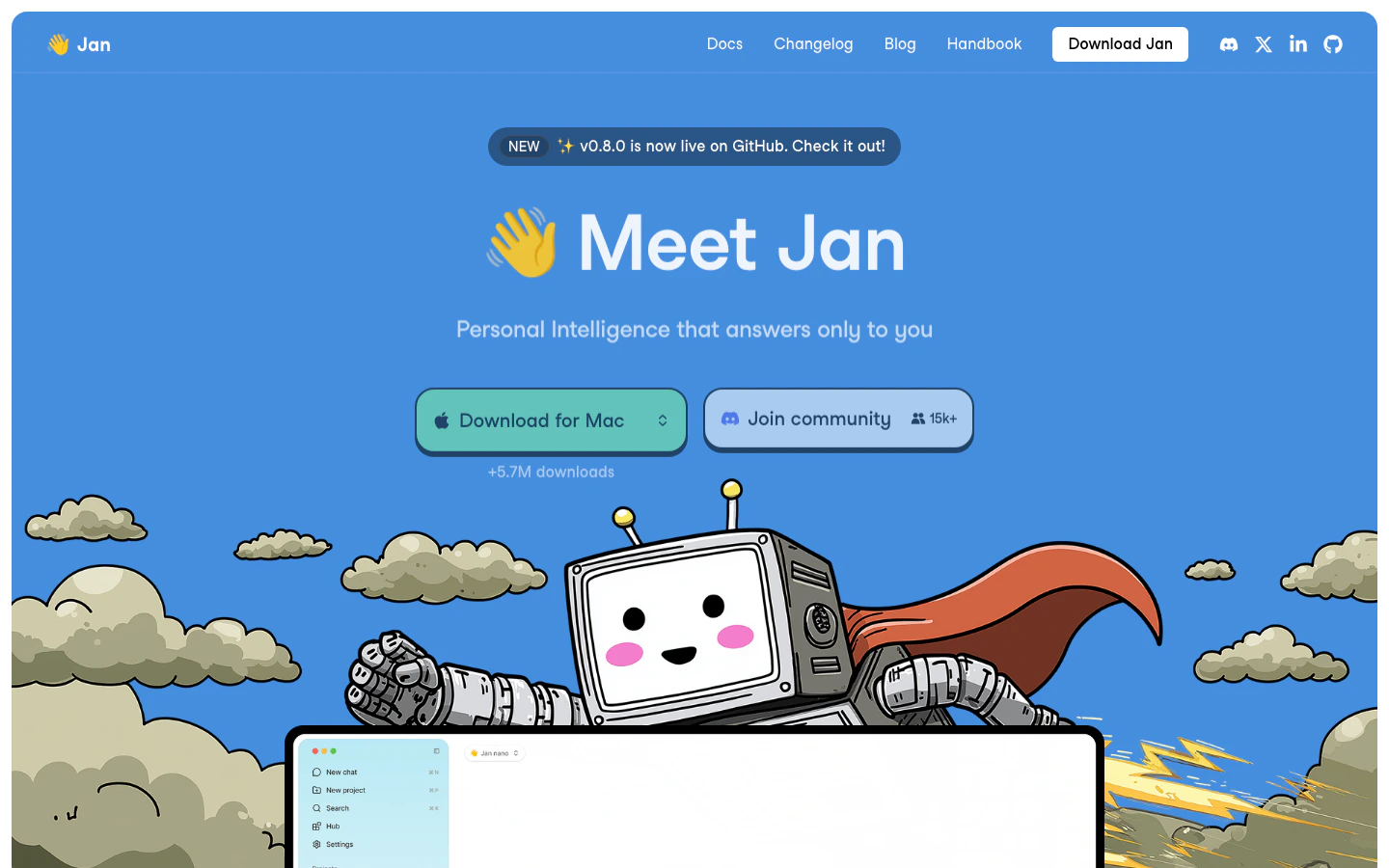
Jan is what LM Studio would look like if you started from open-source-first principles and wanted a desktop assistant rather than a model browser. The app handles local chat, hands its models off to a CLI and OpenAI-compatible server, and is pushing toward local agent launches for coding and tool workflows. The product shape is current; some agent and router pieces are still maturing.
Platforms Type Desktop
Open-source desktop assistant - Apache 2.0, no account, familiar chat shape, useful when you want LM Studio’s feel in a tool you can inspect or fork.
Desktop models carry into the CLI - models from the GUI are available to Jan’s CLI and local server, removing duplicate setup when you wire a model into another app.
Local agent launch is built in - it pushes beyond desktop chat into local model launch for coding and agent clients pointed at local hardware.
Router controls are still settling - the CLI accepts some inference flags but ignores others, pushing tuning back through GUI presets; llama.cpp or TextGen for flag-level control.
Thinner recipe library - third-party setup and troubleshooting writeups are less plentiful than for Ollama or LM Studio, so odd failures leave you on your own more.
Best if you want LM Studio’s experience but need open source, full local control, or a CLI/API alongside the chat window. Skip if you need a team portal - Open WebUI fits that. Skip for the most battle-tested setup recipes - start with Ollama.
Open WebUI gives you the ChatGPT-style browser experience over local backends like Ollama, llama.cpp, or any OpenAI-compatible provider - without putting your prompts through a third party. You run it, usually with Docker, point it at your runtime, and end up with a multi-user web app with RBAC, SSO, and admin controls. It is a UI and platform layer, not a model runtime, so you still need something underneath it.
Platforms Type Portal
Strongest shared browser UI for local AI - it makes a single Ollama or LM Studio install feel like a team product, with multiple users, conversations, and a model picker.
Real admin controls - RBAC, groups, SSO/OIDC/LDAP, SCIM, API keys, and analytics make it the only pick here that fits an org chart and a security review.
Backend-agnostic - it sits over Ollama, OpenAI-compatible providers, and multiple model sources at once, so you swap runtimes without changing the portal.
Still need a backend underneath - it doesn’t run models itself, so pair it with Ollama, llama.cpp, LM Studio, or an OpenAI-compatible endpoint.
Ops burden grows with it - Docker, upgrades, security patches, database migrations, and auth become your problem as it scales.
Best if you need a shared browser portal over local AI with real admin controls - team, lab, classroom, or home server. Skip if you are solo and want one app to install and chat - try LM Studio. Skip for document workflows - AnythingLLM is more direct.
llama.cpp is the engine most other tools wrap, exposed for you to drive directly. C/C++ inference, GGUF support, and a long list of hardware backends (Metal, CUDA, HIP, Vulkan, SYCL, OpenVINO, WebGPU), plus llama-server for an OpenAI-compatible local API. It is not a chat app and not friendly if you are new to local models. Reach for it when a wrapper starts hiding the knob you actually need to turn.
Platforms Type Runtime
Most direct runtime control - flags, files, server behavior, context, backends, and quantization are all yours with no abstraction rounding off the decisions.
Best unusual-hardware path - AMD/Vulkan, older machines, and experimental setups are where direct build choices pay off, off the CUDA happy path.
Small scriptable server - llama-server gives a local API without a full desktop app, useful as a minimal service behind Open WebUI, a notebook, or your own app.
Requires runtime literacy - model files, flags, quantization, context, ports, backends, and sometimes build steps; if make or cmake aren’t familiar, start with Ollama.
No polished workspace - no model browser, chat app, document workspace, users, or admin, so you’ll bolt on a front end like Open WebUI for anything beyond an API.
Best if you are tuning quantization, picking backends, or running unusual hardware. Skip if you want a chat UI out of the box - try LM Studio. Skip if you want documents indexed and queried - AnythingLLM saves a lot of wiring.
AnythingLLM is the direct answer to “I want local AI over my own files.” It packages workspaces, ingestion, embeddings, citations, and provider choice around a chat window - the real product is the document workflow, not the model. It connects to a runtime (Ollama, LM Studio, an OpenAI-compatible provider, or its bundled option); you still pick the model.
Platforms Type Workspace
Best packaged document workspace - uploads, workspaces, embeddings, citations, and chat wired together, stronger than gluing a runtime, vector DB, and UI yourself.
Clear desktop vs Docker split - desktop is single-user, no account, fully local; Docker and hosted modes add multi-user, browser access, and admin, so pick upfront.
Broad ingestion and provider support - many file types, several embedding backends, multiple vector DBs, and most major LLM providers, so you swap layers without rebuilding.
Messy files still need prep - uploading .docx, spreadsheets, or scanned PDFs isn’t reliable retrieval, so expect to convert, structure folders, and tune chunking.
Best if your real workflow is documents or citations - solo or shared. Skip for a raw runtime - Ollama or llama.cpp. Skip for a generic team chat portal - Open WebUI is more direct.
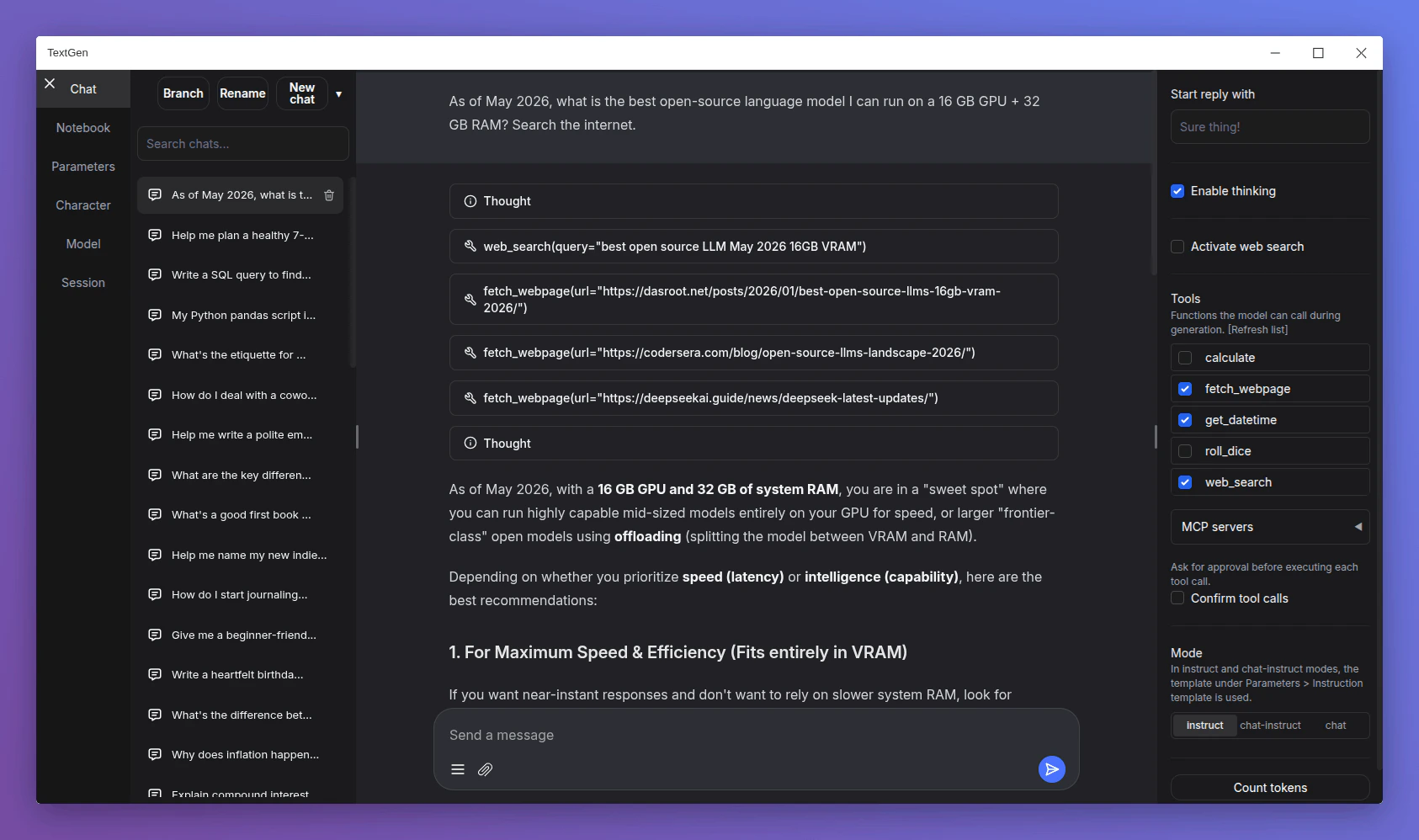
TextGen, formerly oobabooga/text-generation-webui, is the local AI workbench you reach for after outgrowing LM Studio. Portable desktop builds, OpenAI- and Anthropic-compatible APIs, MCP tool calls, multiple backends including ik_llama.cpp and ExLlama variants, web search, and PDF extraction all live in one place. It is busier and noisier than LM Studio, which is the point if you want a local lab rather than a calm app.
Platforms Type Workspace
Broad power-user workbench - chat, multiple backends, tools, files, vision, APIs, and local workflow helpers in one app for comparing backends or running a coding agent.
Portable desktop packaging - builds unzip and run as a native Electron window with all data inside the folder, useful for portability or an external drive.
Strong local API and tool story - OpenAI- and Anthropic-compatible endpoints, MCP server support, tool-call confirmation, and Python tool hooks for agent experimentation.
Too much if you just want to chat - the backends, MCP options, and tool flags that make it useful are exactly what get in the way of a simple chat; LM Studio or Jan instead.
Best if you want more control than LM Studio gives - swapping backends, running local agents with tool loops, or comparing quantizations. Skip if you are new to local models - LM Studio or Jan are calmer entry points. Skip if AGPL-3.0 is a problem for your commercial use case.
If you need a local model API for other tools, choose OllamaIf you want a polished desktop app to explore models, choose LM StudioIf you want an open-source desktop assistant, choose JanIf a team needs a shared browser portal, choose Open WebUIIf you are tuning quantization, backends, or unusual hardware, choose llama.cppIf your workflow is private documents and citations, choose AnythingLLMIf you want a power-user local lab with MCP and tools, choose TextGen
We evaluated more than 15 local LLM tools and selected seven for this guide. We do not use affiliate links, accept sponsorships, or take payment from tool makers. Pricing, platform support, licenses, and recent product changes were checked against official sources before inclusion.
We compared each tool across model setup, first useful chat, API and server behavior, hardware support, and where relevant, document ingestion and tool/agent calls. We focused on friction patterns we saw repeatedly - install pain on Windows or AMD, retrieval breaking on .docx and spreadsheets, and agent loops that work on cloud models but stall locally - rather than isolated one-off failures.
Each of these tools sits on a model you separately download. The tool license (MIT, Apache 2.0, AGPL-3.0) governs the app; the model license (Llama community, Gemma terms, Qwen license, custom non-commercial) governs the weights. Commercial use, redistribution, and hosted services need both checked. If your company has a license review process, run it once - before standardizing on a model family - rather than per-project.
Data That Leaves the Machine Even When You Don’t Mean It To
Local does not automatically mean offline. Cloud-tier features, provider API keys you wire in, web search and web fetch plugins, document ingestion that pings a remote embedder, and update checks can all send data outward. Before you assume a workflow is private, audit which features are on, set OLLAMA_NO_CLOUD=1 or its equivalent, and test with the network detached if confidentiality matters.
Anything that exposes a chat UI over the network has the security profile of a small web app - your problem, not the model’s. If you run Open WebUI or AnythingLLM Docker for other users, treat auth, HTTPS, upgrades, backups, and provider keys as part of the deployment. The model is local; the attack surface is not.
Production inference servers (vLLM, SGLang, TensorRT-LLM): Throughput, batching, and dedicated GPU serving - not personal local chat. Choose these when you are serving many people from real GPU infrastructure.
Local coding assistants and agents (Continue, Cline, Aider, OpenCode): These consume a local model endpoint rather than run the model themselves. Choose these if your real job is repo Q&A, editing files, or running terminal agents on top of a local backend.
Mobile and framework runtimes (MLX-LM, MLC LLM, WebLLM, PocketPal AI): Platform-specific stacks for Apple Silicon, phones, browsers, or embedded targets. Choose these if you are optimizing for a specific device class.
What's the difference between a local LLM runtime and a local LLM app?
A runtime like Ollama or llama.cpp loads weights and serves inference through a CLI and local API. An app like LM Studio or Jan wraps a runtime with a chat UI. Document workspaces and shared web UIs sit on top of either.
How much hardware do I really need?
Modern laptops handle 4B-8B models at 4-bit quantization. 12B-30B models comfortably need a recent GPU with 12-24GB of VRAM. 70B+ wants workstation hardware or aggressive quantization. If you are unsure, start with an 8B model in LM Studio - it shows live VRAM use.
Can I use these tools commercially?
The tool license is usually permissive (MIT, Apache 2.0). The exception is TextGen, which is AGPL-3.0 and needs review before commercial redistribution or hosted-service use. The model license is separate and varies: Llama’s community license has acceptable-use rules, Gemma has its own terms, several Qwen and DeepSeek variants are Apache 2.0. Check both before shipping.
Can a local model replace a cloud coding agent like Claude Code?
Sometimes, but rarely on the first try. Local coding agents depend on the tool harness, the model’s tool-calling reliability, the prompt format, and the hardware. A 30B-class coding model on a strong GPU handles many edits; a 7B model rarely can. Test on real tasks before switching from cloud.
Can I run multiple tools side by side?
Yes, and it is common. Ollama as the backend, Open WebUI in front, AnythingLLM pointed at Ollama for documents - a normal stack. Watch for port conflicts (11434, 1234, 7860, 8080) and shared model-file directories.
What happens to my chat history if I uninstall?
For desktop apps (LM Studio, Jan, AnythingLLM Desktop, TextGen), chats sit in the app’s local data folder - usually preserved across upgrades, removed on full uninstall. Ollama and llama.cpp do not store chats; whatever client you used does. Back up the data folder before reinstalling, and check whether the app has an export option first.
We update this guide as new tools launch and existing ones change shape. If you are still unsure, Ollama is the safest starting point - install it, then point Open WebUI or AnythingLLM at it later if you need more. Questions or suggestions? Let us know.
Was this page helpful?
⌘I
{"docsConfig":{"theme":"luma","$schema":"https://mintlify.com/docs.json","name":"Useful AI","description":"Useful AI helps people find, compare, and learn practical AI tools, models, courses, guides, and resources.","colors":{"primary":"#000000","light":"#ffffff","dark":"#000000"},"logo":{"light":"https://mintcdn.com/usefulai/TukEV5gATx8azBBm/logo-icon.svg?fit=max\u0026auto=format\u0026n=TukEV5gATx8azBBm\u0026q=85\u0026s=57400ad8c532e03bb1fd7345ebfd8537","dark":"https://mintcdn.com/usefulai/TukEV5gATx8azBBm/logo-icon-dark.svg?fit=max\u0026auto=format\u0026n=TukEV5gATx8azBBm\u0026q=85\u0026s=cadf9ff8793b68f2f5ff9d8eb48d0564"},"favicon":"https://mintcdn.com/usefulai/LMn8K2dt36OSmQDE/favicon.svg?fit=max\u0026auto=format\u0026n=LMn8K2dt36OSmQDE\u0026q=85\u0026s=af301d243bd81ba4ec1dbc871f6981cd","appearance":{"default":"light"},"background":{"color":{"dark":"#090c10"}},"footer":{"socials":{"linkedin":"https://www.linkedin.com/company/usefulai"},"links":[{"header":"Company","items":[{"label":"About Us","href":"/about-us"},{"label":"Privacy","href":"/privacy"},{"label":"Terms","href":"/terms"}]}]},"search":{"prompt":"Search AI tools, models, courses, and guides"},"seo":{"indexing":"all"},"integrations":{"clarity":{"projectId":"lsiokxfop1"},"ga4":{"measurementId":"G-R0NFT3CXD9"}},"styling":{"latex":true},"navigation":{"global":{},"pages":[]}},"deployment":{"deploymentMetadataValue":{"subdomain":"usefulai","hasAudioNarration":false,"actualSubdomain":"usefulai","customDomains":["usefulai.com"],"gitSource":{"type":"github","owner":"usefulaios","repo":"usefulai","deployBranch":"main","contentDirectory":"mintlify/live","isPrivate":true,"mountPath":"","label":""},"chroma":{"liveDeploymentHistoryId":"6a9b592deaf13c8167f1bc47","collectionId":"e298dabe-1386-4aa7-bd9c-b5a4fe999b97","schemaVersion":"v3","latestBuiltDeploymentHistoryId":"6a9b592deaf13c8167f1bc47"},"feedback":{"agentFeedback":true,"thumbs":true},"entitlements":{},"buildId":"6a9b592deaf13c8167f1bc47","clientVersion":"0.0.4067","searchFilterCounts":[{"language":"default","tag":"Tools","count":74},{"language":"default","tag":"More Tools","count":43},{"language":"default","tag":"Use Cases","count":25},{"language":"default","tag":"Models","count":18},{"language":"default","tag":"By Tool","count":17},{"language":"default","tag":"Feeds","count":17},{"language":"default","tag":"Courses","count":16},{"language":"default","tag":"Plugins","count":14},{"language":"default","tag":"By Category","count":14},{"language":"default","tag":"Guides","count":12}]},"assistantConfig":{"enableAskAiButton":false,"enableStarterQuestions":false,"enableAskAiSearchBar":true},"basePath":"","hasChatPermissions":false,"hasWebMcpPermissions":false,"toggles":[{"name":"kill-isr","enabled":true,"variant":{"name":"disabled","enabled":false,"feature_enabled":true},"impressionData":false},{"name":"agent-mintlify-slack","enabled":true,"variant":{"name":"disabled","enabled":false,"feature_enabled":true},"impressionData":false},{"name":"agent-integrations-settings","enabled":true,"variant":{"name":"disabled","enabled":false,"feature_enabled":true},"impressionData":false},{"name":"rbac-expansion","enabled":true,"variant":{"name":"disabled","enabled":false,"feature_enabled":true},"impressionData":false},{"name":"automations-pr-grouping","enabled":true,"variant":{"name":"disabled","enabled":false,"feature_enabled":true},"impressionData":false},{"name":"custom-prefix","enabled":true,"variant":{"name":"disabled","enabled":false,"feature_enabled":true},"impressionData":false},{"name":"analytics-v7","enabled":true,"variant":{"name":"disabled","enabled":false,"feature_enabled":true},"impressionData":false},{"name":"user-flows-analytics","enabled":true,"variant":{"name":"disabled","enabled":false,"feature_enabled":true},"impressionData":false},{"name":"no-publish-flow","enabled":true,"variant":{"name":"disabled","enabled":false,"feature_enabled":true},"impressionData":false},{"name":"workos-onboarding","enabled":true,"variant":{"name":"disabled","enabled":false,"feature_enabled":true},"impressionData":false},{"name":"llms-txt-v2","enabled":true,"variant":{"name":"disabled","enabled":false,"feature_enabled":true},"impressionData":false},{"name":"snapshot-serving-live","enabled":true,"variant":{"name":"disabled","enabled":false,"feature_enabled":true},"impressionData":false},{"name":"stripTemperatureMiddleware","enabled":true,"variant":{"name":"disabled","enabled":false,"feature_enabled":true},"impressionData":false},{"name":"support-platform-pylon-zendesk","enabled":true,"variant":{"name":"disabled","enabled":false,"feature_enabled":true},"impressionData":false},{"name":"snapshot-serving","enabled":true,"variant":{"name":"disabled","enabled":false,"feature_enabled":true},"impressionData":false},{"name":"instant-rollback","enabled":true,"variant":{"name":"disabled","enabled":false,"feature_enabled":true},"impressionData":false},{"name":"granular-notifications-server","enabled":true,"variant":{"name":"disabled","enabled":false,"feature_enabled":true},"impressionData":false},{"name":"granular-notifications","enabled":true,"variant":{"name":"disabled","enabled":false,"feature_enabled":true},"impressionData":false},{"name":"automations-fable","enabled":true,"variant":{"name":"disabled","enabled":false,"feature_enabled":true},"impressionData":false},{"name":"fixed-ai-action-pricing","enabled":true,"variant":{"name":"disabled","enabled":false,"feature_enabled":true},"impressionData":false},{"name":"automation-resolve-merge-conflict","enabled":true,"variant":{"name":"disabled","enabled":false,"feature_enabled":true},"impressionData":false},{"name":"scoped-publishing","enabled":true,"variant":{"name":"disabled","enabled":false,"feature_enabled":true},"impressionData":false},{"name":"mintql","enabled":true,"variant":{"name":"disabled","enabled":false,"feature_enabled":true},"impressionData":false},{"name":"page-level-analytics","enabled":true,"variant":{"name":"disabled","enabled":false,"feature_enabled":true},"impressionData":false},{"name":"editor-version-history-v2","enabled":true,"variant":{"name":"disabled","enabled":false,"feature_enabled":true},"impressionData":false},{"name":"billing-page-v2","enabled":true,"variant":{"name":"disabled","enabled":false,"feature_enabled":true},"impressionData":false},{"name":"full-page-search","enabled":true,"variant":{"name":"disabled","enabled":false,"feature_enabled":true},"impressionData":false},{"name":"workspace-projects","enabled":true,"variant":{"name":"disabled","enabled":false,"feature_enabled":true},"impressionData":false},{"name":"assistant-v5","enabled":true,"variant":{"name":"disabled","enabled":false,"feature_enabled":true},"impressionData":false},{"name":"fork-pr-previews","enabled":true,"variant":{"name":"disabled","enabled":false,"feature_enabled":true},"impressionData":false},{"name":"revalidation-jwt","enabled":true,"variant":{"name":"disabled","enabled":false,"feature_enabled":true},"impressionData":false},{"name":"vite-origin","enabled":true,"variant":{"name":"disabled","enabled":false,"feature_enabled":true},"impressionData":false},{"name":"workos-sso-scim","enabled":true,"variant":{"name":"disabled","enabled":false,"feature_enabled":true},"impressionData":false},{"name":"hobby-abuse-scan","enabled":true,"variant":{"name":"disabled","enabled":false,"feature_enabled":true},"impressionData":false},{"name":"dashboard-inbox","enabled":true,"variant":{"name":"disabled","enabled":false,"feature_enabled":true},"impressionData":false},{"name":"workos-signup","enabled":true,"variant":{"name":"disabled","enabled":false,"feature_enabled":true},"impressionData":false},{"name":"turbopuffer-dual-write","enabled":true,"variant":{"name":"disabled","enabled":false,"feature_enabled":true},"impressionData":false},{"name":"workos-enabled","enabled":true,"variant":{"name":"disabled","enabled":false,"feature_enabled":true},"impressionData":false},{"name":"approve-review-flow","enabled":true,"variant":{"name":"disabled","enabled":false,"feature_enabled":true},"impressionData":false},{"name":"sso-setup-deadline-banner","enabled":true,"variant":{"name":"disabled","enabled":false,"feature_enabled":true},"impressionData":false},{"name":"turbopuffer-serve","enabled":true,"variant":{"name":"disabled","enabled":false,"feature_enabled":true},"impressionData":false}],"googleFontsInlined":false},"customCss":[{"filePath":"style.css","href":"/_mintlify/custom/usefulai/8cef5607a0338ea3/style.css"}],"page":{"pagePath":"tools/local-llm-tools","slug":"/tools/local-llm-tools","pageMetadata":{"title":"Best Local LLM Tools in 2026","description":"We compared the best local LLM tools for running open-weight models on your own hardware, compared on setup speed, privacy, APIs, and hardware support.","sidebarTitle":"Local LLM Tools","og:title":"Best Local LLM Tools in 2026","og:description":"We compared the best local LLM tools for running open-weight models on your own hardware, compared on setup speed, privacy, APIs, and hardware support.","mode":"wide","hideFooterPagination":true,"href":"/tools/local-llm-tools"},"description":{"compiledSource":"\"use strict\";\nconst {jsx: _jsx} = arguments[0];\nconst {useMDXComponents: _provideComponents} = arguments[0];\nfunction _createMdxContent(props) {\n const _components = {\n p: \"p\",\n ..._provideComponents(),\n ...props.components\n };\n return _jsx(_components.p, {\n children: \"We compared the best local LLM tools for running open-weight models on your own hardware, compared on setup speed, privacy, APIs, and hardware support.\"\n });\n}\nfunction MDXContent(props = {}) {\n const {wrapper: MDXLayout} = {\n ..._provideComponents(),\n ...props.components\n };\n return MDXLayout ? _jsx(MDXLayout, {\n ...props,\n children: _jsx(_createMdxContent, {\n ...props\n })\n }) : _createMdxContent(props);\n}\nreturn {\n default: MDXContent\n};\n","frontmatter":{},"scope":{}},"pageType":"default","mdx":{"mdxSource":{"compiledSource":"\"use strict\";const{Fragment:_Fragment,jsx:_jsx,jsxs:_jsxs}=arguments[0];const{useMDXComponents:_provideComponents}=arguments[0];function _createMdxContent(props){const _components={a:`a`,code:`code`,hr:`hr`,li:`li`,p:`p`,strong:`strong`,tbody:`tbody`,td:`td`,th:`th`,thead:`thead`,tr:`tr`,ul:`ul`,..._provideComponents(),...props.components},{Accordion,AccordionGroup,Frame,Heading,Icon,OptimizedImage,Table}=_components;if(!Accordion)_missingMdxReference(`Accordion`,true);if(!AccordionGroup)_missingMdxReference(`AccordionGroup`,true);if(!Frame)_missingMdxReference(`Frame`,true);if(!Heading)_missingMdxReference(`Heading`,true);if(!Icon)_missingMdxReference(`Icon`,true);if(!OptimizedImage)_missingMdxReference(`OptimizedImage`,true);if(!Table)_missingMdxReference(`Table`,true);return _jsxs(_Fragment,{children:[_jsx(`div`,{className:`uai-updated-row`,children:`Updated June 1, 2026`}),`\n`,_jsx(_components.p,{children:`Local LLM tools let you run open-weight models on your own hardware - no API keys, no per-token billing, no data leaving the machine. The category is not one thing anymore: runtimes, desktop apps, shared web UIs, and document workspaces solve different jobs. We compared more than 15 options and selected seven picks that cover the main local AI workflows.`}),`\n`,_jsx(Heading,{level:`2`,id:`best-local-llm-tools`,children:`Best Local LLM Tools`}),`\n`,_jsx(`div`,{className:`uai-overview-table uai-overview-table--ranked`,children:_jsxs(Table,{children:[_jsx(_components.thead,{children:_jsxs(_components.tr,{children:[_jsx(_components.th,{style:{textAlign:`right`},children:`#`}),_jsx(_components.th,{children:`Tool`}),_jsx(_components.th,{children:`Best for`}),_jsx(_components.th,{children:`Type`})]})}),_jsxs(_components.tbody,{children:[_jsxs(_components.tr,{children:[_jsx(_components.td,{\"data-numeric\":`true`,style:{textAlign:`right`},children:`1`}),_jsx(_components.td,{children:_jsxs(`a`,{href:`https://ollama.com/`,target:`_blank`,rel:`noreferrer`,children:[_jsx(`img`,{src:`/images/icons/48/ollama.com.png`,alt:``,noZoom:true}),`Ollama`]})}),_jsx(_components.td,{children:`Default local backend and API`}),_jsx(_components.td,{children:_jsx(`span`,{className:`uai-badge uai-badge--sky`,children:`Runtime`})})]}),_jsxs(_components.tr,{children:[_jsx(_components.td,{\"data-numeric\":`true`,style:{textAlign:`right`},children:`2`}),_jsx(_components.td,{children:_jsxs(`a`,{href:`https://lmstudio.ai/`,target:`_blank`,rel:`noreferrer`,children:[_jsx(`img`,{src:`/images/icons/48/lmstudio.ai.png`,alt:``,noZoom:true}),`LM Studio`]})}),_jsx(_components.td,{children:`All-in-one desktop app`}),_jsx(_components.td,{children:_jsx(`span`,{className:`uai-badge uai-badge--violet`,children:`Desktop`})})]}),_jsxs(_components.tr,{children:[_jsx(_components.td,{\"data-numeric\":`true`,style:{textAlign:`right`},children:`3`}),_jsx(_components.td,{children:_jsxs(`a`,{href:`https://www.jan.ai/`,target:`_blank`,rel:`noreferrer`,children:[_jsx(`img`,{src:`/images/icons/48/jan.ai.png`,alt:``,noZoom:true}),`Jan`]})}),_jsx(_components.td,{children:`Open-source desktop assistant`}),_jsx(_components.td,{children:_jsx(`span`,{className:`uai-badge uai-badge--violet`,children:`Desktop`})})]}),_jsxs(_components.tr,{children:[_jsx(_components.td,{\"data-numeric\":`true`,style:{textAlign:`right`},children:`4`}),_jsx(_components.td,{children:_jsxs(`a`,{href:`https://openwebui.com/`,target:`_blank`,rel:`noreferrer`,children:[_jsx(`img`,{src:`/images/icons/48/openwebui.com.png`,alt:``,noZoom:true}),`Open WebUI`]})}),_jsx(_components.td,{children:`Self-hosted shared web UI`}),_jsx(_components.td,{children:_jsx(`span`,{className:`uai-badge uai-badge--amber`,children:`Portal`})})]}),_jsxs(_components.tr,{children:[_jsx(_components.td,{\"data-numeric\":`true`,style:{textAlign:`right`},children:`5`}),_jsx(_components.td,{children:_jsxs(`a`,{href:`https://github.com/ggml-org/llama.cpp`,target:`_blank`,rel:`noreferrer`,children:[_jsx(`img`,{src:`/images/icons/48/github.com.png`,alt:``,noZoom:true}),`llama.cpp`]})}),_jsx(_components.td,{children:`Low-level runtime control`}),_jsx(_components.td,{children:_jsx(`span`,{className:`uai-badge uai-badge--sky`,children:`Runtime`})})]}),_jsxs(_components.tr,{children:[_jsx(_components.td,{\"data-numeric\":`true`,style:{textAlign:`right`},children:`6`}),_jsx(_components.td,{children:_jsxs(`a`,{href:`https://anythingllm.com/`,target:`_blank`,rel:`noreferrer`,children:[_jsx(`img`,{src:`/images/icons/48/anythingllm.com.png`,alt:``,noZoom:true}),`AnythingLLM`]})}),_jsx(_components.td,{children:`Local document and RAG workspace`}),_jsx(_components.td,{children:_jsx(`span`,{className:`uai-badge uai-badge--zinc`,children:`Workspace`})})]}),_jsxs(_components.tr,{children:[_jsx(_components.td,{\"data-numeric\":`true`,style:{textAlign:`right`},children:`7`}),_jsx(_components.td,{children:_jsxs(`a`,{href:`https://github.com/oobabooga/textgen`,target:`_blank`,rel:`noreferrer`,children:[_jsx(`img`,{src:`/images/icons/48/github.com.png`,alt:``,noZoom:true}),`TextGen`]})}),_jsx(_components.td,{children:`Power-user local workbench`}),_jsx(_components.td,{children:_jsx(`span`,{className:`uai-badge uai-badge--zinc`,children:`Workspace`})})]})]})]})}),`\n`,_jsxs(`label`,{className:`uai-overview-more`,children:[_jsx(`input`,{type:`checkbox`,className:`uai-overview-toggle`}),_jsxs(`span`,{className:`uai-overview-more-open`,children:[_jsx(`span`,{className:`uai-overview-more-count`,children:`Show more`}),_jsx(Icon,{icon:`chevron-down`,size:13})]}),_jsxs(`span`,{className:`uai-overview-more-close`,children:[_jsx(`span`,{children:`Show less`}),_jsx(Icon,{icon:`chevron-up`,size:13})]})]}),`\n`,_jsx(_components.hr,{}),`\n`,_jsxs(`div`,{className:`uai-itemcard`,role:`article`,children:[_jsxs(`div`,{className:`uai-itemcard-head`,children:[_jsx(`span`,{className:`uai-itemcard-icon`,children:_jsx(`img`,{src:`https://mintcdn.com/usefulai/Te6KzZ86-OxPuEC2/images/icons/144/ollama.com.png?fit=max\u0026auto=format\u0026n=Te6KzZ86-OxPuEC2\u0026q=85\u0026s=dd9820be3d7debedc48768a402c1988f`,alt:``,noZoom:true,loading:`lazy`,\"data-og-width\":`144`,width:`144`,\"data-og-height\":`144`,height:`144`,\"data-path\":`images/icons/144/ollama.com.png`,\"data-optimize\":`true`,\"data-opv\":`3`,srcset:`https://mintcdn.com/usefulai/Te6KzZ86-OxPuEC2/images/icons/144/ollama.com.png?w=280\u0026fit=max\u0026auto=format\u0026n=Te6KzZ86-OxPuEC2\u0026q=85\u0026s=5d2195acad84286d88f0521d93bcc479 280w, https://mintcdn.com/usefulai/Te6KzZ86-OxPuEC2/images/icons/144/ollama.com.png?w=560\u0026fit=max\u0026auto=format\u0026n=Te6KzZ86-OxPuEC2\u0026q=85\u0026s=f442203abc0aa0bd05afd491e04139a2 560w, https://mintcdn.com/usefulai/Te6KzZ86-OxPuEC2/images/icons/144/ollama.com.png?w=840\u0026fit=max\u0026auto=format\u0026n=Te6KzZ86-OxPuEC2\u0026q=85\u0026s=6d271b4954490d6661dfc4240f88131a 840w, https://mintcdn.com/usefulai/Te6KzZ86-OxPuEC2/images/icons/144/ollama.com.png?w=1100\u0026fit=max\u0026auto=format\u0026n=Te6KzZ86-OxPuEC2\u0026q=85\u0026s=19b46d43e21c899b7212ad7fe76019b6 1100w, https://mintcdn.com/usefulai/Te6KzZ86-OxPuEC2/images/icons/144/ollama.com.png?w=1650\u0026fit=max\u0026auto=format\u0026n=Te6KzZ86-OxPuEC2\u0026q=85\u0026s=730841915857647a540356695cd25ad3 1650w, https://mintcdn.com/usefulai/Te6KzZ86-OxPuEC2/images/icons/144/ollama.com.png?w=2500\u0026fit=max\u0026auto=format\u0026n=Te6KzZ86-OxPuEC2\u0026q=85\u0026s=5866d6d50f007c5a57f7f6f7a0696631 2500w`})}),_jsxs(`div`,{className:`uai-itemcard-identity`,children:[_jsx(`div`,{className:`uai-itemcard-row uai-itemcard-row--title`,children:_jsx(Heading,{level:`2`,id:`ollama`,children:_jsx(_components.a,{href:`https://ollama.com/`,children:`Ollama`})})}),_jsx(`div`,{className:`uai-itemcard-row`,children:_jsx(`span`,{className:`uai-itemcard-note uai-itemcard-note--green`,children:`Best for default local backend and API`})})]}),_jsx(`div`,{className:`uai-itemcard-end`,children:_jsx(`a`,{href:`https://ollama.com/`,target:`_blank`,rel:`noreferrer`,\"aria-label\":`Visit Ollama`,className:`uai-itemcard-cta mint-no-underline`,children:`Visit Ollama`})})]}),_jsxs(`div`,{className:`uai-itemcard-body`,children:[_jsx(`div`,{className:`uai-itemcard-summary`,children:_jsx(_components.p,{children:`Ollama is what most local LLM tutorials and apps assume you have running in the background. Pull a model, run it, and point any OpenAI-compatible client at the local API. It is not a polished chat app or a document workspace, but it is the shortest path from zero to a working local model that other tools can use. Treat it as the backend, not the whole product.`})}),_jsxs(`div`,{className:`uai-itemcard-facts`,\"aria-label\":`Ollama facts`,children:[_jsxs(`span`,{children:[`Platforms `,_jsxs(`span`,{className:`uai-itemcard-platforms`,\"aria-label\":`Mac, Windows, Linux, API`,children:[_jsx(`span`,{title:`Mac`,className:`uai-itemcard-pficon uai-itemcard-pficon--apple`}),_jsx(`span`,{title:`Windows`,className:`uai-itemcard-pficon uai-itemcard-pficon--windows`}),_jsx(`span`,{title:`Linux`,className:`uai-itemcard-pficon uai-itemcard-pficon--linux`}),_jsx(`span`,{title:`API`,className:`uai-itemcard-pficon uai-itemcard-pficon--code`})]})]}),_jsxs(`span`,{children:[`Type `,_jsx(`strong`,{children:`Runtime`})]})]}),_jsxs(`div`,{className:`uai-itemcard-details-group`,children:[_jsxs(`div`,{className:`uai-itemcard-details`,children:[_jsx(`input`,{type:`checkbox`,id:`local-llm-tools-ollama-strengths`,className:`uai-itemcard-details-toggle`}),_jsxs(`label`,{htmlFor:`local-llm-tools-ollama-strengths`,children:[_jsx(`span`,{children:`Strengths`}),_jsx(`span`,{className:`uai-itemcard-details-chevron`})]}),_jsx(`div`,{className:`uai-itemcard-details-body`,children:_jsxs(`ul`,{children:[_jsx(`li`,{children:`Fastest path to a usable local API - pull a model and serve it, then point Open WebUI, AnythingLLM, a coding agent, or your own script at localhost.`}),_jsx(`li`,{children:`Reusable model configurations - Modelfiles bake a system prompt, parameters, and base model into a named variant that behaves the same across scripts and teammates.`}),_jsx(`li`,{children:`Clear local-vs-cloud boundary - cloud tiers exist but don’t gate local use; local hardware inference stays free and unlimited, and you can disable cloud entirely.`})]})})]}),_jsxs(`div`,{className:`uai-itemcard-details`,children:[_jsx(`input`,{type:`checkbox`,id:`local-llm-tools-ollama-weaknesses`,className:`uai-itemcard-details-toggle`}),_jsxs(`label`,{htmlFor:`local-llm-tools-ollama-weaknesses`,children:[_jsx(`span`,{children:`Weaknesses`}),_jsx(`span`,{className:`uai-itemcard-details-chevron`})]}),_jsx(`div`,{className:`uai-itemcard-details-body`,children:_jsxs(`ul`,{children:[_jsx(`li`,{children:`Not a complete workspace - it runs models but gives no polished chat UI, document workspace, or team portal; pair it with Open WebUI or AnythingLLM.`}),_jsx(`li`,{children:`Agent tools need another layer - MCP and tool use usually depend on a client, bridge, or separate UI, so setup friction arrives fast from the runtime alone.`})]})})]}),_jsxs(`div`,{className:`uai-itemcard-details`,children:[_jsx(`input`,{type:`checkbox`,id:`local-llm-tools-ollama-who-it-s-for`,className:`uai-itemcard-details-toggle`}),_jsxs(`label`,{htmlFor:`local-llm-tools-ollama-who-it-s-for`,children:[_jsx(`span`,{children:`Who it’s for`}),_jsx(`span`,{className:`uai-itemcard-details-chevron`})]}),_jsx(`div`,{className:`uai-itemcard-details-body`,children:_jsx(_components.p,{children:`Best if you are wiring local models into other apps, scripts, or APIs, or running a home lab. Skip for a polished GUI - LM Studio handles that. Skip if your real workflow is documents - AnythingLLM packages that better.`})})]})]})]})]}),`\n`,_jsxs(`div`,{className:`uai-itemcard`,role:`article`,children:[_jsxs(`div`,{className:`uai-itemcard-head`,children:[_jsx(`span`,{className:`uai-itemcard-icon`,children:_jsx(`img`,{src:`https://mintcdn.com/usefulai/52KaILwddzz5TNZ_/images/icons/144/lmstudio.ai.png?fit=max\u0026auto=format\u0026n=52KaILwddzz5TNZ_\u0026q=85\u0026s=ff7dbc670a9a10510028aa6c8908663f`,alt:``,noZoom:true,loading:`lazy`,\"data-og-width\":`144`,width:`144`,\"data-og-height\":`144`,height:`144`,\"data-path\":`images/icons/144/lmstudio.ai.png`,\"data-optimize\":`true`,\"data-opv\":`3`,srcset:`https://mintcdn.com/usefulai/52KaILwddzz5TNZ_/images/icons/144/lmstudio.ai.png?w=280\u0026fit=max\u0026auto=format\u0026n=52KaILwddzz5TNZ_\u0026q=85\u0026s=76565bfbf0e478ce7774f67b304dfc22 280w, https://mintcdn.com/usefulai/52KaILwddzz5TNZ_/images/icons/144/lmstudio.ai.png?w=560\u0026fit=max\u0026auto=format\u0026n=52KaILwddzz5TNZ_\u0026q=85\u0026s=b003e31169c05ad08c5ee30b640b3095 560w, https://mintcdn.com/usefulai/52KaILwddzz5TNZ_/images/icons/144/lmstudio.ai.png?w=840\u0026fit=max\u0026auto=format\u0026n=52KaILwddzz5TNZ_\u0026q=85\u0026s=ecaaa2cf48bd3ce4f5b2a7d2c3140c39 840w, https://mintcdn.com/usefulai/52KaILwddzz5TNZ_/images/icons/144/lmstudio.ai.png?w=1100\u0026fit=max\u0026auto=format\u0026n=52KaILwddzz5TNZ_\u0026q=85\u0026s=e7adc009d8439b9cf14e2400a266f117 1100w, https://mintcdn.com/usefulai/52KaILwddzz5TNZ_/images/icons/144/lmstudio.ai.png?w=1650\u0026fit=max\u0026auto=format\u0026n=52KaILwddzz5TNZ_\u0026q=85\u0026s=a8615925256771a4e371d9e97d14ba68 1650w, https://mintcdn.com/usefulai/52KaILwddzz5TNZ_/images/icons/144/lmstudio.ai.png?w=2500\u0026fit=max\u0026auto=format\u0026n=52KaILwddzz5TNZ_\u0026q=85\u0026s=1a228481ab9c58533634dd9329378332 2500w`})}),_jsxs(`div`,{className:`uai-itemcard-identity`,children:[_jsx(`div`,{className:`uai-itemcard-row uai-itemcard-row--title`,children:_jsx(Heading,{level:`2`,id:`lm-studio`,children:_jsx(_components.a,{href:`https://lmstudio.ai/`,children:`LM Studio`})})}),_jsx(`div`,{className:`uai-itemcard-row`,children:_jsx(`span`,{className:`uai-itemcard-note uai-itemcard-note--green`,children:`Best for all-in-one desktop app`})})]}),_jsx(`div`,{className:`uai-itemcard-end`,children:_jsx(`a`,{href:`https://lmstudio.ai/`,target:`_blank`,rel:`noreferrer`,\"aria-label\":`Visit LM Studio`,className:`uai-itemcard-cta mint-no-underline`,children:`Visit LM Studio`})})]}),_jsxs(`div`,{className:`uai-itemcard-body`,children:[_jsx(`div`,{className:`uai-itemcard-summary`,children:_jsx(_components.p,{children:`LM Studio is the easiest way to see, download, chat with, and serve local models without touching a terminal. Browse the catalog in-app, watch your VRAM as inference runs, then flip on an OpenAI-compatible server when other clients need to connect. Most of the first-month friction goes away.`})}),_jsxs(`div`,{className:`uai-itemcard-facts`,\"aria-label\":`LM Studio facts`,children:[_jsxs(`span`,{children:[`Platforms `,_jsxs(`span`,{className:`uai-itemcard-platforms`,\"aria-label\":`Mac, Windows, Linux, API`,children:[_jsx(`span`,{title:`Mac`,className:`uai-itemcard-pficon uai-itemcard-pficon--apple`}),_jsx(`span`,{title:`Windows`,className:`uai-itemcard-pficon uai-itemcard-pficon--windows`}),_jsx(`span`,{title:`Linux`,className:`uai-itemcard-pficon uai-itemcard-pficon--linux`}),_jsx(`span`,{title:`API`,className:`uai-itemcard-pficon uai-itemcard-pficon--code`})]})]}),_jsxs(`span`,{children:[`Type `,_jsx(`strong`,{children:`Desktop`})]})]}),_jsxs(`div`,{className:`uai-itemcard-details-group`,children:[_jsxs(`div`,{className:`uai-itemcard-details`,children:[_jsx(`input`,{type:`checkbox`,id:`local-llm-tools-lm-studio-strengths`,className:`uai-itemcard-details-toggle`}),_jsxs(`label`,{htmlFor:`local-llm-tools-lm-studio-strengths`,children:[_jsx(`span`,{children:`Strengths`}),_jsx(`span`,{className:`uai-itemcard-details-chevron`})]}),_jsx(`div`,{className:`uai-itemcard-details-body`,children:_jsxs(`ul`,{children:[_jsx(`li`,{children:`Best desktop model browsing - search, download, compare model sizes, and watch hardware use in one app, so you know what fits your GPU before downloading weights.`}),_jsx(`li`,{children:`Flips from GUI to local server - start in the chat window, then turn on an OpenAI- or Anthropic-compatible API for any local client, skipping the CLI runtime step.`}),_jsx(`li`,{children:`Strong Apple Silicon path - MLX updates and MTP speculative decoding sit behind GUI toggles, the fastest way to feel a speed difference on M-series Macs.`})]})})]}),_jsxs(`div`,{className:`uai-itemcard-details`,children:[_jsx(`input`,{type:`checkbox`,id:`local-llm-tools-lm-studio-weaknesses`,className:`uai-itemcard-details-toggle`}),_jsxs(`label`,{htmlFor:`local-llm-tools-lm-studio-weaknesses`,children:[_jsx(`span`,{children:`Weaknesses`}),_jsx(`span`,{className:`uai-itemcard-details-chevron`})]}),_jsx(`div`,{className:`uai-itemcard-details-body`,children:_jsxs(`ul`,{children:[_jsx(`li`,{children:`Heavier than a minimal server - for a small always-on local model service the full desktop app feels like overhead; Ollama or llama.cpp’s server are leaner.`}),_jsx(`li`,{children:`Advanced runtime details are abstracted - friendly defaults hide enough that you hit limits tuning unusual models or backends; llama.cpp or TextGen give more knobs.`})]})})]}),_jsxs(`div`,{className:`uai-itemcard-details`,children:[_jsx(`input`,{type:`checkbox`,id:`local-llm-tools-lm-studio-who-it-s-for`,className:`uai-itemcard-details-toggle`}),_jsxs(`label`,{htmlFor:`local-llm-tools-lm-studio-who-it-s-for`,children:[_jsx(`span`,{children:`Who it’s for`}),_jsx(`span`,{className:`uai-itemcard-details-chevron`})]}),_jsx(`div`,{className:`uai-itemcard-details-body`,children:_jsx(_components.p,{children:`Best if you want a friendly desktop app with a local API on tap, especially on a Mac. Skip if you need a minimal always-on server - Ollama or llama.cpp are leaner. Skip if open source is a hard requirement - try Jan.`})})]})]})]})]}),`\n`,_jsxs(`div`,{className:`uai-itemcard`,role:`article`,children:[_jsxs(`div`,{className:`uai-itemcard-head`,children:[_jsx(`span`,{className:`uai-itemcard-icon`,children:_jsx(`img`,{src:`https://mintcdn.com/usefulai/52KaILwddzz5TNZ_/images/icons/144/jan.ai.png?fit=max\u0026auto=format\u0026n=52KaILwddzz5TNZ_\u0026q=85\u0026s=241fd625576d4442cd4076257649e7a2`,alt:``,noZoom:true,loading:`lazy`,\"data-og-width\":`144`,width:`144`,\"data-og-height\":`144`,height:`144`,\"data-path\":`images/icons/144/jan.ai.png`,\"data-optimize\":`true`,\"data-opv\":`3`,srcset:`https://mintcdn.com/usefulai/52KaILwddzz5TNZ_/images/icons/144/jan.ai.png?w=280\u0026fit=max\u0026auto=format\u0026n=52KaILwddzz5TNZ_\u0026q=85\u0026s=3f76d3b5e458631543d77c94c849745f 280w, https://mintcdn.com/usefulai/52KaILwddzz5TNZ_/images/icons/144/jan.ai.png?w=560\u0026fit=max\u0026auto=format\u0026n=52KaILwddzz5TNZ_\u0026q=85\u0026s=082b7926ce0634630aecf09bdc1e011e 560w, https://mintcdn.com/usefulai/52KaILwddzz5TNZ_/images/icons/144/jan.ai.png?w=840\u0026fit=max\u0026auto=format\u0026n=52KaILwddzz5TNZ_\u0026q=85\u0026s=2660d9a8eaafd10175f0efb2e7f39beb 840w, https://mintcdn.com/usefulai/52KaILwddzz5TNZ_/images/icons/144/jan.ai.png?w=1100\u0026fit=max\u0026auto=format\u0026n=52KaILwddzz5TNZ_\u0026q=85\u0026s=8dc9d1b12208d459bd52d72267077842 1100w, https://mintcdn.com/usefulai/52KaILwddzz5TNZ_/images/icons/144/jan.ai.png?w=1650\u0026fit=max\u0026auto=format\u0026n=52KaILwddzz5TNZ_\u0026q=85\u0026s=27e91f2c4dbf23a1d1b94acbf27bd89d 1650w, https://mintcdn.com/usefulai/52KaILwddzz5TNZ_/images/icons/144/jan.ai.png?w=2500\u0026fit=max\u0026auto=format\u0026n=52KaILwddzz5TNZ_\u0026q=85\u0026s=af9940cceaa81222f73889741825e117 2500w`})}),_jsxs(`div`,{className:`uai-itemcard-identity`,children:[_jsx(`div`,{className:`uai-itemcard-row uai-itemcard-row--title`,children:_jsx(Heading,{level:`2`,id:`jan`,children:_jsx(_components.a,{href:`https://www.jan.ai/`,children:`Jan`})})}),_jsx(`div`,{className:`uai-itemcard-row`,children:_jsx(`span`,{className:`uai-itemcard-note uai-itemcard-note--green`,children:`Best for open-source desktop assistant`})})]}),_jsx(`div`,{className:`uai-itemcard-end`,children:_jsx(`a`,{href:`https://www.jan.ai/`,target:`_blank`,rel:`noreferrer`,\"aria-label\":`Visit Jan`,className:`uai-itemcard-cta mint-no-underline`,children:`Visit Jan`})})]}),_jsxs(`div`,{className:`uai-itemcard-body`,children:[_jsx(`div`,{className:`uai-itemcard-summary`,children:_jsx(_components.p,{children:`Jan is what LM Studio would look like if you started from open-source-first principles and wanted a desktop assistant rather than a model browser. The app handles local chat, hands its models off to a CLI and OpenAI-compatible server, and is pushing toward local agent launches for coding and tool workflows. The product shape is current; some agent and router pieces are still maturing.`})}),_jsx(Frame,{children:_jsx(OptimizedImage,{src:`https://mintcdn.com/usefulai/FsW1srcineeRePXa/images/tools/local-llm-tools/jan.png?fit=max\u0026auto=format\u0026n=FsW1srcineeRePXa\u0026q=85\u0026s=4591f8aebaa7e20f7f85b86d38aba9a4`,alt:`Jan local AI desktop assistant`,\"data-og-width\":`1440`,width:`1440`,\"data-og-height\":`900`,height:`900`,\"data-path\":`images/tools/local-llm-tools/jan.png`,\"data-optimize\":`true`,\"data-opv\":`3`,srcset:`https://mintcdn.com/usefulai/FsW1srcineeRePXa/images/tools/local-llm-tools/jan.png?w=280\u0026fit=max\u0026auto=format\u0026n=FsW1srcineeRePXa\u0026q=85\u0026s=f57da311b22faadef0a0dee87e58ba59 280w, https://mintcdn.com/usefulai/FsW1srcineeRePXa/images/tools/local-llm-tools/jan.png?w=560\u0026fit=max\u0026auto=format\u0026n=FsW1srcineeRePXa\u0026q=85\u0026s=553a6527bf5fb907d18d160d9b484b73 560w, https://mintcdn.com/usefulai/FsW1srcineeRePXa/images/tools/local-llm-tools/jan.png?w=840\u0026fit=max\u0026auto=format\u0026n=FsW1srcineeRePXa\u0026q=85\u0026s=d96a78efe3962bd75c9acecd7903a543 840w, https://mintcdn.com/usefulai/FsW1srcineeRePXa/images/tools/local-llm-tools/jan.png?w=1100\u0026fit=max\u0026auto=format\u0026n=FsW1srcineeRePXa\u0026q=85\u0026s=a5e6fb91400cd2f7d297c5f44a9cede3 1100w, https://mintcdn.com/usefulai/FsW1srcineeRePXa/images/tools/local-llm-tools/jan.png?w=1650\u0026fit=max\u0026auto=format\u0026n=FsW1srcineeRePXa\u0026q=85\u0026s=0e6f6091fe9e0c65c39149f79c5783bf 1650w, https://mintcdn.com/usefulai/FsW1srcineeRePXa/images/tools/local-llm-tools/jan.png?w=2500\u0026fit=max\u0026auto=format\u0026n=FsW1srcineeRePXa\u0026q=85\u0026s=ecf52c97740266d19ce1e4dc6614e495 2500w`})}),_jsxs(`div`,{className:`uai-itemcard-facts`,\"aria-label\":`Jan facts`,children:[_jsxs(`span`,{children:[`Platforms `,_jsxs(`span`,{className:`uai-itemcard-platforms`,\"aria-label\":`Mac, Windows, Linux, API`,children:[_jsx(`span`,{title:`Mac`,className:`uai-itemcard-pficon uai-itemcard-pficon--apple`}),_jsx(`span`,{title:`Windows`,className:`uai-itemcard-pficon uai-itemcard-pficon--windows`}),_jsx(`span`,{title:`Linux`,className:`uai-itemcard-pficon uai-itemcard-pficon--linux`}),_jsx(`span`,{title:`API`,className:`uai-itemcard-pficon uai-itemcard-pficon--code`})]})]}),_jsxs(`span`,{children:[`Type `,_jsx(`strong`,{children:`Desktop`})]})]}),_jsxs(`div`,{className:`uai-itemcard-details-group`,children:[_jsxs(`div`,{className:`uai-itemcard-details`,children:[_jsx(`input`,{type:`checkbox`,id:`local-llm-tools-jan-strengths`,className:`uai-itemcard-details-toggle`}),_jsxs(`label`,{htmlFor:`local-llm-tools-jan-strengths`,children:[_jsx(`span`,{children:`Strengths`}),_jsx(`span`,{className:`uai-itemcard-details-chevron`})]}),_jsx(`div`,{className:`uai-itemcard-details-body`,children:_jsxs(`ul`,{children:[_jsx(`li`,{children:`Open-source desktop assistant - Apache 2.0, no account, familiar chat shape, useful when you want LM Studio’s feel in a tool you can inspect or fork.`}),_jsx(`li`,{children:`Desktop models carry into the CLI - models from the GUI are available to Jan’s CLI and local server, removing duplicate setup when you wire a model into another app.`}),_jsx(`li`,{children:`Local agent launch is built in - it pushes beyond desktop chat into local model launch for coding and agent clients pointed at local hardware.`})]})})]}),_jsxs(`div`,{className:`uai-itemcard-details`,children:[_jsx(`input`,{type:`checkbox`,id:`local-llm-tools-jan-weaknesses`,className:`uai-itemcard-details-toggle`}),_jsxs(`label`,{htmlFor:`local-llm-tools-jan-weaknesses`,children:[_jsx(`span`,{children:`Weaknesses`}),_jsx(`span`,{className:`uai-itemcard-details-chevron`})]}),_jsx(`div`,{className:`uai-itemcard-details-body`,children:_jsxs(`ul`,{children:[_jsx(`li`,{children:`Router controls are still settling - the CLI accepts some inference flags but ignores others, pushing tuning back through GUI presets; llama.cpp or TextGen for flag-level control.`}),_jsx(`li`,{children:`Thinner recipe library - third-party setup and troubleshooting writeups are less plentiful than for Ollama or LM Studio, so odd failures leave you on your own more.`})]})})]}),_jsxs(`div`,{className:`uai-itemcard-details`,children:[_jsx(`input`,{type:`checkbox`,id:`local-llm-tools-jan-who-it-s-for`,className:`uai-itemcard-details-toggle`}),_jsxs(`label`,{htmlFor:`local-llm-tools-jan-who-it-s-for`,children:[_jsx(`span`,{children:`Who it’s for`}),_jsx(`span`,{className:`uai-itemcard-details-chevron`})]}),_jsx(`div`,{className:`uai-itemcard-details-body`,children:_jsx(_components.p,{children:`Best if you want LM Studio’s experience but need open source, full local control, or a CLI/API alongside the chat window. Skip if you need a team portal - Open WebUI fits that. Skip for the most battle-tested setup recipes - start with Ollama.`})})]})]})]})]}),`\n`,_jsxs(`div`,{className:`uai-itemcard`,role:`article`,children:[_jsxs(`div`,{className:`uai-itemcard-head`,children:[_jsx(`span`,{className:`uai-itemcard-icon`,children:_jsx(`img`,{src:`https://mintcdn.com/usefulai/Te6KzZ86-OxPuEC2/images/icons/144/openwebui.com.png?fit=max\u0026auto=format\u0026n=Te6KzZ86-OxPuEC2\u0026q=85\u0026s=da235210a1e679496f88c8a6adf7e91a`,alt:``,noZoom:true,loading:`lazy`,\"data-og-width\":`144`,width:`144`,\"data-og-height\":`144`,height:`144`,\"data-path\":`images/icons/144/openwebui.com.png`,\"data-optimize\":`true`,\"data-opv\":`3`,srcset:`https://mintcdn.com/usefulai/Te6KzZ86-OxPuEC2/images/icons/144/openwebui.com.png?w=280\u0026fit=max\u0026auto=format\u0026n=Te6KzZ86-OxPuEC2\u0026q=85\u0026s=84d39e460943083270b71d47e644872f 280w, https://mintcdn.com/usefulai/Te6KzZ86-OxPuEC2/images/icons/144/openwebui.com.png?w=560\u0026fit=max\u0026auto=format\u0026n=Te6KzZ86-OxPuEC2\u0026q=85\u0026s=0157c896bc4e215270e23515e97d997f 560w, https://mintcdn.com/usefulai/Te6KzZ86-OxPuEC2/images/icons/144/openwebui.com.png?w=840\u0026fit=max\u0026auto=format\u0026n=Te6KzZ86-OxPuEC2\u0026q=85\u0026s=7c70cdfb7e6608d3f4374082ee9e32aa 840w, https://mintcdn.com/usefulai/Te6KzZ86-OxPuEC2/images/icons/144/openwebui.com.png?w=1100\u0026fit=max\u0026auto=format\u0026n=Te6KzZ86-OxPuEC2\u0026q=85\u0026s=9c65c1ff5eca70de06df2d66eeccf313 1100w, https://mintcdn.com/usefulai/Te6KzZ86-OxPuEC2/images/icons/144/openwebui.com.png?w=1650\u0026fit=max\u0026auto=format\u0026n=Te6KzZ86-OxPuEC2\u0026q=85\u0026s=abba77d1df71554d88bdff30dfa9561b 1650w, https://mintcdn.com/usefulai/Te6KzZ86-OxPuEC2/images/icons/144/openwebui.com.png?w=2500\u0026fit=max\u0026auto=format\u0026n=Te6KzZ86-OxPuEC2\u0026q=85\u0026s=c1acfd684e6affead104c1fd2ee97f00 2500w`})}),_jsxs(`div`,{className:`uai-itemcard-identity`,children:[_jsx(`div`,{className:`uai-itemcard-row uai-itemcard-row--title`,children:_jsx(Heading,{level:`2`,id:`open-webui`,children:_jsx(_components.a,{href:`https://openwebui.com/`,children:`Open WebUI`})})}),_jsx(`div`,{className:`uai-itemcard-row`,children:_jsx(`span`,{className:`uai-itemcard-note uai-itemcard-note--green`,children:`Best for self-hosted shared web UI`})})]}),_jsx(`div`,{className:`uai-itemcard-end`,children:_jsx(`a`,{href:`https://openwebui.com/`,target:`_blank`,rel:`noreferrer`,\"aria-label\":`Visit Open WebUI`,className:`uai-itemcard-cta mint-no-underline`,children:`Visit Open WebUI`})})]}),_jsxs(`div`,{className:`uai-itemcard-body`,children:[_jsx(`div`,{className:`uai-itemcard-summary`,children:_jsx(_components.p,{children:`Open WebUI gives you the ChatGPT-style browser experience over local backends like Ollama, llama.cpp, or any OpenAI-compatible provider - without putting your prompts through a third party. You run it, usually with Docker, point it at your runtime, and end up with a multi-user web app with RBAC, SSO, and admin controls. It is a UI and platform layer, not a model runtime, so you still need something underneath it.`})}),_jsxs(`div`,{className:`uai-itemcard-facts`,\"aria-label\":`Open WebUI facts`,children:[_jsxs(`span`,{children:[`Platforms `,_jsxs(`span`,{className:`uai-itemcard-platforms`,\"aria-label\":`Web, Mac, Windows, Linux`,children:[_jsx(`span`,{title:`Web`,className:`uai-itemcard-pficon uai-itemcard-pficon--globe`}),_jsx(`span`,{title:`Mac`,className:`uai-itemcard-pficon uai-itemcard-pficon--apple`}),_jsx(`span`,{title:`Windows`,className:`uai-itemcard-pficon uai-itemcard-pficon--windows`}),_jsx(`span`,{title:`Linux`,className:`uai-itemcard-pficon uai-itemcard-pficon--linux`})]})]}),_jsxs(`span`,{children:[`Type `,_jsx(`strong`,{children:`Portal`})]})]}),_jsxs(`div`,{className:`uai-itemcard-details-group`,children:[_jsxs(`div`,{className:`uai-itemcard-details`,children:[_jsx(`input`,{type:`checkbox`,id:`local-llm-tools-open-webui-strengths`,className:`uai-itemcard-details-toggle`}),_jsxs(`label`,{htmlFor:`local-llm-tools-open-webui-strengths`,children:[_jsx(`span`,{children:`Strengths`}),_jsx(`span`,{className:`uai-itemcard-details-chevron`})]}),_jsx(`div`,{className:`uai-itemcard-details-body`,children:_jsxs(`ul`,{children:[_jsx(`li`,{children:`Strongest shared browser UI for local AI - it makes a single Ollama or LM Studio install feel like a team product, with multiple users, conversations, and a model picker.`}),_jsx(`li`,{children:`Real admin controls - RBAC, groups, SSO/OIDC/LDAP, SCIM, API keys, and analytics make it the only pick here that fits an org chart and a security review.`}),_jsx(`li`,{children:`Backend-agnostic - it sits over Ollama, OpenAI-compatible providers, and multiple model sources at once, so you swap runtimes without changing the portal.`})]})})]}),_jsxs(`div`,{className:`uai-itemcard-details`,children:[_jsx(`input`,{type:`checkbox`,id:`local-llm-tools-open-webui-weaknesses`,className:`uai-itemcard-details-toggle`}),_jsxs(`label`,{htmlFor:`local-llm-tools-open-webui-weaknesses`,children:[_jsx(`span`,{children:`Weaknesses`}),_jsx(`span`,{className:`uai-itemcard-details-chevron`})]}),_jsx(`div`,{className:`uai-itemcard-details-body`,children:_jsxs(`ul`,{children:[_jsx(`li`,{children:`Still need a backend underneath - it doesn’t run models itself, so pair it with Ollama, llama.cpp, LM Studio, or an OpenAI-compatible endpoint.`}),_jsx(`li`,{children:`Ops burden grows with it - Docker, upgrades, security patches, database migrations, and auth become your problem as it scales.`})]})})]}),_jsxs(`div`,{className:`uai-itemcard-details`,children:[_jsx(`input`,{type:`checkbox`,id:`local-llm-tools-open-webui-who-it-s-for`,className:`uai-itemcard-details-toggle`}),_jsxs(`label`,{htmlFor:`local-llm-tools-open-webui-who-it-s-for`,children:[_jsx(`span`,{children:`Who it’s for`}),_jsx(`span`,{className:`uai-itemcard-details-chevron`})]}),_jsx(`div`,{className:`uai-itemcard-details-body`,children:_jsx(_components.p,{children:`Best if you need a shared browser portal over local AI with real admin controls - team, lab, classroom, or home server. Skip if you are solo and want one app to install and chat - try LM Studio. Skip for document workflows - AnythingLLM is more direct.`})})]})]})]})]}),`\n`,_jsxs(`div`,{className:`uai-itemcard`,role:`article`,children:[_jsxs(`div`,{className:`uai-itemcard-head`,children:[_jsx(`span`,{className:`uai-itemcard-icon`,children:_jsx(`img`,{src:`https://mintcdn.com/usefulai/Ez-pJDkPpztLE7Cr/images/icons/144/github.com.png?fit=max\u0026auto=format\u0026n=Ez-pJDkPpztLE7Cr\u0026q=85\u0026s=ae26fba344d6ff6a16b305e4452caac9`,alt:``,noZoom:true,loading:`lazy`,\"data-og-width\":`144`,width:`144`,\"data-og-height\":`144`,height:`144`,\"data-path\":`images/icons/144/github.com.png`,\"data-optimize\":`true`,\"data-opv\":`3`,srcset:`https://mintcdn.com/usefulai/Ez-pJDkPpztLE7Cr/images/icons/144/github.com.png?w=280\u0026fit=max\u0026auto=format\u0026n=Ez-pJDkPpztLE7Cr\u0026q=85\u0026s=f4d89ca3f103e411146e7377455f0e79 280w, https://mintcdn.com/usefulai/Ez-pJDkPpztLE7Cr/images/icons/144/github.com.png?w=560\u0026fit=max\u0026auto=format\u0026n=Ez-pJDkPpztLE7Cr\u0026q=85\u0026s=54f36d641dae1cc77b93ba0b0ab88da6 560w, https://mintcdn.com/usefulai/Ez-pJDkPpztLE7Cr/images/icons/144/github.com.png?w=840\u0026fit=max\u0026auto=format\u0026n=Ez-pJDkPpztLE7Cr\u0026q=85\u0026s=3830e247913b7670b98af4caad88a276 840w, https://mintcdn.com/usefulai/Ez-pJDkPpztLE7Cr/images/icons/144/github.com.png?w=1100\u0026fit=max\u0026auto=format\u0026n=Ez-pJDkPpztLE7Cr\u0026q=85\u0026s=d8124a8c5adbe31bb06634a1a0ef999b 1100w, https://mintcdn.com/usefulai/Ez-pJDkPpztLE7Cr/images/icons/144/github.com.png?w=1650\u0026fit=max\u0026auto=format\u0026n=Ez-pJDkPpztLE7Cr\u0026q=85\u0026s=ba369909e6a6f23376c60c862b0534ff 1650w, https://mintcdn.com/usefulai/Ez-pJDkPpztLE7Cr/images/icons/144/github.com.png?w=2500\u0026fit=max\u0026auto=format\u0026n=Ez-pJDkPpztLE7Cr\u0026q=85\u0026s=86a7a95f3ce63e017f2a570686500900 2500w`})}),_jsxs(`div`,{className:`uai-itemcard-identity`,children:[_jsx(`div`,{className:`uai-itemcard-row uai-itemcard-row--title`,children:_jsx(Heading,{level:`2`,id:`llama-cpp`,children:_jsx(_components.a,{href:`https://github.com/ggml-org/llama.cpp`,children:`llama.cpp`})})}),_jsx(`div`,{className:`uai-itemcard-row`,children:_jsx(`span`,{className:`uai-itemcard-note uai-itemcard-note--green`,children:`Best for low-level runtime control`})})]}),_jsx(`div`,{className:`uai-itemcard-end`,children:_jsx(`a`,{href:`https://github.com/ggml-org/llama.cpp`,target:`_blank`,rel:`noreferrer`,\"aria-label\":`Visit llama.cpp`,className:`uai-itemcard-cta mint-no-underline`,children:`Visit llama.cpp`})})]}),_jsxs(`div`,{className:`uai-itemcard-body`,children:[_jsx(`div`,{className:`uai-itemcard-summary`,children:_jsxs(_components.p,{children:[`llama.cpp is the engine most other tools wrap, exposed for you to drive directly. C/C++ inference, GGUF support, and a long list of hardware backends (Metal, CUDA, HIP, Vulkan, SYCL, OpenVINO, WebGPU), plus `,_jsx(_components.code,{children:`llama-server`}),` for an OpenAI-compatible local API. It is not a chat app and not friendly if you are new to local models. Reach for it when a wrapper starts hiding the knob you actually need to turn.`]})}),_jsxs(`div`,{className:`uai-itemcard-facts`,\"aria-label\":`llama.cpp facts`,children:[_jsxs(`span`,{children:[`Platforms `,_jsxs(`span`,{className:`uai-itemcard-platforms`,\"aria-label\":`Mac, Windows, Linux, API`,children:[_jsx(`span`,{title:`Mac`,className:`uai-itemcard-pficon uai-itemcard-pficon--apple`}),_jsx(`span`,{title:`Windows`,className:`uai-itemcard-pficon uai-itemcard-pficon--windows`}),_jsx(`span`,{title:`Linux`,className:`uai-itemcard-pficon uai-itemcard-pficon--linux`}),_jsx(`span`,{title:`API`,className:`uai-itemcard-pficon uai-itemcard-pficon--code`})]})]}),_jsxs(`span`,{children:[`Type `,_jsx(`strong`,{children:`Runtime`})]})]}),_jsxs(`div`,{className:`uai-itemcard-details-group`,children:[_jsxs(`div`,{className:`uai-itemcard-details`,children:[_jsx(`input`,{type:`checkbox`,id:`local-llm-tools-llama-cpp-strengths`,className:`uai-itemcard-details-toggle`}),_jsxs(`label`,{htmlFor:`local-llm-tools-llama-cpp-strengths`,children:[_jsx(`span`,{children:`Strengths`}),_jsx(`span`,{className:`uai-itemcard-details-chevron`})]}),_jsx(`div`,{className:`uai-itemcard-details-body`,children:_jsxs(`ul`,{children:[_jsx(`li`,{children:`Most direct runtime control - flags, files, server behavior, context, backends, and quantization are all yours with no abstraction rounding off the decisions.`}),_jsx(`li`,{children:`Best unusual-hardware path - AMD/Vulkan, older machines, and experimental setups are where direct build choices pay off, off the CUDA happy path.`}),_jsx(`li`,{children:`Small scriptable server - llama-server gives a local API without a full desktop app, useful as a minimal service behind Open WebUI, a notebook, or your own app.`})]})})]}),_jsxs(`div`,{className:`uai-itemcard-details`,children:[_jsx(`input`,{type:`checkbox`,id:`local-llm-tools-llama-cpp-weaknesses`,className:`uai-itemcard-details-toggle`}),_jsxs(`label`,{htmlFor:`local-llm-tools-llama-cpp-weaknesses`,children:[_jsx(`span`,{children:`Weaknesses`}),_jsx(`span`,{className:`uai-itemcard-details-chevron`})]}),_jsx(`div`,{className:`uai-itemcard-details-body`,children:_jsxs(`ul`,{children:[_jsx(`li`,{children:`Requires runtime literacy - model files, flags, quantization, context, ports, backends, and sometimes build steps; if make or cmake aren’t familiar, start with Ollama.`}),_jsx(`li`,{children:`No polished workspace - no model browser, chat app, document workspace, users, or admin, so you’ll bolt on a front end like Open WebUI for anything beyond an API.`})]})})]}),_jsxs(`div`,{className:`uai-itemcard-details`,children:[_jsx(`input`,{type:`checkbox`,id:`local-llm-tools-llama-cpp-who-it-s-for`,className:`uai-itemcard-details-toggle`}),_jsxs(`label`,{htmlFor:`local-llm-tools-llama-cpp-who-it-s-for`,children:[_jsx(`span`,{children:`Who it’s for`}),_jsx(`span`,{className:`uai-itemcard-details-chevron`})]}),_jsx(`div`,{className:`uai-itemcard-details-body`,children:_jsx(_components.p,{children:`Best if you are tuning quantization, picking backends, or running unusual hardware. Skip if you want a chat UI out of the box - try LM Studio. Skip if you want documents indexed and queried - AnythingLLM saves a lot of wiring.`})})]})]})]})]}),`\n`,_jsxs(`div`,{className:`uai-itemcard`,role:`article`,children:[_jsxs(`div`,{className:`uai-itemcard-head`,children:[_jsx(`span`,{className:`uai-itemcard-icon`,children:_jsx(`img`,{src:`https://mintcdn.com/usefulai/tO2qspLJNjFc61Zv/images/icons/144/anythingllm.com.png?fit=max\u0026auto=format\u0026n=tO2qspLJNjFc61Zv\u0026q=85\u0026s=b3f8a09146b6cdcc62e88da925373aef`,alt:``,noZoom:true,loading:`lazy`,\"data-og-width\":`144`,width:`144`,\"data-og-height\":`144`,height:`144`,\"data-path\":`images/icons/144/anythingllm.com.png`,\"data-optimize\":`true`,\"data-opv\":`3`,srcset:`https://mintcdn.com/usefulai/tO2qspLJNjFc61Zv/images/icons/144/anythingllm.com.png?w=280\u0026fit=max\u0026auto=format\u0026n=tO2qspLJNjFc61Zv\u0026q=85\u0026s=1b7537af33ac778b9968d92b897af2cb 280w, https://mintcdn.com/usefulai/tO2qspLJNjFc61Zv/images/icons/144/anythingllm.com.png?w=560\u0026fit=max\u0026auto=format\u0026n=tO2qspLJNjFc61Zv\u0026q=85\u0026s=b0fbfb2bc90f25b4ca87f9537c2db13d 560w, https://mintcdn.com/usefulai/tO2qspLJNjFc61Zv/images/icons/144/anythingllm.com.png?w=840\u0026fit=max\u0026auto=format\u0026n=tO2qspLJNjFc61Zv\u0026q=85\u0026s=a62ad27716f8ce5e07eb4eb50b46c112 840w, https://mintcdn.com/usefulai/tO2qspLJNjFc61Zv/images/icons/144/anythingllm.com.png?w=1100\u0026fit=max\u0026auto=format\u0026n=tO2qspLJNjFc61Zv\u0026q=85\u0026s=9f6b9034c3b205b57cf029df69e90971 1100w, https://mintcdn.com/usefulai/tO2qspLJNjFc61Zv/images/icons/144/anythingllm.com.png?w=1650\u0026fit=max\u0026auto=format\u0026n=tO2qspLJNjFc61Zv\u0026q=85\u0026s=965cba92657b263bc3fd5a39b587fc18 1650w, https://mintcdn.com/usefulai/tO2qspLJNjFc61Zv/images/icons/144/anythingllm.com.png?w=2500\u0026fit=max\u0026auto=format\u0026n=tO2qspLJNjFc61Zv\u0026q=85\u0026s=059eb58174fa408250750d5805074481 2500w`})}),_jsxs(`div`,{className:`uai-itemcard-identity`,children:[_jsx(`div`,{className:`uai-itemcard-row uai-itemcard-row--title`,children:_jsx(Heading,{level:`2`,id:`anythingllm`,children:_jsx(_components.a,{href:`https://anythingllm.com/`,children:`AnythingLLM`})})}),_jsx(`div`,{className:`uai-itemcard-row`,children:_jsx(`span`,{className:`uai-itemcard-note uai-itemcard-note--green`,children:`Best for local document and RAG workspace`})})]}),_jsx(`div`,{className:`uai-itemcard-end`,children:_jsx(`a`,{href:`https://anythingllm.com/`,target:`_blank`,rel:`noreferrer`,\"aria-label\":`Visit AnythingLLM`,className:`uai-itemcard-cta mint-no-underline`,children:`Visit AnythingLLM`})})]}),_jsxs(`div`,{className:`uai-itemcard-body`,children:[_jsx(`div`,{className:`uai-itemcard-summary`,children:_jsx(_components.p,{children:`AnythingLLM is the direct answer to “I want local AI over my own files.” It packages workspaces, ingestion, embeddings, citations, and provider choice around a chat window - the real product is the document workflow, not the model. It connects to a runtime (Ollama, LM Studio, an OpenAI-compatible provider, or its bundled option); you still pick the model.`})}),_jsxs(`div`,{className:`uai-itemcard-facts`,\"aria-label\":`AnythingLLM facts`,children:[_jsxs(`span`,{children:[`Platforms `,_jsxs(`span`,{className:`uai-itemcard-platforms`,\"aria-label\":`Mac, Windows, Linux, Web, API`,children:[_jsx(`span`,{title:`Mac`,className:`uai-itemcard-pficon uai-itemcard-pficon--apple`}),_jsx(`span`,{title:`Windows`,className:`uai-itemcard-pficon uai-itemcard-pficon--windows`}),_jsx(`span`,{title:`Linux`,className:`uai-itemcard-pficon uai-itemcard-pficon--linux`}),_jsx(`span`,{title:`Web`,className:`uai-itemcard-pficon uai-itemcard-pficon--globe`}),_jsx(`span`,{title:`API`,className:`uai-itemcard-pficon uai-itemcard-pficon--code`})]})]}),_jsxs(`span`,{children:[`Type `,_jsx(`strong`,{children:`Workspace`})]})]}),_jsxs(`div`,{className:`uai-itemcard-details-group`,children:[_jsxs(`div`,{className:`uai-itemcard-details`,children:[_jsx(`input`,{type:`checkbox`,id:`local-llm-tools-anythingllm-strengths`,className:`uai-itemcard-details-toggle`}),_jsxs(`label`,{htmlFor:`local-llm-tools-anythingllm-strengths`,children:[_jsx(`span`,{children:`Strengths`}),_jsx(`span`,{className:`uai-itemcard-details-chevron`})]}),_jsx(`div`,{className:`uai-itemcard-details-body`,children:_jsxs(`ul`,{children:[_jsx(`li`,{children:`Best packaged document workspace - uploads, workspaces, embeddings, citations, and chat wired together, stronger than gluing a runtime, vector DB, and UI yourself.`}),_jsx(`li`,{children:`Clear desktop vs Docker split - desktop is single-user, no account, fully local; Docker and hosted modes add multi-user, browser access, and admin, so pick upfront.`}),_jsx(`li`,{children:`Broad ingestion and provider support - many file types, several embedding backends, multiple vector DBs, and most major LLM providers, so you swap layers without rebuilding.`})]})})]}),_jsxs(`div`,{className:`uai-itemcard-details`,children:[_jsx(`input`,{type:`checkbox`,id:`local-llm-tools-anythingllm-weaknesses`,className:`uai-itemcard-details-toggle`}),_jsxs(`label`,{htmlFor:`local-llm-tools-anythingllm-weaknesses`,children:[_jsx(`span`,{children:`Weaknesses`}),_jsx(`span`,{className:`uai-itemcard-details-chevron`})]}),_jsx(`div`,{className:`uai-itemcard-details-body`,children:_jsx(`ul`,{children:_jsx(`li`,{children:`Messy files still need prep - uploading .docx, spreadsheets, or scanned PDFs isn’t reliable retrieval, so expect to convert, structure folders, and tune chunking.`})})})]}),_jsxs(`div`,{className:`uai-itemcard-details`,children:[_jsx(`input`,{type:`checkbox`,id:`local-llm-tools-anythingllm-who-it-s-for`,className:`uai-itemcard-details-toggle`}),_jsxs(`label`,{htmlFor:`local-llm-tools-anythingllm-who-it-s-for`,children:[_jsx(`span`,{children:`Who it’s for`}),_jsx(`span`,{className:`uai-itemcard-details-chevron`})]}),_jsx(`div`,{className:`uai-itemcard-details-body`,children:_jsx(_components.p,{children:`Best if your real workflow is documents or citations - solo or shared. Skip for a raw runtime - Ollama or llama.cpp. Skip for a generic team chat portal - Open WebUI is more direct.`})})]})]})]})]}),`\n`,_jsxs(`div`,{className:`uai-itemcard`,role:`article`,children:[_jsxs(`div`,{className:`uai-itemcard-head`,children:[_jsx(`span`,{className:`uai-itemcard-icon`,children:_jsx(`img`,{src:`https://mintcdn.com/usefulai/Ez-pJDkPpztLE7Cr/images/icons/144/github.com.png?fit=max\u0026auto=format\u0026n=Ez-pJDkPpztLE7Cr\u0026q=85\u0026s=ae26fba344d6ff6a16b305e4452caac9`,alt:``,noZoom:true,loading:`lazy`,\"data-og-width\":`144`,width:`144`,\"data-og-height\":`144`,height:`144`,\"data-path\":`images/icons/144/github.com.png`,\"data-optimize\":`true`,\"data-opv\":`3`,srcset:`https://mintcdn.com/usefulai/Ez-pJDkPpztLE7Cr/images/icons/144/github.com.png?w=280\u0026fit=max\u0026auto=format\u0026n=Ez-pJDkPpztLE7Cr\u0026q=85\u0026s=f4d89ca3f103e411146e7377455f0e79 280w, https://mintcdn.com/usefulai/Ez-pJDkPpztLE7Cr/images/icons/144/github.com.png?w=560\u0026fit=max\u0026auto=format\u0026n=Ez-pJDkPpztLE7Cr\u0026q=85\u0026s=54f36d641dae1cc77b93ba0b0ab88da6 560w, https://mintcdn.com/usefulai/Ez-pJDkPpztLE7Cr/images/icons/144/github.com.png?w=840\u0026fit=max\u0026auto=format\u0026n=Ez-pJDkPpztLE7Cr\u0026q=85\u0026s=3830e247913b7670b98af4caad88a276 840w, https://mintcdn.com/usefulai/Ez-pJDkPpztLE7Cr/images/icons/144/github.com.png?w=1100\u0026fit=max\u0026auto=format\u0026n=Ez-pJDkPpztLE7Cr\u0026q=85\u0026s=d8124a8c5adbe31bb06634a1a0ef999b 1100w, https://mintcdn.com/usefulai/Ez-pJDkPpztLE7Cr/images/icons/144/github.com.png?w=1650\u0026fit=max\u0026auto=format\u0026n=Ez-pJDkPpztLE7Cr\u0026q=85\u0026s=ba369909e6a6f23376c60c862b0534ff 1650w, https://mintcdn.com/usefulai/Ez-pJDkPpztLE7Cr/images/icons/144/github.com.png?w=2500\u0026fit=max\u0026auto=format\u0026n=Ez-pJDkPpztLE7Cr\u0026q=85\u0026s=86a7a95f3ce63e017f2a570686500900 2500w`})}),_jsxs(`div`,{className:`uai-itemcard-identity`,children:[_jsx(`div`,{className:`uai-itemcard-row uai-itemcard-row--title`,children:_jsx(Heading,{level:`2`,id:`textgen`,children:_jsx(_components.a,{href:`https://github.com/oobabooga/textgen`,children:`TextGen`})})}),_jsx(`div`,{className:`uai-itemcard-row`,children:_jsx(`span`,{className:`uai-itemcard-note uai-itemcard-note--green`,children:`Best for power-user local workbench`})})]}),_jsx(`div`,{className:`uai-itemcard-end`,children:_jsx(`a`,{href:`https://github.com/oobabooga/textgen`,target:`_blank`,rel:`noreferrer`,\"aria-label\":`Visit TextGen`,className:`uai-itemcard-cta mint-no-underline`,children:`Visit TextGen`})})]}),_jsxs(`div`,{className:`uai-itemcard-body`,children:[_jsx(`div`,{className:`uai-itemcard-summary`,children:_jsx(_components.p,{children:`TextGen, formerly oobabooga/text-generation-webui, is the local AI workbench you reach for after outgrowing LM Studio. Portable desktop builds, OpenAI- and Anthropic-compatible APIs, MCP tool calls, multiple backends including ik_llama.cpp and ExLlama variants, web search, and PDF extraction all live in one place. It is busier and noisier than LM Studio, which is the point if you want a local lab rather than a calm app.`})}),_jsx(Frame,{children:_jsx(OptimizedImage,{src:`https://mintcdn.com/usefulai/FsW1srcineeRePXa/images/tools/local-llm-tools/textgen.png?fit=max\u0026auto=format\u0026n=FsW1srcineeRePXa\u0026q=85\u0026s=787fdd846877160e35f1ad15fa247271`,alt:`TextGen local LLM workbench`,\"data-og-width\":`1686`,width:`1686`,\"data-og-height\":`998`,height:`998`,\"data-path\":`images/tools/local-llm-tools/textgen.png`,\"data-optimize\":`true`,\"data-opv\":`3`,srcset:`https://mintcdn.com/usefulai/FsW1srcineeRePXa/images/tools/local-llm-tools/textgen.png?w=280\u0026fit=max\u0026auto=format\u0026n=FsW1srcineeRePXa\u0026q=85\u0026s=cd4945b01efb8b9fe8c5197ca536f9b6 280w, https://mintcdn.com/usefulai/FsW1srcineeRePXa/images/tools/local-llm-tools/textgen.png?w=560\u0026fit=max\u0026auto=format\u0026n=FsW1srcineeRePXa\u0026q=85\u0026s=30c3e6bdb650f26328341396dbe34267 560w, https://mintcdn.com/usefulai/FsW1srcineeRePXa/images/tools/local-llm-tools/textgen.png?w=840\u0026fit=max\u0026auto=format\u0026n=FsW1srcineeRePXa\u0026q=85\u0026s=276db3d892cada3e17e8aeec8f35289a 840w, https://mintcdn.com/usefulai/FsW1srcineeRePXa/images/tools/local-llm-tools/textgen.png?w=1100\u0026fit=max\u0026auto=format\u0026n=FsW1srcineeRePXa\u0026q=85\u0026s=6123286f27b1f091242bf1708c8d14f5 1100w, https://mintcdn.com/usefulai/FsW1srcineeRePXa/images/tools/local-llm-tools/textgen.png?w=1650\u0026fit=max\u0026auto=format\u0026n=FsW1srcineeRePXa\u0026q=85\u0026s=9c5c6829c83b293212e6d3f3265300d2 1650w, https://mintcdn.com/usefulai/FsW1srcineeRePXa/images/tools/local-llm-tools/textgen.png?w=2500\u0026fit=max\u0026auto=format\u0026n=FsW1srcineeRePXa\u0026q=85\u0026s=c99198b6bda8cb53bc7ee76827f2de2e 2500w`})}),_jsxs(`div`,{className:`uai-itemcard-facts`,\"aria-label\":`TextGen facts`,children:[_jsxs(`span`,{children:[`Platforms `,_jsxs(`span`,{className:`uai-itemcard-platforms`,\"aria-label\":`Mac, Windows, Linux, API`,children:[_jsx(`span`,{title:`Mac`,className:`uai-itemcard-pficon uai-itemcard-pficon--apple`}),_jsx(`span`,{title:`Windows`,className:`uai-itemcard-pficon uai-itemcard-pficon--windows`}),_jsx(`span`,{title:`Linux`,className:`uai-itemcard-pficon uai-itemcard-pficon--linux`}),_jsx(`span`,{title:`API`,className:`uai-itemcard-pficon uai-itemcard-pficon--code`})]})]}),_jsxs(`span`,{children:[`Type `,_jsx(`strong`,{children:`Workspace`})]})]}),_jsxs(`div`,{className:`uai-itemcard-details-group`,children:[_jsxs(`div`,{className:`uai-itemcard-details`,children:[_jsx(`input`,{type:`checkbox`,id:`local-llm-tools-textgen-strengths`,className:`uai-itemcard-details-toggle`}),_jsxs(`label`,{htmlFor:`local-llm-tools-textgen-strengths`,children:[_jsx(`span`,{children:`Strengths`}),_jsx(`span`,{className:`uai-itemcard-details-chevron`})]}),_jsx(`div`,{className:`uai-itemcard-details-body`,children:_jsxs(`ul`,{children:[_jsx(`li`,{children:`Broad power-user workbench - chat, multiple backends, tools, files, vision, APIs, and local workflow helpers in one app for comparing backends or running a coding agent.`}),_jsx(`li`,{children:`Portable desktop packaging - builds unzip and run as a native Electron window with all data inside the folder, useful for portability or an external drive.`}),_jsx(`li`,{children:`Strong local API and tool story - OpenAI- and Anthropic-compatible endpoints, MCP server support, tool-call confirmation, and Python tool hooks for agent experimentation.`})]})})]}),_jsxs(`div`,{className:`uai-itemcard-details`,children:[_jsx(`input`,{type:`checkbox`,id:`local-llm-tools-textgen-weaknesses`,className:`uai-itemcard-details-toggle`}),_jsxs(`label`,{htmlFor:`local-llm-tools-textgen-weaknesses`,children:[_jsx(`span`,{children:`Weaknesses`}),_jsx(`span`,{className:`uai-itemcard-details-chevron`})]}),_jsx(`div`,{className:`uai-itemcard-details-body`,children:_jsx(`ul`,{children:_jsx(`li`,{children:`Too much if you just want to chat - the backends, MCP options, and tool flags that make it useful are exactly what get in the way of a simple chat; LM Studio or Jan instead.`})})})]}),_jsxs(`div`,{className:`uai-itemcard-details`,children:[_jsx(`input`,{type:`checkbox`,id:`local-llm-tools-textgen-who-it-s-for`,className:`uai-itemcard-details-toggle`}),_jsxs(`label`,{htmlFor:`local-llm-tools-textgen-who-it-s-for`,children:[_jsx(`span`,{children:`Who it’s for`}),_jsx(`span`,{className:`uai-itemcard-details-chevron`})]}),_jsx(`div`,{className:`uai-itemcard-details-body`,children:_jsx(_components.p,{children:`Best if you want more control than LM Studio gives - swapping backends, running local agents with tool loops, or comparing quantizations. Skip if you are new to local models - LM Studio or Jan are calmer entry points. Skip if AGPL-3.0 is a problem for your commercial use case.`})})]})]})]})]}),`\n`,_jsx(_components.hr,{}),`\n`,_jsx(Heading,{level:`2`,id:`selection-guide`,children:`Selection Guide`}),`\n`,_jsxs(`div`,{className:`not-prose mint-my-4 mint-flex mint-flex-col mint-gap-1.5 uai-article-prose mint-text-zinc-700 dark:mint-text-zinc-300`,children:[_jsxs(`span`,{className:`mint-flex mint-items-baseline mint-gap-2.5`,children:[_jsx(`span`,{\"aria-hidden\":`true`,className:`mint-relative mint--top-0.5 mint-inline-block mint-h-1.5 mint-w-1.5 mint-shrink-0 mint-rounded-full mint-bg-zinc-300 dark:mint-bg-zinc-600`}),_jsxs(`span`,{children:[`If you need a local model API for other tools, choose `,_jsx(`img`,{src:`https://mintcdn.com/usefulai/AV2yy8lLL0_-iTHA/images/icons/48/ollama.com.png?fit=max\u0026auto=format\u0026n=AV2yy8lLL0_-iTHA\u0026q=85\u0026s=bf359aad922c930fd293273e79073a06`,alt:``,noZoom:true,className:`mint-relative mint--top-px mint-mr-1 mint-inline mint-h-4 mint-w-4 mint-rounded-sm`,\"data-og-width\":`48`,width:`48`,\"data-og-height\":`48`,height:`48`,\"data-path\":`images/icons/48/ollama.com.png`,\"data-optimize\":`true`,\"data-opv\":`3`,srcset:`https://mintcdn.com/usefulai/AV2yy8lLL0_-iTHA/images/icons/48/ollama.com.png?w=280\u0026fit=max\u0026auto=format\u0026n=AV2yy8lLL0_-iTHA\u0026q=85\u0026s=05aba59bddb4a9e1933f5ec8196d0439 280w, https://mintcdn.com/usefulai/AV2yy8lLL0_-iTHA/images/icons/48/ollama.com.png?w=560\u0026fit=max\u0026auto=format\u0026n=AV2yy8lLL0_-iTHA\u0026q=85\u0026s=de9dd27551465bca274db965fc05a8c8 560w, https://mintcdn.com/usefulai/AV2yy8lLL0_-iTHA/images/icons/48/ollama.com.png?w=840\u0026fit=max\u0026auto=format\u0026n=AV2yy8lLL0_-iTHA\u0026q=85\u0026s=6768dc826f57b991ed9406aee4348ed0 840w, https://mintcdn.com/usefulai/AV2yy8lLL0_-iTHA/images/icons/48/ollama.com.png?w=1100\u0026fit=max\u0026auto=format\u0026n=AV2yy8lLL0_-iTHA\u0026q=85\u0026s=928e23fb75a57d85cb5831a34da5da1c 1100w, https://mintcdn.com/usefulai/AV2yy8lLL0_-iTHA/images/icons/48/ollama.com.png?w=1650\u0026fit=max\u0026auto=format\u0026n=AV2yy8lLL0_-iTHA\u0026q=85\u0026s=ed986f58a662895ab1384bc9bb6c33ec 1650w, https://mintcdn.com/usefulai/AV2yy8lLL0_-iTHA/images/icons/48/ollama.com.png?w=2500\u0026fit=max\u0026auto=format\u0026n=AV2yy8lLL0_-iTHA\u0026q=85\u0026s=e76a94bb151d763b97774dec75d0c788 2500w`}),_jsx(`a`,{href:`https://ollama.com/`,className:`mint-font-medium mint-text-zinc-950 mint-underline mint-underline-offset-2 dark:mint-text-white`,children:`Ollama`})]})]}),_jsxs(`span`,{className:`mint-flex mint-items-baseline mint-gap-2.5`,children:[_jsx(`span`,{\"aria-hidden\":`true`,className:`mint-relative mint--top-0.5 mint-inline-block mint-h-1.5 mint-w-1.5 mint-shrink-0 mint-rounded-full mint-bg-zinc-300 dark:mint-bg-zinc-600`}),_jsxs(`span`,{children:[`If you want a polished desktop app to explore models, choose `,_jsx(`img`,{src:`https://mintcdn.com/usefulai/AV2yy8lLL0_-iTHA/images/icons/48/lmstudio.ai.png?fit=max\u0026auto=format\u0026n=AV2yy8lLL0_-iTHA\u0026q=85\u0026s=7cb39665aa95997c6b8675910bcdd898`,alt:``,noZoom:true,className:`mint-relative mint--top-px mint-mr-1 mint-inline mint-h-4 mint-w-4 mint-rounded-sm`,\"data-og-width\":`48`,width:`48`,\"data-og-height\":`48`,height:`48`,\"data-path\":`images/icons/48/lmstudio.ai.png`,\"data-optimize\":`true`,\"data-opv\":`3`,srcset:`https://mintcdn.com/usefulai/AV2yy8lLL0_-iTHA/images/icons/48/lmstudio.ai.png?w=280\u0026fit=max\u0026auto=format\u0026n=AV2yy8lLL0_-iTHA\u0026q=85\u0026s=718b7ed7f754b30fed8359e0ad4db82d 280w, https://mintcdn.com/usefulai/AV2yy8lLL0_-iTHA/images/icons/48/lmstudio.ai.png?w=560\u0026fit=max\u0026auto=format\u0026n=AV2yy8lLL0_-iTHA\u0026q=85\u0026s=2525b15b2d61f84e2345b75d6f44dfc9 560w, https://mintcdn.com/usefulai/AV2yy8lLL0_-iTHA/images/icons/48/lmstudio.ai.png?w=840\u0026fit=max\u0026auto=format\u0026n=AV2yy8lLL0_-iTHA\u0026q=85\u0026s=db52d67a14f574d46d9a770d1bf4f4f8 840w, https://mintcdn.com/usefulai/AV2yy8lLL0_-iTHA/images/icons/48/lmstudio.ai.png?w=1100\u0026fit=max\u0026auto=format\u0026n=AV2yy8lLL0_-iTHA\u0026q=85\u0026s=4543511959d6bc17ddb056e71f58165c 1100w, https://mintcdn.com/usefulai/AV2yy8lLL0_-iTHA/images/icons/48/lmstudio.ai.png?w=1650\u0026fit=max\u0026auto=format\u0026n=AV2yy8lLL0_-iTHA\u0026q=85\u0026s=87f5607cd4eba0031a96c321ae1051cb 1650w, https://mintcdn.com/usefulai/AV2yy8lLL0_-iTHA/images/icons/48/lmstudio.ai.png?w=2500\u0026fit=max\u0026auto=format\u0026n=AV2yy8lLL0_-iTHA\u0026q=85\u0026s=5628394f2cc0b36602e0c350ec03d812 2500w`}),_jsx(`a`,{href:`https://lmstudio.ai/`,className:`mint-font-medium mint-text-zinc-950 mint-underline mint-underline-offset-2 dark:mint-text-white`,children:`LM Studio`})]})]}),_jsxs(`span`,{className:`mint-flex mint-items-baseline mint-gap-2.5`,children:[_jsx(`span`,{\"aria-hidden\":`true`,className:`mint-relative mint--top-0.5 mint-inline-block mint-h-1.5 mint-w-1.5 mint-shrink-0 mint-rounded-full mint-bg-zinc-300 dark:mint-bg-zinc-600`}),_jsxs(`span`,{children:[`If you want an open-source desktop assistant, choose `,_jsx(`img`,{src:`https://mintcdn.com/usefulai/AV2yy8lLL0_-iTHA/images/icons/48/jan.ai.png?fit=max\u0026auto=format\u0026n=AV2yy8lLL0_-iTHA\u0026q=85\u0026s=58029fe9f33a1a92a72cdd7571a9dc1c`,alt:``,noZoom:true,className:`mint-relative mint--top-px mint-mr-1 mint-inline mint-h-4 mint-w-4 mint-rounded-sm`,\"data-og-width\":`48`,width:`48`,\"data-og-height\":`48`,height:`48`,\"data-path\":`images/icons/48/jan.ai.png`,\"data-optimize\":`true`,\"data-opv\":`3`,srcset:`https://mintcdn.com/usefulai/AV2yy8lLL0_-iTHA/images/icons/48/jan.ai.png?w=280\u0026fit=max\u0026auto=format\u0026n=AV2yy8lLL0_-iTHA\u0026q=85\u0026s=a553a1960fd72726b31fcf3cf588f04a 280w, https://mintcdn.com/usefulai/AV2yy8lLL0_-iTHA/images/icons/48/jan.ai.png?w=560\u0026fit=max\u0026auto=format\u0026n=AV2yy8lLL0_-iTHA\u0026q=85\u0026s=7b1cfb31196427c0acd30ddd77126999 560w, https://mintcdn.com/usefulai/AV2yy8lLL0_-iTHA/images/icons/48/jan.ai.png?w=840\u0026fit=max\u0026auto=format\u0026n=AV2yy8lLL0_-iTHA\u0026q=85\u0026s=a2160cdb5599e44e05752db776e543b8 840w, https://mintcdn.com/usefulai/AV2yy8lLL0_-iTHA/images/icons/48/jan.ai.png?w=1100\u0026fit=max\u0026auto=format\u0026n=AV2yy8lLL0_-iTHA\u0026q=85\u0026s=5e08f338a500e146ab976a3d914a839a 1100w, https://mintcdn.com/usefulai/AV2yy8lLL0_-iTHA/images/icons/48/jan.ai.png?w=1650\u0026fit=max\u0026auto=format\u0026n=AV2yy8lLL0_-iTHA\u0026q=85\u0026s=0577e48cba69fd266c06a526dae2f9ab 1650w, https://mintcdn.com/usefulai/AV2yy8lLL0_-iTHA/images/icons/48/jan.ai.png?w=2500\u0026fit=max\u0026auto=format\u0026n=AV2yy8lLL0_-iTHA\u0026q=85\u0026s=94e1a19cc08d5c4c13c9056a8d281bb5 2500w`}),_jsx(`a`,{href:`https://www.jan.ai/`,className:`mint-font-medium mint-text-zinc-950 mint-underline mint-underline-offset-2 dark:mint-text-white`,children:`Jan`})]})]}),_jsxs(`span`,{className:`mint-flex mint-items-baseline mint-gap-2.5`,children:[_jsx(`span`,{\"aria-hidden\":`true`,className:`mint-relative mint--top-0.5 mint-inline-block mint-h-1.5 mint-w-1.5 mint-shrink-0 mint-rounded-full mint-bg-zinc-300 dark:mint-bg-zinc-600`}),_jsxs(`span`,{children:[`If a team needs a shared browser portal, choose `,_jsx(`img`,{src:`https://mintcdn.com/usefulai/AV2yy8lLL0_-iTHA/images/icons/48/openwebui.com.png?fit=max\u0026auto=format\u0026n=AV2yy8lLL0_-iTHA\u0026q=85\u0026s=4ed454b2407ff2d05e8251713b6c6905`,alt:``,noZoom:true,className:`mint-relative mint--top-px mint-mr-1 mint-inline mint-h-4 mint-w-4 mint-rounded-sm`,\"data-og-width\":`48`,width:`48`,\"data-og-height\":`48`,height:`48`,\"data-path\":`images/icons/48/openwebui.com.png`,\"data-optimize\":`true`,\"data-opv\":`3`,srcset:`https://mintcdn.com/usefulai/AV2yy8lLL0_-iTHA/images/icons/48/openwebui.com.png?w=280\u0026fit=max\u0026auto=format\u0026n=AV2yy8lLL0_-iTHA\u0026q=85\u0026s=a60c141389bec246efac0ad1dd942c71 280w, https://mintcdn.com/usefulai/AV2yy8lLL0_-iTHA/images/icons/48/openwebui.com.png?w=560\u0026fit=max\u0026auto=format\u0026n=AV2yy8lLL0_-iTHA\u0026q=85\u0026s=6619866e6baeabf2dd2ccbf7a7cb0631 560w, https://mintcdn.com/usefulai/AV2yy8lLL0_-iTHA/images/icons/48/openwebui.com.png?w=840\u0026fit=max\u0026auto=format\u0026n=AV2yy8lLL0_-iTHA\u0026q=85\u0026s=879562a2f6bce32539478b13380e61ff 840w, https://mintcdn.com/usefulai/AV2yy8lLL0_-iTHA/images/icons/48/openwebui.com.png?w=1100\u0026fit=max\u0026auto=format\u0026n=AV2yy8lLL0_-iTHA\u0026q=85\u0026s=40a981fba158ded87f234aa5f952eb72 1100w, https://mintcdn.com/usefulai/AV2yy8lLL0_-iTHA/images/icons/48/openwebui.com.png?w=1650\u0026fit=max\u0026auto=format\u0026n=AV2yy8lLL0_-iTHA\u0026q=85\u0026s=b912395e0b248454c354eeaff953b400 1650w, https://mintcdn.com/usefulai/AV2yy8lLL0_-iTHA/images/icons/48/openwebui.com.png?w=2500\u0026fit=max\u0026auto=format\u0026n=AV2yy8lLL0_-iTHA\u0026q=85\u0026s=7bb33152763b042c6192308fd861f023 2500w`}),_jsx(`a`,{href:`https://openwebui.com/`,className:`mint-font-medium mint-text-zinc-950 mint-underline mint-underline-offset-2 dark:mint-text-white`,children:`Open WebUI`})]})]}),_jsxs(`span`,{className:`mint-flex mint-items-baseline mint-gap-2.5`,children:[_jsx(`span`,{\"aria-hidden\":`true`,className:`mint-relative mint--top-0.5 mint-inline-block mint-h-1.5 mint-w-1.5 mint-shrink-0 mint-rounded-full mint-bg-zinc-300 dark:mint-bg-zinc-600`}),_jsxs(`span`,{children:[`If you are tuning quantization, backends, or unusual hardware, choose `,_jsx(`img`,{src:`https://mintcdn.com/usefulai/82PG1Up2qz4DPkMj/images/icons/48/github.com.png?fit=max\u0026auto=format\u0026n=82PG1Up2qz4DPkMj\u0026q=85\u0026s=428c02db7ed3f5dc78be2e665f3142c1`,alt:``,noZoom:true,className:`mint-relative mint--top-px mint-mr-1 mint-inline mint-h-4 mint-w-4 mint-rounded-sm`,\"data-og-width\":`48`,width:`48`,\"data-og-height\":`48`,height:`48`,\"data-path\":`images/icons/48/github.com.png`,\"data-optimize\":`true`,\"data-opv\":`3`,srcset:`https://mintcdn.com/usefulai/82PG1Up2qz4DPkMj/images/icons/48/github.com.png?w=280\u0026fit=max\u0026auto=format\u0026n=82PG1Up2qz4DPkMj\u0026q=85\u0026s=2c602d114ef28a382da79d67cd4f0495 280w, https://mintcdn.com/usefulai/82PG1Up2qz4DPkMj/images/icons/48/github.com.png?w=560\u0026fit=max\u0026auto=format\u0026n=82PG1Up2qz4DPkMj\u0026q=85\u0026s=97c3331720adf55873e4c0ddb77a4cf4 560w, https://mintcdn.com/usefulai/82PG1Up2qz4DPkMj/images/icons/48/github.com.png?w=840\u0026fit=max\u0026auto=format\u0026n=82PG1Up2qz4DPkMj\u0026q=85\u0026s=5d168789f570c55bd7f10bdcac52169b 840w, https://mintcdn.com/usefulai/82PG1Up2qz4DPkMj/images/icons/48/github.com.png?w=1100\u0026fit=max\u0026auto=format\u0026n=82PG1Up2qz4DPkMj\u0026q=85\u0026s=8b04aa727a2b31e65603810423dee993 1100w, https://mintcdn.com/usefulai/82PG1Up2qz4DPkMj/images/icons/48/github.com.png?w=1650\u0026fit=max\u0026auto=format\u0026n=82PG1Up2qz4DPkMj\u0026q=85\u0026s=0baba58d2811cc19f40662bc8f37eeda 1650w, https://mintcdn.com/usefulai/82PG1Up2qz4DPkMj/images/icons/48/github.com.png?w=2500\u0026fit=max\u0026auto=format\u0026n=82PG1Up2qz4DPkMj\u0026q=85\u0026s=248c79f25ea33d3a06fe0b2dcc4bd4cd 2500w`}),_jsx(`a`,{href:`https://github.com/ggml-org/llama.cpp`,className:`mint-font-medium mint-text-zinc-950 mint-underline mint-underline-offset-2 dark:mint-text-white`,children:`llama.cpp`})]})]}),_jsxs(`span`,{className:`mint-flex mint-items-baseline mint-gap-2.5`,children:[_jsx(`span`,{\"aria-hidden\":`true`,className:`mint-relative mint--top-0.5 mint-inline-block mint-h-1.5 mint-w-1.5 mint-shrink-0 mint-rounded-full mint-bg-zinc-300 dark:mint-bg-zinc-600`}),_jsxs(`span`,{children:[`If your workflow is private documents and citations, choose `,_jsx(`img`,{src:`https://mintcdn.com/usefulai/AV2yy8lLL0_-iTHA/images/icons/48/anythingllm.com.png?fit=max\u0026auto=format\u0026n=AV2yy8lLL0_-iTHA\u0026q=85\u0026s=600e9afaf97a3431e54fdd08a5863864`,alt:``,noZoom:true,className:`mint-relative mint--top-px mint-mr-1 mint-inline mint-h-4 mint-w-4 mint-rounded-sm`,\"data-og-width\":`48`,width:`48`,\"data-og-height\":`48`,height:`48`,\"data-path\":`images/icons/48/anythingllm.com.png`,\"data-optimize\":`true`,\"data-opv\":`3`,srcset:`https://mintcdn.com/usefulai/AV2yy8lLL0_-iTHA/images/icons/48/anythingllm.com.png?w=280\u0026fit=max\u0026auto=format\u0026n=AV2yy8lLL0_-iTHA\u0026q=85\u0026s=f10baaa80dcea073fccde25989ddc43f 280w, https://mintcdn.com/usefulai/AV2yy8lLL0_-iTHA/images/icons/48/anythingllm.com.png?w=560\u0026fit=max\u0026auto=format\u0026n=AV2yy8lLL0_-iTHA\u0026q=85\u0026s=8343afd5e33c741b1c148804c620c3d8 560w, https://mintcdn.com/usefulai/AV2yy8lLL0_-iTHA/images/icons/48/anythingllm.com.png?w=840\u0026fit=max\u0026auto=format\u0026n=AV2yy8lLL0_-iTHA\u0026q=85\u0026s=8914d338a6f30148dfc6931b1771ea45 840w, https://mintcdn.com/usefulai/AV2yy8lLL0_-iTHA/images/icons/48/anythingllm.com.png?w=1100\u0026fit=max\u0026auto=format\u0026n=AV2yy8lLL0_-iTHA\u0026q=85\u0026s=15b4466786aaedfad722b2bbd44843ef 1100w, https://mintcdn.com/usefulai/AV2yy8lLL0_-iTHA/images/icons/48/anythingllm.com.png?w=1650\u0026fit=max\u0026auto=format\u0026n=AV2yy8lLL0_-iTHA\u0026q=85\u0026s=0717272a8ddb39f32e4bcc29bbd8d728 1650w, https://mintcdn.com/usefulai/AV2yy8lLL0_-iTHA/images/icons/48/anythingllm.com.png?w=2500\u0026fit=max\u0026auto=format\u0026n=AV2yy8lLL0_-iTHA\u0026q=85\u0026s=fd066c5141be48ceef6eb5a4b63738a8 2500w`}),_jsx(`a`,{href:`https://anythingllm.com/`,className:`mint-font-medium mint-text-zinc-950 mint-underline mint-underline-offset-2 dark:mint-text-white`,children:`AnythingLLM`})]})]}),_jsxs(`span`,{className:`mint-flex mint-items-baseline mint-gap-2.5`,children:[_jsx(`span`,{\"aria-hidden\":`true`,className:`mint-relative mint--top-0.5 mint-inline-block mint-h-1.5 mint-w-1.5 mint-shrink-0 mint-rounded-full mint-bg-zinc-300 dark:mint-bg-zinc-600`}),_jsxs(`span`,{children:[`If you want a power-user local lab with MCP and tools, choose `,_jsx(`img`,{src:`https://mintcdn.com/usefulai/82PG1Up2qz4DPkMj/images/icons/48/github.com.png?fit=max\u0026auto=format\u0026n=82PG1Up2qz4DPkMj\u0026q=85\u0026s=428c02db7ed3f5dc78be2e665f3142c1`,alt:``,noZoom:true,className:`mint-relative mint--top-px mint-mr-1 mint-inline mint-h-4 mint-w-4 mint-rounded-sm`,\"data-og-width\":`48`,width:`48`,\"data-og-height\":`48`,height:`48`,\"data-path\":`images/icons/48/github.com.png`,\"data-optimize\":`true`,\"data-opv\":`3`,srcset:`https://mintcdn.com/usefulai/82PG1Up2qz4DPkMj/images/icons/48/github.com.png?w=280\u0026fit=max\u0026auto=format\u0026n=82PG1Up2qz4DPkMj\u0026q=85\u0026s=2c602d114ef28a382da79d67cd4f0495 280w, https://mintcdn.com/usefulai/82PG1Up2qz4DPkMj/images/icons/48/github.com.png?w=560\u0026fit=max\u0026auto=format\u0026n=82PG1Up2qz4DPkMj\u0026q=85\u0026s=97c3331720adf55873e4c0ddb77a4cf4 560w, https://mintcdn.com/usefulai/82PG1Up2qz4DPkMj/images/icons/48/github.com.png?w=840\u0026fit=max\u0026auto=format\u0026n=82PG1Up2qz4DPkMj\u0026q=85\u0026s=5d168789f570c55bd7f10bdcac52169b 840w, https://mintcdn.com/usefulai/82PG1Up2qz4DPkMj/images/icons/48/github.com.png?w=1100\u0026fit=max\u0026auto=format\u0026n=82PG1Up2qz4DPkMj\u0026q=85\u0026s=8b04aa727a2b31e65603810423dee993 1100w, https://mintcdn.com/usefulai/82PG1Up2qz4DPkMj/images/icons/48/github.com.png?w=1650\u0026fit=max\u0026auto=format\u0026n=82PG1Up2qz4DPkMj\u0026q=85\u0026s=0baba58d2811cc19f40662bc8f37eeda 1650w, https://mintcdn.com/usefulai/82PG1Up2qz4DPkMj/images/icons/48/github.com.png?w=2500\u0026fit=max\u0026auto=format\u0026n=82PG1Up2qz4DPkMj\u0026q=85\u0026s=248c79f25ea33d3a06fe0b2dcc4bd4cd 2500w`}),_jsx(`a`,{href:`https://github.com/oobabooga/textgen`,className:`mint-font-medium mint-text-zinc-950 mint-underline mint-underline-offset-2 dark:mint-text-white`,children:`TextGen`})]})]})]}),`\n`,_jsx(_components.hr,{}),`\n`,_jsx(Heading,{level:`2`,id:`how-we-evaluated`,children:`How We Evaluated`}),`\n`,_jsx(_components.p,{children:`We evaluated more than 15 local LLM tools and selected seven for this guide. We do not use affiliate links, accept sponsorships, or take payment from tool makers. Pricing, platform support, licenses, and recent product changes were checked against official sources before inclusion.`}),`\n`,_jsx(Heading,{level:`3`,id:`selection-criteria`,children:`Selection Criteria`}),`\n`,_jsxs(_components.ul,{children:[`\n`,_jsxs(_components.li,{children:[_jsx(_components.strong,{children:`Hands-on usability:`}),` How fast you get from install to a useful answer on local hardware.`]}),`\n`,_jsxs(_components.li,{children:[_jsx(_components.strong,{children:`Runtime and serving fit:`}),` Whether the tool actually covers the job you came for (runtime, desktop, UI, RAG, workbench) without overpromising.`]}),`\n`,_jsxs(_components.li,{children:[_jsx(_components.strong,{children:`Privacy posture:`}),` How clearly the tool keeps prompts and files on the local machine, and whether cloud paths are optional and visible.`]}),`\n`,_jsxs(_components.li,{children:[_jsx(_components.strong,{children:`Current compatibility:`}),` Whether the tool keeps up with new model formats, local APIs, document handling, and agent workflows.`]}),`\n`]}),`\n`,_jsx(Heading,{level:`3`,id:`how-we-compared`,children:`How We Compared`}),`\n`,_jsxs(_components.p,{children:[`We compared each tool across model setup, first useful chat, API and server behavior, hardware support, and where relevant, document ingestion and tool/agent calls. We focused on friction patterns we saw repeatedly - install pain on Windows or AMD, retrieval breaking on `,_jsx(_components.code,{children:`.docx`}),` and spreadsheets, and agent loops that work on cloud models but stall locally - rather than isolated one-off failures.`]}),`\n`,_jsx(_components.hr,{}),`\n`,_jsx(Heading,{level:`2`,id:`what-you-need-to-know-before-using-local-llm-tools`,children:`What You Need to Know Before Using Local LLM Tools`}),`\n`,_jsx(_components.p,{children:`Local LLMs solve some privacy and cost problems and create new ones. A few things are worth checking before you commit a workflow to local hardware.`}),`\n`,_jsx(Heading,{level:`3`,id:`model-license-vs-tool-license`,children:`Model License vs. Tool License`}),`\n`,_jsx(_components.p,{children:`Each of these tools sits on a model you separately download. The tool license (MIT, Apache 2.0, AGPL-3.0) governs the app; the model license (Llama community, Gemma terms, Qwen license, custom non-commercial) governs the weights. Commercial use, redistribution, and hosted services need both checked. If your company has a license review process, run it once - before standardizing on a model family - rather than per-project.`}),`\n`,_jsx(Heading,{level:`3`,id:`data-that-leaves-the-machine-even-when-you-don’t-mean-it-to`,children:`Data That Leaves the Machine Even When You Don’t Mean It To`}),`\n`,_jsxs(_components.p,{children:[`Local does not automatically mean offline. Cloud-tier features, provider API keys you wire in, web search and web fetch plugins, document ingestion that pings a remote embedder, and update checks can all send data outward. Before you assume a workflow is private, audit which features are on, set `,_jsx(_components.code,{children:`OLLAMA_NO_CLOUD=1`}),` or its equivalent, and test with the network detached if confidentiality matters.`]}),`\n`,_jsx(Heading,{level:`3`,id:`self-hosted-web-ui-security`,children:`Self-Hosted Web UI Security`}),`\n`,_jsx(_components.p,{children:`Anything that exposes a chat UI over the network has the security profile of a small web app - your problem, not the model’s. If you run Open WebUI or AnythingLLM Docker for other users, treat auth, HTTPS, upgrades, backups, and provider keys as part of the deployment. The model is local; the attack surface is not.`}),`\n`,_jsx(_components.hr,{}),`\n`,_jsx(Heading,{level:`2`,id:`alternatives-to-consider`,children:`Alternatives to Consider`}),`\n`,_jsx(Heading,{level:`3`,id:`other-tools-worth-considering`,children:`Other Tools Worth Considering`}),`\n`,_jsx(`ul`,{className:`not-prose mint-m-0 mint-my-4 mint-flex mint-list-none mint-flex-col mint-gap-2 mint-p-0`,children:_jsxs(_components.ul,{children:[`\n`,_jsxs(_components.li,{children:[_jsx(`img`,{src:`https://mintcdn.com/usefulai/-BdB1T4cTAq9nNj4/images/icons/48/nomic.ai.png?fit=max\u0026auto=format\u0026n=-BdB1T4cTAq9nNj4\u0026q=85\u0026s=566e5557c12967b6fe8a1e62eb0f622e`,alt:``,noZoom:true,className:`mint-relative mint--top-px mint-mr-1 mint-inline mint-h-4 mint-w-4 mint-rounded-sm`,\"data-og-width\":`48`,width:`48`,\"data-og-height\":`48`,height:`48`,\"data-path\":`images/icons/48/nomic.ai.png`,\"data-optimize\":`true`,\"data-opv\":`3`,srcset:`https://mintcdn.com/usefulai/-BdB1T4cTAq9nNj4/images/icons/48/nomic.ai.png?w=280\u0026fit=max\u0026auto=format\u0026n=-BdB1T4cTAq9nNj4\u0026q=85\u0026s=5d8d9fe096ae5f9aca93a51fbb7a4e1f 280w, https://mintcdn.com/usefulai/-BdB1T4cTAq9nNj4/images/icons/48/nomic.ai.png?w=560\u0026fit=max\u0026auto=format\u0026n=-BdB1T4cTAq9nNj4\u0026q=85\u0026s=d4245d3322dff73a9e778479f258e2d8 560w, https://mintcdn.com/usefulai/-BdB1T4cTAq9nNj4/images/icons/48/nomic.ai.png?w=840\u0026fit=max\u0026auto=format\u0026n=-BdB1T4cTAq9nNj4\u0026q=85\u0026s=5bbc2f1ee08af7bc37fed2e3208de935 840w, https://mintcdn.com/usefulai/-BdB1T4cTAq9nNj4/images/icons/48/nomic.ai.png?w=1100\u0026fit=max\u0026auto=format\u0026n=-BdB1T4cTAq9nNj4\u0026q=85\u0026s=b835f0cd5166b7989e9fa63f64dfa09b 1100w, https://mintcdn.com/usefulai/-BdB1T4cTAq9nNj4/images/icons/48/nomic.ai.png?w=1650\u0026fit=max\u0026auto=format\u0026n=-BdB1T4cTAq9nNj4\u0026q=85\u0026s=51e38e26ba9d8b1eb45472a09ffdab3c 1650w, https://mintcdn.com/usefulai/-BdB1T4cTAq9nNj4/images/icons/48/nomic.ai.png?w=2500\u0026fit=max\u0026auto=format\u0026n=-BdB1T4cTAq9nNj4\u0026q=85\u0026s=519aa1d2b1f0941bc304369baa28bbf0 2500w`}),_jsx(`a`,{href:`https://www.nomic.ai/gpt4all`,target:`_blank`,rel:`noreferrer`,children:`GPT4All`}),`: simple private desktop chat with LocalDocs and light hardware needs`]}),`\n`,_jsxs(_components.li,{children:[_jsx(`img`,{src:`https://mintcdn.com/usefulai/-BdB1T4cTAq9nNj4/images/icons/48/msty.ai.png?fit=max\u0026auto=format\u0026n=-BdB1T4cTAq9nNj4\u0026q=85\u0026s=6541b46d558f5d269ae14d25e9d478c8`,alt:``,noZoom:true,className:`mint-relative mint--top-px mint-mr-1 mint-inline mint-h-4 mint-w-4 mint-rounded-sm`,\"data-og-width\":`48`,width:`48`,\"data-og-height\":`48`,height:`48`,\"data-path\":`images/icons/48/msty.ai.png`,\"data-optimize\":`true`,\"data-opv\":`3`,srcset:`https://mintcdn.com/usefulai/-BdB1T4cTAq9nNj4/images/icons/48/msty.ai.png?w=280\u0026fit=max\u0026auto=format\u0026n=-BdB1T4cTAq9nNj4\u0026q=85\u0026s=cb589068f31eb6dd0ffabdc8cd32331e 280w, https://mintcdn.com/usefulai/-BdB1T4cTAq9nNj4/images/icons/48/msty.ai.png?w=560\u0026fit=max\u0026auto=format\u0026n=-BdB1T4cTAq9nNj4\u0026q=85\u0026s=11df6a7abf3ee231ef920b1fa11f75b2 560w, https://mintcdn.com/usefulai/-BdB1T4cTAq9nNj4/images/icons/48/msty.ai.png?w=840\u0026fit=max\u0026auto=format\u0026n=-BdB1T4cTAq9nNj4\u0026q=85\u0026s=f47f3782dadca739b0b1e78ea80a0ff2 840w, https://mintcdn.com/usefulai/-BdB1T4cTAq9nNj4/images/icons/48/msty.ai.png?w=1100\u0026fit=max\u0026auto=format\u0026n=-BdB1T4cTAq9nNj4\u0026q=85\u0026s=cc9491ed6f1aadb52822f6ed1b483085 1100w, https://mintcdn.com/usefulai/-BdB1T4cTAq9nNj4/images/icons/48/msty.ai.png?w=1650\u0026fit=max\u0026auto=format\u0026n=-BdB1T4cTAq9nNj4\u0026q=85\u0026s=d4b8931bedd5f6c5c454c8ed26ae3637 1650w, https://mintcdn.com/usefulai/-BdB1T4cTAq9nNj4/images/icons/48/msty.ai.png?w=2500\u0026fit=max\u0026auto=format\u0026n=-BdB1T4cTAq9nNj4\u0026q=85\u0026s=f36dd7946d6bf4df3ff30bf7239d0868 2500w`}),_jsx(`a`,{href:`https://msty.ai/`,target:`_blank`,rel:`noreferrer`,children:`Msty Studio`}),`: polished workspace blending local and online models`]}),`\n`,_jsxs(_components.li,{children:[_jsx(`img`,{src:`https://mintcdn.com/usefulai/-BdB1T4cTAq9nNj4/images/icons/48/mozilla.ai.png?fit=max\u0026auto=format\u0026n=-BdB1T4cTAq9nNj4\u0026q=85\u0026s=8f9cef8d019e46e1fd76877cb3f192ac`,alt:``,noZoom:true,className:`mint-relative mint--top-px mint-mr-1 mint-inline mint-h-4 mint-w-4 mint-rounded-sm`,\"data-og-width\":`48`,width:`48`,\"data-og-height\":`48`,height:`48`,\"data-path\":`images/icons/48/mozilla.ai.png`,\"data-optimize\":`true`,\"data-opv\":`3`,srcset:`https://mintcdn.com/usefulai/-BdB1T4cTAq9nNj4/images/icons/48/mozilla.ai.png?w=280\u0026fit=max\u0026auto=format\u0026n=-BdB1T4cTAq9nNj4\u0026q=85\u0026s=f0eaa9684b01bd81d86865e4f40f8559 280w, https://mintcdn.com/usefulai/-BdB1T4cTAq9nNj4/images/icons/48/mozilla.ai.png?w=560\u0026fit=max\u0026auto=format\u0026n=-BdB1T4cTAq9nNj4\u0026q=85\u0026s=d5420e2ed2c79abcc6174bc4ce4bc03e 560w, https://mintcdn.com/usefulai/-BdB1T4cTAq9nNj4/images/icons/48/mozilla.ai.png?w=840\u0026fit=max\u0026auto=format\u0026n=-BdB1T4cTAq9nNj4\u0026q=85\u0026s=855b9a77945c698f46daa12d0689dc76 840w, https://mintcdn.com/usefulai/-BdB1T4cTAq9nNj4/images/icons/48/mozilla.ai.png?w=1100\u0026fit=max\u0026auto=format\u0026n=-BdB1T4cTAq9nNj4\u0026q=85\u0026s=bb14df742ea0678f5f00da1442dbb8ba 1100w, https://mintcdn.com/usefulai/-BdB1T4cTAq9nNj4/images/icons/48/mozilla.ai.png?w=1650\u0026fit=max\u0026auto=format\u0026n=-BdB1T4cTAq9nNj4\u0026q=85\u0026s=6f2ba2c805fbfbb237d2d08be5484ed7 1650w, https://mintcdn.com/usefulai/-BdB1T4cTAq9nNj4/images/icons/48/mozilla.ai.png?w=2500\u0026fit=max\u0026auto=format\u0026n=-BdB1T4cTAq9nNj4\u0026q=85\u0026s=abd18d3ed0658a341d098024795f455d 2500w`}),_jsx(`a`,{href:`https://www.mozilla.ai/open-tools/llamafile`,target:`_blank`,rel:`noreferrer`,children:`llamafile`}),`: single-file portable executable bundling model and runtime together`]}),`\n`,_jsxs(_components.li,{children:[_jsx(`img`,{src:`https://mintcdn.com/usefulai/-BdB1T4cTAq9nNj4/images/icons/48/koboldcpp.com.png?fit=max\u0026auto=format\u0026n=-BdB1T4cTAq9nNj4\u0026q=85\u0026s=3ef3eb03395bde6bd1f02404b7a041f5`,alt:``,noZoom:true,className:`mint-relative mint--top-px mint-mr-1 mint-inline mint-h-4 mint-w-4 mint-rounded-sm`,\"data-og-width\":`48`,width:`48`,\"data-og-height\":`48`,height:`48`,\"data-path\":`images/icons/48/koboldcpp.com.png`,\"data-optimize\":`true`,\"data-opv\":`3`,srcset:`https://mintcdn.com/usefulai/-BdB1T4cTAq9nNj4/images/icons/48/koboldcpp.com.png?w=280\u0026fit=max\u0026auto=format\u0026n=-BdB1T4cTAq9nNj4\u0026q=85\u0026s=c539a132fe2bb80ba6d56a8f5a05f137 280w, https://mintcdn.com/usefulai/-BdB1T4cTAq9nNj4/images/icons/48/koboldcpp.com.png?w=560\u0026fit=max\u0026auto=format\u0026n=-BdB1T4cTAq9nNj4\u0026q=85\u0026s=db394b523bce2e18082ef177dd1fd3df 560w, https://mintcdn.com/usefulai/-BdB1T4cTAq9nNj4/images/icons/48/koboldcpp.com.png?w=840\u0026fit=max\u0026auto=format\u0026n=-BdB1T4cTAq9nNj4\u0026q=85\u0026s=ec52d3606ecd8a3250de1e7fbd33927d 840w, https://mintcdn.com/usefulai/-BdB1T4cTAq9nNj4/images/icons/48/koboldcpp.com.png?w=1100\u0026fit=max\u0026auto=format\u0026n=-BdB1T4cTAq9nNj4\u0026q=85\u0026s=b3dd43752692b14c6a1a06fb15d8f88b 1100w, https://mintcdn.com/usefulai/-BdB1T4cTAq9nNj4/images/icons/48/koboldcpp.com.png?w=1650\u0026fit=max\u0026auto=format\u0026n=-BdB1T4cTAq9nNj4\u0026q=85\u0026s=369b110d9c8d19574ca9704241161c1f 1650w, https://mintcdn.com/usefulai/-BdB1T4cTAq9nNj4/images/icons/48/koboldcpp.com.png?w=2500\u0026fit=max\u0026auto=format\u0026n=-BdB1T4cTAq9nNj4\u0026q=85\u0026s=cbf562a58f3edb844e7df7c6c2a03b1f 2500w`}),_jsx(`a`,{href:`https://koboldcpp.com/`,target:`_blank`,rel:`noreferrer`,children:`KoboldCpp`}),`: standalone GGUF runner popular in roleplay/storytelling stacks`]}),`\n`,_jsxs(_components.li,{children:[_jsx(`img`,{src:`https://mintcdn.com/usefulai/-BdB1T4cTAq9nNj4/images/icons/48/localai.io.png?fit=max\u0026auto=format\u0026n=-BdB1T4cTAq9nNj4\u0026q=85\u0026s=a7d5e689473a1d8814f4164eea54932c`,alt:``,noZoom:true,className:`mint-relative mint--top-px mint-mr-1 mint-inline mint-h-4 mint-w-4 mint-rounded-sm`,\"data-og-width\":`48`,width:`48`,\"data-og-height\":`48`,height:`48`,\"data-path\":`images/icons/48/localai.io.png`,\"data-optimize\":`true`,\"data-opv\":`3`,srcset:`https://mintcdn.com/usefulai/-BdB1T4cTAq9nNj4/images/icons/48/localai.io.png?w=280\u0026fit=max\u0026auto=format\u0026n=-BdB1T4cTAq9nNj4\u0026q=85\u0026s=e5b639033f378a8558badf28dfecf0da 280w, https://mintcdn.com/usefulai/-BdB1T4cTAq9nNj4/images/icons/48/localai.io.png?w=560\u0026fit=max\u0026auto=format\u0026n=-BdB1T4cTAq9nNj4\u0026q=85\u0026s=410484009a5215ac36b89c2bfda2bd66 560w, https://mintcdn.com/usefulai/-BdB1T4cTAq9nNj4/images/icons/48/localai.io.png?w=840\u0026fit=max\u0026auto=format\u0026n=-BdB1T4cTAq9nNj4\u0026q=85\u0026s=2df2bf4222531abccd11841db5e9d5dc 840w, https://mintcdn.com/usefulai/-BdB1T4cTAq9nNj4/images/icons/48/localai.io.png?w=1100\u0026fit=max\u0026auto=format\u0026n=-BdB1T4cTAq9nNj4\u0026q=85\u0026s=47c68a23bc553bb1b0c9bef7722b1bff 1100w, https://mintcdn.com/usefulai/-BdB1T4cTAq9nNj4/images/icons/48/localai.io.png?w=1650\u0026fit=max\u0026auto=format\u0026n=-BdB1T4cTAq9nNj4\u0026q=85\u0026s=f414b2ef9aa984e795c2f721ec1253c4 1650w, https://mintcdn.com/usefulai/-BdB1T4cTAq9nNj4/images/icons/48/localai.io.png?w=2500\u0026fit=max\u0026auto=format\u0026n=-BdB1T4cTAq9nNj4\u0026q=85\u0026s=29cf7e05c8669185d8bd8f4b325f1c77 2500w`}),_jsx(`a`,{href:`https://localai.io/`,target:`_blank`,rel:`noreferrer`,children:`LocalAI`}),`: self-hosted OpenAI-compatible API for text, image, audio, embeddings`]}),`\n`,_jsxs(_components.li,{children:[_jsx(`img`,{src:`https://mintcdn.com/usefulai/XcFilG3Fp3z_o28-/images/icons/48/docker.com.png?fit=max\u0026auto=format\u0026n=XcFilG3Fp3z_o28-\u0026q=85\u0026s=390e61bdeca97376e700947cda555866`,alt:``,noZoom:true,className:`mint-relative mint--top-px mint-mr-1 mint-inline mint-h-4 mint-w-4 mint-rounded-sm`,\"data-og-width\":`48`,width:`48`,\"data-og-height\":`48`,height:`48`,\"data-path\":`images/icons/48/docker.com.png`,\"data-optimize\":`true`,\"data-opv\":`3`,srcset:`https://mintcdn.com/usefulai/XcFilG3Fp3z_o28-/images/icons/48/docker.com.png?w=280\u0026fit=max\u0026auto=format\u0026n=XcFilG3Fp3z_o28-\u0026q=85\u0026s=c6f2df35bc38ae01884f842e3606c4d7 280w, https://mintcdn.com/usefulai/XcFilG3Fp3z_o28-/images/icons/48/docker.com.png?w=560\u0026fit=max\u0026auto=format\u0026n=XcFilG3Fp3z_o28-\u0026q=85\u0026s=475004771a9a45d9d07b6130eaefda19 560w, https://mintcdn.com/usefulai/XcFilG3Fp3z_o28-/images/icons/48/docker.com.png?w=840\u0026fit=max\u0026auto=format\u0026n=XcFilG3Fp3z_o28-\u0026q=85\u0026s=6caa217bae7cfa90daa958165d688d23 840w, https://mintcdn.com/usefulai/XcFilG3Fp3z_o28-/images/icons/48/docker.com.png?w=1100\u0026fit=max\u0026auto=format\u0026n=XcFilG3Fp3z_o28-\u0026q=85\u0026s=02ebf5c73588fbcb39d9ce8ed3770ed6 1100w, https://mintcdn.com/usefulai/XcFilG3Fp3z_o28-/images/icons/48/docker.com.png?w=1650\u0026fit=max\u0026auto=format\u0026n=XcFilG3Fp3z_o28-\u0026q=85\u0026s=b8f830ccbfe822654fce1d214257b743 1650w, https://mintcdn.com/usefulai/XcFilG3Fp3z_o28-/images/icons/48/docker.com.png?w=2500\u0026fit=max\u0026auto=format\u0026n=XcFilG3Fp3z_o28-\u0026q=85\u0026s=c92d4c935f001560fae2a351e869ea39 2500w`}),_jsx(`a`,{href:`https://docs.docker.com/ai/model-runner/`,target:`_blank`,rel:`noreferrer`,children:`Docker Model Runner`}),`: Docker-native local model workflow inside Docker Desktop`]}),`\n`,_jsxs(_components.li,{children:[_jsx(`img`,{src:`https://mintcdn.com/usefulai/82PG1Up2qz4DPkMj/images/icons/48/github.com.png?fit=max\u0026auto=format\u0026n=82PG1Up2qz4DPkMj\u0026q=85\u0026s=428c02db7ed3f5dc78be2e665f3142c1`,alt:``,noZoom:true,className:`mint-relative mint--top-px mint-mr-1 mint-inline mint-h-4 mint-w-4 mint-rounded-sm`,\"data-og-width\":`48`,width:`48`,\"data-og-height\":`48`,height:`48`,\"data-path\":`images/icons/48/github.com.png`,\"data-optimize\":`true`,\"data-opv\":`3`,srcset:`https://mintcdn.com/usefulai/82PG1Up2qz4DPkMj/images/icons/48/github.com.png?w=280\u0026fit=max\u0026auto=format\u0026n=82PG1Up2qz4DPkMj\u0026q=85\u0026s=2c602d114ef28a382da79d67cd4f0495 280w, https://mintcdn.com/usefulai/82PG1Up2qz4DPkMj/images/icons/48/github.com.png?w=560\u0026fit=max\u0026auto=format\u0026n=82PG1Up2qz4DPkMj\u0026q=85\u0026s=97c3331720adf55873e4c0ddb77a4cf4 560w, https://mintcdn.com/usefulai/82PG1Up2qz4DPkMj/images/icons/48/github.com.png?w=840\u0026fit=max\u0026auto=format\u0026n=82PG1Up2qz4DPkMj\u0026q=85\u0026s=5d168789f570c55bd7f10bdcac52169b 840w, https://mintcdn.com/usefulai/82PG1Up2qz4DPkMj/images/icons/48/github.com.png?w=1100\u0026fit=max\u0026auto=format\u0026n=82PG1Up2qz4DPkMj\u0026q=85\u0026s=8b04aa727a2b31e65603810423dee993 1100w, https://mintcdn.com/usefulai/82PG1Up2qz4DPkMj/images/icons/48/github.com.png?w=1650\u0026fit=max\u0026auto=format\u0026n=82PG1Up2qz4DPkMj\u0026q=85\u0026s=0baba58d2811cc19f40662bc8f37eeda 1650w, https://mintcdn.com/usefulai/82PG1Up2qz4DPkMj/images/icons/48/github.com.png?w=2500\u0026fit=max\u0026auto=format\u0026n=82PG1Up2qz4DPkMj\u0026q=85\u0026s=248c79f25ea33d3a06fe0b2dcc4bd4cd 2500w`}),_jsx(`a`,{href:`https://github.com/zylon-ai/private-gpt`,target:`_blank`,rel:`noreferrer`,children:`PrivateGPT`}),`: private document chat project, narrower than AnythingLLM`]}),`\n`]})}),`\n`,_jsx(Heading,{level:`3`,id:`adjacent-categories`,children:`Adjacent Categories`}),`\n`,_jsxs(`ul`,{className:`not-prose mint-m-0 mint-my-4 mint-flex mint-list-none mint-flex-col mint-gap-2 mint-p-0`,children:[_jsxs(`li`,{className:`mint-flex mint-items-baseline mint-gap-2.5 uai-article-prose mint-text-zinc-700 dark:mint-text-zinc-300`,children:[_jsx(`span`,{\"aria-hidden\":`true`,className:`mint-relative mint--top-0.5 mint-inline-block mint-h-1.5 mint-w-1.5 mint-shrink-0 mint-rounded-full mint-bg-zinc-300 dark:mint-bg-zinc-600`}),_jsxs(`span`,{children:[_jsx(`span`,{className:`mint-font-semibold`,children:`Production inference servers`}),` (`,_jsx(`img`,{src:`https://mintcdn.com/usefulai/ivp-heC-RDy_VFnc/images/icons/48/vllm.ai.png?fit=max\u0026auto=format\u0026n=ivp-heC-RDy_VFnc\u0026q=85\u0026s=bd6ff0d1e1ba7ae312461af145371915`,alt:``,noZoom:true,className:`mint-relative mint--top-px mint-mr-1 mint-inline mint-h-4 mint-w-4 mint-rounded-sm`,\"data-og-width\":`48`,width:`48`,\"data-og-height\":`48`,height:`48`,\"data-path\":`images/icons/48/vllm.ai.png`,\"data-optimize\":`true`,\"data-opv\":`3`,srcset:`https://mintcdn.com/usefulai/ivp-heC-RDy_VFnc/images/icons/48/vllm.ai.png?w=280\u0026fit=max\u0026auto=format\u0026n=ivp-heC-RDy_VFnc\u0026q=85\u0026s=af245802d4a09dadc4d9df570b9d101d 280w, https://mintcdn.com/usefulai/ivp-heC-RDy_VFnc/images/icons/48/vllm.ai.png?w=560\u0026fit=max\u0026auto=format\u0026n=ivp-heC-RDy_VFnc\u0026q=85\u0026s=0bfcf484d72596010914486ef5ee6570 560w, https://mintcdn.com/usefulai/ivp-heC-RDy_VFnc/images/icons/48/vllm.ai.png?w=840\u0026fit=max\u0026auto=format\u0026n=ivp-heC-RDy_VFnc\u0026q=85\u0026s=11c0354fb59ec759003e367cab735e7b 840w, https://mintcdn.com/usefulai/ivp-heC-RDy_VFnc/images/icons/48/vllm.ai.png?w=1100\u0026fit=max\u0026auto=format\u0026n=ivp-heC-RDy_VFnc\u0026q=85\u0026s=477f34f5016618ae49e488cf5a78a74e 1100w, https://mintcdn.com/usefulai/ivp-heC-RDy_VFnc/images/icons/48/vllm.ai.png?w=1650\u0026fit=max\u0026auto=format\u0026n=ivp-heC-RDy_VFnc\u0026q=85\u0026s=da28cfb1686a0761e9277d4f27a8099b 1650w, https://mintcdn.com/usefulai/ivp-heC-RDy_VFnc/images/icons/48/vllm.ai.png?w=2500\u0026fit=max\u0026auto=format\u0026n=ivp-heC-RDy_VFnc\u0026q=85\u0026s=84ec4da06f074436d413144b7d4711ad 2500w`}),_jsx(`a`,{href:`https://docs.vllm.ai/en/latest/`,target:`_blank`,rel:`noreferrer`,className:`mint-font-medium mint-text-zinc-950 mint-underline mint-underline-offset-2 dark:mint-text-white`,children:`vLLM`}),`, `,_jsx(`img`,{src:`https://mintcdn.com/usefulai/-BdB1T4cTAq9nNj4/images/icons/48/sglang.io.png?fit=max\u0026auto=format\u0026n=-BdB1T4cTAq9nNj4\u0026q=85\u0026s=944488f9b02dd1965e18c175afff8e25`,alt:``,noZoom:true,className:`mint-relative mint--top-px mint-mr-1 mint-inline mint-h-4 mint-w-4 mint-rounded-sm`,\"data-og-width\":`48`,width:`48`,\"data-og-height\":`48`,height:`48`,\"data-path\":`images/icons/48/sglang.io.png`,\"data-optimize\":`true`,\"data-opv\":`3`,srcset:`https://mintcdn.com/usefulai/-BdB1T4cTAq9nNj4/images/icons/48/sglang.io.png?w=280\u0026fit=max\u0026auto=format\u0026n=-BdB1T4cTAq9nNj4\u0026q=85\u0026s=e871c20df9ff0116b59d5416f763af01 280w, https://mintcdn.com/usefulai/-BdB1T4cTAq9nNj4/images/icons/48/sglang.io.png?w=560\u0026fit=max\u0026auto=format\u0026n=-BdB1T4cTAq9nNj4\u0026q=85\u0026s=664f17c1d68692afd21e20535cf555b3 560w, https://mintcdn.com/usefulai/-BdB1T4cTAq9nNj4/images/icons/48/sglang.io.png?w=840\u0026fit=max\u0026auto=format\u0026n=-BdB1T4cTAq9nNj4\u0026q=85\u0026s=19e757bb117eb384a2f1ccaaf8e363b3 840w, https://mintcdn.com/usefulai/-BdB1T4cTAq9nNj4/images/icons/48/sglang.io.png?w=1100\u0026fit=max\u0026auto=format\u0026n=-BdB1T4cTAq9nNj4\u0026q=85\u0026s=b997c9853a1f968ffc1a793a2aea4438 1100w, https://mintcdn.com/usefulai/-BdB1T4cTAq9nNj4/images/icons/48/sglang.io.png?w=1650\u0026fit=max\u0026auto=format\u0026n=-BdB1T4cTAq9nNj4\u0026q=85\u0026s=68ee49fb338ba9677067e576ee8f057a 1650w, https://mintcdn.com/usefulai/-BdB1T4cTAq9nNj4/images/icons/48/sglang.io.png?w=2500\u0026fit=max\u0026auto=format\u0026n=-BdB1T4cTAq9nNj4\u0026q=85\u0026s=f24bf885a3ad683a72960447cc694ac9 2500w`}),_jsx(`a`,{href:`https://www.sglang.io/`,target:`_blank`,rel:`noreferrer`,className:`mint-font-medium mint-text-zinc-950 mint-underline mint-underline-offset-2 dark:mint-text-white`,children:`SGLang`}),`, `,_jsx(`img`,{src:`https://mintcdn.com/usefulai/82PG1Up2qz4DPkMj/images/icons/48/github.com.png?fit=max\u0026auto=format\u0026n=82PG1Up2qz4DPkMj\u0026q=85\u0026s=428c02db7ed3f5dc78be2e665f3142c1`,alt:``,noZoom:true,className:`mint-relative mint--top-px mint-mr-1 mint-inline mint-h-4 mint-w-4 mint-rounded-sm`,\"data-og-width\":`48`,width:`48`,\"data-og-height\":`48`,height:`48`,\"data-path\":`images/icons/48/github.com.png`,\"data-optimize\":`true`,\"data-opv\":`3`,srcset:`https://mintcdn.com/usefulai/82PG1Up2qz4DPkMj/images/icons/48/github.com.png?w=280\u0026fit=max\u0026auto=format\u0026n=82PG1Up2qz4DPkMj\u0026q=85\u0026s=2c602d114ef28a382da79d67cd4f0495 280w, https://mintcdn.com/usefulai/82PG1Up2qz4DPkMj/images/icons/48/github.com.png?w=560\u0026fit=max\u0026auto=format\u0026n=82PG1Up2qz4DPkMj\u0026q=85\u0026s=97c3331720adf55873e4c0ddb77a4cf4 560w, https://mintcdn.com/usefulai/82PG1Up2qz4DPkMj/images/icons/48/github.com.png?w=840\u0026fit=max\u0026auto=format\u0026n=82PG1Up2qz4DPkMj\u0026q=85\u0026s=5d168789f570c55bd7f10bdcac52169b 840w, https://mintcdn.com/usefulai/82PG1Up2qz4DPkMj/images/icons/48/github.com.png?w=1100\u0026fit=max\u0026auto=format\u0026n=82PG1Up2qz4DPkMj\u0026q=85\u0026s=8b04aa727a2b31e65603810423dee993 1100w, https://mintcdn.com/usefulai/82PG1Up2qz4DPkMj/images/icons/48/github.com.png?w=1650\u0026fit=max\u0026auto=format\u0026n=82PG1Up2qz4DPkMj\u0026q=85\u0026s=0baba58d2811cc19f40662bc8f37eeda 1650w, https://mintcdn.com/usefulai/82PG1Up2qz4DPkMj/images/icons/48/github.com.png?w=2500\u0026fit=max\u0026auto=format\u0026n=82PG1Up2qz4DPkMj\u0026q=85\u0026s=248c79f25ea33d3a06fe0b2dcc4bd4cd 2500w`}),_jsx(`a`,{href:`https://github.com/NVIDIA/TensorRT-LLM`,target:`_blank`,rel:`noreferrer`,className:`mint-font-medium mint-text-zinc-950 mint-underline mint-underline-offset-2 dark:mint-text-white`,children:`TensorRT-LLM`}),`): Throughput, batching, and dedicated GPU serving - not personal local chat. Choose these when you are serving many people from real GPU infrastructure.`]})]}),_jsxs(`li`,{className:`mint-flex mint-items-baseline mint-gap-2.5 uai-article-prose mint-text-zinc-700 dark:mint-text-zinc-300`,children:[_jsx(`span`,{\"aria-hidden\":`true`,className:`mint-relative mint--top-0.5 mint-inline-block mint-h-1.5 mint-w-1.5 mint-shrink-0 mint-rounded-full mint-bg-zinc-300 dark:mint-bg-zinc-600`}),_jsxs(`span`,{children:[_jsx(`span`,{className:`mint-font-semibold`,children:`Local coding assistants and agents`}),` (`,_jsx(`img`,{src:`https://mintcdn.com/usefulai/XcFilG3Fp3z_o28-/images/icons/48/continue.dev.png?fit=max\u0026auto=format\u0026n=XcFilG3Fp3z_o28-\u0026q=85\u0026s=0d5e7b3a9c859d7e78dcb1dea119e8e4`,alt:``,noZoom:true,className:`mint-relative mint--top-px mint-mr-1 mint-inline mint-h-4 mint-w-4 mint-rounded-sm`,\"data-og-width\":`48`,width:`48`,\"data-og-height\":`48`,height:`48`,\"data-path\":`images/icons/48/continue.dev.png`,\"data-optimize\":`true`,\"data-opv\":`3`,srcset:`https://mintcdn.com/usefulai/XcFilG3Fp3z_o28-/images/icons/48/continue.dev.png?w=280\u0026fit=max\u0026auto=format\u0026n=XcFilG3Fp3z_o28-\u0026q=85\u0026s=8d607cad0c3b30948d145a8cfdce39a5 280w, https://mintcdn.com/usefulai/XcFilG3Fp3z_o28-/images/icons/48/continue.dev.png?w=560\u0026fit=max\u0026auto=format\u0026n=XcFilG3Fp3z_o28-\u0026q=85\u0026s=8312e892e5393173378d88a5ac31de73 560w, https://mintcdn.com/usefulai/XcFilG3Fp3z_o28-/images/icons/48/continue.dev.png?w=840\u0026fit=max\u0026auto=format\u0026n=XcFilG3Fp3z_o28-\u0026q=85\u0026s=5aa2542c11b4540b731b455a085a21fa 840w, https://mintcdn.com/usefulai/XcFilG3Fp3z_o28-/images/icons/48/continue.dev.png?w=1100\u0026fit=max\u0026auto=format\u0026n=XcFilG3Fp3z_o28-\u0026q=85\u0026s=5d03cac5ab1f711cb9e93cb45c14974c 1100w, https://mintcdn.com/usefulai/XcFilG3Fp3z_o28-/images/icons/48/continue.dev.png?w=1650\u0026fit=max\u0026auto=format\u0026n=XcFilG3Fp3z_o28-\u0026q=85\u0026s=08b7b0ba3a6cd5be3bdd880caef1d83a 1650w, https://mintcdn.com/usefulai/XcFilG3Fp3z_o28-/images/icons/48/continue.dev.png?w=2500\u0026fit=max\u0026auto=format\u0026n=XcFilG3Fp3z_o28-\u0026q=85\u0026s=faaed723a5d25512af98d7287eedba16 2500w`}),_jsx(`a`,{href:`https://www.continue.dev/`,target:`_blank`,rel:`noreferrer`,className:`mint-font-medium mint-text-zinc-950 mint-underline mint-underline-offset-2 dark:mint-text-white`,children:`Continue`}),`, `,_jsx(`img`,{src:`https://mintcdn.com/usefulai/VO-39uGyUn-FtcaD/images/icons/48/cline.bot.png?fit=max\u0026auto=format\u0026n=VO-39uGyUn-FtcaD\u0026q=85\u0026s=78f17a2beeff4e44f34bfdd3ca6d9b91`,alt:``,noZoom:true,className:`mint-relative mint--top-px mint-mr-1 mint-inline mint-h-4 mint-w-4 mint-rounded-sm`,\"data-og-width\":`48`,width:`48`,\"data-og-height\":`48`,height:`48`,\"data-path\":`images/icons/48/cline.bot.png`,\"data-optimize\":`true`,\"data-opv\":`3`,srcset:`https://mintcdn.com/usefulai/VO-39uGyUn-FtcaD/images/icons/48/cline.bot.png?w=280\u0026fit=max\u0026auto=format\u0026n=VO-39uGyUn-FtcaD\u0026q=85\u0026s=e2b1b57d2274c6dc227b436b54a11d3b 280w, https://mintcdn.com/usefulai/VO-39uGyUn-FtcaD/images/icons/48/cline.bot.png?w=560\u0026fit=max\u0026auto=format\u0026n=VO-39uGyUn-FtcaD\u0026q=85\u0026s=5ebed6145805a7c501d1be3824218c04 560w, https://mintcdn.com/usefulai/VO-39uGyUn-FtcaD/images/icons/48/cline.bot.png?w=840\u0026fit=max\u0026auto=format\u0026n=VO-39uGyUn-FtcaD\u0026q=85\u0026s=170b75d1ba8d8de6ac9fb048068fdc98 840w, https://mintcdn.com/usefulai/VO-39uGyUn-FtcaD/images/icons/48/cline.bot.png?w=1100\u0026fit=max\u0026auto=format\u0026n=VO-39uGyUn-FtcaD\u0026q=85\u0026s=ecc17fe6ce9763b4a0efc3d66760803b 1100w, https://mintcdn.com/usefulai/VO-39uGyUn-FtcaD/images/icons/48/cline.bot.png?w=1650\u0026fit=max\u0026auto=format\u0026n=VO-39uGyUn-FtcaD\u0026q=85\u0026s=5ac11835a440fa5e1e4701bd38cdadce 1650w, https://mintcdn.com/usefulai/VO-39uGyUn-FtcaD/images/icons/48/cline.bot.png?w=2500\u0026fit=max\u0026auto=format\u0026n=VO-39uGyUn-FtcaD\u0026q=85\u0026s=ed89908abe26f3412cf1340b17f6f4a5 2500w`}),_jsx(`a`,{href:`https://cline.bot/`,target:`_blank`,rel:`noreferrer`,className:`mint-font-medium mint-text-zinc-950 mint-underline mint-underline-offset-2 dark:mint-text-white`,children:`Cline`}),`, `,_jsx(`img`,{src:`https://mintcdn.com/usefulai/XcFilG3Fp3z_o28-/images/icons/48/aider.chat.png?fit=max\u0026auto=format\u0026n=XcFilG3Fp3z_o28-\u0026q=85\u0026s=38da47743fe66ffd175e36efc715e1d8`,alt:``,noZoom:true,className:`mint-relative mint--top-px mint-mr-1 mint-inline mint-h-4 mint-w-4 mint-rounded-sm`,\"data-og-width\":`48`,width:`48`,\"data-og-height\":`48`,height:`48`,\"data-path\":`images/icons/48/aider.chat.png`,\"data-optimize\":`true`,\"data-opv\":`3`,srcset:`https://mintcdn.com/usefulai/XcFilG3Fp3z_o28-/images/icons/48/aider.chat.png?w=280\u0026fit=max\u0026auto=format\u0026n=XcFilG3Fp3z_o28-\u0026q=85\u0026s=27676f80b0b81e63c198509e7f07f35b 280w, https://mintcdn.com/usefulai/XcFilG3Fp3z_o28-/images/icons/48/aider.chat.png?w=560\u0026fit=max\u0026auto=format\u0026n=XcFilG3Fp3z_o28-\u0026q=85\u0026s=42dd479070fec0d5c3758f607e144b28 560w, https://mintcdn.com/usefulai/XcFilG3Fp3z_o28-/images/icons/48/aider.chat.png?w=840\u0026fit=max\u0026auto=format\u0026n=XcFilG3Fp3z_o28-\u0026q=85\u0026s=92ae65fae1970149459af54f9f7769ba 840w, https://mintcdn.com/usefulai/XcFilG3Fp3z_o28-/images/icons/48/aider.chat.png?w=1100\u0026fit=max\u0026auto=format\u0026n=XcFilG3Fp3z_o28-\u0026q=85\u0026s=d20535a1970596dc074ca3cdc838733e 1100w, https://mintcdn.com/usefulai/XcFilG3Fp3z_o28-/images/icons/48/aider.chat.png?w=1650\u0026fit=max\u0026auto=format\u0026n=XcFilG3Fp3z_o28-\u0026q=85\u0026s=f479a428897ced20e7aaf4547466fa4f 1650w, https://mintcdn.com/usefulai/XcFilG3Fp3z_o28-/images/icons/48/aider.chat.png?w=2500\u0026fit=max\u0026auto=format\u0026n=XcFilG3Fp3z_o28-\u0026q=85\u0026s=32db8e38cf47585237e57406d1d947f9 2500w`}),_jsx(`a`,{href:`https://aider.chat/`,target:`_blank`,rel:`noreferrer`,className:`mint-font-medium mint-text-zinc-950 mint-underline mint-underline-offset-2 dark:mint-text-white`,children:`Aider`}),`, `,_jsx(`img`,{src:`https://mintcdn.com/usefulai/VO-39uGyUn-FtcaD/images/icons/48/opencode.ai.png?fit=max\u0026auto=format\u0026n=VO-39uGyUn-FtcaD\u0026q=85\u0026s=fc20ccacb77a5b77b43b4d6d5f037b79`,alt:``,noZoom:true,className:`mint-relative mint--top-px mint-mr-1 mint-inline mint-h-4 mint-w-4 mint-rounded-sm`,\"data-og-width\":`48`,width:`48`,\"data-og-height\":`48`,height:`48`,\"data-path\":`images/icons/48/opencode.ai.png`,\"data-optimize\":`true`,\"data-opv\":`3`,srcset:`https://mintcdn.com/usefulai/VO-39uGyUn-FtcaD/images/icons/48/opencode.ai.png?w=280\u0026fit=max\u0026auto=format\u0026n=VO-39uGyUn-FtcaD\u0026q=85\u0026s=24fffb53bd59505a1f07a6e3b5234263 280w, https://mintcdn.com/usefulai/VO-39uGyUn-FtcaD/images/icons/48/opencode.ai.png?w=560\u0026fit=max\u0026auto=format\u0026n=VO-39uGyUn-FtcaD\u0026q=85\u0026s=b3e6709a6cb2ed230fedf9cef753dcb1 560w, https://mintcdn.com/usefulai/VO-39uGyUn-FtcaD/images/icons/48/opencode.ai.png?w=840\u0026fit=max\u0026auto=format\u0026n=VO-39uGyUn-FtcaD\u0026q=85\u0026s=326c083207de943100d23fdc6e655431 840w, https://mintcdn.com/usefulai/VO-39uGyUn-FtcaD/images/icons/48/opencode.ai.png?w=1100\u0026fit=max\u0026auto=format\u0026n=VO-39uGyUn-FtcaD\u0026q=85\u0026s=97688dd6015c550a1b8457fb8890207c 1100w, https://mintcdn.com/usefulai/VO-39uGyUn-FtcaD/images/icons/48/opencode.ai.png?w=1650\u0026fit=max\u0026auto=format\u0026n=VO-39uGyUn-FtcaD\u0026q=85\u0026s=c179499912fd4eb0e80824299c78ebe1 1650w, https://mintcdn.com/usefulai/VO-39uGyUn-FtcaD/images/icons/48/opencode.ai.png?w=2500\u0026fit=max\u0026auto=format\u0026n=VO-39uGyUn-FtcaD\u0026q=85\u0026s=678de64aabcdb1f9a55ee665b0877029 2500w`}),_jsx(`a`,{href:`https://opencode.ai/`,target:`_blank`,rel:`noreferrer`,className:`mint-font-medium mint-text-zinc-950 mint-underline mint-underline-offset-2 dark:mint-text-white`,children:`OpenCode`}),`): These consume a local model endpoint rather than run the model themselves. Choose these if your real job is repo Q\u0026A, editing files, or running terminal agents on top of a local backend.`]})]}),_jsxs(`li`,{className:`mint-flex mint-items-baseline mint-gap-2.5 uai-article-prose mint-text-zinc-700 dark:mint-text-zinc-300`,children:[_jsx(`span`,{\"aria-hidden\":`true`,className:`mint-relative mint--top-0.5 mint-inline-block mint-h-1.5 mint-w-1.5 mint-shrink-0 mint-rounded-full mint-bg-zinc-300 dark:mint-bg-zinc-600`}),_jsxs(`span`,{children:[_jsx(`span`,{className:`mint-font-semibold`,children:`Mobile and framework runtimes`}),` (`,_jsx(`img`,{src:`https://mintcdn.com/usefulai/82PG1Up2qz4DPkMj/images/icons/48/github.com.png?fit=max\u0026auto=format\u0026n=82PG1Up2qz4DPkMj\u0026q=85\u0026s=428c02db7ed3f5dc78be2e665f3142c1`,alt:``,noZoom:true,className:`mint-relative mint--top-px mint-mr-1 mint-inline mint-h-4 mint-w-4 mint-rounded-sm`,\"data-og-width\":`48`,width:`48`,\"data-og-height\":`48`,height:`48`,\"data-path\":`images/icons/48/github.com.png`,\"data-optimize\":`true`,\"data-opv\":`3`,srcset:`https://mintcdn.com/usefulai/82PG1Up2qz4DPkMj/images/icons/48/github.com.png?w=280\u0026fit=max\u0026auto=format\u0026n=82PG1Up2qz4DPkMj\u0026q=85\u0026s=2c602d114ef28a382da79d67cd4f0495 280w, https://mintcdn.com/usefulai/82PG1Up2qz4DPkMj/images/icons/48/github.com.png?w=560\u0026fit=max\u0026auto=format\u0026n=82PG1Up2qz4DPkMj\u0026q=85\u0026s=97c3331720adf55873e4c0ddb77a4cf4 560w, https://mintcdn.com/usefulai/82PG1Up2qz4DPkMj/images/icons/48/github.com.png?w=840\u0026fit=max\u0026auto=format\u0026n=82PG1Up2qz4DPkMj\u0026q=85\u0026s=5d168789f570c55bd7f10bdcac52169b 840w, https://mintcdn.com/usefulai/82PG1Up2qz4DPkMj/images/icons/48/github.com.png?w=1100\u0026fit=max\u0026auto=format\u0026n=82PG1Up2qz4DPkMj\u0026q=85\u0026s=8b04aa727a2b31e65603810423dee993 1100w, https://mintcdn.com/usefulai/82PG1Up2qz4DPkMj/images/icons/48/github.com.png?w=1650\u0026fit=max\u0026auto=format\u0026n=82PG1Up2qz4DPkMj\u0026q=85\u0026s=0baba58d2811cc19f40662bc8f37eeda 1650w, https://mintcdn.com/usefulai/82PG1Up2qz4DPkMj/images/icons/48/github.com.png?w=2500\u0026fit=max\u0026auto=format\u0026n=82PG1Up2qz4DPkMj\u0026q=85\u0026s=248c79f25ea33d3a06fe0b2dcc4bd4cd 2500w`}),_jsx(`a`,{href:`https://github.com/ml-explore/mlx-lm`,target:`_blank`,rel:`noreferrer`,className:`mint-font-medium mint-text-zinc-950 mint-underline mint-underline-offset-2 dark:mint-text-white`,children:`MLX-LM`}),`, `,_jsx(`img`,{src:`https://mintcdn.com/usefulai/-BdB1T4cTAq9nNj4/images/icons/48/mlc.ai.png?fit=max\u0026auto=format\u0026n=-BdB1T4cTAq9nNj4\u0026q=85\u0026s=fd559b26920f885999eb8699e941a472`,alt:``,noZoom:true,className:`mint-relative mint--top-px mint-mr-1 mint-inline mint-h-4 mint-w-4 mint-rounded-sm`,\"data-og-width\":`48`,width:`48`,\"data-og-height\":`48`,height:`48`,\"data-path\":`images/icons/48/mlc.ai.png`,\"data-optimize\":`true`,\"data-opv\":`3`,srcset:`https://mintcdn.com/usefulai/-BdB1T4cTAq9nNj4/images/icons/48/mlc.ai.png?w=280\u0026fit=max\u0026auto=format\u0026n=-BdB1T4cTAq9nNj4\u0026q=85\u0026s=7d18c48be0cd5297091258239edc5837 280w, https://mintcdn.com/usefulai/-BdB1T4cTAq9nNj4/images/icons/48/mlc.ai.png?w=560\u0026fit=max\u0026auto=format\u0026n=-BdB1T4cTAq9nNj4\u0026q=85\u0026s=9bde57d422cc57a9a6832e1fce5c1752 560w, https://mintcdn.com/usefulai/-BdB1T4cTAq9nNj4/images/icons/48/mlc.ai.png?w=840\u0026fit=max\u0026auto=format\u0026n=-BdB1T4cTAq9nNj4\u0026q=85\u0026s=c1a8cc61913e809e78d8c98f368a3fad 840w, https://mintcdn.com/usefulai/-BdB1T4cTAq9nNj4/images/icons/48/mlc.ai.png?w=1100\u0026fit=max\u0026auto=format\u0026n=-BdB1T4cTAq9nNj4\u0026q=85\u0026s=622c4c2361072e9ef944e127ca7fd9f0 1100w, https://mintcdn.com/usefulai/-BdB1T4cTAq9nNj4/images/icons/48/mlc.ai.png?w=1650\u0026fit=max\u0026auto=format\u0026n=-BdB1T4cTAq9nNj4\u0026q=85\u0026s=9ec6fa07d7b480afa2a5eee2b179444d 1650w, https://mintcdn.com/usefulai/-BdB1T4cTAq9nNj4/images/icons/48/mlc.ai.png?w=2500\u0026fit=max\u0026auto=format\u0026n=-BdB1T4cTAq9nNj4\u0026q=85\u0026s=3a808c71a8f13d62ffeaeda2446a4106 2500w`}),_jsx(`a`,{href:`https://llm.mlc.ai/`,target:`_blank`,rel:`noreferrer`,className:`mint-font-medium mint-text-zinc-950 mint-underline mint-underline-offset-2 dark:mint-text-white`,children:`MLC LLM`}),`, `,_jsx(`img`,{src:`https://mintcdn.com/usefulai/-BdB1T4cTAq9nNj4/images/icons/48/mlc.ai.png?fit=max\u0026auto=format\u0026n=-BdB1T4cTAq9nNj4\u0026q=85\u0026s=fd559b26920f885999eb8699e941a472`,alt:``,noZoom:true,className:`mint-relative mint--top-px mint-mr-1 mint-inline mint-h-4 mint-w-4 mint-rounded-sm`,\"data-og-width\":`48`,width:`48`,\"data-og-height\":`48`,height:`48`,\"data-path\":`images/icons/48/mlc.ai.png`,\"data-optimize\":`true`,\"data-opv\":`3`,srcset:`https://mintcdn.com/usefulai/-BdB1T4cTAq9nNj4/images/icons/48/mlc.ai.png?w=280\u0026fit=max\u0026auto=format\u0026n=-BdB1T4cTAq9nNj4\u0026q=85\u0026s=7d18c48be0cd5297091258239edc5837 280w, https://mintcdn.com/usefulai/-BdB1T4cTAq9nNj4/images/icons/48/mlc.ai.png?w=560\u0026fit=max\u0026auto=format\u0026n=-BdB1T4cTAq9nNj4\u0026q=85\u0026s=9bde57d422cc57a9a6832e1fce5c1752 560w, https://mintcdn.com/usefulai/-BdB1T4cTAq9nNj4/images/icons/48/mlc.ai.png?w=840\u0026fit=max\u0026auto=format\u0026n=-BdB1T4cTAq9nNj4\u0026q=85\u0026s=c1a8cc61913e809e78d8c98f368a3fad 840w, https://mintcdn.com/usefulai/-BdB1T4cTAq9nNj4/images/icons/48/mlc.ai.png?w=1100\u0026fit=max\u0026auto=format\u0026n=-BdB1T4cTAq9nNj4\u0026q=85\u0026s=622c4c2361072e9ef944e127ca7fd9f0 1100w, https://mintcdn.com/usefulai/-BdB1T4cTAq9nNj4/images/icons/48/mlc.ai.png?w=1650\u0026fit=max\u0026auto=format\u0026n=-BdB1T4cTAq9nNj4\u0026q=85\u0026s=9ec6fa07d7b480afa2a5eee2b179444d 1650w, https://mintcdn.com/usefulai/-BdB1T4cTAq9nNj4/images/icons/48/mlc.ai.png?w=2500\u0026fit=max\u0026auto=format\u0026n=-BdB1T4cTAq9nNj4\u0026q=85\u0026s=3a808c71a8f13d62ffeaeda2446a4106 2500w`}),_jsx(`a`,{href:`https://webllm.mlc.ai/`,target:`_blank`,rel:`noreferrer`,className:`mint-font-medium mint-text-zinc-950 mint-underline mint-underline-offset-2 dark:mint-text-white`,children:`WebLLM`}),`, `,_jsx(`img`,{src:`https://mintcdn.com/usefulai/82PG1Up2qz4DPkMj/images/icons/48/github.com.png?fit=max\u0026auto=format\u0026n=82PG1Up2qz4DPkMj\u0026q=85\u0026s=428c02db7ed3f5dc78be2e665f3142c1`,alt:``,noZoom:true,className:`mint-relative mint--top-px mint-mr-1 mint-inline mint-h-4 mint-w-4 mint-rounded-sm`,\"data-og-width\":`48`,width:`48`,\"data-og-height\":`48`,height:`48`,\"data-path\":`images/icons/48/github.com.png`,\"data-optimize\":`true`,\"data-opv\":`3`,srcset:`https://mintcdn.com/usefulai/82PG1Up2qz4DPkMj/images/icons/48/github.com.png?w=280\u0026fit=max\u0026auto=format\u0026n=82PG1Up2qz4DPkMj\u0026q=85\u0026s=2c602d114ef28a382da79d67cd4f0495 280w, https://mintcdn.com/usefulai/82PG1Up2qz4DPkMj/images/icons/48/github.com.png?w=560\u0026fit=max\u0026auto=format\u0026n=82PG1Up2qz4DPkMj\u0026q=85\u0026s=97c3331720adf55873e4c0ddb77a4cf4 560w, https://mintcdn.com/usefulai/82PG1Up2qz4DPkMj/images/icons/48/github.com.png?w=840\u0026fit=max\u0026auto=format\u0026n=82PG1Up2qz4DPkMj\u0026q=85\u0026s=5d168789f570c55bd7f10bdcac52169b 840w, https://mintcdn.com/usefulai/82PG1Up2qz4DPkMj/images/icons/48/github.com.png?w=1100\u0026fit=max\u0026auto=format\u0026n=82PG1Up2qz4DPkMj\u0026q=85\u0026s=8b04aa727a2b31e65603810423dee993 1100w, https://mintcdn.com/usefulai/82PG1Up2qz4DPkMj/images/icons/48/github.com.png?w=1650\u0026fit=max\u0026auto=format\u0026n=82PG1Up2qz4DPkMj\u0026q=85\u0026s=0baba58d2811cc19f40662bc8f37eeda 1650w, https://mintcdn.com/usefulai/82PG1Up2qz4DPkMj/images/icons/48/github.com.png?w=2500\u0026fit=max\u0026auto=format\u0026n=82PG1Up2qz4DPkMj\u0026q=85\u0026s=248c79f25ea33d3a06fe0b2dcc4bd4cd 2500w`}),_jsx(`a`,{href:`https://github.com/a-ghorbani/pocketpal-ai`,target:`_blank`,rel:`noreferrer`,className:`mint-font-medium mint-text-zinc-950 mint-underline mint-underline-offset-2 dark:mint-text-white`,children:`PocketPal AI`}),`): Platform-specific stacks for Apple Silicon, phones, browsers, or embedded targets. Choose these if you are optimizing for a specific device class.`]})]})]}),`\n`,_jsx(Heading,{level:`2`,id:`frequently-asked-questions`,children:`Frequently Asked Questions`}),`\n`,_jsxs(AccordionGroup,{children:[_jsx(Accordion,{title:`What's the difference between a local LLM runtime and a local LLM app?`,id:`whats-the-difference-between-a-local-llm-runtime-and-a-local-llm-app`,children:_jsx(_components.p,{children:`A runtime like Ollama or llama.cpp loads weights and serves inference through a CLI and local API. An app like LM Studio or Jan wraps a runtime with a chat UI. Document workspaces and shared web UIs sit on top of either.`})}),_jsx(Accordion,{title:`How much hardware do I really need?`,id:`how-much-hardware-do-i-really-need`,children:_jsx(_components.p,{children:`Modern laptops handle 4B-8B models at 4-bit quantization. 12B-30B models comfortably need a recent GPU with 12-24GB of VRAM. 70B+ wants workstation hardware or aggressive quantization. If you are unsure, start with an 8B model in LM Studio - it shows live VRAM use.`})}),_jsx(Accordion,{title:`Can I use these tools commercially?`,id:`can-i-use-these-tools-commercially`,children:_jsx(_components.p,{children:`The tool license is usually permissive (MIT, Apache 2.0). The exception is TextGen, which is AGPL-3.0 and needs review before commercial redistribution or hosted-service use. The model license is separate and varies: Llama’s community license has acceptable-use rules, Gemma has its own terms, several Qwen and DeepSeek variants are Apache 2.0. Check both before shipping.`})}),_jsx(Accordion,{title:`Can a local model replace a cloud coding agent like Claude Code?`,id:`can-a-local-model-replace-a-cloud-coding-agent-like-claude-code`,children:_jsx(_components.p,{children:`Sometimes, but rarely on the first try. Local coding agents depend on the tool harness, the model’s tool-calling reliability, the prompt format, and the hardware. A 30B-class coding model on a strong GPU handles many edits; a 7B model rarely can. Test on real tasks before switching from cloud.`})}),_jsx(Accordion,{title:`Can I run multiple tools side by side?`,id:`can-i-run-multiple-tools-side-by-side`,children:_jsx(_components.p,{children:`Yes, and it is common. Ollama as the backend, Open WebUI in front, AnythingLLM pointed at Ollama for documents - a normal stack. Watch for port conflicts (11434, 1234, 7860, 8080) and shared model-file directories.`})}),_jsx(Accordion,{title:`What happens to my chat history if I uninstall?`,id:`what-happens-to-my-chat-history-if-i-uninstall`,children:_jsx(_components.p,{children:`For desktop apps (LM Studio, Jan, AnythingLLM Desktop, TextGen), chats sit in the app’s local data folder - usually preserved across upgrades, removed on full uninstall. Ollama and llama.cpp do not store chats; whatever client you used does. Back up the data folder before reinstalling, and check whether the app has an export option first.`})})]}),`\n`,_jsxs(`div`,{className:`not-prose mint-mt-10 mint-rounded-lg mint-bg-zinc-50/60 mint-px-4 mint-py-3 mint-text-[13px] mint-leading-5 mint-text-zinc-600 dark:mint-bg-white/[0.02] dark:mint-text-zinc-300`,children:[`We update this guide as new tools launch and existing ones change shape. If you are still unsure, `,_jsx(`a`,{href:`https://ollama.com/`,target:`_blank`,rel:`noreferrer`,className:`mint-font-medium mint-text-zinc-950 mint-underline mint-underline-offset-2 dark:mint-text-white`,children:`Ollama`}),` is the safest starting point - install it, then point `,_jsx(`a`,{href:`https://openwebui.com/`,target:`_blank`,rel:`noreferrer`,className:`mint-font-medium mint-text-zinc-950 mint-underline mint-underline-offset-2 dark:mint-text-white`,children:`Open WebUI`}),` or `,_jsx(`a`,{href:`https://anythingllm.com/`,target:`_blank`,rel:`noreferrer`,className:`mint-font-medium mint-text-zinc-950 mint-underline mint-underline-offset-2 dark:mint-text-white`,children:`AnythingLLM`}),` at it later if you need more. Questions or suggestions? Let us know.`]})]})}function MDXContent(props={}){const{wrapper:MDXLayout}={..._provideComponents(),...props.components};return MDXLayout?_jsx(MDXLayout,{...props,children:_jsx(_createMdxContent,{...props})}):_createMdxContent(props)}return{default:MDXContent};function _missingMdxReference(id,component){throw new Error(`Expected `+(component?`component`:`object`)+\" `\"+id+\"` to be defined: you likely forgot to import, pass, or provide it.\")}","frontmatter":{},"scope":{"config":{},"pageMetadata":{"title":"Best Local LLM Tools in 2026","description":"We compared the best local LLM tools for running open-weight models on your own hardware, compared on setup speed, privacy, APIs, and hardware support.","sidebarTitle":"Local LLM Tools","og:title":"Best Local LLM Tools in 2026","og:description":"We compared the best local LLM tools for running open-weight models on your own hardware, compared on setup speed, privacy, APIs, and hardware support.","mode":"wide","hideFooterPagination":true,"href":"/tools/local-llm-tools"}}},"mdxSourceWithNoJs":null},"mdxExtracts":{"tableOfContents":[{"title":"Best Local LLM Tools","slug":"best-local-llm-tools","depth":2,"children":[]},{"title":"Ollama","slug":"ollama","depth":2,"children":[]},{"title":"LM Studio","slug":"lm-studio","depth":2,"children":[]},{"title":"Jan","slug":"jan","depth":2,"children":[]},{"title":"Open WebUI","slug":"open-webui","depth":2,"children":[]},{"title":"llama.cpp","slug":"llama-cpp","depth":2,"children":[]},{"title":"AnythingLLM","slug":"anythingllm","depth":2,"children":[]},{"title":"TextGen","slug":"textgen","depth":2,"children":[]},{"title":"Selection Guide","slug":"selection-guide","depth":2,"children":[]},{"title":"How We Evaluated","slug":"how-we-evaluated","depth":2,"children":[{"title":"Selection Criteria","slug":"selection-criteria","depth":3,"children":[]},{"title":"How We Compared","slug":"how-we-compared","depth":3,"children":[]}]},{"title":"What You Need to Know Before Using Local LLM Tools","slug":"what-you-need-to-know-before-using-local-llm-tools","depth":2,"children":[{"title":"Model License vs. Tool License","slug":"model-license-vs-tool-license","depth":3,"children":[]},{"title":"Data That Leaves the Machine Even When You Don’t Mean It To","slug":"data-that-leaves-the-machine-even-when-you-don’t-mean-it-to","depth":3,"children":[]},{"title":"Self-Hosted Web UI Security","slug":"self-hosted-web-ui-security","depth":3,"children":[]}]},{"title":"Alternatives to Consider","slug":"alternatives-to-consider","depth":2,"children":[{"title":"Other Tools Worth Considering","slug":"other-tools-worth-considering","depth":3,"children":[]},{"title":"Adjacent Categories","slug":"adjacent-categories","depth":3,"children":[]}]},{"title":"Frequently Asked Questions","slug":"frequently-asked-questions","depth":2,"children":[]}],"codeExamples":{}},"jsLinks":["/_mintlify/custom/usefulai/2473aa3c35d61af9/overview-table.js"],"dynamicCss":".mint-relative {\n position: relative\n}\n.mint--top-0\\.5 {\n top: -0.125rem\n}\n.mint--top-px {\n top: -1px\n}\n.mint-m-0 {\n margin: 0px\n}\n.mint-my-4 {\n margin-top: 1rem;\n margin-bottom: 1rem\n}\n.mint-mr-1 {\n margin-right: 0.25rem\n}\n.mint-mt-10 {\n margin-top: 2.5rem\n}\n.mint-inline-block {\n display: inline-block\n}\n.mint-inline {\n display: inline\n}\n.mint-flex {\n display: flex\n}\n.mint-h-1\\.5 {\n height: 0.375rem\n}\n.mint-h-4 {\n height: 1rem\n}\n.mint-w-1\\.5 {\n width: 0.375rem\n}\n.mint-w-4 {\n width: 1rem\n}\n.mint-shrink-0 {\n flex-shrink: 0\n}\n.mint-list-none {\n list-style-type: none\n}\n.mint-flex-col {\n flex-direction: column\n}\n.mint-items-baseline {\n align-items: baseline\n}\n.mint-gap-1\\.5 {\n gap: 0.375rem\n}\n.mint-gap-2 {\n gap: 0.5rem\n}\n.mint-gap-2\\.5 {\n gap: 0.625rem\n}\n.mint-rounded-full {\n border-radius: 9999px\n}\n.mint-rounded-lg {\n border-radius: 0.5rem\n}\n.mint-rounded-sm {\n border-radius: 0.125rem\n}\n.mint-bg-zinc-300 {\n --tw-bg-opacity: 1;\n background-color: rgb(212 212 216 / var(--tw-bg-opacity, 1))\n}\n.mint-bg-zinc-50\\/60 {\n background-color: rgb(250 250 250 / 0.6)\n}\n.mint-p-0 {\n padding: 0px\n}\n.mint-px-4 {\n padding-left: 1rem;\n padding-right: 1rem\n}\n.mint-py-3 {\n padding-top: 0.75rem;\n padding-bottom: 0.75rem\n}\n.mint-text-\\[13px\\] {\n font-size: 13px\n}\n.mint-font-medium {\n font-weight: 500\n}\n.mint-font-semibold {\n font-weight: 600\n}\n.mint-leading-5 {\n line-height: 1.25rem\n}\n.mint-text-zinc-600 {\n --tw-text-opacity: 1;\n color: rgb(82 82 91 / var(--tw-text-opacity, 1))\n}\n.mint-text-zinc-700 {\n --tw-text-opacity: 1;\n color: rgb(63 63 70 / var(--tw-text-opacity, 1))\n}\n.mint-text-zinc-950 {\n --tw-text-opacity: 1;\n color: rgb(9 9 11 / var(--tw-text-opacity, 1))\n}\n.mint-underline {\n text-decoration-line: underline\n}\n.mint-no-underline {\n text-decoration-line: none\n}\n.mint-underline-offset-2 {\n text-underline-offset: 2px\n}\n.dark\\:mint-bg-white\\/\\[0\\.02\\]:is(.dark *) {\n background-color: rgb(255 255 255 / 0.02)\n}\n.dark\\:mint-bg-zinc-600:is(.dark *) {\n --tw-bg-opacity: 1;\n background-color: rgb(82 82 91 / var(--tw-bg-opacity, 1))\n}\n.dark\\:mint-text-white:is(.dark *) {\n --tw-text-opacity: 1;\n color: rgb(255 255 255 / var(--tw-text-opacity, 1))\n}\n.dark\\:mint-text-zinc-300:is(.dark *) {\n --tw-text-opacity: 1;\n color: rgb(212 212 216 / var(--tw-text-opacity, 1))\n}","subdomain":"usefulai","siteName":"Useful AI","title":"Best Local LLM Tools in 2026","navMaps":{"firstHrefInVersion":{},"firstHrefInLanguage":{}},"lastModified":"2026-07-27T13:00:46.046Z","originalFileLocation":"tools/local-llm-tools.mdx"},"headHtml":"\u003cscript data-mint-head>(function(){var d=document.documentElement,p=null;if(!p){try{p=localStorage.getItem(\"isDarkMode\")}catch(e){}if(p==='true')p='dark';else if(p==='false')p='light';if(p!=='light'\u0026\u0026p!=='dark'\u0026\u0026p!=='system')p=\"light\"}var r=p==='system'?(matchMedia(\"(prefers-color-scheme: dark)\").matches?'dark':'light'):p;d.classList.remove(r==='dark'?'light':'dark');d.classList.add(r);d.setAttribute(\"data-theme-preference\",p)})();\u003c/script>\u003cmeta data-mint-head name=\"description\" content=\"We compared the best local LLM tools for running open-weight models on your own hardware, compared on setup speed, privacy, APIs, and hardware support.\">\u003cmeta data-mint-head name=\"application-name\" content=\"Useful AI\">\u003cmeta data-mint-head name=\"generator\" content=\"Mintlify\">\u003clink data-mint-head rel=\"icon\" type=\"image/png\" sizes=\"192x192\" href=\"/mintlify-assets/_mintlify/favicons/usefulai/LAfp6OnhdJJOwZID/_generated/favicon/android-chrome-192x192.png\" media=\"(prefers-color-scheme: light)\">\u003clink data-mint-head rel=\"apple-touch-icon\" type=\"image/png\" sizes=\"180x180\" href=\"/mintlify-assets/_mintlify/favicons/usefulai/LAfp6OnhdJJOwZID/_generated/favicon/apple-touch-icon.png\">\u003clink data-mint-head rel=\"icon\" type=\"image/png\" sizes=\"16x16\" href=\"/mintlify-assets/_mintlify/favicons/usefulai/LAfp6OnhdJJOwZID/_generated/favicon/favicon-16x16.png\" media=\"(prefers-color-scheme: light)\">\u003clink data-mint-head rel=\"icon\" type=\"image/png\" sizes=\"32x32\" href=\"/mintlify-assets/_mintlify/favicons/usefulai/LAfp6OnhdJJOwZID/_generated/favicon/favicon-32x32.png\" media=\"(prefers-color-scheme: light)\">\u003clink data-mint-head rel=\"shortcut icon\" type=\"image/x-icon\" href=\"/mintlify-assets/_mintlify/favicons/usefulai/LAfp6OnhdJJOwZID/_generated/favicon/favicon.ico\" media=\"(prefers-color-scheme: light)\">\u003clink data-mint-head rel=\"icon\" type=\"image/png\" sizes=\"192x192\" href=\"/mintlify-assets/_mintlify/favicons/usefulai/LAfp6OnhdJJOwZID/_generated/favicon-dark/android-chrome-192x192.png\" media=\"(prefers-color-scheme: dark)\">\u003clink data-mint-head rel=\"icon\" type=\"image/png\" sizes=\"16x16\" href=\"/mintlify-assets/_mintlify/favicons/usefulai/LAfp6OnhdJJOwZID/_generated/favicon-dark/favicon-16x16.png\" media=\"(prefers-color-scheme: dark)\">\u003clink data-mint-head rel=\"icon\" type=\"image/png\" sizes=\"32x32\" href=\"/mintlify-assets/_mintlify/favicons/usefulai/LAfp6OnhdJJOwZID/_generated/favicon-dark/favicon-32x32.png\" media=\"(prefers-color-scheme: dark)\">\u003clink data-mint-head rel=\"shortcut icon\" type=\"image/x-icon\" href=\"/mintlify-assets/_mintlify/favicons/usefulai/LAfp6OnhdJJOwZID/_generated/favicon-dark/favicon.ico\" media=\"(prefers-color-scheme: dark)\">\u003cmeta data-mint-head property=\"og:title\" content=\"Best Local LLM Tools in 2026\">\u003cmeta data-mint-head property=\"og:description\" content=\"We compared the best local LLM tools for running open-weight models on your own hardware, compared on setup speed, privacy, APIs, and hardware support.\">\u003cmeta data-mint-head property=\"og:site_name\" content=\"Useful AI\">\u003cmeta data-mint-head property=\"og:url\" content=\"https://usefulai.com/tools/local-llm-tools\">\u003cmeta data-mint-head property=\"og:type\" content=\"website\">\u003cmeta data-mint-head property=\"og:image\" content=\"https://usefulai.mintlify.app/_mintlify/api/og/v2?division=Tools\u0026amp;title=Best+Local+LLM+Tools+in+2026\u0026amp;description=We+compared+the+best+local+LLM+tools+for+running+open-weight+models+on+your+own+hardware%2C+compared+on+setup+speed%2C+privacy%2C+APIs%2C+and+hardware+support.\u0026amp;theme=b92e21de27837eb768e282b1\u0026amp;signature=a774f1326681ca0a01306f797aea953a4f294c1891b9f52d4263a29e5c2b72fa\">\u003cmeta data-mint-head property=\"og:image:width\" content=\"1200\">\u003cmeta data-mint-head property=\"og:image:height\" content=\"630\">\u003cmeta data-mint-head name=\"twitter:card\" content=\"summary_large_image\">\u003cmeta data-mint-head name=\"twitter:title\" content=\"Best Local LLM Tools in 2026\">\u003cmeta data-mint-head name=\"twitter:description\" content=\"We compared the best local LLM tools for running open-weight models on your own hardware, compared on setup speed, privacy, APIs, and hardware support.\">\u003cmeta data-mint-head name=\"twitter:image\" content=\"https://usefulai.mintlify.app/_mintlify/api/og/v2?division=Tools\u0026amp;title=Best+Local+LLM+Tools+in+2026\u0026amp;description=We+compared+the+best+local+LLM+tools+for+running+open-weight+models+on+your+own+hardware%2C+compared+on+setup+speed%2C+privacy%2C+APIs%2C+and+hardware+support.\u0026amp;theme=b92e21de27837eb768e282b1\u0026amp;signature=a774f1326681ca0a01306f797aea953a4f294c1891b9f52d4263a29e5c2b72fa\">\u003cmeta data-mint-head name=\"twitter:image:width\" content=\"1200\">\u003cmeta data-mint-head name=\"twitter:image:height\" content=\"630\">\u003cmeta data-mint-head name=\"msapplication-config\" content=\"/mintlify-assets/_mintlify/favicons/usefulai/LAfp6OnhdJJOwZID/_generated/favicon/browserconfig.xml\">\u003cmeta data-mint-head name=\"apple-mobile-web-app-title\" content=\"Useful AI\">\u003cmeta data-mint-head name=\"msapplication-TileColor\" content=\"#000000\">\u003clink data-mint-head rel=\"canonical\" href=\"https://usefulai.com/tools/local-llm-tools\">\u003clink data-mint-head rel=\"alternate\" type=\"application/xml\" href=\"/sitemap.xml\">\u003clink data-mint-head rel=\"alternate\" type=\"text/markdown\" href=\"/tools/local-llm-tools.md\">\u003cscript data-mint-head type=\"application/ld+json\">{\"@context\":\"https://schema.org\",\"@graph\":[{\"@type\":\"Organization\",\"@id\":\"https://usefulai.com/#organization\",\"name\":\"Useful AI\",\"url\":\"https://usefulai.com\",\"logo\":{\"@type\":\"ImageObject\",\"url\":\"https://mintcdn.com/usefulai/TukEV5gATx8azBBm/logo-icon.svg?fit=max\u0026auto=format\u0026n=TukEV5gATx8azBBm\u0026q=85\u0026s=57400ad8c532e03bb1fd7345ebfd8537\"}},{\"@type\":\"WebSite\",\"@id\":\"https://usefulai.com#website\",\"name\":\"Useful AI\",\"url\":\"https://usefulai.com\",\"publisher\":{\"@id\":\"https://usefulai.com/#organization\"}},{\"@type\":\"WebPage\",\"@id\":\"https://usefulai.com/tools/local-llm-tools#webpage\",\"url\":\"https://usefulai.com/tools/local-llm-tools\",\"name\":\"Best Local LLM Tools in 2026\",\"description\":\"We compared the best local LLM tools for running open-weight models on your own hardware, compared on setup speed, privacy, APIs, and hardware support.\",\"dateModified\":\"2026-07-27T13:00:46.046Z\",\"isPartOf\":{\"@id\":\"https://usefulai.com#website\"},\"breadcrumb\":{\"@id\":\"https://usefulai.com/tools/local-llm-tools#breadcrumb\"}},{\"@type\":\"BreadcrumbList\",\"@id\":\"https://usefulai.com/tools/local-llm-tools#breadcrumb\",\"itemListElement\":[{\"@type\":\"ListItem\",\"position\":1,\"name\":\"Useful AI\",\"item\":\"https://usefulai.com\"},{\"@type\":\"ListItem\",\"position\":2,\"name\":\"Best Local LLM Tools in 2026\",\"item\":\"https://usefulai.com/tools/local-llm-tools\"}]},{\"@type\":[\"Article\",\"TechArticle\"],\"@id\":\"https://usefulai.com/tools/local-llm-tools#article\",\"headline\":\"Best Local LLM Tools in 2026\",\"name\":\"Best Local LLM Tools in 2026\",\"description\":\"We compared the best local LLM tools for running open-weight models on your own hardware, compared on setup speed, privacy, APIs, and hardware support.\",\"url\":\"https://usefulai.com/tools/local-llm-tools\",\"mainEntityOfPage\":{\"@id\":\"https://usefulai.com/tools/local-llm-tools#webpage\"},\"dateModified\":\"2026-07-27T13:00:46.046Z\",\"publisher\":{\"@id\":\"https://usefulai.com/#organization\"},\"isPartOf\":{\"@id\":\"https://usefulai.com#website\"}}]}\u003c/script>\u003cscript data-mint-head type=\"application/ld+json\">{\"@context\":\"https://schema.org\",\"@type\":\"WebSite\",\"name\":\"Useful AI\",\"creator\":{\"@type\":\"Organization\",\"name\":\"Mintlify\",\"url\":\"https://mintlify.com\"}}\u003c/script>","siteName":"Useful AI","nav":{"global":{},"tabs":[{"tab":"Tools","pages":[{"title":"Best AI Tools in 2026","description":"We manually reviewed thousands of AI tools and ranked the best in each category, from chatbots and coding agents to image, video, and business tools.","sidebarTitle":"All Categories","mode":"wide","href":"/tools"},{"group":"Tools","hidden":true,"searchable":true,"pages":[{"title":"Best Local LLM Tools in 2026","sidebarTitle":"Local LLM Tools","mode":"wide","href":"/tools/local-llm-tools"},{"title":"Best AI YouTube Video Summarizers in 2026","description":"We compared the top 5 AI YouTube summarizers, comparing Eightify, Merlin, Glasp, and more for turning long videos into concise, actionable notes.","sidebarTitle":"YouTube Summarizers","mode":"wide","href":"/tools/ai-youtube-summarizers"},{"title":"Best AI Prompt Generators in 2026","description":"We compared 11 AI prompt generators, comparing OpenAI's and Anthropic's official tools, PromptPerfect, and more for crafting effective prompts fast.","sidebarTitle":"Prompt Generators","mode":"wide","href":"/tools/ai-prompt-generators"},{"title":"Best AI-Powered Communication Coaches in 2026","description":"We compared 8 AI communication coaches, with Vocal Image, Yoodli, and Poised leading for personalized feedback on speaking and presentations.","sidebarTitle":"Communication Coaches","mode":"wide","href":"/tools/ai-communication-coaches"},{"title":"Best AI Browser Automation Tools in 2026","description":"Compare the 7 best AI browser automation tools, from Axiom to Bardeen and Power Automate, for automating forms, scraping, and repetitive web work.","sidebarTitle":"Browser Automation","mode":"wide","href":"/tools/ai-browser-automation"},{"title":"Best AI Workflow Automation Tools in 2026","description":"We compared 17 AI workflow automation tools and picked the top 7, rating Zapier, Make, and more on ease of use, scalability, and integrations.","sidebarTitle":"Automation","mode":"wide","href":"/tools/ai-workflow-automation"},{"title":"Best Computer Use Agents in 2026","description":"Compare the best computer-use AI agents, from Manus to Claude Computer Use and ChatGPT's agent mode, that control your desktop to automate real tasks.","sidebarTitle":"Computer Use","mode":"wide","href":"/tools/ai-computer-use"},{"title":"Best AI Deep Research Agents in 2026","description":"We compared 10 AI deep research agents and picked the top 7, comparing ChatGPT, Gemini, and Perplexity Deep Research on speed, depth, and citations.","sidebarTitle":"Deep Research","mode":"wide","href":"/tools/ai-deep-research-agents"},{"title":"Best AI Tools to Chat with PDF Files \u0026 Documents in 2026","description":"We compared 21 AI document chat tools and picked the top 7, with ChatPDF and AskYourPDF leading for asking questions across PDFs, DOCs, and PPTs.","sidebarTitle":"Document Chat","mode":"wide","href":"/tools/ai-document-chat"}]},{"group":"Popular Tools","pages":[{"title":"Best AI Agent Builders in 2026","description":"We compared 34 AI agent builders and picked the 16 best, from Relevance AI to Zapier Central, compared on features, pricing, and our hands-on take.","sidebarTitle":"Agent Builders","mode":"wide","href":"/tools/ai-agent-builders"},{"title":"Best Autonomous AI Agents for Work in 2026","sidebarTitle":"Autonomous Agents","mode":"wide","href":"/tools/ai-autonomous-agents"},{"title":"Best AI App Builders in 2026","sidebarTitle":"App Builders","mode":"wide","href":"/tools/ai-app-builders"},{"title":"Best Agentic Browsers \u0026 AI Browser Agents in 2026","sidebarTitle":"Browser Agents","mode":"wide","href":"/tools/ai-browsers"},{"title":"Best AI Chatbots in 2026","sidebarTitle":"Chatbots","mode":"wide","href":"/tools/ai-chatbots"},{"title":"Best AI Coding Agents in 2026","sidebarTitle":"Coding Agents","mode":"wide","href":"/tools/ai-coding"},{"title":"Best AI Image Generators in 2026","sidebarTitle":"Image Generators","mode":"wide","href":"/tools/ai-image-generators"},{"title":"Best AI Meeting Assistants in 2026","sidebarTitle":"Meeting Assistants","mode":"wide","href":"/tools/ai-meeting-assistants"},{"title":"8 Best AI Music Generators in 2026","sidebarTitle":"Music Generators","mode":"wide","href":"/tools/ai-music-generators"},{"title":"Best AI Search Engines in 2026","sidebarTitle":"Search Engines","mode":"wide","href":"/tools/ai-search-engines"},{"title":"Best AI Video Generators in 2026","sidebarTitle":"Video Generators","mode":"wide","href":"/tools/ai-video-generators"},{"title":"Best AI Voice Generators in 2026","sidebarTitle":"Voice Generators","mode":"wide","href":"/tools/ai-voice-generators"}]},{"group":"More Tools","pages":[{"group":"Business","expanded":false,"pages":[{"title":"Best AI Accounting Agents in 2026","sidebarTitle":"Accounting","mode":"wide","href":"/tools/ai-accounting"},{"title":"Best AI Customer Support Agents in 2026","sidebarTitle":"Customer Support","mode":"wide","href":"/tools/ai-customer-support"},{"title":"Best AI Data Analysts in 2026","sidebarTitle":"Data Analyst","mode":"wide","href":"/tools/ai-data-analyst"},{"title":"Best AI Enterprise Search Tools in 2026","sidebarTitle":"Enterprise Search","mode":"wide","href":"/tools/ai-enterprise-search"},{"title":"Best AI Legal Assistants in 2026","sidebarTitle":"Legal","mode":"wide","href":"/tools/ai-legal-assistants"},{"title":"Best AI Logo Generators in 2026","sidebarTitle":"Logos","mode":"wide","href":"/tools/ai-logo-generators"},{"title":"Best AI Phone Agents in 2026","sidebarTitle":"Phone Agents","mode":"wide","href":"/tools/ai-phone-agents"},{"title":"Best AI Recruiting \u0026 Sourcing Assistants in 2026","sidebarTitle":"Recruiting","mode":"wide","href":"/tools/ai-recruiting-assistants"},{"title":"Best AI RFP Tools in 2026","sidebarTitle":"RFPs","mode":"wide","href":"/tools/ai-rfp-tools"},{"title":"Best AI SDR \u0026 Sales Agents in 2026","sidebarTitle":"SDR","mode":"wide","href":"/tools/ai-sdrs"},{"title":"Best AI Tax Assistants in 2026","sidebarTitle":"Tax","mode":"wide","href":"/tools/ai-tax-assistants"}]},{"group":"Detection","expanded":false,"pages":[{"title":"Best AI Content Detectors in 2026","sidebarTitle":"Content Detectors","mode":"wide","href":"/tools/ai-content-detectors"},{"title":"Best AI Humanizers in 2026","sidebarTitle":"Humanizers","mode":"wide","href":"/tools/ai-humanizers"},{"title":"Best AI Image Detectors in 2026","sidebarTitle":"Image Detectors","mode":"wide","href":"/tools/ai-image-detectors"},{"title":"Best AI Video \u0026 Deepfake Detectors in 2026","sidebarTitle":"Video Detectors","mode":"wide","href":"/tools/ai-video-detectors"}]},{"group":"Development","expanded":false,"pages":[{"title":"Best AI Chatbot Builders in 2026","sidebarTitle":"Chatbot Builders","mode":"wide","href":"/tools/ai-chatbot-builders"},{"title":"Best AI SQL Generators in 2026","sidebarTitle":"SQL Generators","mode":"wide","href":"/tools/ai-sql-generators"},{"title":"Best Vector Databases in 2026","sidebarTitle":"Vector Databases","mode":"wide","href":"/tools/vector-databases"},{"title":"Best AI Website Builders in 2026","sidebarTitle":"Website Builders","mode":"wide","href":"/tools/ai-website-builders"}]},{"group":"Editing","expanded":false,"pages":[{"title":"Best AI Audio Editors \u0026 Enhancers in 2026","sidebarTitle":"Audio Editing","mode":"wide","href":"/tools/ai-audio-editors"},{"title":"Best AI Background Removers in 2026","sidebarTitle":"Background Removers","mode":"wide","href":"/tools/ai-background-removers"},{"title":"Best AI Video Clip Generators in 2026","sidebarTitle":"Clip Generators","mode":"wide","href":"/tools/ai-clip-generators"},{"title":"Best AI Image Upscalers \u0026 Enhancers in 2026","sidebarTitle":"Upscaling","mode":"wide","href":"/tools/ai-image-upscalers"},{"title":"Best AI Photo Editors in 2026","sidebarTitle":"Editors","mode":"wide","href":"/tools/ai-photo-editors"},{"title":"Best AI Video Editing Tools in 2026","sidebarTitle":"Editing","mode":"wide","href":"/tools/ai-video-editors"}]},{"group":"Learning","expanded":false,"pages":[{"title":"Best AI-Powered Course Builders in 2026","sidebarTitle":"Course Builders","mode":"wide","href":"/tools/ai-course-builders"},{"title":"Best AI Homework Helpers in 2026","sidebarTitle":"Homework Helpers","mode":"wide","href":"/tools/ai-homework-helpers"},{"title":"Best AI Learning Assistants in 2026","sidebarTitle":"Learning Assistants","mode":"wide","href":"/tools/ai-learning-assistants"}]},{"group":"Language","expanded":false,"pages":[{"title":"Best AI Voice Dictation Tools in 2026","sidebarTitle":"Voice Dictation","mode":"wide","href":"/tools/ai-dictation"},{"title":"Best AI Proofreaders in 2026","sidebarTitle":"Proofreading","mode":"wide","href":"/tools/ai-proofreaders"},{"title":"Best AI Text Translators in 2026","sidebarTitle":"Text Translation","mode":"wide","href":"/tools/ai-text-translation"},{"title":"Best AI Transcription Tools in 2026","sidebarTitle":"Transcription","mode":"wide","href":"/tools/ai-transcription"},{"title":"Best AI Video Translators in 2026","sidebarTitle":"Video Translation","mode":"wide","href":"/tools/ai-video-translators"},{"title":"Best AI Writers \u0026 Content Generators in 2026","sidebarTitle":"Writing","mode":"wide","href":"/tools/ai-writing"}]},{"group":"Lifestyle","expanded":false,"pages":[{"title":"Best AI Companion Chatbots in 2026","sidebarTitle":"Companions","mode":"wide","href":"/tools/ai-companions"},{"title":"Best AI Trip Planners in 2026","sidebarTitle":"Travel Planners","mode":"wide","href":"/tools/ai-travel-assistants"}]},{"group":"Office","expanded":false,"pages":[{"title":"Best AI Desktop Recall Tools in 2026","sidebarTitle":"Desktop Recall","mode":"wide","href":"/tools/ai-desktop-recall"},{"title":"Best AI Email Assistants in 2026","sidebarTitle":"Emails","mode":"wide","href":"/tools/ai-email-assistants"},{"title":"Best AI Headshot Generators in 2026","sidebarTitle":"Headshots","mode":"wide","href":"/tools/ai-headshot-generators"},{"title":"Best AI Interview Coaches in 2026","sidebarTitle":"Interview Coaches","mode":"wide","href":"/tools/ai-interview-coaches"},{"title":"Best AI Presentation Tools in 2026","sidebarTitle":"Presentations","mode":"wide","href":"/tools/ai-presentations"},{"title":"Best AI Resume Builders in 2026","sidebarTitle":"Resumes","mode":"wide","href":"/tools/ai-resume-builders"},{"title":"Best AI Spreadsheet Agents in 2026","sidebarTitle":"Spreadsheets","mode":"wide","href":"/tools/ai-spreadsheet-assistants"}]}]}]},{"tab":"Plugins","pages":[{"title":"Plugins","href":"/plugins"}]},{"tab":"Use Cases","pages":[{"title":"Use Cases","href":"/use-cases"}]},{"tab":"Models","pages":[{"title":"Models","href":"/models"}]},{"tab":"Resources","pages":[{"title":"Resources","href":"/resources"}]},{"tab":"Feeds","hidden":true,"pages":[{"title":"Feeds","href":"/feeds"}]},{"tab":"Courses","hidden":true,"pages":[{"title":"Courses","href":"/courses/chatgpt"}]},{"tab":"Books","hidden":true,"pages":[{"title":"Books","href":"/books"}]},{"tab":"Cheat Sheets","hidden":true,"pages":[{"title":"Cheat Sheets","href":"/cheat-sheets"}]},{"tab":"Guides","hidden":true,"pages":[{"title":"Guides","href":"/guides/index","hidden":true}]},{"tab":"Utility","hidden":true,"pages":[{"title":"Utility","href":"/about-us"}]}]},"basePath":"","title":"Best Local LLM Tools in 2026","buildId":"dpl_9VVk5y1P8k1ATeJguVngy9Q3cmbD","deploymentId":"dpl_9VVk5y1P8k1ATeJguVngy9Q3cmbD","dynamics":["07c022d89b","a74be98ba7"],"chunks":["Frame-BdiBGm0H.js","DynamicMarkdown-CbqEDjbV.js","zoom-image-lightbox-CvtNkYOX.js","lightbox-handle-r17bVUz3.js"]}


 Ollama
 LM Studio
 Jan
Jan Open WebUI
 llama.cpp
 AnythingLLM